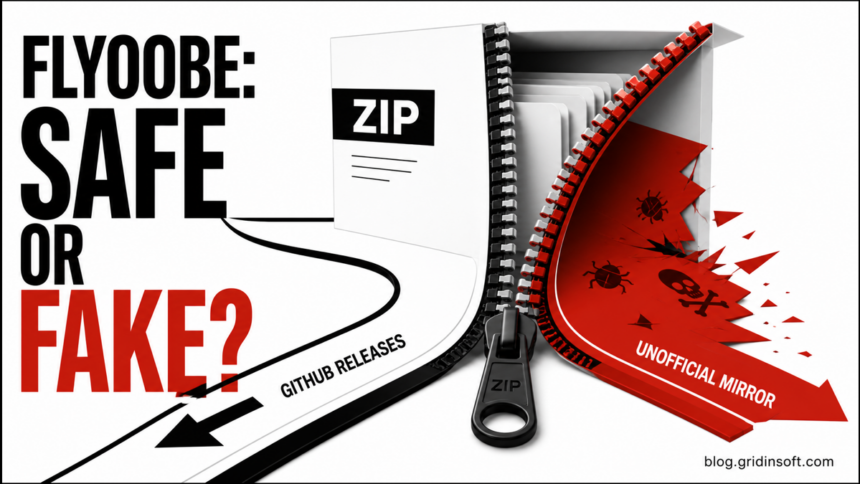
FlyOOBE can be a legitimate Windows setup and upgrade utility when it comes from the official builtbybel/FlyOOBE GitHub repository, but that does not make every FlyOOBE download—or every unsupported Windows 11 upgrade—safe. Treat three questions separately: who published the file, what the tool will change with elevated access, and whether the PC will remain supported after the upgrade.
If a download came from a mirror, an ad, a copied repository, a video description, or a domain that only looks official, do not run it. The FlyOOBE developer has specifically warned that an unaffiliated mirror used the project name and might distribute tampered or malicious builds. The project name and ZIP filename are not proof of origin.
What FlyOOBE is—and how Flyby11 fits
FlyOOBE is the current broader project from the developer behind Flyby11. It combines a Windows 10-to-11 upgrade path with Out-of-Box Experience customization, tweaks, debloating options, and setup extensions. The current official release flow presents classic Flyby11 as the smaller upgrade-only path and marks it as deprecated in favor of FlyOOBE.
That distinction matters because search results, old tutorials, and copied archives may mix several generations of the tool. A file named Flyby11.zip or FlyoobeApp.zip does not tell you which release it belongs to or whether someone changed it. Start with the publisher and release page, not the filename.
Is FlyOOBE safe? Use this three-part decision
- Official GitHub release, reviewed before running: lower malware-provenance risk, but still a high-trust system utility. Back up first, choose only the functions you understand, and keep stock Windows recovery media.
- Official tool on unsupported hardware: the tool may complete the installation, but it does not make the PC supported by Microsoft. Compatibility, feature-update, driver, and future security-update risk remain.
- Nightly, preview, fork, or copied repository: higher change and review burden. Do not assume “open source” means the exact binary in front of you matches the code you inspected.
- Mirror, search ad, file locker, forum attachment, or unknown domain: do not run it. Delete the archive, check the browser’s download history for the real source, and obtain a fresh copy only through the official repository if you still intend to use the tool.
- Unknown copy already ran: treat it as a possible malware incident until you check the system, browser, accounts, and persistence—not merely the original ZIP.
This is the same source-chain problem that appears with modified installation media, but the artifact is different. Our Tiny11 safety guide separates a visible builder from a prebuilt ISO, while the guide to leaked and modified Windows images covers the deeper risk of trusting an unknown operating-system image.
How to verify a FlyOOBE download before running it
- Confirm the repository owner. The current project is under
github.com/builtbybel/FlyOOBE. Look at the full address bar; do not trust a page title, favicon, sponsored result, or copied “Download” button. - Open Releases from that repository. Follow the repository’s own Releases link and confirm that the asset belongs to that release. Avoid separate download portals and mirrors even when they repeat the right version number.
- Check what you actually received. A normal archive should not redirect you to an unrelated installer, request a browser extension, demand that security protection be disabled, or include activation cracks and password-protected payloads.
- Scan before extracting or running. A scan can catch known threats, but one clean result cannot prove provenance. Use the source chain as the primary decision and scanning as an additional check. Our EXE safety checklist explains signatures, hashes, multi-engine checks, and behavior review.
- Do not use a hash without a trusted comparison. Computing SHA-256 identifies your copy. It proves authenticity only when the publisher supplies an expected hash for that exact asset through a source you already trust.
- Prepare a rollback path. Back up documents separately, export recovery keys you depend on, save installers or license information for important apps, and create stock Windows installation media on a trusted PC.
Why the official tool is not a blanket safety guarantee
FlyOOBE is designed to alter the Windows setup and upgrade path and can also apply OOBE, debloat, and customization choices. That is much broader than opening an ordinary desktop app. A legitimate copy can still produce an unwanted result if you misunderstand an option, remove a dependency, or use it on hardware that Windows 11 does not support.
Open source improves reviewability, but it does not automatically verify a downloaded binary. You still need to match the repository owner, release, asset, and source URL. A fork can be useful for development, yet it is a different trust decision from the developer’s release. A copied archive can preserve the original name while changing the contents.
Also separate “the upgrade completed” from “the device is supported.” Microsoft says a PC that does not meet Windows 11’s minimum requirements is not supported and is not guaranteed updates, including security updates. Receiving this month’s cumulative update does not promise that a later feature update, driver, or security update will work.
What to back up before using FlyOOBE
Do not rely on an in-place upgrade as your only copy of important data. A system restore point is not a replacement for an external backup, and it does not help if the disk fails, the installation becomes unbootable, or you must wipe the system after an unknown download.
- Copy documents, photos, project files, and other irreplaceable data to storage that will not remain attached during the upgrade.
- Confirm that cloud-synced folders have finished uploading; a sync icon alone is not proof that every file is available elsewhere.
- Save BitLocker or device-encryption recovery keys and confirm you can access them from another device.
- Record important app licenses, VPN settings, work-device requirements, and hardware drivers.
- Create official Windows installation media on a trusted computer and test that the target PC can reach its boot menu.
- Know whether you are prepared for a clean install. “Keep files and apps” is a setup choice, not a guarantee that every app and driver will survive.
If the Windows 11 upgrade fails
Stop repeating the same upgrade until you know which boundary failed. Preserve the error text and setup logs, check free disk space, disconnect nonessential USB devices, and make sure firmware and storage drivers are current. If the failure mentions an unsupported CPU or another hardware requirement, retrying a different wrapper does not make that hardware supported.
If Windows 11 starts but is unstable, open Settings → System → Recovery and check whether Go back is available. Microsoft recommends returning to Windows 10 when an unsupported Windows 11 device has problems, but the recovery option is not always present. When rollback is unavailable or the installation cannot be trusted, use stock Microsoft media for repair or a clean install rather than stacking more bypass tools over the failed state.
A clean install can erase applications and files, so verify the backup before changing partitions. If malware or an unknown installer may have run, create the USB on a different trusted computer and follow the clean Windows installation USB recovery process.
If you downloaded or ran an unknown copy
If the archive was downloaded but never opened, delete it, empty the browser’s download list only after recording the source URL, and run a scan of the file if you need evidence. Do not open it merely to see whether it looks genuine.
If you extracted or ran the file, disconnect the PC from sensitive work, banking, password-manager, and crypto activity while you check it. Review installed apps, browser extensions, proxy and DNS settings, Windows Security exclusions, startup entries, services, and scheduled tasks. Look for recurring security warnings or network activity after reboot.
An unofficial installer may drop files or persistence that remain after the original archive is deleted. Gridinsoft Anti-Malware can check for suspicious executables, bundled apps, startup entries, scheduled tasks, browser changes, and other leftovers. It cannot prove that an unknown Windows installation was never altered or recover credentials that may already have been stolen.
If the unknown copy ran before you used email, banking, work, social, gaming, or password-manager accounts, change important passwords from a clean device and revoke active sessions where the service allows it. If protection was disabled, administrator accounts appeared, or the OS source is uncertain, a clean reinstall from official media is safer than trying to reverse every hidden change.
FlyOOBE vs Rufus: which decision are you making?
Do not choose only by which tool can bypass a check. Rufus is primarily an installation-media creation utility; FlyOOBE covers a broader upgrade, setup, customization, and debloat workflow. Broader scope means more settings and components to review, while neither tool turns unsupported hardware into a Microsoft-supported device.
If Windows Update or Microsoft’s Installation Assistant offers a supported upgrade, that is the safer baseline. If the PC is unsupported, compare the value of keeping the machine with the cost of future feature-update failures, driver gaps, weaker hardware security, and a possible clean reinstall. A bypass is a compatibility choice, not a security certification.
Choosing between different approaches? Compare Windows 11 debloat and customization tools by security impact and rollback before combining utilities or moving to a modified Windows installation.
FAQ
Is FlyOOBE malware?
The official open-source project should not be equated with every file using its name. Verify the builtbybel/FlyOOBE repository and its release page. A mirror, fork, copied archive, or sponsored download is a separate file and can be unsafe.
What is the official FlyOOBE website?
Use the official GitHub repository and follow its Releases link. Do not infer authenticity from a matching domain name, logo, search result, or version number; the developer has warned about an unaffiliated mirror using the project name.
Is Flyby11 still safe to use?
Classic Flyby11 remains part of the same project history, but the current release flow marks it as deprecated in favor of FlyOOBE. An old or copied Flyby11 archive is harder to verify and may miss current compatibility checks, so prefer the current official project and review its release notes.
Will an unsupported PC keep receiving Windows 11 updates?
It may receive updates now, but Microsoft does not guarantee them and does not support the device. Plan for a feature update to fail and keep stock recovery media instead of treating one successful update as a permanent promise.
Can antivirus prove a FlyOOBE download is safe?
No. A scan can find known threats, but it cannot prove who built the archive or whether every system change is appropriate. Verify the repository owner and release asset first, then use scanning as an additional check.
References
- builtbybel. “FlyOOBE 2.4: Guided Setup & Upgrade Experience for Windows.” GitHub Releases, January 4, 2026; accessed September 2, 2026. https://github.com/builtbybel/FlyOOBE/releases/tag/2.4.854
- builtbybel. “FlyOOBE 1.50 — Security Alert and Official Download Source.” GitHub Discussions, November 2, 2025; accessed September 2, 2026. https://github.com/builtbybel/FlyOOBE/discussions/430
- Microsoft Support. “Windows 11 on devices that don’t meet minimum system requirements.” Microsoft, updated December 12, 2024; accessed September 2, 2026. Microsoft Support guidance