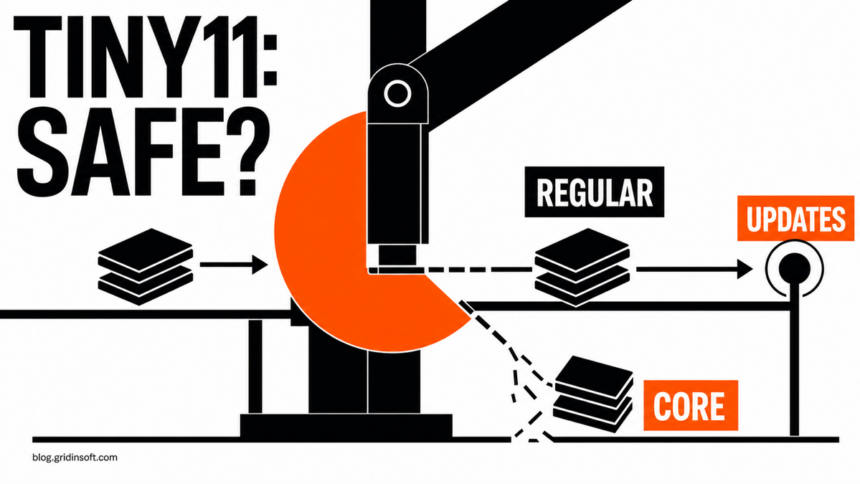
Tiny11 is not one uniform download, so its safety depends on what you use and where it came from. The regular tiny11maker script can build a serviceable, trimmed Windows 11 image from a Microsoft ISO. Tiny11 Core is a much more aggressive test build that the project itself says is not suitable for regular use. A prebuilt Tiny11 ISO from a mirror is a separate trust problem: the name alone cannot tell you who modified it, whether updates still work, or what was added.
For a daily PC, stock Windows 11 remains the safer baseline. If you still want to evaluate Tiny11, prefer the regular builder from the project’s current repository, start with installation media obtained directly from Microsoft, keep a recovery plan, and test it on a spare device or virtual machine before trusting it with personal accounts or important files.
Which Tiny11 are you considering?
| Situation | Safety decision |
|---|---|
| Regular Tiny11 built by you from a current Microsoft ISO | Lower provenance risk, but still an unofficial modified installation. Review the script, confirm updates and Windows Security after setup, and keep recovery media. |
| Tiny11 Core | Use only as a disposable testing or development image. The project says it is not suitable for regular use and cannot add updates, languages, or features after creation. |
| Prebuilt Tiny11 ISO from a mirror, forum, archive, or video link | Do not trust it for a daily PC. You cannot derive its contents or builder from the Tiny11 name, filename, screenshot, or one clean scan. |
| Any Tiny11 build on unsupported hardware | Even a serviceable image does not restore Microsoft support. Microsoft says ineligible devices are not guaranteed updates, including security updates. |
What Tiny11 is—and what it is not
Tiny11 is a community project that uses scripts to remove selected Windows 11 apps and components and create a smaller installation image. It is not a separate Microsoft edition, and Microsoft does not publish or support a product called Tiny11.
The project’s repository currently contains two materially different paths. The regular tiny11maker.ps1 removes bundled applications while keeping the image serviceable. According to the project, that means you can still add languages, updates, and Windows features after creation. The separate tiny11Coremaker.ps1 removes more, including the component store that Windows servicing depends on. The project describes Core as a quick testing or development tool rather than a full Windows substitute.
This distinction matters more than the Tiny11 version number. A search result that simply says “Tiny11 is safe” or “Tiny11 has no malware” may be discussing a different script, an older release, a self-built image, or an unrelated prebuilt ISO. Treat the exact builder, repository revision, source ISO, and final configuration as part of the identity.
Builder versus prebuilt ISO: where trust changes
Building the regular image yourself does not make every modification automatically safe, but it gives you a traceable chain: a Windows ISO from Microsoft, a visible script from the project’s repository, and an image created on a computer you control. That is meaningfully different from downloading a finished ISO whose author and build process you cannot verify.
A setup-assistant workflow creates a different trust boundary from a prebuilt ISO. Our FlyOOBE safety guide explains how to verify the official release, assess unsupported-hardware update risk, and recover after a failed or suspicious download.
A familiar filename such as tiny11_25H2.iso, a matching wallpaper, or a bootable installer does not establish provenance. A mirror can repackage a genuine image, add an activation tool, modify setup scripts, weaken security settings, or include software that activates only after installation. The broader risks are the same ones covered in our guide to leaked and modified Windows images.
AtlasOS uses a different official trust model: an open playbook applied through AME Wizard to Windows rather than a downloadable prebuilt ISO. Our AtlasOS safety guide covers Defender, updates, CPU mitigations, Core Isolation, gaming trade-offs, and the clean-reinstall exit.
A hash is useful only when a trusted publisher provides the expected value for the exact file. Matching Microsoft’s hash can validate the original Microsoft ISO before modification. It cannot certify a later custom image unless you also trust whoever published that custom hash and know how the image was produced. Likewise, an antivirus scan can find known malicious content, but it cannot prove that an operating-system image has no hidden changes, disabled protections, unsafe policies, or delayed behavior. See how ISO scanning and mounting differ before opening an unknown image.
Do Windows Update and Microsoft Defender still work?
For the regular builder, the project’s current description says the resulting image remains serviceable: it can accept languages, features, and updates. That is a design goal, not a guarantee that every future cumulative update, feature update, driver, or removed app will behave exactly like stock Windows. After installation, check Settings → Windows Update, install available security and servicing updates, restart, and check again. Also open Windows Security and confirm that Virus & threat protection, Firewall & network protection, and Device security show the expected providers and controls.
Tiny11 Core has a different answer. Its own script and README say Core removes serviceability, disables Windows Update because the component store is absent, and disables Microsoft Defender. That makes Core unsuitable as a normal daily system even if it boots and feels fast. An operating system that cannot receive ordinary servicing should be treated as a temporary lab image, not as a hardened lightweight Windows installation.
Unsupported hardware adds another boundary. A regular Tiny11 image may bypass or avoid some setup checks, but it does not make the PC supported. Microsoft’s current guidance says a Windows 11 device that does not meet the minimum requirements is not entitled to support and is not guaranteed updates, including security updates. Receiving one update today is not proof that the device will keep receiving every update later.
How to evaluate Tiny11 before installing it
- Name the exact path. Determine whether you have the regular builder, Core builder, or a prebuilt ISO. If the source page does not make this clear, stop.
- Start from Microsoft media. Microsoft’s download page offers the current Windows 11 ISO and a verification option. Do not substitute a “pre-activated,” “gaming,” or “ultralite” mirror.
- Use the current project repository. Read the README, release notes, and script changes. A copied archive posted elsewhere can keep the same folder name while changing the code.
- Do not confuse scanning with certification. Scan the downloaded archive and scripts before use, but keep the source and build chain as the primary trust decision.
- Test without valuable data. Use a virtual machine or spare device first. Do not sign in to banking, business, password-manager, developer, or crypto accounts merely to see whether the build runs.
- Prepare an exit. Back up documents separately and create stock Windows installation media on a trusted computer before replacing the current operating system.
A virtual machine reduces the consequences of a broken build, but it does not prove the image is clean. Malware can delay behavior or detect a virtual environment, and a VM can still expose copied files, shared folders, clipboard data, or network access. Our Windows Sandbox safety guide explains the same verification boundary for unknown programs.
If Tiny11 is already installed
If you built the regular image yourself from a Microsoft ISO and the system is stable, verify the basics before deciding to keep it: Windows Update completes without persistent errors, Windows Security is active, Secure Boot and device encryption match your intended setup, the manufacturer still supplies compatible drivers, and no removed component is breaking your work. Keep stock recovery media because a future feature update can expose a dependency that the current build did not.
If the ISO was prebuilt, came from an unknown mirror, included an activator, or the PC now shows recurring security warnings, disabled protection, unfamiliar administrator accounts, browser changes, scheduled tasks, or unexplained network activity, disconnect it from sensitive accounts and networks. Scan for detections and persistence, but do not use one clean result as proof that the operating system is trustworthy. Gridinsoft Anti-Malware can help check files, startup entries, scheduled tasks, bundled apps, and other leftovers; it cannot reconstruct an unknown image’s build history or certify the installed OS.
If the process path is wrong, the name imitates a Windows component, or high CPU started after an unknown installer, scan for hidden miners, services, startup entries, and bundled components.
Scan an unknown Tiny11 installFor an unknown or suspicious installation, the defensible recovery is a clean install from stock Microsoft media created on a trusted computer. Back up documents, photos, and other non-executable personal files; avoid carrying over scripts, installers, cracks, and unknown archives. Boot from the trusted USB, remove the old Windows system partitions during setup when your backup is confirmed, install current drivers and updates, and then rotate important passwords from a clean device. Follow the detailed clean Windows USB recovery process, then use the post-malware Windows security checklist before restoring normal account use.
Choosing between different approaches? Compare Windows 11 debloat and customization tools by security impact and rollback before combining utilities or moving to a modified Windows installation.
FAQ
Is Tiny11 a virus?
Tiny11 is a project name, not one file with one verdict. The official builder scripts are different from a prebuilt ISO offered by a third party. Do not call every Tiny11 image malware, but do not assume an image is clean because it uses the name.
Is Tiny11 Core safe for daily use?
No. The project says Tiny11 Core is not suitable for regular use because it lacks serviceability and cannot add updates, languages, or features after creation. Treat it as a disposable test or development image.
Does regular Tiny11 get security updates?
The regular builder is designed to remain serviceable, so it can accept updates. That does not guarantee every update on every modified build or unsupported PC. Verify Windows Update after installation and keep a stock recovery path.
Can a hash or antivirus scan prove a Tiny11 ISO is safe?
No. A hash can confirm that a file matches a value published by a source you already trust, and a scan can find known threats. Neither proves that an unknown custom operating-system image has no unsafe modifications or weakened settings.
Do I need a Windows license for Tiny11?
Tiny11 does not replace Windows licensing. Microsoft’s download guidance says you need a Windows 11 license or a qualifying Windows 10 device. Avoid images or instructions that bundle activation bypasses.
Is Tiny11 safe for a main PC?
Stock, supported Windows is the safer choice. A self-built regular Tiny11 image from Microsoft media is more traceable than a prebuilt ISO, but it remains an unofficial modification. Do not use Core or an unknown mirror image as a trusted daily system.
References
- NTDEV Labs. “tiny11builder: Scripts to build a trimmed-down Windows 11 image.” GitHub, accessed August 19, 2026. https://github.com/ntdevlabs/tiny11builder
- Microsoft. “Download Windows 11.” Microsoft Software Download, current Windows 11 25H2 media, accessed August 19, 2026. https://www.microsoft.com/software-download/windows11
- Microsoft. “Windows 11 on devices that don’t meet minimum system requirements.” Microsoft Support, updated December 12, 2024; accessed August 19, 2026. Microsoft Support guidance