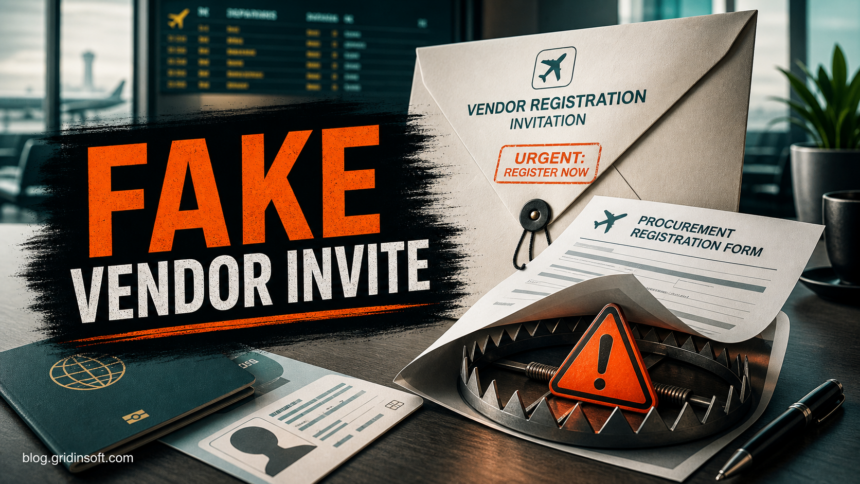
An unsolicited Flydubai Vendor Registration email is a procurement-themed phishing and business email compromise lure when it asks your company to reply for a “Vendor Questionnaire,” “Expression of Interest,” project registration form, fee request, or login link outside the official procurement process. Treat the message as untrusted until you verify it through flydubai’s public procurement channels, not by replying to the sender.
The lure is aimed at suppliers, contractors, finance teams, and small businesses that do not want to miss a real aviation procurement opportunity. The danger is not only a stolen password. A reply can expose company profiles, trade licenses, customer references, financial statements, bank details, and decision-maker names that make the next invoice or payment scam much harder to spot.
What the Fake Vendor Registration Email Looks Like
Recent copies use a formal procurement tone and borrow believable supplier-onboarding language. The message may claim that a “Flydubai Aviation Group” or procurement office is inviting vendors for a 2026/2028 project procurement program. The first step is usually framed as harmless: reply to receive a questionnaire, submit an Expression of Interest, or send a company profile.
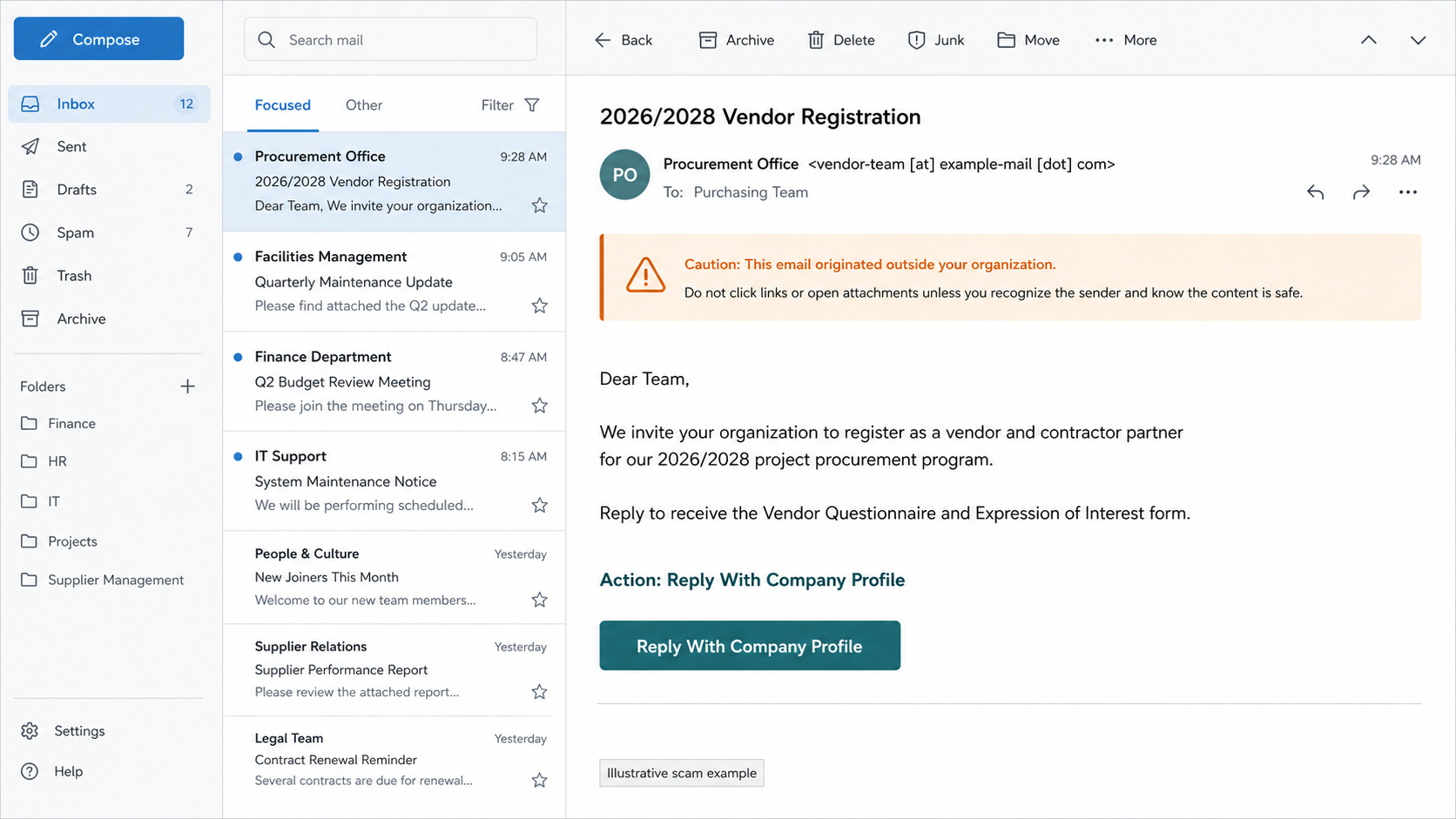
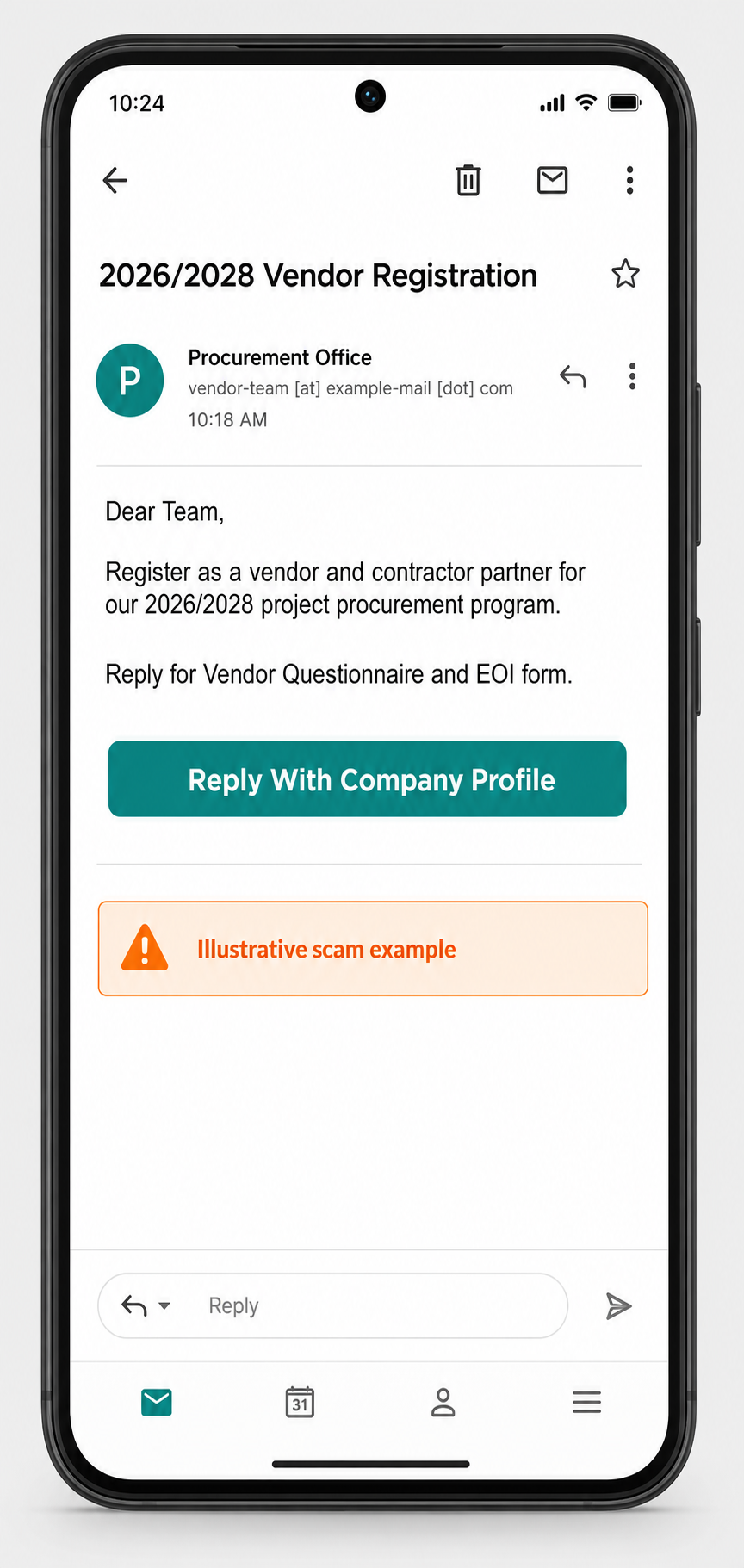
Example
Subject: 2026/2028 Vendor Registration
Sender: Procurement Office <vendor-team [at] example-mail [dot] com>

Dear Team,

We invite your organization to register as a vendor and contractor partner
for our 2026/2028 project procurement program.

Reply to receive the Vendor Questionnaire and Expression of Interest form.
Kindly send your company profile, trade license, reference customers, and
authorized contact details for pre-qualification.

Action: Reply With Company Profile
The wording may change, but the pattern is the same: a high-value business opportunity, a vague project window, a request to continue by email, and pressure to send documents before you have confirmed the sender through an official channel.
Red Flags to Check Before You Reply
- The sender domain is not an official flydubai domain. Display names are easy to fake, so expand the full email address and check the reply-to address.
- The message asks for sensitive supplier documents too early. A real onboarding process should be traceable through official supplier portals or known procurement contacts.
- The email uses broad project language. “2026/2028 project procurement program” sounds important, but it does not identify a real tender, portal notice, or buyer contact you can verify.
- Attachments or forms arrive after you reply. A scammer may send a PDF, spreadsheet, archive, or link only after confirming that your company is interested.
- Fees, deposits, courier charges, or bank details appear later. Procurement scams often start with information gathering and move to payment fraud after trust is built.
How to Verify a Flydubai Procurement Message Safely
- Do not reply to the suspicious email. Replying confirms that the mailbox is monitored and may invite a more tailored follow-up.
- Open flydubai’s procurement page manually from your browser. Do not use links from the email. Official supplier registration and pre-qualification requirements should be checked through the public flydubai procurement information.
- Compare the requested documents with the official checklist. A legitimate supplier process may ask for formal company records, but the route and contact point should still match official instructions.
- Call or email a known contact from an official source. Use a phone number or address from the company website or an existing supplier relationship, not the suspicious message.
- Ask internally before sending documents. Procurement, legal, and finance teams should agree who is allowed to share trade licenses, bank details, financial statements, tax records, and customer references.
What to Do If You Replied or Sent Documents
If your team only replied with a generic “please send details,” stop the conversation and warn the mailbox owner and procurement staff. If company documents or credentials were sent, treat the incident as a business email compromise risk.
- Save the email headers, attachments, and reply chain. They help your IT team check domains, reply-to addresses, and any files that were exchanged.
- Reset passwords if anyone logged in through a link. Do it from a clean device and revoke active sessions for the affected mailbox or business account.
- Check mailbox rules and forwarding. Attackers often add hidden rules after stealing email credentials.
- Warn finance and supplier-management teams. Tell them to verify any future invoice, bank-change, registration-fee, or courier-fee message by phone or a known channel.
- Review what was disclosed. Company profiles, trade licenses, reference customers, authorized-signatory details, and bank records can be reused in later fraud attempts.
- Scan any attachment before opening it. If a form, archive, or document was downloaded, upload it to the Gridinsoft Online Virus Scanner. If the file was opened or a tool was installed, run a full Gridinsoft Anti-Malware scan on that workstation before continuing business email activity.
Why Procurement Lures Work
Supplier registration emails work because they do not look like consumer spam. They use normal business terms: vendor, contractor, pre-qualification, questionnaire, EOI, trade license, reference customers, and audited financial statements. That vocabulary matches real supplier onboarding, so the safety check must focus on the channel, the sender domain, and the business process, not only on spelling mistakes. The fake Zambia Ministry tender investigation shows how copied official details and authenticated email can still lead back to a newly registered look-alike domain.
The FBI describes business email compromise as a financially damaging scam category because criminals impersonate a trusted source and make a request that appears legitimate. A fake procurement invite can fit that pattern even before money is requested, because the attacker is building the information needed for a later payment, invoice, or credential-theft stage.
How to Prevent Similar Vendor Registration Scams
- Create a written rule that supplier registration requests must be verified through official portals or known contacts.
- Require a second approval before sending trade licenses, financial statements, customer references, tax forms, or bank details to a new contact.
- Train staff to check reply-to domains, not only display names.
- Keep a short internal list of approved procurement portals and known airline, airport, logistics, and government supplier channels.
- Use MFA, but do not assume MFA stops consent, session, or document-sharing scams. Verification still matters.
FAQ
Is every Flydubai vendor registration email fake?
No. Supplier registration can be legitimate when it comes through official flydubai procurement channels. The risky case is an unsolicited email that asks you to reply, open a form, pay a fee, or submit documents through an unverified sender.
What if the email has no attachment?
It can still be dangerous. Some procurement scams begin with a simple reply request, then send a form, login page, payment request, or bank-change instruction after the victim shows interest.
Should I send a company profile to check whether it is real?
No. Verify the sender first. A company profile can contain contacts, business lines, customer references, and decision-maker names that help a scammer craft the next message.
What should I scan if I clicked a link or opened a form?
Scan the downloaded file or URL first. If the file was opened, macros were enabled, a browser extension was installed, or the computer started acting strangely, run a full malware scan and review email account activity.
References
- flydubai. “Procurement.” flydubai, accessed June 23, 2026. https://www.flydubai.com/en/information/procurement
- Federal Bureau of Investigation. “Business Email Compromise.” FBI, accessed June 23, 2026. https://www.fbi.gov/how-we-can-help-you/scams-and-safety/common-frauds-and-scams/business-email-compromise
- Federal Trade Commission. “Scams Your Small Business Guide for Business.” FTC, accessed June 23, 2026. https://www.ftc.gov/business-guidance/resources/scams-your-small-business-guide-business