Rhadamanthys Stealer can arrive through a fake copyright email that pressures you to download or run “evidence.” Reading the message alone does not install the malware. If you downloaded the file but did not run it, delete it and scan the PC. If you opened the archive, launched the fake PDF, or followed a command, disconnect the computer, remove the stealer, and treat saved passwords, browser sessions, and crypto-wallet data as potentially exposed.
The same copyright lure has also delivered Lumma Stealer. The important decision is not which family name appears later in a scanner: it is whether the downloaded file or command actually ran.
What to Do First
| What happened | What to do |
|---|---|
| You only read the email | Do not reply, download the “evidence,” or use contact details in the message. Verify any real claim through the company’s official website. |
| You downloaded a file but did not open it | Delete the file, empty the Recycle Bin, and run a full security scan. Do not extract a password-protected archive just to inspect it. |
| You opened the archive, ran a file, or pasted a command | Disconnect the PC from the network and follow the removal and account-recovery checklist below. |
| An account or wallet already shows unfamiliar activity | Use a clean device to secure the primary email first, end active sessions, contact the affected service, and protect financial or wallet assets immediately. |
How the Fake Copyright Email Works
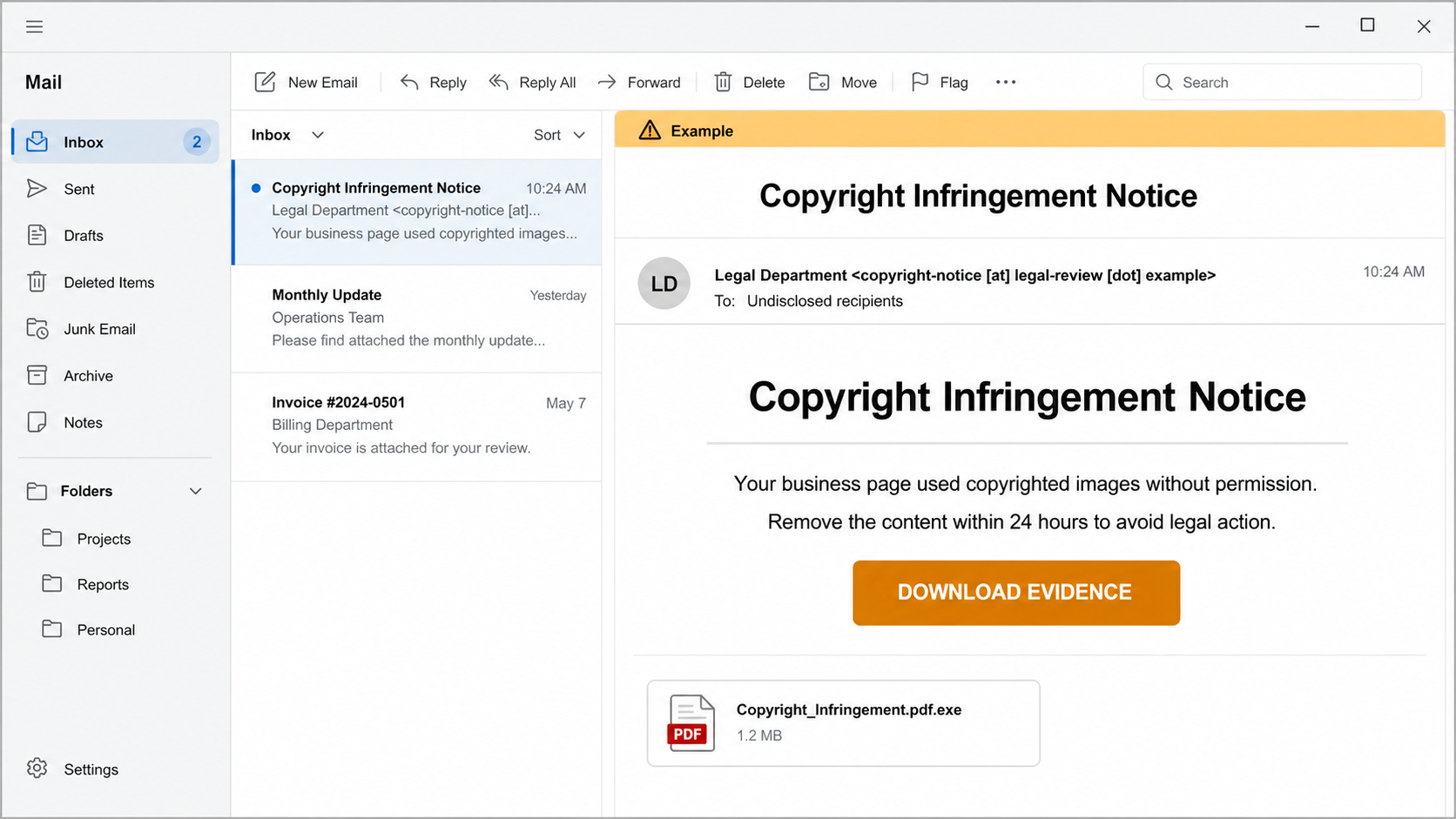
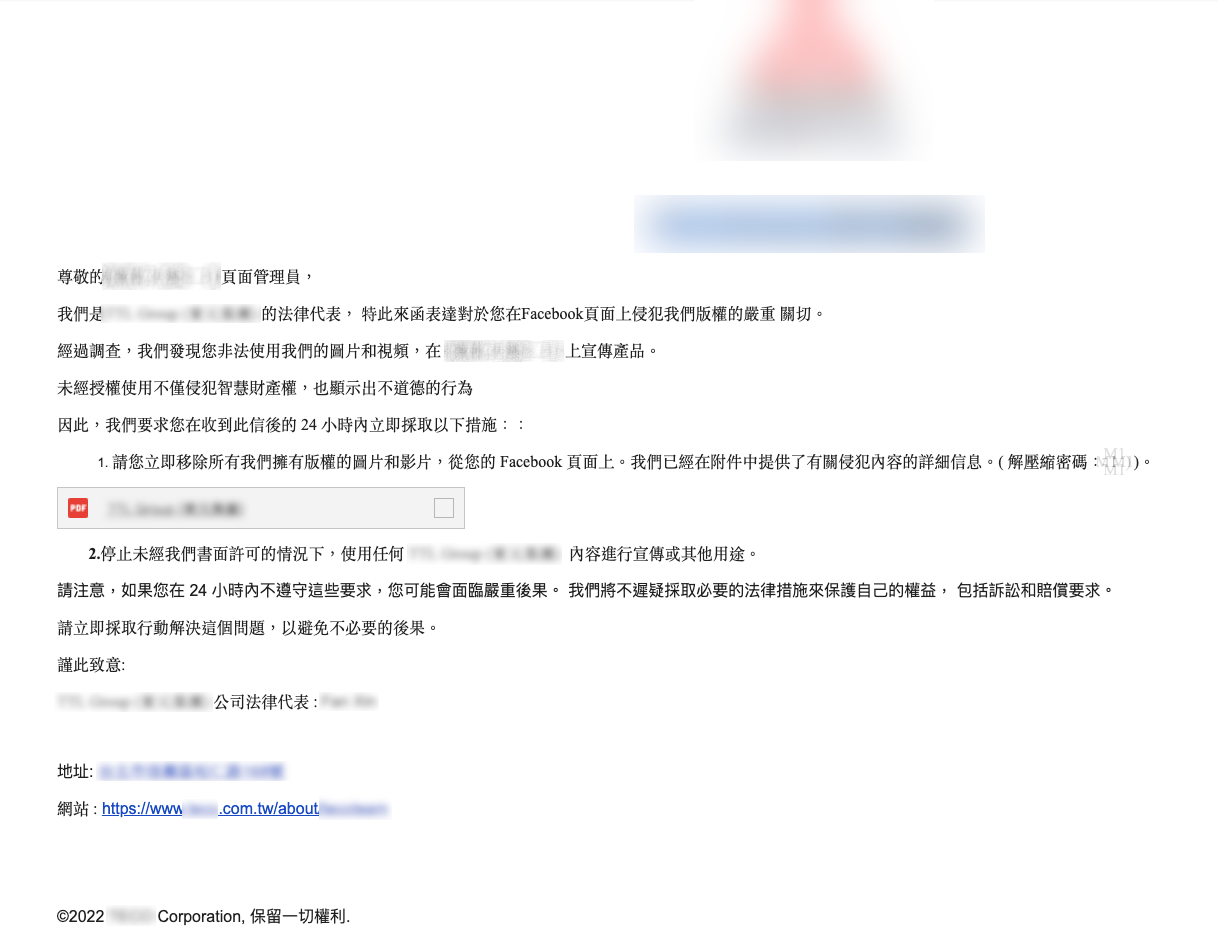
The lure impersonates a legal department and claims that a business or social-media page used copyrighted images or videos. A short deadline and threat of legal action create pressure. In the 2024 campaign documented by Cisco Talos, the download chain led through cloud and file-hosting services to a password-protected archive. Inside was a file made to look like a PDF even though it was an executable.
Check the real file extension before opening anything. A name such as Copyright_Infringement.pdf.exe is an executable, not a PDF. Also treat requests to copy a command into PowerShell, Run, Terminal, or a browser console as execution—not as ordinary verification.
Example
Subject: Copyright Infringement Notice
From: Legal Department <copyright-notice [at] legal-review [dot] example>
Your business page used copyrighted images without permission. Remove the content within 24 hours to avoid legal action.
Button: DOWNLOAD EVIDENCE
Attachment: Copyright_Infringement.pdf.exe
The sender name, company, language, deadline, and hosting service can change. Use those details as warning signs, not as a fixed signature. For more email-level checks, see the spear-phishing guide.
Rhadamanthys and Lumma in This Campaign
| Payload | Reader-relevant risk |
|---|---|
| Rhadamanthys Stealer | Targets browser passwords and cookies, session tokens, system data, application credentials, and cryptocurrency-wallet information. |
| Lumma Stealer | Also targets browser and wallet data. Use the dedicated Lumma Stealer recovery guide when that family is identified. |
Both are information stealers. Removing the malware stops future collection, but it cannot recall data already sent to an attacker. That is why account recovery is part of Rhadamanthys removal.
How to Remove Rhadamanthys and Secure Your Accounts
- Disconnect the affected PC. Turn off Wi-Fi or unplug Ethernet. Do not use the suspected computer to change passwords while it may still be monitored.
- Record what ran. Note the file name, archive name, download time, and any command you pasted. Do not reopen the file to confirm it.
- Run full malware checks. Use an updated security tool for a full scan, remove or quarantine detections, reboot, and scan again. If Windows or the scanner cannot be trusted, use an offline scan or reinstall Windows from known-good media.
- Secure the primary email from a clean device. Change its password first, review recovery addresses and phone numbers, remove unknown forwarding rules or app passwords, and enable multifactor authentication.
- Reset exposed credentials. Change passwords stored in browsers, password managers, email clients, VPN tools, FTP clients, and other apps. Use new, unique passwords rather than variations of old ones.
- End sessions and revoke tokens. Use each important service’s “sign out everywhere” or active-session page. Changing a password does not always invalidate every remembered session immediately.
- Protect financial and crypto assets. Contact banks about suspicious activity. If a wallet seed phrase or private key was stored on the PC, create a new wallet on a clean device and move remaining funds; a password change cannot make an exposed seed secret again.
- Watch for follow-up abuse. Attackers may use stolen email, social-media, advertising, or business accounts to send more lures. Warn colleagues and contacts if the account sent messages after the incident.
The password-stealer recovery guide covers the account order in more detail, while the infostealer guide explains broader cleanup and prevention.
A scanner may remove the visible fake PDF while a loader, startup entry, scheduled task, or another payload remains. A full Gridinsoft Anti-Malware scan can check for hidden files, startup items, scheduled tasks, and related stealer components; it cannot restore stolen passwords or prove that no data left the PC.
If a token stealer ran here, logging back in can hand the attacker your new Discord session, email cookie, Steam token, or wallet access. Scan this Windows PC first, then reset passwords from a clean device.
Scan this PC for stealer leftoversCampaign-Specific Signs
Cisco Talos observed one Rhadamanthys loader copying itself to C:\Users\[user]\Documents\lumuiUpdater\ffUpdaar.exe, adding a value under HKEY_CURRENT_USER\Software\Microsoft\Windows\CurrentVersion\Run, and injecting into %Systemroot%\system32\dialer.exe. These are clues from that campaign, not universal proof of infection. Do not delete a legitimate Windows process only because its name appears here; use the file path, signature, scan result, and incident timeline together.
Did Operation Endgame Remove the Risk?
International law enforcement disrupted Rhadamanthys infrastructure in November 2025. That action affected the malware service and affiliates, but it does not make an old attachment, copied loader, stolen credential set, or a new lookalike campaign safe. If a suspicious file ran, complete cleanup and account containment based on what happened on the device rather than assuming the family is gone.
FAQ
Can Rhadamanthys infect a PC if I only opened the email?
Reading the message alone did not execute the file in the documented fake-copyright campaign. The high-risk step was downloading and running the disguised executable or following execution instructions. Do not open the attachment to test it.
Is deleting the downloaded file enough?
If the file never ran, deletion plus a full scan is a reasonable check. If it ran, deletion is not enough: remove the malware, then change credentials from a clean device and revoke active sessions.
Should I change passwords on the infected computer?
No. Isolate and clean the PC first, and use a separate trusted device for urgent password changes. Start with the primary email because it can reset many other accounts.
References
- Cisco Talos, Joey Chen. “Threat actors use copyright infringement phishing lure to deploy infostealers.” Cisco Talos, October 31, 2024, accessed July 18, 2026. Cisco Talos research.
- Proofpoint Threat Research Team. “Operation Endgame Quakes Rhadamanthys.” Proofpoint, November 13, 2025, accessed July 18, 2026. Proofpoint research.