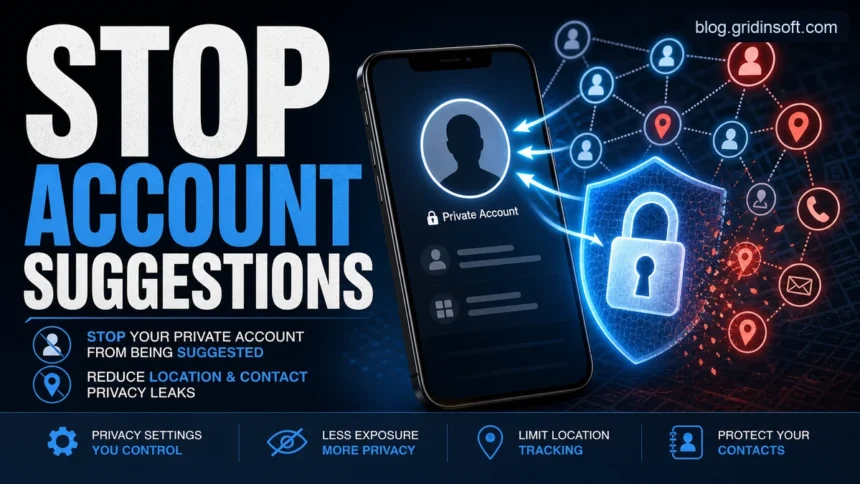
If Instagram keeps suggesting your private or burner account to people you know, do not assume GPS location is the only cause. The usual discovery signals are contact uploads, reused phone numbers or emails, linked Meta accounts, mutual followers, similar account suggestions, profile activity, Instagram Map settings, and location clues from posts. Reduce the risk by turning off contact uploading, reviewing Account Center, disabling account suggestions from the web profile settings, checking Instagram Map/location permissions, and removing location details from posts before you share them.
Quick fix: settings to change first
Start with the controls that match the signals Instagram actually uses. A private profile helps, but it does not remove every discovery signal tied to contacts, linked accounts, location tags, or previous activity.
- Desktop or mobile browser: open Instagram, go to your profile, choose Edit profile, and turn off Show account suggestions on profiles. This setting is not always available inside the app.
- Instagram app: open Accounts Center, go to Your information and permissions, then Upload contacts. Turn off contact uploading for the private account on every phone or tablet where it is logged in.
- Accounts Center: remove Facebook or Instagram accounts that should not be connected, then review cross-profile sharing and shared login experiences.
- Phone settings: set Instagram location permission to Never, or use While Using with Precise Location off if you still need occasional broad location tags.
- Instagram Map: open DMs, check Map settings, choose No one for location sharing, and avoid tagging real-time places in Stories, Reels, or posts.
Expect recommendations to fade rather than disappear instantly. Other people may still have your phone number or email in their synced contacts, and old profile activity can take time to stop influencing suggestions.
Why Instagram may suggest your account
Instagram recommendations are designed to help people discover accounts and content. Meta says eligible public accounts can appear in places such as Explore, Search, Feed recommendations, Reels, and Suggested Accounts [4]. For privacy, the important point is that a private account hides content from non-followers, but it does not make the account impossible to discover.
| Signal | What to check |
|---|---|
| Phone contacts | Turn off contact uploading for each Instagram account and each device. Meta notes that disconnecting contact sync stops recommendations based on the device contact list, but contacts can be uploaded again if sync remains enabled elsewhere [1]. |
| Similar account suggestions | Use Instagram on desktop or mobile browser, open your profile, choose Edit profile, and turn off account suggestions. Meta says this also keeps your profile from appearing as a suggestion on someone else’s profile [2]. |
| Meta Account Center | Review which Facebook and Instagram accounts are grouped together. Remove accounts that should stay separate, then check connected experiences such as sharing across profiles [3]. |
| Shared identifiers | A burner account is easier to connect when it reuses the same phone number, recovery email, username pattern, profile photo, bio wording, public contacts, or device habits. |
| Instagram Map and phone location permission | Keep Instagram Map sharing set to No one when you do not want selected friends to see your location, and review the phone-level location permission separately. Meta documents Instagram Map as a separate location-sharing control [5]. |
| Location clues | Tagged places, live Stories, photo backgrounds, school or workplace hints, public Wi-Fi names, and repeated posting patterns can reveal more than the app’s location toggle. |
Instagram privacy checklist
- Turn off contact uploading. In Instagram, open Accounts Center, go to Your information and permissions, then Upload contacts. Disable contact uploading for the account you want to protect. Repeat this on every device that logs in to that account.
- Remove synced contacts if available. Turning off sync is not always the same as deleting previously uploaded contacts. Use Instagram web or Accounts Center controls to manage uploaded contacts where Meta exposes that option.
- Turn off account suggestions on your profile. This setting is available from desktop or mobile browser profile editing, not always from the app. It reduces the chance that your profile appears beside similar profiles.
- Separate accounts deliberately. Use a different email address and avoid reusing a phone number when an account must stay separate. Do not add the private account to the same Account Center unless shared login or cross-posting is worth the discovery risk.
- Check post-level location. Remove location tags from old posts, avoid real-time location Stories, and crop photos that show addresses, school names, license plates, badges, or workplace details.
- Review third-party apps. Revoke access for apps that do not need your Instagram account. If a tool claims it can hide, boost, or analyze a profile, treat it as a privacy risk unless you can verify the vendor.
Instagram Map, phone permissions, and location tags
Instagram location privacy has three separate layers. Turning off one layer does not automatically clean up the others, which is why people can still feel exposed after changing a single setting.
- Phone permission: controls whether Instagram can request precise device location. On iPhone, review Settings > Privacy & Security > Location Services > Instagram. On Android, review Settings > Apps > Instagram > Permissions > Location.
- Instagram Map sharing: controls whether your location is shared through Instagram’s map feature. Keep it set to No one unless you intentionally want a selected audience to see it.
- Location tags: are public content clues. A tagged cafe, school, gym, hotel, or live event can reveal routines even when live map sharing is off.
- Photo and video context: signs, street views, badges, school uniforms, license plates, and repeated backgrounds can expose a location without GPS metadata.
Location sharing risks that still matter
Location sharing is useful when you want friends to know where you are, but it can also expose routines. A public location tag can tell strangers when you are away from home, where you study or work, who you meet, and which local events you attend. Scammers can combine that context with public posts to make a phishing scam or impersonation attempt more believable.
- Stalking and harassment: avoid public real-time check-ins and delay travel posts until after you leave.
- Account takeover clues: email, phone, birthday, school, pet names, and location patterns can help attackers guess recovery answers or craft convincing messages. Our personal data protection guide explains which details deserve the most protection.
- Scam targeting: Instagram scams often use social context. If unknown accounts contact you after a public tag, compare the message with common patterns in our Instagram scams guide.
- Browser and app tracking: cookies, ad identifiers, and app permissions can connect behavior across sessions. See the browser cookies privacy guide for the web side of this risk.
Safer setup for private or burner accounts
A private or burner account is safer when it is not just a second profile on the same digital footprint. Use separate contact details, avoid syncing contacts, do not cross-post the same photos, keep the account out of shared Account Center workflows, and avoid logging in with third-party tools. If you need strong separation, also avoid profile photos, usernames, captions, and follow lists that mirror your main account.
Do not rely on privacy by obscurity. A private account can still be found through username search, mutual contacts, profile suggestions, shared links, tagged posts, screenshots, leaked contact lists, or someone else’s synced address book.
If your account or location was already exposed
- Remove location tags and sensitive photos from recent and old posts.
- Turn off contact uploading, account suggestions, and unnecessary connected experiences.
- Block accounts that should not see the profile, then review followers manually.
- Change the username only if the old one is being searched or shared. A username change does not erase screenshots, DMs, or third-party copies.
- Enable two-factor authentication and use a unique password, especially if someone tried to reset or impersonate the account.
- If harassment, extortion, impersonation, or threats are involved, preserve evidence before deleting messages and report the account inside Instagram.
FAQ
Does turning Instagram private stop suggestions?
No. A private account limits who can see posts, but the profile may still be discoverable through search, mutual followers, contacts, or suggestion surfaces. Use privacy settings and discovery controls together.
Is Instagram suggesting my account because of location?
Sometimes location context can contribute, especially through location tags, Instagram Map settings, or repeated posting patterns. For account suggestions, contact sync, shared identifiers, Account Center links, mutual followers, and profile similarity are usually more important than GPS alone.
Does turning off Instagram Map stop all location exposure?
No. It helps with map-based sharing, but you should also check phone location permission, old post tags, Story stickers, photo backgrounds, and real-time posting habits.
Can I fully stop Instagram from recommending my account?
You can reduce the chance, especially by disabling contact uploading and account suggestions, but no public setting guarantees that nobody will ever find or infer the account.
Should I delete my account and start over?
Only if the old profile is already widely exposed and separation matters. A new account should use different contact details, no contact sync, no shared Account Center, and different profile signals from day one.
References
- Meta. “Disconnect contacts syncing on Instagram.” Instagram Help Centre, accessed June 2, 2026. https://www.facebook.com/help/instagram/236691729788553?locale=en_GB
- Meta. “Turn off account suggestions for your Instagram profile.” Facebook Help Centre, accessed June 2, 2026. https://www.facebook.com/help/530450580417848
- Meta. “Add or remove your accounts from an Accounts Centre.” Instagram Help Centre, accessed June 2, 2026. https://www.facebook.com/help/instagram/559653651833249?locale=en_GB
- Meta. “Recommendation eligibility on Instagram.” Instagram Help Center, accessed June 2, 2026. https://www.facebook.com/help/instagram/653964212890722
- Meta. “About sharing your location with others on the Instagram map.” Instagram Help Center, accessed June 2, 2026. https://help.instagram.com/402343555458995/