cronigame.exe is the filename named in a Reddit warning about a Discord “test my game” invitation. If someone sent you this file while asking for feedback on a small game project, do not run it or bypass a security warning. Verify the invitation through a separate contact method. If you already ran the file, stop using that PC for sensitive accounts and follow the response steps below.
The report is a reason to take the download seriously, but it is not a technical analysis of the executable. We have not independently identified its payload or confirmed the reported remote-access and account-takeover behavior. A filename alone cannot establish whether two people received the same file.
What the Cronigame.exe Report Actually Shows
In the October 6 Reddit post, the author describes an invitation sent through an allegedly compromised friend’s account. The story was plausible: a small team had been making a 2D adventure game and wanted someone to try it and give feedback. The author says their brother downloaded the executable but was stopped by Windows SmartScreen. They also describe a separate affected person’s distress, loss of access and changes to Google-account recovery controls. Those outcomes are the author’s account, not findings verified by Gridinsoft. [1]
The supplied conversation screenshot supports a narrower observation: an account asks for a review of a small game project and later posts a link. The destination is obscured. It does not show the executable, a detection result, the claimed website team, or what happened after execution. A call entry appears in the chat, but the image cannot tell us who answered or what was established.
Do not confuse cronigame.exe with another similarly named executable. An analysis of Cronic.exe, a generic game.exe, or a different fake-game campaign does not identify this file. No verified hash or malware-family attribution is provided here.
Why “Can You Test My Game?” Can Be Convincing
The invitation asks for a favor rather than money. A familiar account supplies the social proof, while an unfinished project explains why the download comes from an unfamiliar website instead of a normal store. The crucial change is easy to miss: agreeing to give feedback becomes agreeing to execute software.
This general pattern is documented independently. Malwarebytes researchers described fake game invitations and downloads distributed through compromised Discord accounts, with several different information stealers involved. That research supports the risk of the delivery method; it does not connect cronigame.exe to any one of those payloads. [2]
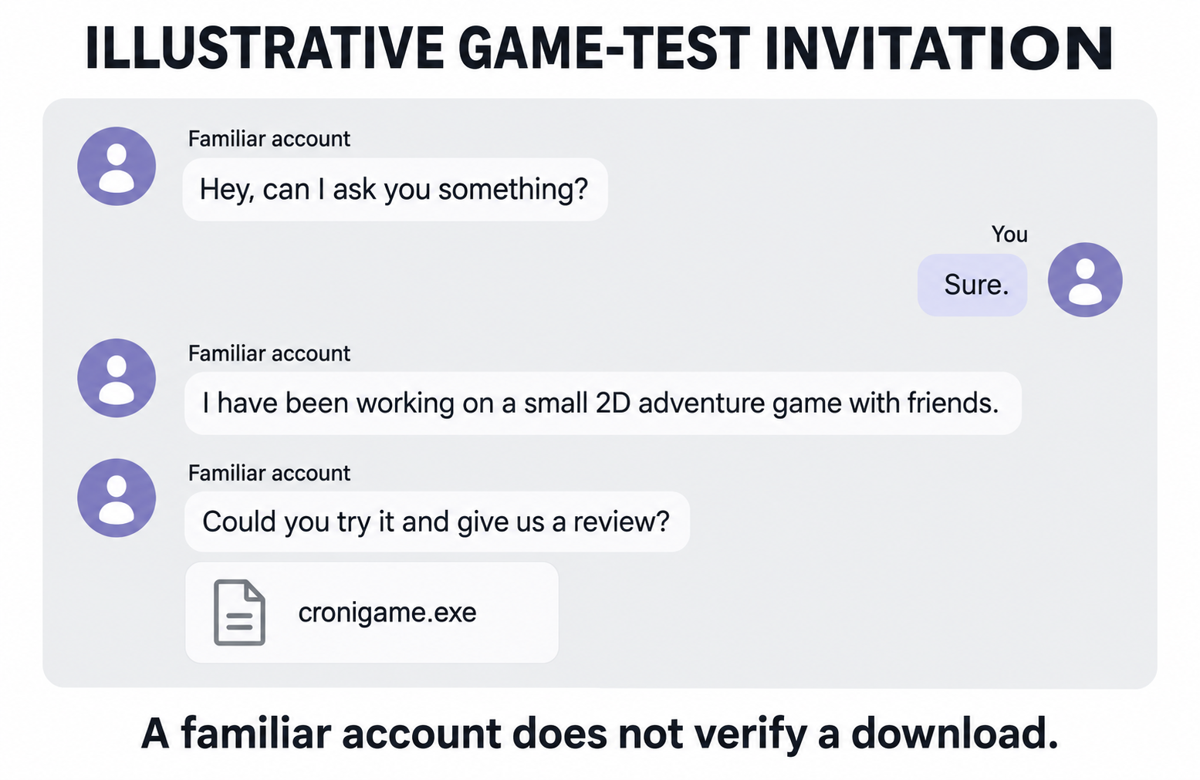
A paraphrased invitation might read: “I’ve been working on a small 2D adventure game with friends. Could you try it and give us a review?” The wording is not a detection signature. The warning sign is the combination of an unexpected executable, an unverifiable distribution source and a request that relies on your trust in the sender.
A polished page, team biography or believable school-project story can explain a download without authenticating it. Ask the person through a phone number or another account you already know. Confirm that they actually sent the invitation and where the project is distributed. Do not rely solely on a reassuring reply from the account that sent the file.
Downloaded, Blocked, or Ran It? Choose the Right Response
| What happened | What to do now |
|---|---|
| You only received the message | Do not download the file. Verify the sender independently and report the message if it is fraudulent. Receiving a message alone is not evidence of infection. |
| You downloaded it but did not run it | Keep it closed. Delete or quarantine the file and scan the download location. A download alone does not establish account theft; investigate separately if you also entered credentials or approved a login. |
| SmartScreen stopped it before execution | Keep the block in place. Do not choose “Run anyway” to satisfy the sender. Record the warning and check for any earlier execution or other suspicious activity. |
| You ran it, even if no game appeared | Disconnect that PC from the network and stop signing in from it. Scan for malware and use a different trusted device to secure important accounts. A missing game window does not prove that nothing ran. |
| Accounts changed or messages were sent without you | Treat this as an active account incident. Secure your email first, review sessions and recovery settings, and use the affected provider’s recovery process. Warn contacts through a safe channel. |
SmartScreen evaluates download and publisher reputation. Microsoft explains that an unknown or negative reputation can trigger a warning, including for a newly created signed program. An “unrecognized app” message therefore does not, by itself, diagnose a RAT. It is still a reason to stop when the source is an unsolicited game invitation. Our Windows protected your PC guide explains the distinction. [3]
If You Already Ran Cronigame.exe
Save the message, filename, download address and any security alerts without reopening the file or forwarding it to friends. Those details are more useful than assuming a malware family from the name. If it is a work or school computer, contact the administrator before making major changes.
Run a full scan with Gridinsoft Anti-Malware on the affected Windows PC and review the detections. If a malicious installer executed, deleting its visible EXE may leave other components behind. Recurring alerts, unfamiliar startup entries or browser changes justify checking persistence and rescanning after a restart. This is a conditional cleanup precaution, not a claim that cronigame.exe creates a particular scheduled task or registry entry.
If the suspicious game file ran, scan this Windows PC for malware and remaining components. Secure affected accounts from a separate trusted device immediately; you do not need to wait for this scan to finish.
Scan this PC for malwareFor the complete device-cleanup sequence, use our guide to an infostealer after a game or mod download. Account recovery can proceed in parallel from a clean device; do not wait for a scan to finish before addressing an active takeover. A scan does not revoke stolen sessions or recover a password.
If Discord is sending messages without you, follow the Discord auto-DM recovery checklist. Discord recommends resetting the password, checking multi-factor authentication and removing unwanted Authorized Apps. Its official compromised-account help also provides the support route for a stolen account. [6]
Gmail Recovery Does Not Require a YouTube Channel
The Reddit post presents a YouTube channel URL and TeamYouTube on X as the only recovery route. Do not treat that as a universal rule. Google’s documented process for a compromised account includes account recovery when you cannot sign in, followed by review of security activity, devices and account settings. [4]
If a linked YouTube channel was also hijacked, YouTube offers channel-specific guidance and assistance. That is a separate situation, not a prerequisite for every Gmail user, and it does not guarantee recovery. [5] For an incident affecting several services, our account-takeover checklist helps prioritize email, recovery methods and other accounts.
If recovery now asks an unfamiliar parent to approve sign-in, see Gmail hacked and changed to a child account for the Family Link roadblock, official contact route and steps to protect other services while access remains blocked.
The decision to remember is simple: verify the person and the download before running it. If it has already run, handle both the device and the accounts. A familiar name in a chat is not enough to establish who is controlling that account—or what its attachment will do.
References
- Reddit community report. “HEADS UP – cronigame.exe.” r/computerviruses, October 6, 2026. User account of the incident; accessed October 6, 2026. Original report.
- Pieter Arntz. “Can you try a game I made? Fake game sites lead to information stealers.” Malwarebytes, January 3, 2025. Research report.
- Microsoft. “SmartScreen reputation for Windows app developers.” Microsoft Learn, updated May 6, 2026; accessed October 6, 2026. SmartScreen documentation.
- Google. “Secure a hacked or compromised Google Account.” Google Account Help, accessed October 6, 2026. Google account recovery guidance.
- Google. “Recover a hacked YouTube channel.” YouTube Help, accessed October 6, 2026. YouTube channel recovery guidance.
- Discord. “My Discord Account was Hacked or Compromised.” Discord Support, updated May 27, 2025; accessed October 6, 2026. Discord account recovery guidance.