If Task Manager starts closing right after you install Claude Desktop on Windows 10, do not assume that Taskmgr.exe itself is infected. Current public reports point to a malformed Claude Desktop startup entry under the current user’s Run registry key. Task Manager can crash when it switches to the detailed view and reads that startup item. The practical fix is to remove or correct the Claude startup value, then check for malware only if you also have security-tool detections, unknown startup commands, browser redirects, or other suspicious behavior.
This guide is deliberately narrow. It is not saying that Claude Desktop is malware. It explains how to separate a known startup-entry bug from a real security incident, how to fix the registry value safely, and when a full malware scan is still the right next step.
Why Task Manager closes after the Claude install
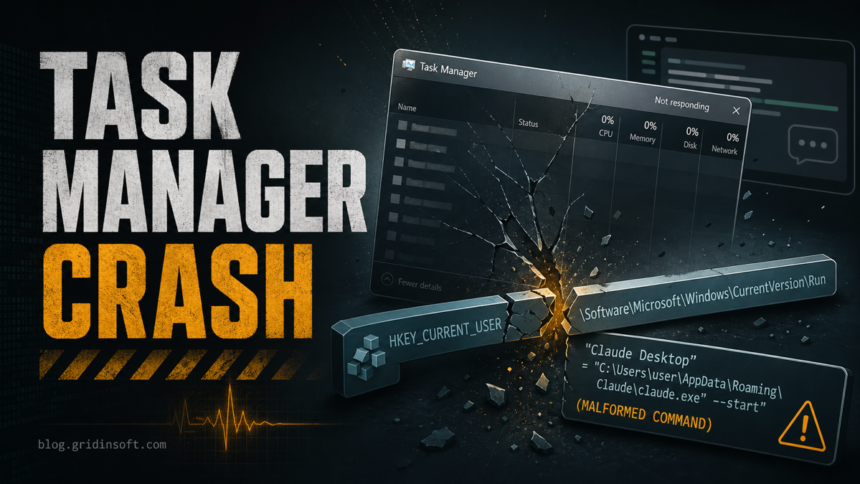
The reported pattern is specific: Task Manager opens in the simple view, but closes or crashes when the user clicks More details or reaches views that enumerate startup entries. In several current reports, uninstalling Claude Desktop restores Task Manager, while killing Claude processes does not. The important clue is that Task Manager reads per-user startup values from this registry path:
HKEY_CURRENT_USER\Software\Microsoft\Windows\CurrentVersion\RunThe problematic value reported in the main issue thread uses nested escaped quotation marks around the Claude executable and startup argument. A normal startup command might look like this:
"C:\Users\YourName\AppData\Local\AnthropicClaude\claude.exe" --startupThe broken form adds another quoted layer around the whole command. On affected Windows 10 systems, that malformed string appears to be enough to crash Task Manager while it parses the startup list. That is why resetting Task Manager preferences may not help: the crash source is the startup entry that Task Manager is trying to display.
Fix the Claude startup entry safely
Start with the least destructive fix. Do not delete Taskmgr.exe, do not run a registry cleaner, and do not reset Windows before checking the one startup value.
- Create a restore point or export the Run key. Press Win + R, type
regedit, open Registry Editor, go toHKEY_CURRENT_USER\Software\Microsoft\Windows\CurrentVersion\Run, right-click Run, and choose Export. - Look for a value named Claude. If it is not there, your current Claude Desktop build may use another install method, and this exact fix may not apply.
- Remove only the Claude startup value. Deleting the value stops Claude from launching at sign-in; it does not uninstall Claude Desktop. Reboot and open Task Manager again.
- If Task Manager works, leave startup disabled for now. Re-enable Claude startup only from Claude’s own settings or after installing a fixed build. Avoid manually recreating a command unless you are comfortable verifying the executable path.
You can also check the value in PowerShell without editing it first:
Get-ItemProperty -Path 'HKCU:\Software\Microsoft\Windows\CurrentVersion\Run' -Name ClaudeIf you confirm that the Claude value is the only trigger and you have exported the key, this command removes that startup value:
Remove-ItemProperty -Path 'HKCU:\Software\Microsoft\Windows\CurrentVersion\Run' -Name ClaudeAfter the reboot, open Task Manager, click More details, and check the Startup tab. If Task Manager no longer closes, the issue was almost certainly the malformed startup value rather than an active process killing Task Manager.
How to tell whether this is malware instead
A broken startup entry and a malware infection can both make Task Manager look unreliable, but the follow-up checks are different. Treat the case as a possible malware incident if any of these are true:
- A security tool reports a detection such as
Behavior:Win32/BrowserKill.A!MTB, a trojan, a browser modifier, or a suspicious script. Taskmgr.exeis not running fromC:\Windows\System32\Taskmgr.exeor it is not signed by Microsoft.- Unknown startup entries point to
AppData,Temp,Downloads, browser profiles, random folders, or commands that launchcmd.exe,powershell.exe,wscript.exe, ormshta.exe. - Your browser opens redirects, push-notification ads, fake virus alerts, or search pages you did not choose.
- The problem continues after removing the Claude startup value and rebooting.
For the exact Defender alert, use the dedicated Behavior:Win32/BrowserKill.A!MTB cleanup guide before treating the issue as only a Claude startup-entry bug.
Where Gridinsoft helps
If the Claude startup value was the only bad entry and Task Manager works after removing it, you may not need a malware cleanup. If there are security-tool alerts, unknown startup commands, browser redirects, fake alerts, or recurring startup entries, run a Gridinsoft Anti-Malware scan after the manual registry check. It can help find hidden files, scheduled tasks, startup entries, bundled apps, browser changes, and persistence that a one-key registry fix would not address.
After uninstalling the suspicious app or deleting the visible threat, use Gridinsoft Anti-Malware to check hidden files, startup entries, scheduled tasks, bundled apps, browser changes, and other persistence points that can restore malware.
Download Anti-MalwareIf the scan is clean and the only symptom was the Claude startup value, a full reinstall of Windows is usually unnecessary.
Check the crash source before changing more settings
Reliability Monitor and Event Viewer can confirm whether Windows is logging a Task Manager crash rather than a deliberate shutdown by another process.
- Open Reliability Monitor from Start and look for a red failure entry for
Taskmgr.exe. - Open the event details and note the faulting module, exception code, and time.
- Compare that time with the Claude install, update, or startup-entry change.
- If you see repeated
WerFault.exeactivity, remember that WerFault is Windows Error Reporting. It usually appears because another app crashed; it is not the root cause by itself.
For adjacent Windows repair steps, our guides on broken registry items after malware and WerFault.exe errors explain how to avoid unsafe registry-cleaner advice and how to trace the faulting app.
What not to do
- Do not delete Taskmgr.exe. The legitimate file is a Windows component.
- Do not bulk-clean the registry. This issue depends on one startup value, not hundreds of orphaned keys.
- Do not allowlist a security alert blindly. If a security tool reports malware-like behavior, investigate the file path and action first.
- Do not download random Task Manager replacements. Fix the startup entry and check Windows logs instead.
- Do not reinstall Windows as the first fix. Reinstalling may hide the root cause and wastes time when one Run value is responsible.
FAQ
Is Claude Desktop malware if Task Manager closes after installing it?
No. The current evidence points to a malformed startup registry value in affected installs, not to Claude Desktop being malware. You should still scan if a security tool reports a threat or if unknown startup items, redirects, or suspicious scripts are present.
Can I just uninstall Claude Desktop?
Yes, uninstalling Claude Desktop may remove the trigger. A more targeted fix is to remove the Run\Claude startup value first, because that keeps the app installed while disabling the broken sign-in startup command.
Why does Task Manager crash only after I click More details?
The detailed Task Manager view reads more system and startup information. On affected Windows 10 systems, the crash appears when Task Manager parses the malformed Claude startup command.
Should I run a malware scan anyway?
Run a full scan if you saw a security-tool detection, unknown startup entries, browser redirects, fake alerts, suspicious PowerShell or command prompts, or if Task Manager still closes after the Claude value is removed. If the one startup value was the only symptom, scanning is optional but still reasonable for peace of mind.
References
- Anthropic GitHub issue tracker. “[BUG] Claude Desktop install causes Windows 10 Task Manager to crash when switching to More details.” GitHub, opened April 2026, accessed June 13, 2026. https://github.com/anthropics/claude-code/issues/48055
- Microsoft Learn Answers. “Task Manager keeps crashing after switching to detailed view in Windows 10.” Microsoft, April 2026, accessed June 13, 2026. https://learn.microsoft.com/en-us/answers/questions/5858053/task-manager-keeps-crashing-after-switching-to-det