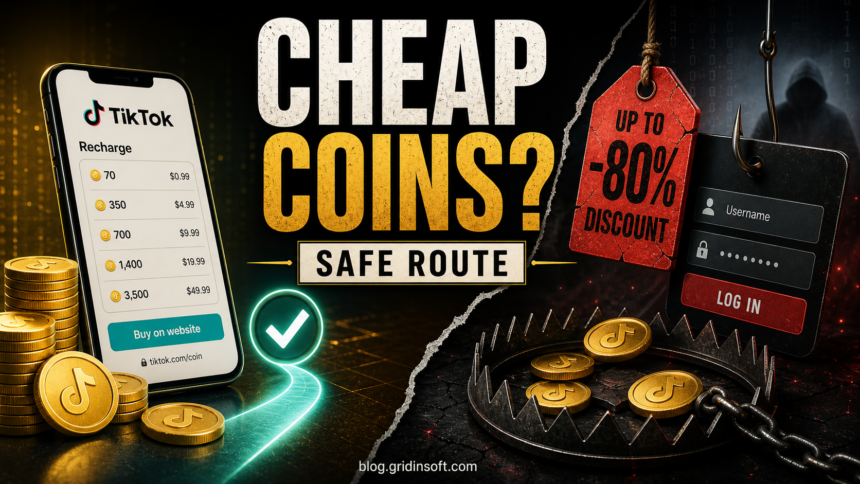
The safest way to get cheaper TikTok Coins is to compare TikTok’s official web recharge with the in-app price before you pay. Use TikTok’s own app or tiktok.com/coin when it is available for your account and region. Do not buy Coins from Telegram sellers, Discord sellers, “agents,” generators, modified APKs, or any page that asks for your TikTok password, one-time login code, card verification code, or session cookies.
Lowest-risk answer
- Best first check: compare TikTok app recharge with the official TikTok website recharge.
- Usually unsafe: third-party sellers, “cheap coin shops,” generators, APKs, and account-sharing services.
- Risky/uncertain: VPN region tricks. A VPN may change what you see, but payment country, account history, SIM region, billing address, and TikTok checks can still block or flag the purchase.
- Never share: your password, 2FA code, SMS code, payment verification code, or remote access to your account.
Cheap TikTok Coins options, ranked by risk
Search results for cheap TikTok Coins are crowded with VPN tutorials, discount sellers, and “free coin” promises. The important distinction is simple: buying through TikTok’s own purchase flow is different from paying a stranger or installing a tool that claims to unlock Coins.
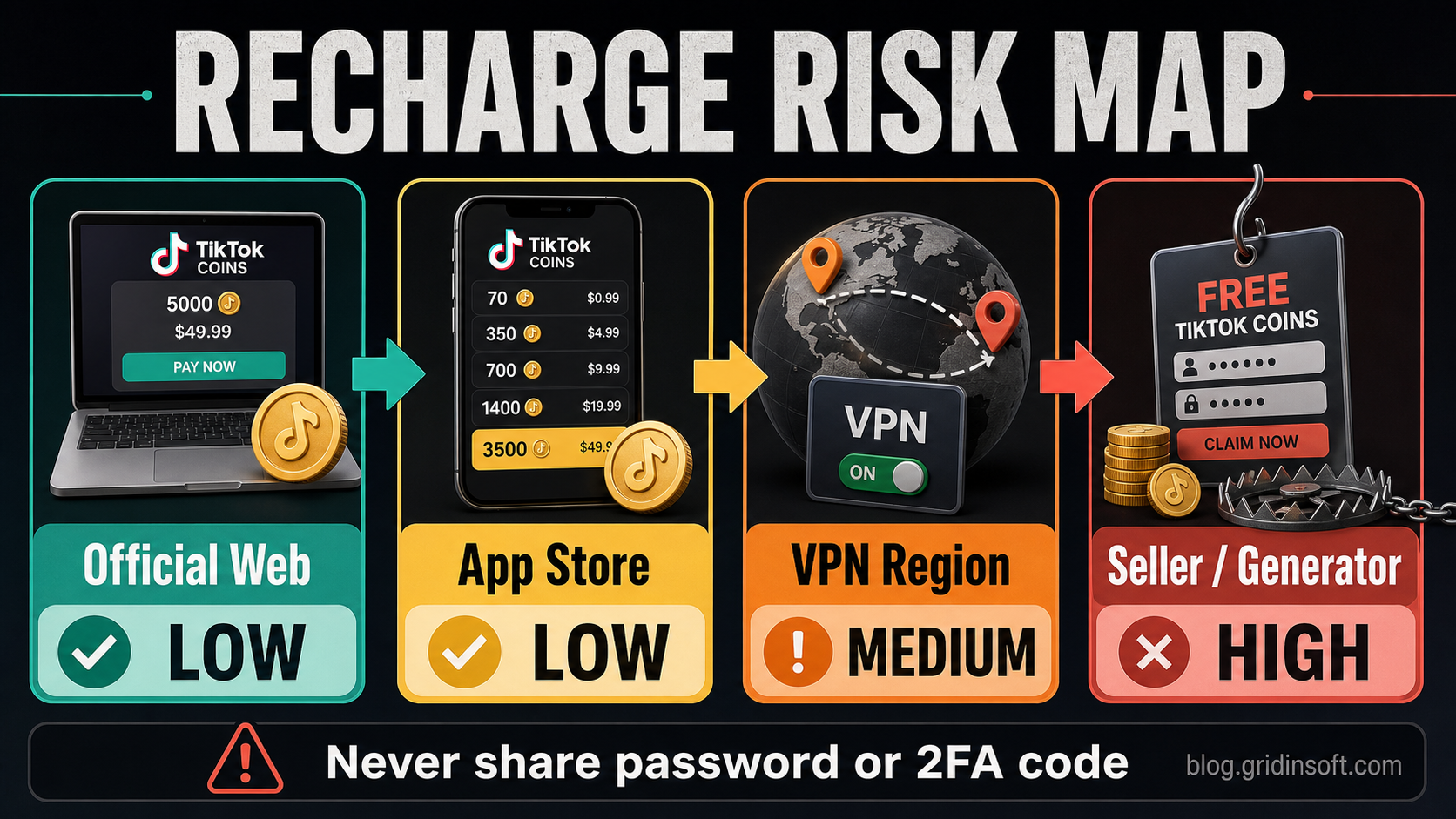
| Method | Risk | Use it? |
| Official TikTok website recharge | Low | Yes, if it is available to your account and region. Type the domain manually. |
| TikTok app recharge | Low | Yes. It may cost more than the web route because app-store billing can affect final price. |
| Official gift card or supported payment option | Low to medium | Only when TikTok supports it in your region and the seller is legitimate. |
| VPN country trick | Medium | Do not treat it as guaranteed. It can fail at checkout or create account/payment review problems. |
| Recharge agent or third-party cheap coin shop | High | Avoid. It often requires off-platform payment, login access, or unverifiable delivery. |
| Free coin generator, APK, mod, or browser extension | Very high | Avoid. These are common phishing, survey, adware, or account-theft traps. |
What are TikTok Coins?
TikTok Coins are virtual items used inside TikTok, mainly for sending Gifts during LIVE streams or eligible videos. TikTok’s Help Center says users can purchase Coins in the TikTok app through Apple App Store or Google Play, and in supported countries they can also purchase Coins directly from the TikTok website [1].
TikTok’s Virtual Items Policy matters because Coins are platform items, not normal money. The policy says Coins are for use on TikTok, cannot be exchanged for cash, and cannot be sold, assigned, or transferred except as TikTok allows [2]. That is why a stranger offering to “transfer” cheap Coins to your account is not a normal purchase path.
Official TikTok recharge: website vs app
If you want cheaper TikTok Coins without handing your account to a seller, check the official website first. In many user reports and current SERP competitors, the main legitimate saving is buying through TikTok’s web recharge rather than through the mobile app. The web route can be cheaper because it does not always follow the same app-store purchase path. Taxes, payment method, country, and availability still matter.
- Open TikTok directly, not from a comment, ad, DM, livestream chat, or short link.
- In the app, check Profile > Menu > Balance > Get Coins.
- Open
tiktok.com/coinmanually in your browser. - Compare the final checkout price, taxes, fees, bundle size, and payment method.
- Use the purchase option TikTok itself offers to your account and region.
If you are not sure whether a page is really TikTok, do not log in. Check the domain character by character. A real purchase flow should stay on a TikTok-controlled domain and should not ask you to send a login code to a person in chat. You can also paste a suspicious recharge URL into Gridinsoft’s URL Scanner before entering payment or login details.
Why TikTok Coins can be cheaper on the website
There are two common reasons prices differ. First, app-store billing can change the final cost of in-app purchases. Second, TikTok may show different payment methods, taxes, promotions, and bundles on the website. That does not make every “cheap country” or “discount seller” safe. It only means the official website is the cleanest place to compare before paying.
Before you pay, check these four things
- The browser address is exactly a TikTok-controlled domain.
- The final price is shown before payment, including fees and taxes.
- The account and payment method are yours.
- No one is asking for your password, 2FA code, SMS code, QR login, or remote access.
Can you use a VPN to buy TikTok Coins cheaper?
A VPN may change the region a website appears to see, and that is why many competing pages promote VPNs for cheap TikTok Coins. But a VPN is not a magic discount button. TikTok and payment providers can use more than IP address: payment card country, billing address, account history, SIM region, device signals, unusual login patterns, and fraud checks may all matter.
| VPN claim | Reality check |
| “Connect to the cheapest country and buy Coins.” | The checkout may fail if payment country, account signals, and region do not match. |
| “A VPN makes the purchase safe.” | A VPN does not protect you from phishing pages, fake sellers, stolen-card schemes, or malicious APKs. |
| “Use this free VPN APK for TikTok Coins.” | Free APKs and browser extensions are a common route to adware, spyware, and session theft. |
| “Everyone does it, so there is no account risk.” | Region manipulation can cause support, recharge, payment, or suspicious-activity problems. |
If you already use a reputable VPN for privacy, that is separate from using one to manipulate a purchase region. Do not install a VPN, browser extension, profile, or modified TikTok app just because a coin-discount page tells you to. The biggest danger is not the VPN itself; it is the chain of shady pages that uses “VPN cheap Coins” as bait.
Are third-party cheap TikTok Coin sites safe?
Assume they are unsafe unless they keep you inside TikTok’s official purchase flow. A third-party page that promises cheap or free Coins usually needs one of four things from you: login access, payment outside TikTok, a verification code, or an app install. Any one of those is enough to stop.
- Recharge agents: ask for your username, login code, or payment outside TikTok.
- Discount coin shops: may take payment and disappear, or use stolen payment methods that later reverse.
- Telegram and Discord sellers: often rely on untraceable payments and no buyer protection.
- Modified TikTok APKs: can steal sessions, intercept SMS, show ads, or install other unwanted apps.
- Fake TikTok login pages: copy TikTok branding but run on lookalike domains, short links, or compromised sites.
- Free coin generators: usually lead to surveys, ad loops, credential theft, fake downloads, or data harvesting.
Red flags on a TikTok Coins website
| Red flag | What it likely means |
The domain is not tiktok.com |
The page may be phishing or a fake recharge shop. |
| The site promises “free 10,000 Coins” | Coins have real value inside TikTok; impossible offers are bait. |
| It asks for your password or 2FA code | The attacker may be trying to take over your account. |
| It requires an APK, VPN profile, extension, or configuration file | The tool may steal sessions, show ads, or install malware. |
| It accepts only crypto, gift cards, or friends-and-family payment | Those payments are difficult to reverse after fraud. |
| It claims “official TikTok partner” without proof | Scammers copy logos, fake badges, and fake reviews. |
What to do if you used a suspicious TikTok Coins site
React based on what you gave the site. Opening a page is usually less serious than entering credentials, paying, installing an APK, or sending a one-time code.
- If you entered your TikTok password, change it from the official TikTok app or website.
- Turn on two-step verification and review trusted devices. TikTok recommends 2-step verification as an extra safeguard for account access [3].
- If you sent a one-time login code, assume the attacker may have accessed the account and remove suspicious devices.
- If you entered card details, contact your bank or card issuer and watch for unauthorized charges.
- If you paid with crypto, gift cards, or friends-and-family transfer, save screenshots and transaction IDs; recovery may be difficult.
- If you installed an APK, VPN profile, browser extension, or “coin tool,” remove it and scan the device.
- Warn friends, followers, or creators if the scam used your account to send messages, comments, or fake recharge links.
Signs that your account may already be compromised include password or phone-number changes, deleted or posted videos you did not authorize, and messages sent from your account without permission. TikTok lists those as hacked-account warning signs in its own support guidance [4].
Safe rules for buying TikTok Coins
- Type
tiktok.com/coinyourself instead of following ads, comments, DMs, or livestream chat links. - Compare app and website prices, but stay inside official TikTok flows.
- Do not buy Coins from a person who needs to log into your account.
- Never send a seller your password, QR login, SMS code, email code, 2FA code, or payment verification code.
- Do not install modified TikTok APKs, “coin VPN” apps, free generator tools, or browser extensions.
- Use a payment method with fraud protection when possible.
- If the discount is far below official pricing, assume the catch is your account, payment data, or device security.
Related TikTok scams
Cheap coin scams overlap with broader TikTok fraud. Some pages pretend to sell Coins, while others lead to fake shops, crypto giveaways, or login theft. Gridinsoft has separate guides on common TikTok scams, TikTok shopping scams, and TikTok crypto giveaway scams.
FAQ
What is the safest way to buy cheap TikTok Coins?
The safest way is to compare TikTok’s official app recharge with TikTok’s official website recharge. If the web route is available in your region, it may be cheaper while keeping you inside TikTok’s normal purchase flow.
Is tiktok.com/coin official?
Yes, tiktok.com/coin is the official TikTok web recharge path in supported countries. Type it manually and make sure the browser is really on a TikTok-controlled domain before logging in or paying.
Are TikTok Coins cheaper on the website than in the app?
They can be. The app and website may use different payment paths, fees, taxes, and bundles. Compare the final checkout price, not just the bundle label.
Is buying TikTok Coins with a VPN safe?
A VPN does not make a purchase automatically safe. It can also create region, payment, account, or suspicious-activity checks. Do not install a VPN, APK, or extension just because a coin-discount page tells you to.
Are free TikTok Coins generators real?
No reliable free coin generator exists for normal users. These pages usually make money through surveys, ads, phishing, fake downloads, or stolen accounts.
Can I buy TikTok Coins from another person?
You should not give another person access to your TikTok account or payment codes. TikTok’s policy restricts selling or transferring Coins outside the platform’s permitted methods.
What if TikTok says recharge is not available in my region?
Do not jump to a third-party seller. Check TikTok support, try the official website, review your account region and payment method, and avoid tools that promise to bypass regional restrictions.
References
- TikTok Support. “Gifts.” TikTok Help Center, accessed June 11, 2026. https://support.tiktok.com/en/live-gifts-wallet/gifts/gifts
- TikTok. “Virtual Items Policy.” TikTok Legal, accessed June 11, 2026. https://www.tiktok.com/legal/page/global/virtual-items-policy/en
- TikTok Support. “Account safety.” TikTok Help Center, accessed June 11, 2026. https://support.tiktok.com/en/safety-hc/account-and-user-safety/account-safety
- TikTok Support. “My account has been hacked.” TikTok Help Center, accessed June 11, 2026. https://support.tiktok.com/en/log-in-troubleshoot/log-in/my-account-has-been-hacked