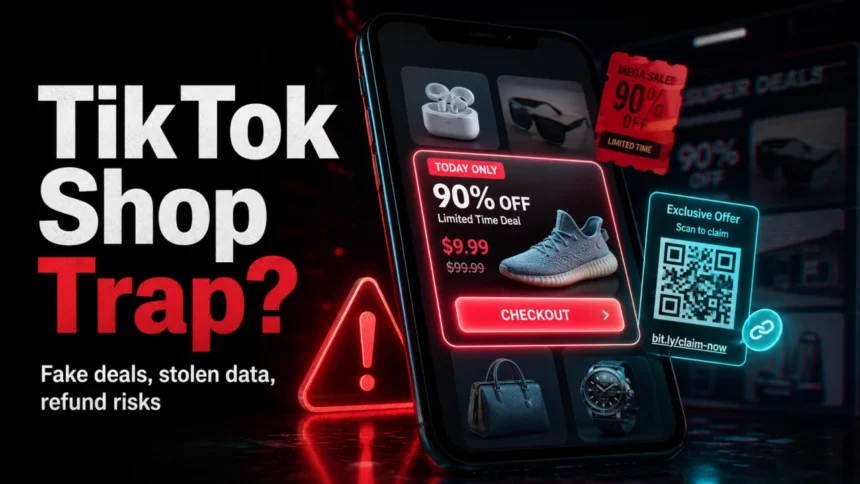
TikTok Shop scams are not just fake discounts. The risky part is the mix of viral product videos, third-party sellers, off-app checkout links, counterfeit goods, phishing messages, and refund pressure. TikTok Shop can be legitimate when you buy through the official in-app checkout, but a seller, ad, livestream, or “link in bio” can still push you into a fake storefront where TikTok’s normal buyer protections may not help.
This guide explains the scams that currently matter most, how to check a TikTok Shop seller before you pay, and what to do if you already ordered from a suspicious shop.
Why TikTok Shop scams rank as a real risk
TikTok turned shopping into an impulse experience: a product appears in a short video, a creator says it is almost sold out, and the checkout button is only a tap away. That speed is exactly what scammers abuse. They copy product photos, use aggressive discount hooks, create near-identical shop names, and pressure buyers to leave the app for a “better price” or a “manual order.”
The safest rule is simple: treat TikTok Shop like a marketplace, not like a single trusted retailer. Some sellers are real brands. Others are unknown third parties, drop-shippers, counterfeit sellers, or accounts created only to harvest payments and data.
Common TikTok Shop scams
Fake products and counterfeit sellers
Many TikTok shopping scams start with a product that looks unusually cheap for a known brand: beauty products, electronics, fashion, sneakers, accessories, supplements, or small gadgets. The video may look polished, but the listing uses copied photos, vague product descriptions, or reviews that all sound similar. TikTok Shop’s own anti-counterfeit policy says products must be authentic and that sellers are responsible for avoiding counterfeit listings, but enforcement does not mean every risky product disappears before a buyer sees it.
Before buying, compare the price with the brand’s official store and other major retailers. If a seller claims to offer a luxury or premium item at 80-90% off with weak reviews, treat it as high risk. The same discount bait also appears in cheap TikTok Coins and recharge scams, where fake sellers use low prices to collect logins, payment data, or crypto deposits.

Off-app checkout and fake storefront links
A legitimate TikTok Shop purchase should keep the transaction inside the official TikTok shopping flow. Be suspicious when a video, livestream, message, or seller bio asks you to open a separate website, contact the seller on Telegram or WhatsApp, pay by bank transfer, use cryptocurrency, or scan a QR code for a “private discount.”
Off-app pages are a major danger because they can imitate TikTok Shop while collecting card data, passwords, delivery addresses, or wallet deposits. If a link opens a domain with random words, extra hyphens, misspellings, or cheap-looking endings such as .top, .shop, .site, .icu, or .fun, stop and check it first with the Gridinsoft Website Reputation Checker.
Phishing messages about orders, refunds, and coupons
Scammers also send messages that look like TikTok support, a delivery company, or a seller’s customer-service team. The message may say your order is blocked, your refund needs confirmation, or a coupon will expire soon. The goal is to make you enter a password, one-time code, card number, or personal details on a fake page.
TikTok does not need your password in a chat to process an order or refund. Open the TikTok app yourself, go to your order history, and handle support from there. If you received a suspicious email or SMS, compare it with the warning signs in our phishing email red flags guide.
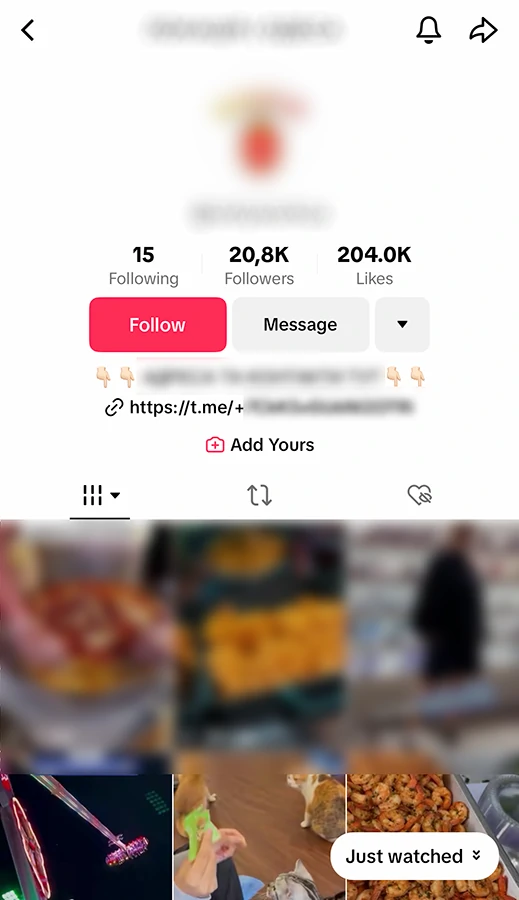
Fake TikTok Shop jobs and affiliate tasks
Some scams are aimed at people who want to earn money, not shoppers. The victim is told they can work with TikTok Shop, process orders, promote products, or unlock commissions. At first, the dashboard may show fake profits. Later, the victim is asked to deposit money, install an app, or pay a fee to withdraw earnings.
Security researchers at CTM360 reported a campaign using fake TikTok Shop, TikTok Wholesale, and TikTok Mall pages, plus thousands of malicious app-download links. That makes “seller tools” and “affiliate apps” especially risky when they come from ads, QR codes, shortened links, or unofficial domains.
How to check a TikTok Shop seller before buying
- Stay inside the app. If the seller asks for payment through a link, QR code, bank transfer, crypto wallet, Cash App, Venmo, Telegram, or WhatsApp, leave the purchase.
- Check the shop identity. Look for a verified badge, consistent shop name, clear business details, and a history that matches the product being sold.
- Read review patterns, not only stars. A real shop usually has varied review wording, product photos, delivery comments, and some imperfect feedback. Repeated five-star phrases posted close together are suspicious.
- Compare prices outside TikTok. A big discount can be real, but a famous product at a fraction of the normal price is a counterfeit or non-delivery warning.
- Inspect product photos. Copied brand photos, blurry packaging, missing ingredient labels, or no real customer photos are warning signs.
- Check return and support details. A seller that hides contact details, gives confusing return terms, or pushes you away from TikTok’s order system is not worth the risk.
- Scan suspicious domains. Use the Gridinsoft Website Reputation Checker before opening payment pages from ads, bios, comments, or shortened links.
What to do if a TikTok Shop purchase looks like a scam
- Stop communicating with the seller outside TikTok. Do not send more money, documents, verification codes, or screenshots of your card.
- Save evidence. Take screenshots of the product page, seller profile, messages, payment receipt, tracking number, external URL, and refund conversation.
- Use TikTok’s in-app order and report tools. Open the order from your account instead of following a message link.
- Contact your bank or card issuer. Ask about chargeback or fraud-dispute options if you paid by card and the seller disappeared, sent a fake item, or moved you outside the app.
- Change passwords if you entered login details. Use a unique TikTok password and enable two-factor authentication.
- Scan the device if you installed an app. If a “TikTok Shop tool,” coupon app, APK, or QR-code download was involved, run a security scan and remove anything you do not recognize.
If the scam involved a suspicious website, app download, browser redirect, or repeated popups, check the device with Gridinsoft Anti-Malware. Shopping scams often begin as payment fraud, but phishing pages and fake apps can also leave malware, adware, or credential-stealing components behind.
FAQ
Is TikTok Shop safe to buy from?
TikTok Shop can be safe when you use the official in-app checkout, buy from reputable sellers, and avoid suspicious links. The risk comes from individual sellers, fake ads, counterfeit products, phishing messages, and off-app payment requests.
How do I know if a TikTok Shop seller is fake?
Warning signs include unrealistic discounts, no verified identity, copied product photos, repeated review wording, pressure to pay outside the app, external checkout links, QR-code payment pages, and a seller that avoids TikTok’s order system.
Can TikTok refund me if I paid outside the app?
Do not rely on TikTok protections for off-app payments. If you paid on a separate website, through a messenger, by bank transfer, or with cryptocurrency, contact your payment provider quickly and preserve evidence.
Are TikTok Shop jobs and affiliate tasks legitimate?
Some creator and seller programs are real, but unsolicited “TikTok Shop job” messages that ask for deposits, wallet top-ups, app installs, or crypto payments are high-risk task scams.
Should I scan my phone or computer after a TikTok Shop scam?
Yes, if you installed an app, scanned a QR code, opened a suspicious file, entered credentials on a fake page, or started seeing popups and redirects. A scam can turn into malware or account theft when the attacker gets you to install something.
References
- TikTok Shop. “TikTok Shop Anti-Counterfeit Policy – US,” accessed June 6, 2026. https://lf16-ippc.tiktokglobalshop.com/obj/ippc-home-static-sg/part3/pdf/TikTok-Shop-Anti-Counterfeit-Policy-US.pdf
- CTM360. “FraudOnTok: The SparkKitty Drop Targeting TikTok Shop Users,” CTM360, accessed June 6, 2026. https://www.ctm360.com/reports/fraudontok-tiktok-shop-scam-report