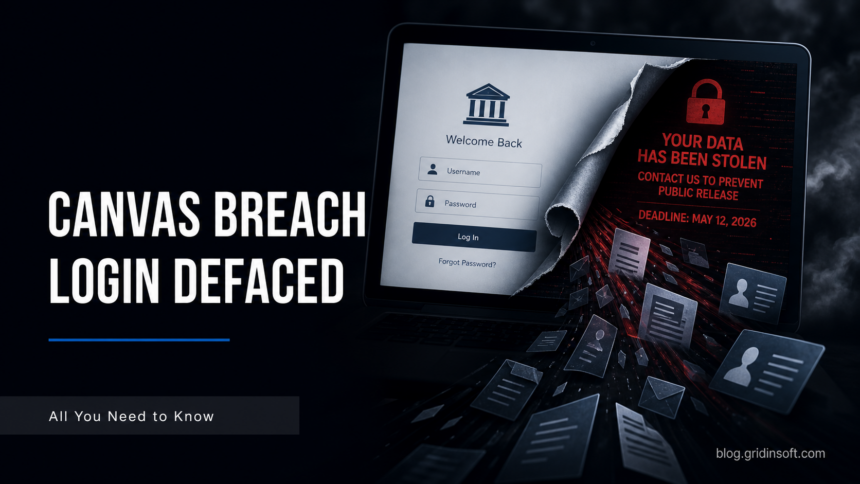
Instructure says it has contained a Canvas LMS security incident after unauthorized activity exposed user information at affected organizations and later altered pages shown to some students and teachers. The company says the April 29 activity involved names, email addresses, student ID numbers, and messages among Canvas users, while a May 7 follow-up involved changes to pages seen after login rather than confirmed new data theft [1].
The public impact was larger than a quiet database incident because Canvas is a daily workflow for schools, colleges, and universities. Instructure temporarily placed Canvas in maintenance mode on May 7 to contain the activity, investigate, and apply safeguards. Its status page later said Canvas was fully operational and recommended that customers enforce MFA on privileged accounts, review admin access, and rotate API tokens or keys where applicable [2].
BleepingComputer reports that the ShinyHunters extortion name was used in defacements of Canvas login portals for approximately 330 educational institutions. The message reportedly threatened to leak student data if a ransom was not negotiated by May 12, 2026 [3]. Instructure’s official FAQ does not use the ShinyHunters attribution, but it confirms unauthorized changes to Canvas pages and says the activity was tied to an issue related to Free-For-Teacher accounts [1].
What Schools and Students Should Treat as the Real Risk
The most useful way to read this incident is not “Canvas was down.” It is a case where a trusted education platform became a believable delivery surface for pressure, confusion, and follow-up phishing. If a student or teacher saw a strange Canvas page, then later receives email, SMS, or helpdesk-style messages about “recovering access,” “verifying enrollment,” “checking leaked messages,” or “confirming MFA,” that message will feel plausible because it is attached to a real event.
That is why the exposed data types matter. Names, email addresses, student IDs, and internal messages are not the same as passwords or payment cards, and Instructure says it has found no evidence that passwords, dates of birth, government identifiers, or financial information were involved [1]. But those fields are enough to make targeted phishing more convincing. A message can reference a course, school mailbox, student number, or Canvas thread and look more credible than a generic “account locked” email.
For students, parents, faculty, and staff, the immediate rule is to trust the institution’s official communication channel, not screenshots or third-party lists of “affected schools.” Instructure says impacted organizations were notified through primary contacts and warns users not to rely on unverified lists [1]. If a message asks users to sign in through a new link, re-authorize an unfamiliar app, upload identity documents, or pay a fee to keep data private, treat it as a separate phishing attempt and report it to the school IT team.
For school IT teams, the practical work is more specific. First, preserve the exact timeline: when Canvas was unavailable, when users saw altered pages, and which groups received unusual messages. Second, review privileged Canvas admin users, developer keys, API tokens, LTI tools, SIS integrations, and recently re-authorized applications. Instructure says it revoked privileged credentials and access tokens, rotated internal keys, restricted token creation pathways, and added monitoring [1]; customers should mirror that mindset on their own integrations instead of treating the vendor response as the entire cleanup.
Third, write a short helpdesk script before the phishing wave arrives. It should tell users exactly which Canvas URL is valid, which sender addresses the school will use, whether any re-authorization prompts are expected, and where screenshots of suspicious messages should be sent. That single page can prevent a second incident from growing out of the first one. Recent attacks against Microsoft accounts show how attackers use legitimate-looking login and MFA flows to capture sessions; Gridinsoft covered that pattern in its Microsoft AiTM phishing report.
The incident also fits a long-running education-sector problem: student records are valuable because they combine identity data, institutional trust, and long retention. Gridinsoft has previously covered student data being sold after a university breach, and the same follow-up risks apply here even if the confirmed Canvas data set is narrower than the attackers claim.
Users should not try to verify the breach by visiting leak sites, downloading alleged school lists, or opening archives shared on social media. Those files are often seeded with malware, credential traps, or recycled data. The safer sequence is simple and concrete: check the school’s official incident page, confirm the normal Canvas domain from a bookmark or school portal, report suspicious Canvas-related messages, and ignore any “private leak checker” that asks for a password, student ID, or payment.
Instructure says Canvas is back online and its forensic partner found no evidence that the threat actor currently has platform access [1]. That is good news, but it does not close the reader-facing risk. The most dangerous period after a visible education breach is often the week when attackers exploit uncertainty. Clear school communications, verified login paths, and a fast phishing-report workflow are what turn this from a platform incident into a contained user-impact event.