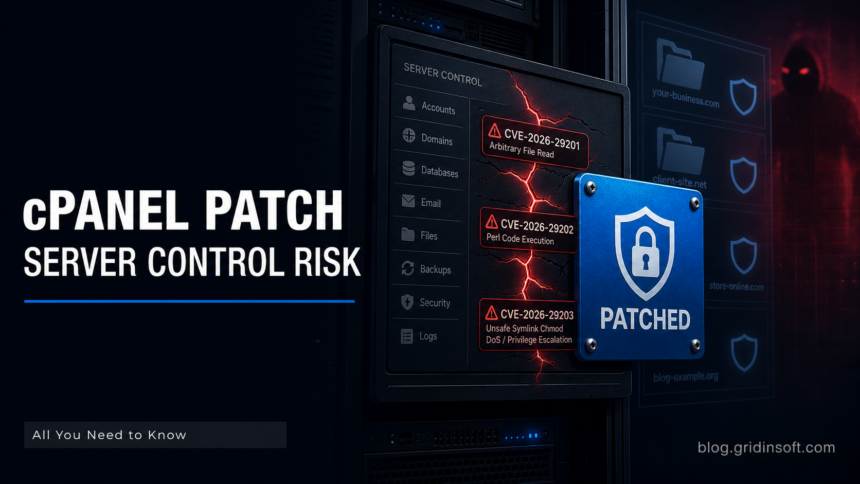
cPanel has released security updates for three cPanel & WHM and WP Squared vulnerabilities that affect sensitive server-control paths. The May 8 advisories cover an arbitrary file-read issue, a Perl code-injection issue, and unsafe symlink handling that could lead to denial of service or possible privilege escalation [1] [2] [3].
The fixes matter because cPanel and WHM often sit at the center of shared hosting, reseller hosting, agency-managed sites, and small-business infrastructure. A bug in a hosting control plane is not just another web-app flaw: the same interface may touch account creation, domains, email, backups, file permissions, and WordPress provisioning. Even when exploitation requires an authenticated or local path, the blast radius can be wider than a single website.
cPanel says the patched cPanel & WHM versions include 11.136.0.9, 11.134.0.25, 11.132.0.31, 11.130.0.22, 11.126.0.58, 11.124.0.37, 11.118.0.66, 11.110.0.116 or 11.110.0.117, 11.102.0.41, 11.94.0.30, and 11.86.0.43 and higher on those branches. WP Squared is patched at 11.136.1.10 and higher. The company also published a direct update path for customers still on CentOS 6 or CloudLinux 6.
Why Hosting Admins Should Treat This as a Control-Plane Patch
The first issue, CVE-2026-29201, is described by cPanel as an arbitrary file-read problem in the feature::LOADFEATUREFILE adminbin call. The weak point is insufficient validation of the feature file name, allowing a relative path to be passed so an arbitrary file becomes world-readable [1]. For hosting administrators, the important question is not only “can an attacker read a file?” but “which account, feature list, or system file could become readable in a multi-tenant environment?”
The second issue, CVE-2026-29202, is a Perl code-injection method in the create_user API call tied to the plugin parameter [2]. Account-creation paths are high-value because they are often exposed to automation: reseller panels, provisioning systems, billing integrations, and support workflows. If a server uses API-driven account creation, administrators should treat the patch as relevant even if human users rarely open WHM directly.
The third issue, CVE-2026-29203, involves unsafe symlink handling that allows a user to chmod an arbitrary file, creating denial-of-service risk and possible privilege escalation [3]. Permission changes are easy to underestimate until they break the wrong file or loosen access across an account boundary. On shared hosting, that is exactly the class of bug that deserves fast patching and a short audit after the update.
The practical response is straightforward but should be verified rather than assumed. Run the cPanel update script, confirm the reported build with /usr/local/cpanel/cpanel -V, and check whether the server is pinned to a fixed tier or has disabled automatic updates. cPanel specifically calls out pinned or disabled update configurations as a reason administrators may need to update manually. For older CentOS 7 or CloudLinux 7 systems, the update path may also require setting the tier to 11.110 before updating.
After patching, review the logs that map to the vulnerable areas. That means account-creation API activity, WHM access logs, unexpected changes around feature files, and permission changes on files that should not have been modified by users. The goal is not to hunt for public exploit strings; it is to find whether someone touched the exact workflows that became security-sensitive. Gridinsoft has seen the same pattern in other server-side flaws, where the useful response is a patch plus a focused check of the abused workflow, as in the PaperCut RCE exploitation wave.
Hosting providers should also think about tenant isolation and support operations. If a reseller or customer account can reach account-creation, plugin, or file-permission paths, verify which role actually needs that access. Remove stale API tokens, rotate credentials used by billing or provisioning tools if suspicious activity appears, and make sure support staff know not to “temporarily” relax file permissions while investigating broken sites.
For website owners who do not administer WHM themselves, the right move is to ask the host whether the server is on a patched cPanel branch, not to try to update WordPress or plugins as a substitute. WordPress cleanup tools do not fix a hosting control-plane bug. If a site owner sees unexplained file permission changes, missing backups, new hosting accounts, or unexpected email/domain changes, that belongs in a hosting-provider ticket, not only in a CMS malware scan.
This is also a reminder that attackers do not need every control-panel bug to become a headline zero-day before scanning begins. Public advisories name the affected component and the patched versions. That gives defenders a checklist, but it also gives opportunistic attackers a map of where slow patchers may exist. Server-side flaws in management software have repeatedly become footholds for larger campaigns; Gridinsoft covered similar infrastructure risk in OpenMetadata exploitation against Kubernetes environments.
The safest reading of the May cPanel update is therefore narrow but urgent: update first, verify the version, check whether automation and reseller paths used the affected APIs, and keep a short watch on logs for account creation or permission activity that does not match normal business operations.
References
- cPanel: “CVE-2026-29201 – cPanel & WHM / WP2 Security Update,” May 8, 2026. Advisory
- cPanel: “CVE-2026-29202 – cPanel & WHM / WP2 Security Update,” May 8, 2026. Advisory
- cPanel: “CVE-2026-29203 – cPanel & WHM / WP2 Security Update,” May 8, 2026. Advisory
A separate active-exploitation case, CVE-2026-41940 being used to drop a Filemanager backdoor, shows why exposed hosting panels also need post-patch compromise checks.
Update for hosting admins: a separate LiteSpeed user-end cPanel plugin issue, CVE-2026-48172, was later reported as actively exploited and requires checking cPanel logs for redisAble activity.