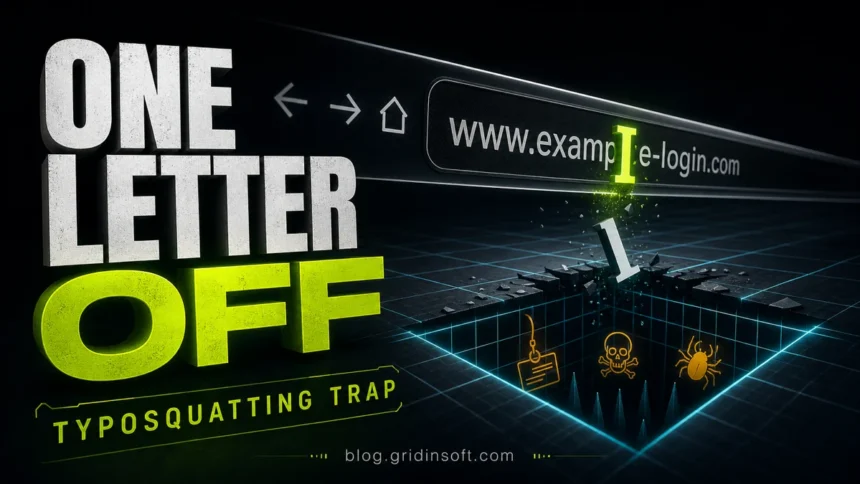
Typosquatting is a fake-domain trick where attackers register addresses that look almost like trusted websites: one missing letter, a swapped character, a wrong top-level domain, or a believable extra word such as login or support. The goal is simple: catch people before they notice the typo, then push a fake login page, payment form, download, ad redirect, or malware prompt.
If you landed on a misspelled site by accident, close the page first. Do not sign in, approve a browser notification, download an installer, call a support number, or enter a card number. If you already entered credentials or ran a file, skip to the recovery checklist below and treat the visit as a possible phishing or malware incident.
What is typosquatting?
Typosquatting, also called URL hijacking or domain mimicry, abuses the tiny mistakes people make when typing, reading, or trusting a web address. A criminal might register a domain that is one character away from a real brand, uses a similar-looking letter, changes .com to another ending, or adds a word that makes the address feel official.
The fake site does not need to fool everyone. It only needs to catch distracted users, mobile users looking at a small address bar, people following a link from email or social media, or victims who are already in a hurry to fix an account, delivery, invoice, password, crypto wallet, or software problem.
How typosquatting works
A typosquatting attack usually follows a short chain: the attacker finds a trusted brand, registers lookalike domains, builds a page that resembles the real service or redirects visitors through ads, then waits for mistakes or sends phishing messages that make the fake URL look normal.
| Lookalike trick | What the victim sees |
|---|---|
| Missing, added, or swapped letters | A domain that feels familiar when scanned quickly, especially on mobile. |
| Wrong top-level domain | A familiar name ending in .co, .net, .shop, or another ending instead of the real one. |
| Hyphen or extra word | An address such as brand-login.example or brand-support.example that sounds official but is not owned by the brand. |
| Similar-looking characters | Letters or numbers that look alike at a glance, such as l, I, 1, or a copied Unicode character. |
| Developer package names | A misspelled library or tool name in a package repository that installs malicious code instead of the expected package. |
The same idea also appears outside normal websites. Attackers use typo-style names for browser extensions, fake apps, npm or PyPI packages, crypto wallet pages, fake support portals, and shortened links that hide the final destination until the click has already happened.
Why attackers use typosquatting
Typosquatting is popular because it is cheap, fast, and believable. A fake domain can be registered in minutes, promoted in a phishing email, placed in a search ad, sent through a messenger, or used as a landing page after a redirect. The fake page can then disappear, change content, or redirect to another site when security tools begin flagging it.
Credential theft
The most common danger is a fake login page. A victim thinks they are signing in to email, payroll, banking, a delivery account, Microsoft, PayPal, a crypto exchange, or a work VPN. The attacker receives the username and password, then may try them on the real service immediately.
Payment and shopping fraud
Fake shops and invoice pages use lookalike domains to collect card details, shipping addresses, phone numbers, and account credentials. Even when the site looks polished, the domain name may be the only clue that the page is not the real brand.
Malware and unwanted downloads
Some typo domains push fake browser updates, cracked software, fake security tools, PDF viewers, game mods, or “required” document viewers. If a download started after you mistyped a site, scan the file before opening it and check the device for unwanted startup entries, browser extensions, and notification permissions. For a current exact-domain example, see why Audiveris.com is not the official Audiveris download site and which recovery steps apply after its file runs.
Advertising and redirect abuse
Not every typosquatting domain immediately steals data. Some show ads, redirect traffic through affiliate links, or send users to low-quality search and shopping pages. That still creates risk because the landing page can change later, and ad redirects often lead to scam pages.
Typosquatting examples
Typosquatting examples usually fall into a few patterns rather than one fixed list of domains. A fake banking domain may replace one letter; a fake delivery page may add -tracking; a fake software download may use a wrong domain ending; a fake crypto wallet page may copy the real layout and ask for a seed phrase.
- Fake login domain: a page that looks like a Microsoft, Google, payroll, VPN, bank, or crypto service and asks for credentials.
- Fake support domain: a page that shows a warning and tells the victim to call a phone number or install remote access software.
- Fake download domain: a page that offers a “required update,” browser extension, driver, game mod, or cracked installer.
- Fake shopping domain: a lookalike store that collects payment details or sells products that never arrive.
- Package typosquatting: a malicious dependency name that resembles a real package and targets developers through a typo in an install command.
For a related software-supply-chain case, see Gridinsoft’s coverage of PyPI malware using typosquatting-style package names. The victim path is different, but the attacker logic is the same: exploit a small naming mistake before the user notices.
What to do if you visited a typosquatting site
If you only opened the page and closed it, the risk may be low. The risk rises if you typed a password, entered payment information, allowed notifications, downloaded a file, installed an extension, or called a number shown on the page.
- Close the page and do not continue the flow. Do not click “allow,” “update,” “verify,” or “call support.”
- Check the domain with a reputation scanner. Use the Gridinsoft Website Reputation Checker for suspicious domains and the Gridinsoft Online Virus Scanner for files you downloaded.
- Change the password from the real website. Type the real address yourself or use a trusted bookmark. If the same password was reused elsewhere, change it there too.
- Revoke active sessions. Sign out other devices, review recent login history, and remove unknown recovery emails, phone numbers, app passwords, OAuth apps, or forwarding rules.
- Enable or reset MFA. If you approved a push notification or entered a one-time code on the fake site, treat the account as compromised.
- Call your bank or card issuer if payment data was entered. Ask about card replacement, charge monitoring, and disputed transactions.
- Scan the device. If a file, extension, or fake update was installed, run a local scan with Gridinsoft Anti-Malware and remove suspicious browser extensions and notification permissions.
How to avoid typosquatting
The easiest defense is to reduce the number of times you manually trust a domain under pressure. Use bookmarks for banking, email, crypto wallets, payroll, cloud storage, admin panels, and stores where you save payment details. Search results and ads can still be abused, so treat sponsored results and unfamiliar domains with caution.
- Look at the domain before logging in, not only at the page design.
- Check the second-level domain and the ending: in
login.example.com, the real domain isexample.com; inexample-login.com, it is a different domain. - Be suspicious of links in urgent email, SMS, chat, calendar invites, invoices, QR codes, and social posts.
- Do not trust HTTPS alone. A fake site can still have a valid lock icon.
- Use a password manager. It usually will not autofill credentials on a lookalike domain, which can warn you before you submit a password.
- Keep browser protection and endpoint security enabled so known phishing and malware domains can be blocked before the page loads.
If you want a broader pre-click routine, Gridinsoft’s guide to recognizing phishing scams before you click covers the message-level signs that often deliver typosquatting links. For the difference between fake sender identity and fake website identity, see phishing vs spoofing.
How businesses can reduce typosquatting risk
Brand owners cannot stop every lookalike domain, but they can make abuse harder to scale. Register the most common typo variants of important domains, redirect defensive domains to the real site, monitor new domains that include the brand name, and publish clear login/payment URLs so customers know where official pages live.
For high-risk brands, monitor certificate transparency logs, app stores, browser extension stores, package repositories, and social platforms for lookalike names. When a fake domain is live, collect screenshots and headers, report it to the registrar or hosting provider, submit the phishing URL to browser protection services, and warn customers through official channels.
FAQ
Is typosquatting the same as phishing?
No. Typosquatting is the fake-domain technique. Phishing is the broader attempt to trick people into giving up credentials, money, or data. A typosquatting domain is often used as part of a phishing campaign.
Can a typosquatting site infect my computer just by opening it?
Most visits do not automatically infect a fully updated browser, but the risk increases if the site pushes a download, browser notification, fake update, extension, remote support tool, or exploit kit. Close the page and scan anything you downloaded.
How can I tell whether a domain is fake?
Compare the real brand domain character by character, check the domain ending, look for extra words or hyphens, and use a reputation checker for suspicious links. Do not rely only on the page design or the HTTPS lock icon.
What should I do if I entered my password on a typo domain?
Go to the real site from a trusted bookmark, change the password, sign out other sessions, reset MFA if needed, and review account recovery details. If the same password was reused, change it everywhere it was used.