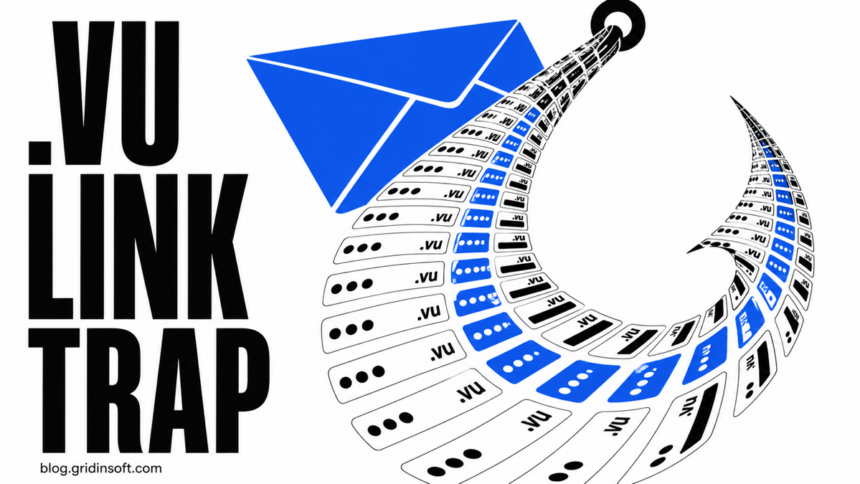
A phishing operation used 1,660 short-lived domains in the .vu country-code zone to deliver 28,167 emails observed between April and July 2026, according to KnowBe4 Threat Lab.[1] Nearly every observed message placed the malicious link in the email body, while the domains were typically less than 20 days old.
The country code is not the verdict. .vu is the legitimate top-level domain for Vanuatu,[2] and a .vu address is not automatically malicious. The useful warning is the combination: an unexpected sign-in request, a recently registered or unfamiliar domain, urgency, and a page that asks for a password or MFA approval.
What the .vu phishing campaign measured
| Observed signal | What it means |
|---|---|
1,660 malicious .vu domains |
A large set of disposable destinations was used instead of one durable phishing site. |
| 28,167 emails | This is research telemetry, not a count of confirmed victims or the whole internet. |
| 99.9% linked from the message body | The main decision point was the link in the email, not an attachment. |
| Average domain age below 20 days | A recently created destination can disappear before reputation systems collect enough history. |
| Education, manufacturing, government, business, and finance | The lures were useful across workplaces rather than limited to one consumer brand. |
KnowBe4 says the monitored infrastructure was eventually neutralized at scale. That does not prove that every .vu site is unsafe, every domain from the study remains active, or every recipient lost an account. It does show why a familiar sender name and a padlock are weak evidence when the destination is new and the message pushes an urgent login.
Why a clean sender and a padlock are not enough
The campaign used several lures, including payroll and benefits documents, shared files, password-expiration notices, and other business messages. Some emails arrived through apparently legitimate or previously compromised mail systems. A gateway may therefore see a sender with acceptable reputation even though the button points to a separate phishing destination.
After the click, the chain could place a CAPTCHA or other interstitial before an adversary-in-the-middle login proxy. The proxy shows the real service while relaying the victim’s username, password, and MFA exchange. If the attacker captures the resulting session token, a correct MFA code does not necessarily end the attack.
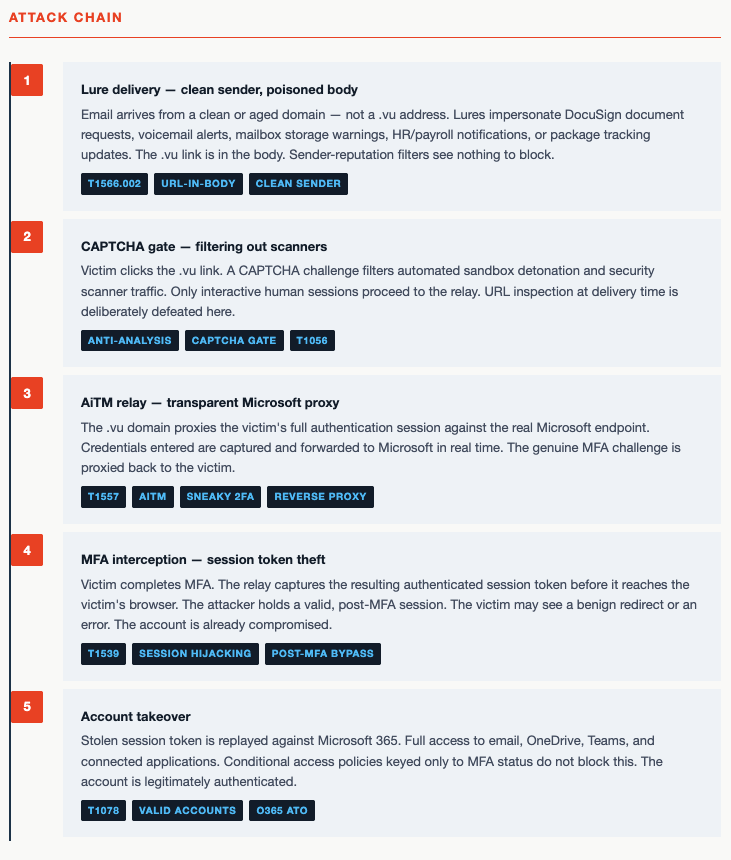
This is the same distinction that matters in other adversary-in-the-middle phishing: MFA still stops many password-only attacks, but a relayed session must be revoked. Passkeys or hardware security keys bound to the legitimate site are more resistant because they check the real domain during authentication.
Example
A typical lure can look routine: a benefits team says that a salary adjustment is ready and places a single “Review document” button above a new .vu address. The message may contain no attachment, obvious misspelling, or dramatic threat.
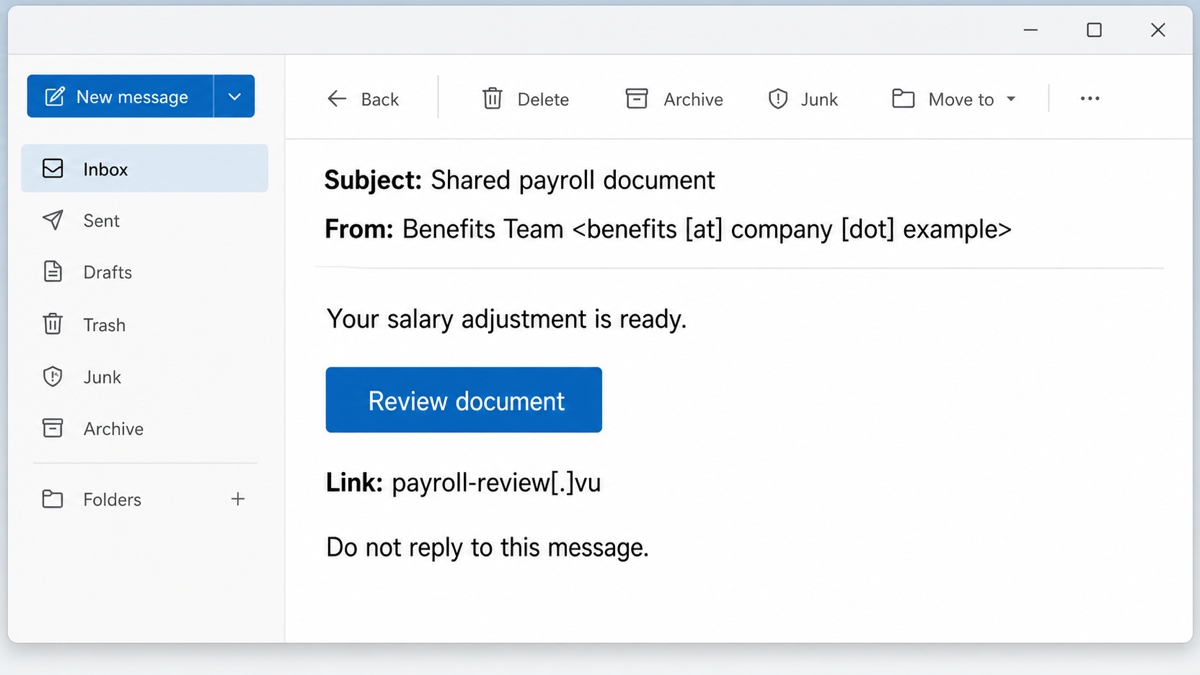
The safe path is to open the payroll, benefits, cloud-storage, or identity service from a saved bookmark or its known app. Do not use the email button to prove that the email is genuine. A browser padlock only means that the connection to that particular site is encrypted; it does not verify the organization behind it.
Before visiting an unfamiliar address, you can paste it into Gridinsoft Online Virus Scanner. Treat the result as one reputation signal and still verify the request independently.
September update: a Google link can lead to account theft or remote access
In a September 4, 2026 report, KnowBe4 described Google-service redirects leading to phishing infrastructure that included .vu domains, workers.dev endpoints, and compromised subdomains. Some paths passed through Google Meet, Search, and advertising services before leaving Google infrastructure. This describes abuse of trusted services; it does not establish that Google was breached.[3]
The destination could carry the recipient’s email in the URL fragment, check the corporate mail domain, and use that address to load the company’s real logo and website background. The page also adapted to the browser language. A correct logo, prefilled address, familiar background, or Google hostname earlier in the chain therefore did not authenticate the final request.
The researchers observed two outcomes: a password or Microsoft device-code lure, and an “Identity Verification Required” path that installed ScreenConnect. These require different recovery actions. A password reset alone does not remove remote-control software.
- Message only: verify the document or request through the organization’s known app or contact. Forward a work lure to your security team without opening it again.
- Redirects only: close the destination and check downloads and granted permissions. Do not revisit the chain to identify it; give your security team the original message. A redirect alone does not establish account takeover.
- Password submitted: use a clean device to change it, revoke sessions, and review reused passwords, recovery methods, and mailbox changes as described below.
- Device code approved: tell the account administrator that you authorized a device-code flow, even if you did not type your password into the suspicious page. Revoke the resulting sessions and inspect sign-in logs, registered devices, MFA methods, and application access grants.
- Installer downloaded but not run: do not launch it. Preserve the message and filename for work-device incident reporting, then follow your organization’s disposal instructions.
- ScreenConnect installed or remote control allowed: disconnect the endpoint and contact your IT team through a separate device. Save the installation time and client details; confirm whether the deployment is authorized before removal. The ScreenConnect recovery guide covers containment, client removal, persistence checks, and account review.
After an unauthorized Windows installation, removing the visible client may leave another helper, service, or startup entry. Run a full Gridinsoft Anti-Malware scan for those leftovers, while completing session and account recovery separately.
If the page or email made you download an invoice, coupon, tracking app, browser extension, or support tool, scan the PC before opening it again or logging into sensitive accounts.
Scan after an unauthorized installationWhat to do based on what happened
| What happened | What to do now |
|---|---|
| You only saw the message | Do not use its link. Report or delete it, then verify the request through a known app, bookmark, or phone number. |
| You clicked but entered nothing | Close the page. Check browser downloads and notifications; remove any permission you granted. If a file ran, treat that as a separate malware incident. |
| You entered a password | From a clean device, change that password, revoke active sessions, and change every account where it was reused. Review recent sign-ins and recovery details. |
| You completed MFA or approved a prompt | Revoke sessions immediately, remove unknown MFA methods and passkeys, regenerate recovery codes, and inspect OAuth grants and app passwords. |
| You see mailbox or account changes | Check forwarding rules, filters, delegates, connected apps, recovery email and phone, sent items, deleted items, and security alerts. Notify your organization if work access was involved. |
If you are unsure what the click changed, use the more detailed post-click browser checks. If the account is already behaving differently, follow the account-recovery sequence from a clean device rather than repeatedly signing in through the same browser session.
Controls for organizations
- Inspect the destination, not only the sender. Expand rewritten links and follow redirect chains in a safe environment. Flag newly registered domains and mismatches between the message theme and destination.
- Use phishing-resistant authentication. Prefer FIDO2 security keys or passkeys for high-risk accounts, and require device or sign-in risk controls where available.
- Hunt for the follow-on activity. Review new sessions, inbox rules, OAuth consent, MFA enrollment, app passwords, unusual downloads, and identity changes after a suspected AiTM event.
- Block with context. An organization with no legitimate need for
.vumay choose a temporary DNS or proxy block, but broad consumer claims that the entire country-code zone is malicious are unsupported.
The strongest lesson is not “never trust .vu.” It is that disposable infrastructure can look ordinary long enough to capture a session. Verify unexpected sign-ins outside the message, and treat a completed MFA exchange as exposed if it happened after an email link.
References
- KnowBe4 Threat Lab. “.VU Domain Phishing Surge: Exploiting Vanuatu’s TLD.” August 28, 2026. Campaign research and telemetry.
- Internet Assigned Numbers Authority. “Delegation Record for .VU.” Official country-code delegation record.
- KnowBe4 Threat Lab; Prabhakaran Ravichandhiran and Jeewan Singh Jalal. “Bypassing the Gatekeepers: How a Global Phishing Campaign Turns Google’s Infrastructure into a Trust Proxy.” September 4, 2026. Campaign analysis.