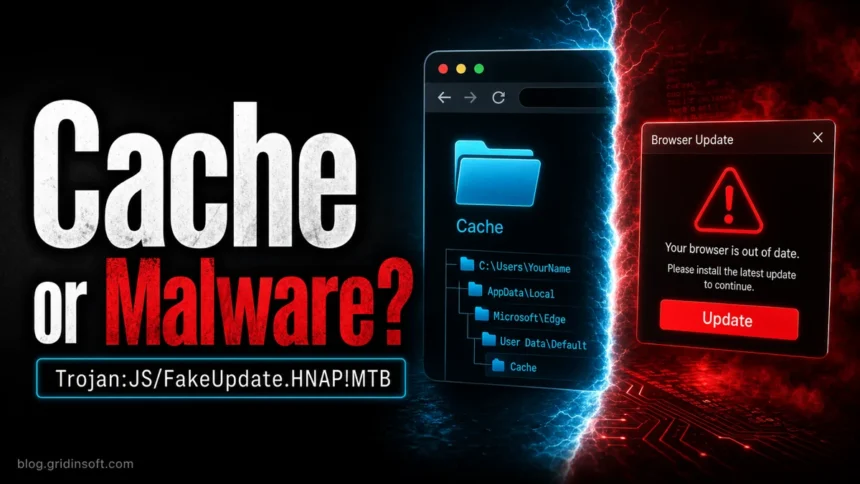
Trojan:JS/FakeUpdate.HNAP!MTB is a Microsoft Defender detection for JavaScript tied to fake software-update lures. If Defender found it in a browser cache, OBS browser-source cache, or another temporary web folder, keep the item quarantined, note the affected path, clear that application’s cache, and run a full scan. If you downloaded or opened a fake Chrome, Edge, Windows, or verification update, treat it as a real infection until scans and account checks are clean.
The name matters because two different situations can look similar. A cache-only alert may be a leftover script from a page you visited, while an executed FakeUpdates/SocGholish payload can download additional malware after the user runs the fake update file [1]. Do not restore the file or add an exclusion just because the path looks familiar.
These alerts often start on shady pages that push a “critical update” download, fake browser update, or fake human verification step. Similar lures also appear in fake Chrome update and ClickFix-style attacks where a user is pressured to run commands or files.
Why Defender Shows Trojan:JS/FakeUpdate.HNAP!MTB
Microsoft Defender uses static signatures, cloud checks, and behavior-based detections. Heuristic detections can catch new fake-update JavaScript before a familiar file hash exists, but they can also flag cached web content that never became an active infection.

Start with the path in Protection History. A detection under a browser cache, WebView cache, or OBS browser-source cache means Defender found JavaScript stored by a page or embedded browser source. OBS users have reported this exact pattern under obs-studioplugin_configobs-browserCacheCache_Data, and the practical answer is to clear the relevant browser-source/cache data and rescan before assuming OBS itself is infected [4].
Cache Alert or Real FakeUpdate Infection?
| What you see | What to do |
|---|---|
| Path is Chrome, Edge, Firefox, WebView, Discord, Steam, Roblox, or OBS cache. | Leave the detection quarantined, clear that application’s cache, update the app, and run a full Defender scan plus a second-opinion scan. |
| The alert returns after each visit to one site or browser source. | Remove that site/source, clear cache again, and avoid the page until the site owner cleans it. |
| You downloaded or ran a fake browser, Windows, Teams, codec, or security update. | Assume a real infection path. Disconnect if suspicious activity continues, scan the system, and check accounts from a clean device. |
| Defender found an archive or script in Downloads, Temp, Startup, or a user-launched folder. | Do not open it. Delete/quarantine it, check Startup and scheduled tasks, and scan for secondary payloads. |
Threat Behavior Summary
Real FakeUpdates malware uses fake update pages to make the victim run malicious JavaScript, ZIP, EXE, or installer files. Microsoft describes FakeUpdates, also known as SocGholish, as JavaScript malware delivered through drive-by downloads or malicious ads that masquerade as legitimate software or search-engine updates [1]. MITRE tracks SocGholish as a JavaScript-based loader used for initial access and associated with the FakeUpdates name [3].
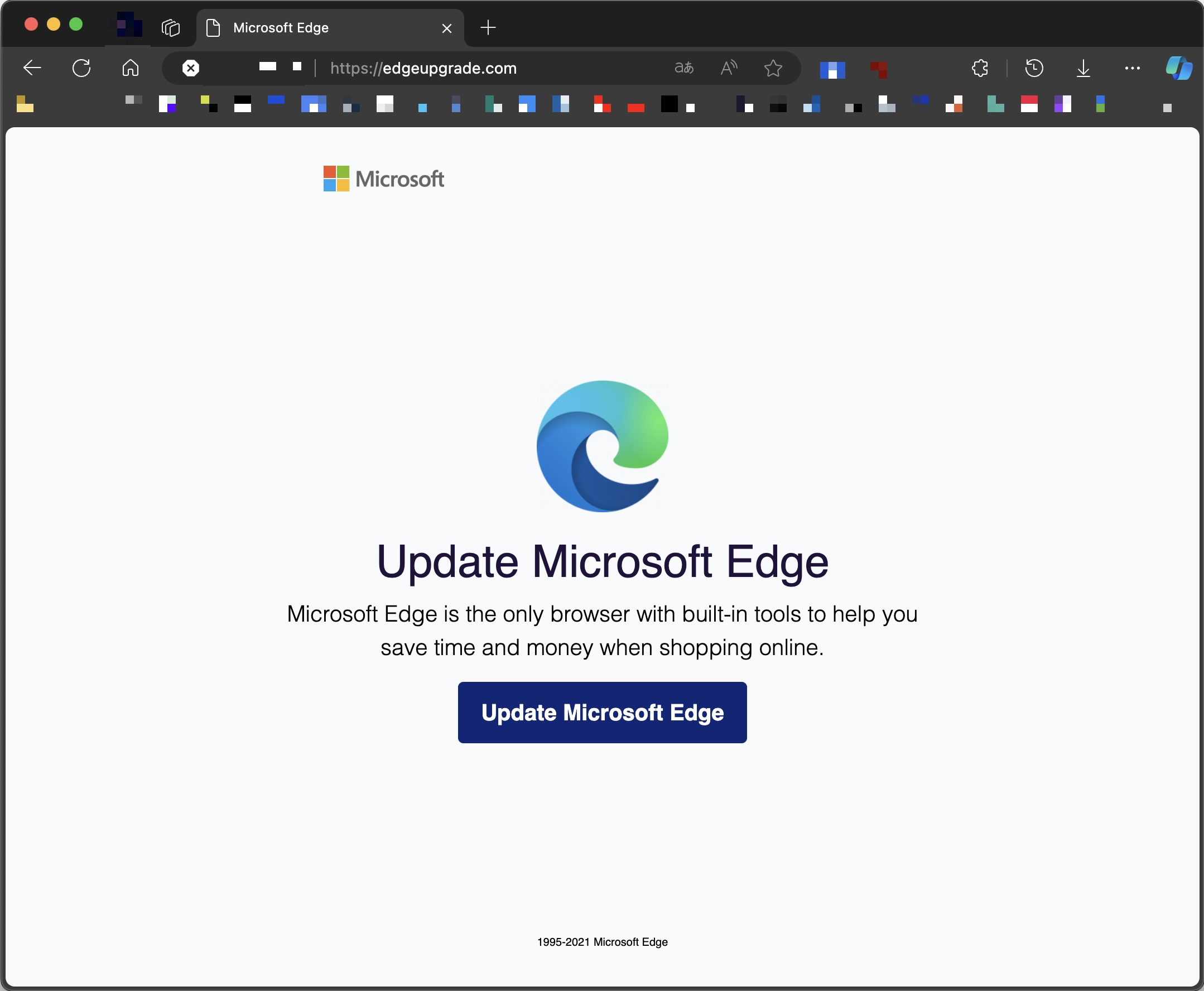
After launch, FakeUpdates/SocGholish can load additional payloads such as remote-access tools or loaders [2]. That is why the safest response depends on what happened before the alert. A cache file with no user-launched download is a lower-risk signal; a fake update that you opened is not.
How to Remove Trojan:JS/FakeUpdate.HNAP!MTB
- Open Windows Security > Virus & threat protection > Protection history and copy the affected path before removing anything else.
- Keep the detected item quarantined or removed. Do not run the file and do not restore it for testing.
- If the path is a browser or app cache, close the app and clear its cached files. For OBS, remove or refresh the suspicious browser source, then clear the OBS browser cache/profile data if the alert points there.
- Update Microsoft Defender definitions and run a full scan. If the alert was tied to a downloaded file or script, run a second-opinion scan with GridinSoft Anti-Malware as well.
- Check Startup apps, browser extensions, scheduled tasks, and recently downloaded archives if the alert came from Downloads, Temp, or a user-launched folder.
- If you entered passwords after opening a fake update page, rotate important passwords from a clean device and revoke suspicious sessions.
After uninstalling the suspicious app or deleting the visible threat, use Gridinsoft Anti-Malware to check hidden files, startup entries, scheduled tasks, bundled apps, browser changes, and other persistence points that can restore malware.
Download Anti-MalwareClearing Browser and OBS Cache Alerts
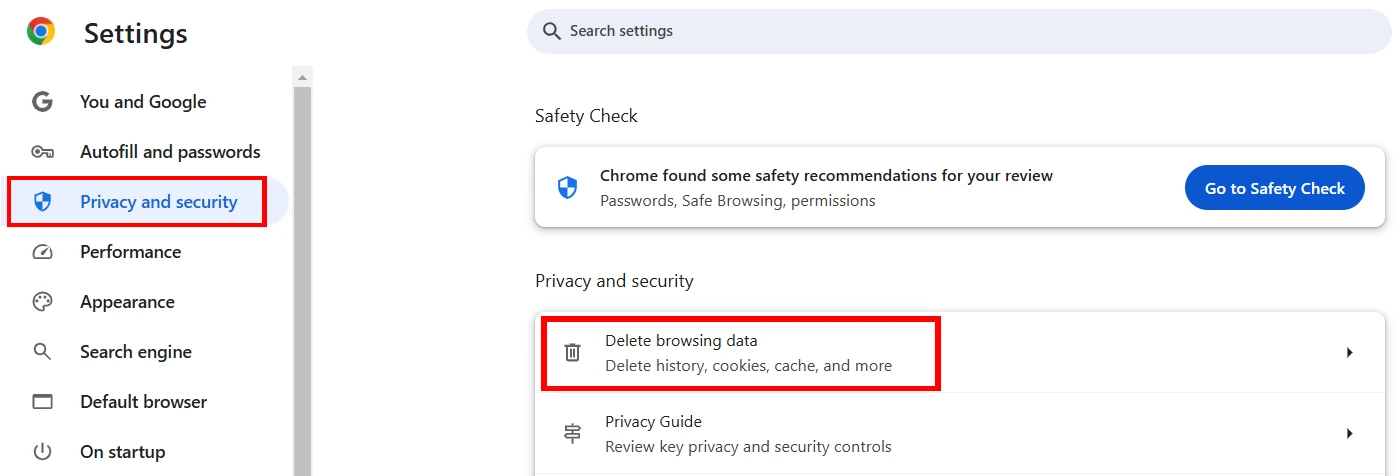
For Chrome and Edge, open Settings > Privacy and security > Delete browsing data, choose cached images/files, and clear the cache. This removes temporary web files that can trigger cache-only Trojan:JS/FakeUpdate.HNAP!MTB alerts.
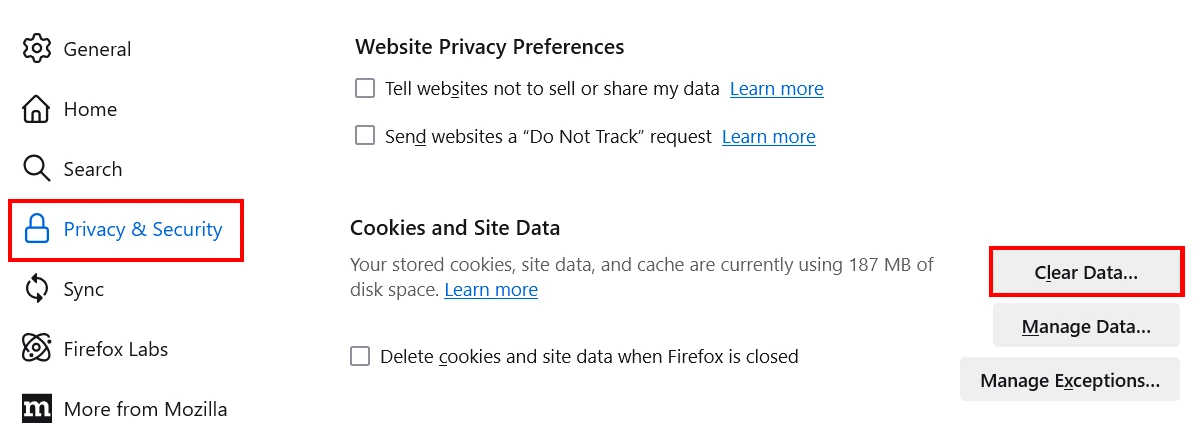
For Firefox, open Settings > Privacy & Security, find Cookies and Site Data, then clear cached web content. If the alert returns only after one site, avoid that site and clear cache again.
For OBS, first remove or disable the suspicious Browser Source, especially if it loads a widget, chat overlay, donation page, or custom URL. Then close OBS, clear its browser-source cache/profile data, reopen OBS, and run another scan. If the same URL keeps causing detections, replace that source rather than suppressing Defender.
When to Check Accounts and Passwords
Cache-only detections usually do not mean passwords were stolen. Account cleanup becomes important when you clicked through a fake update flow, downloaded a fake installer, ran a script, saw command prompts or terminal windows, or notice new browser extensions, startup entries, blocked outbound connections, or account sign-in alerts.
In those cases, scan first, then change passwords from a clean device. Prioritize email, Microsoft, Google, Steam, Discord, banking, and password-manager accounts. Revoke unknown sessions and enable MFA where possible.
Related Fake-Update Alerts
Trojan:JS/FakeUpdate.HNAP!MTB is one detection name in a broader fake-update family. For the broader malware family and what to do after running a fake update file, use the SocGholish malware removal guide. If your alert mentions a fake Google script, see the Trojan.FakeGoogleJS guide. If the problem started after a terminal or command prompt opened from a fake update page, use the Fake Chrome Update terminal cleanup guide. For general Defender naming and false-positive triage, see the Microsoft Defender detections hub.
FAQ
Is Trojan:JS/FakeUpdate.HNAP!MTB always malware?
No. It can be a real fake-update JavaScript threat, but many user cases involve cached browser or OBS browser-source files. The path, recurrence, and whether you ran a downloaded file decide the risk level.
Should I click Ignore in Microsoft Defender?
No. Use quarantine/removal first. Only consider sample submission or an exclusion after trusted-source verification, clean repeat scans, and no recurrence. Blindly ignoring this detection can leave a real fake-update payload active.
What if Defender found it in Chrome, Edge, Firefox, or OBS cache?
Clear that application’s cache, remove the suspicious page/source if one is known, update the app, and scan again. If the alert does not return and no file was executed, it is usually a lower-risk cache event.
Do I need to reset Windows?
Usually not for a cache-only alert. Consider a deeper cleanup or restore only if you ran the fake update, scans keep finding payloads, accounts are being hijacked, or suspicious startup/network activity remains after cleanup.
References
- Microsoft Security Intelligence. “TrojanDownloader:JS/FakeUpdates.J threat description.” Microsoft, updated February 7, 2024, accessed June 2, 2026. https://www.microsoft.com/en-us/wdsi/threats/malware-encyclopedia-description?Name=TrojanDownloader%3AJS%2FFakeUpdates.J&threatId=-2147133367
- Microsoft Security Intelligence. “TrojanDownloader:JS/SocGholish!MSR threat description.” Microsoft, updated February 5, 2024, accessed June 2, 2026. https://www.microsoft.com/en-us/wdsi/threats/malware-encyclopedia-description?Name=TrojanDownloader%3AJS%2FSocGholish%21MSR
- MITRE ATT&CK. “SocGholish, Software S1124.” MITRE, last modified April 6, 2024, accessed June 2, 2026. https://attack.mitre.org/software/S1124/
- OBS Forums. “Trojan:JS/FakeUpdate.HNAP!MTB.” Open Broadcaster Software community forum, April 2025, accessed June 2, 2026. https://obsproject.com/forum/threads/trojan-js-fakeupdate-hnap-mtb.185027/