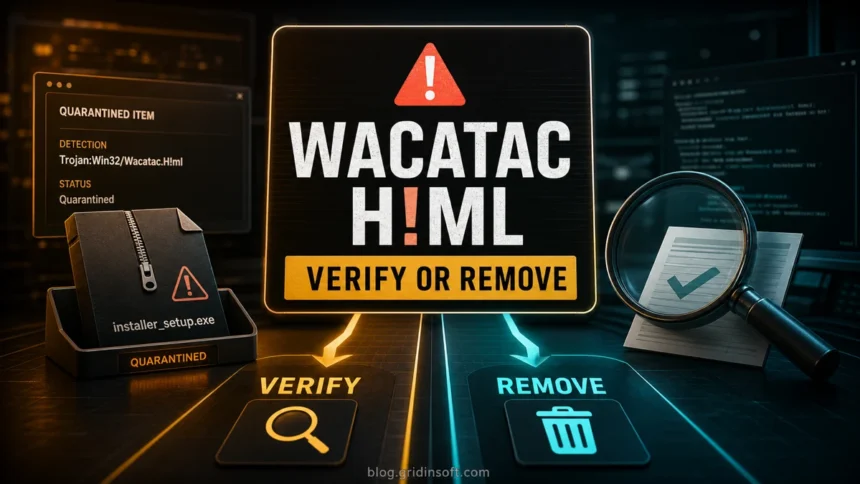
Trojan:Win32/Wacatac.H!ml is a Microsoft Defender detection name; keep the affected file quarantined until you verify its path, source, and identity. If the file came from a crack, repack, fake update, email attachment, unknown archive, or a download portal, keep it blocked and remove the source package if it is untrusted. If it belongs to a trusted signed app, verify the publisher, hash, official download source, and false-positive reports before restoring anything.
What should you do with Trojan:Win32/Wacatac.H!ml?
- Do not restore or allow it first. Keep Defender’s quarantine/removal action while you investigate.
- Copy the affected item path. The same detection on
%USERPROFILE%\Downloads,%TEMP%, a browser cache, or an official signed installer means different things. - Delete the original source if it is a crack, repack, trainer, unknown executable, archive, script, email attachment, or fake update.
- Verify only trusted files. Check the digital signature, hash, vendor page, and whether the same release is being reported as a false positive.
- Scan for persistence if the file ran or if the alert returns after reboot.
| Detection | Trojan:Win32/Wacatac.H!ml |
| Alert details to record | Exact Win32 or Script label, affected item path, action status, and detection time |
| Source and execution | Where the file came from, which release it belongs to, and whether it ran or was blocked before opening |
| Best first action | Quarantine, check path/source/signature, remove unknown source packages, scan fully if executed |
What is Trojan:Win32/Wacatac.H!ml?
Wacatac is a Microsoft Defender detection family often associated with loaders, downloaders, stealers, and suspicious packed executables. In Microsoft’s naming scheme, H is the variant letter, while the part beginning with ! is an internal suffix. The public naming guide does not define a file-specific verdict or detection algorithm for !ml. Read the exact affected object and status as well as the label. [4]
This page is for the exact Trojan:Win32/Wacatac.H!ml alert. If your alert only says Trojan:Win32/Wacatac, use the broader family guide. If the variant is B!ml, use the Wacatac.B!ml alert and repeat-detection guide. Check the exact platform label and affected object in your own alert. For unfamiliar Defender name parts, the Microsoft Defender detection names guide explains platform, family, suffix, and action status.
Check the affected path and source before restoring
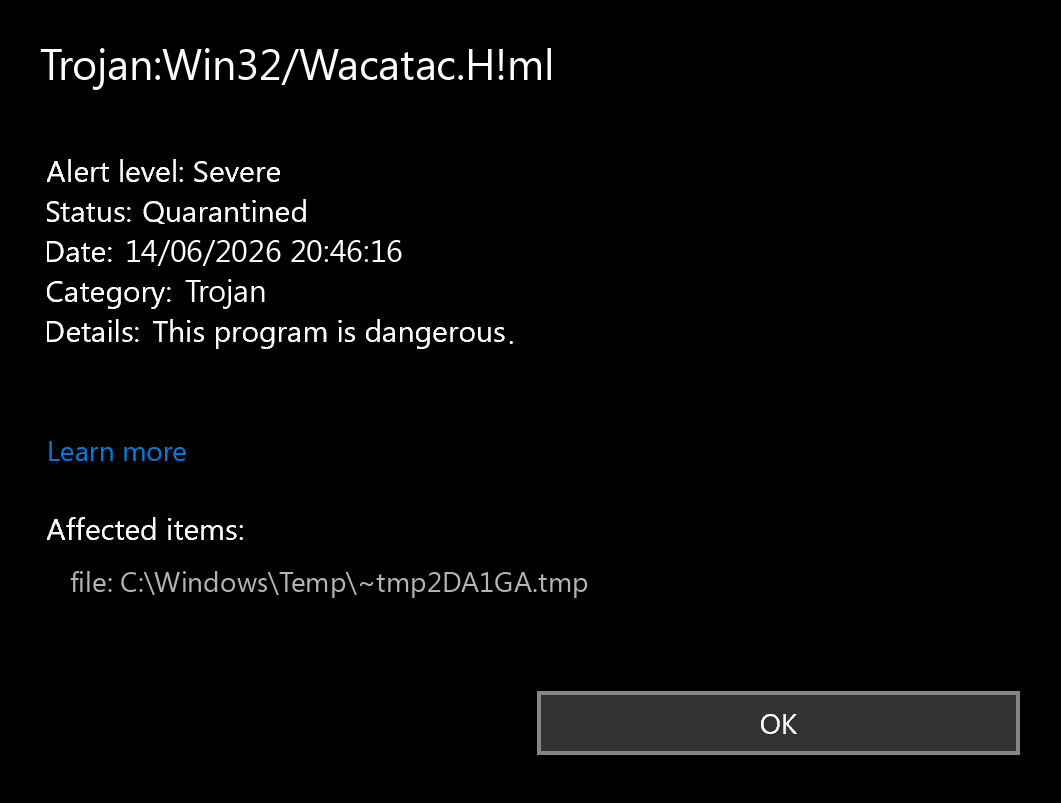
Open Windows Security → Virus & threat protection → Protection history, open the Wacatac.H!ml entry, and copy the affected item path. Do this before clearing history, deleting browser cache, or reinstalling the app, because the path, timestamp, and action status help identify what needs checking. [3]
| Where Defender found it | What it usually means |
%USERPROFILE%\Downloads, %TEMP%, or an archive extraction folder |
Check the originating download. These folders also hold legitimate files. If the source is a crack, keygen, untrusted trainer, repack, or fake installer, keep quarantine and remove that package. Scan for other components if it ran. |
| Official installer or update from a known vendor, signed executable, or developer-built tool | Possible false positive. Verify the signature, hash, vendor page, and release channel before restoring. Submit the file to Microsoft/vendor if the evidence is clean. |
| Startup folder, scheduled-task target, AppData, browser profile, or a fresh alert after reboot | The folder alone does not establish persistence. Match a new detection time to the affected file and any task, startup entry, or extension that launches or recreates it. Unexplained recurrence warrants a full scan and review of those entries. |
Could Wacatac.H!ml be a false positive?
Yes, but the evidence has to be stronger than “I wanted the file.” False positives are more plausible for newly built software, uncommon developer tools, emulators, scripts, or installers downloaded from the official project/vendor source. Before restoring, confirm the publisher signature, hash, and release source, then submit the file for review if needed. A valid signature identifies the signer; it does not guarantee the file is harmless. Microsoft’s submission service can review the specific detected object. [2] If the file came from a torrent, cracked game, mod menu, fake update page, random Discord link, or unknown archive, remove it instead.
What if the Alert Says Trojan:Script/Wacatac.H!ml?
Copy Trojan:Script/Wacatac.H!ml exactly if that is what Protection history shows. Do not silently replace Script with Win32. Microsoft’s platform field can describe an operating-system platform, language, or file format; the filename extension alone cannot tell you which label Defender should use.
For example, a February 2024 Microsoft Q&A report described a signed game .exe receiving the Script/Wacatac.H!ml label. The response directed the developer to submit the file for analysis. This is a reported example of the label/object combination, not a safety verdict for another executable. [5]
- Identify the affected object: an installer or DLL, an archive and its member, a browser cache entry, or a script. Record the full path and action status before removing its source.
- Check provenance: compare the exact version, publisher signature where available, and hash with the vendor’s release. An archive name or familiar program icon cannot establish which contents were detected.
- Separate download from execution: a quarantined download needs source verification; a suspicious file or command that ran also warrants checking the device and relevant account activity. Do not restore the object merely to see what it does.
How to remove Trojan:Win32/Wacatac.H!ml safely
- Leave the Defender action as Quarantine or Remove. Do not allow or restore the file first.
- Copy the affected item path from Protection History.
- Delete the original installer, archive, extracted folder, crack, script, or email attachment that delivered the file.
- Uninstall suspicious apps installed around the same time.
- Update Microsoft Defender security intelligence, reboot, and run a full scan.
- Check Startup Apps, Task Scheduler, browser extensions, and Defender exclusions for entries created around the same time.
- If a suspicious file ran or account activity suggests exposure, use a trusted device to change affected account passwords and revoke unknown sessions. A blocked download alone does not establish account theft.
Run a full Gridinsoft Anti-Malware scan if a suspicious file ran, remediation is incomplete, or a fresh Wacatac.H!ml alert returns. Defender may quarantine the visible item while a loader, scheduled task, startup entry, bundled component, browser change, or Defender exclusion remains and recreates it. For an isolated blocked file from a verified source, seek a file-specific vendor assessment before restoring; a clean scan alone does not certify that file.
Defender may quarantine the visible file while a loader, scheduled task, startup entry, browser change, or Defender exclusion keeps recreating the alert.
Check for Wacatac.H!ml leftoversWhy Wacatac.H!ml keeps coming back
A repeated alert usually means the source package is still present, another component is recreating the file, or Defender keeps scanning an extracted/cache copy. Remove the original archive or installer, empty the download/browser cache after recording the path, and check startup locations. Compare the detection timestamp and action status after reboot: the same old history entry is different from a new detection. A changing path can be a temporary or extracted copy; investigate the process, scheduled task, startup entry, or extension associated with it before concluding that persistence exists.
FAQ
Should I allow Trojan:Win32/Wacatac.H!ml?
No, not on a normal PC. Allow only in an isolated lab or after Microsoft/vendor confirms the specific file is a false positive.
Is Wacatac.H!ml always malware?
No. A false positive is possible, but the label or signature alone cannot settle it. Keep unknown downloads, cracks, repacks, and fake updates blocked while checking the exact source and affected file. [1]
What if Defender says Trojan:Script/Wacatac.H!ml?
Keep the exact Script label in your notes and inspect the actual affected object. It may involve a script, archive, cache entry, or even a reported executable; the extension is not a verdict. Check the source and whether it ran, and keep it quarantined while the assessment is unresolved.
Do I need to reinstall Windows?
Usually no if Defender blocked the file before execution. Consider deeper recovery if the file ran, the alert returns after reboot, Defender says remediation incomplete, or suspicious startup/network behavior remains.
References
- Microsoft Security Intelligence. “Trojan:Win32/Wacatac.H!ml threat description.” Microsoft, accessed September 13, 2026. https://www.microsoft.com/en-us/wdsi/threats/malware-encyclopedia-description?name=Trojan%3AWin32%2FWacatac.H%21ml
- Microsoft Security Intelligence. “Submit files for malware analysis.” Microsoft, accessed September 13, 2026. https://www.microsoft.com/en-us/wdsi/filesubmission
- Microsoft Support. “Virus & threat protection in the Windows Security app.” Microsoft, accessed September 13, 2026. https://support.microsoft.com/en-us/windows/security/threat-malware-protection/virus-and-threat-protection-in-the-windows-security-app
- Microsoft. “Malware names.” Microsoft Learn, updated September 10, 2026, accessed September 13, 2026. Malware naming scheme.
- Microsoft Q&A. “trojan:script/wacatac.h!ml error occurred in our game executable file (.exe).” User report, February 20, 2024; response March 13, 2024. Reported Script label on a game executable.