Trojan:Win32/Cerdigent.A!dha is often the DigiCert/root certificate false positive, but only when the affected item actually points to a certificate or rootcert entry. Update Microsoft Defender security intelligence and scan again before taking drastic action. If the alert points to an executable, script, archive, installer, or file in Downloads, Temp, or AppData, do not assume it is the certificate case; keep it quarantined and investigate it as a normal Trojan alert.
Is Trojan:Win32/Cerdigent.A!dha a false positive?
- Usually yes, if the affected item is a DigiCert/root certificate entry. Update Microsoft Defender and run another scan.
- Do not panic-format the PC just because Defender shows this name once in Protection History.
- Do not restore random files. Only treat it as the known false positive when the path clearly points to a certificate/rootcert item.
- If the detection is on an EXE, ZIP, script, crack, or unknown installer, keep it quarantined and remove it like a normal Trojan alert.
Use Gridinsoft when the alert points to a file or returns after reboot. In the rootcert/DigiCert case, updating Defender is usually the fix. If the affected item is an EXE, ZIP, script, browser cache file, or a path under Downloads, Temp, or AppData, Gridinsoft Anti-Malware can check for hidden copies, startup entries, scheduled tasks, bundled apps, and browser changes before you restore or allow anything.
| Detection name | Trojan:Win32/Cerdigent.A!dha |
| Detected by | Microsoft Defender Antivirus |
| Known 2026 issue | False positive on legitimate DigiCert root certificates after a Defender security intelligence update |
| Fixed by | Updating Defender security intelligence to a newer definition, including Microsoft’s referenced 1.449.430.0 update or later |
| Still risky when | The affected item is a user-downloaded file, script, archive, installer, crack, or unknown executable |
| Best first action | Check the affected item path, update Defender, then run a full scan |
What is Trojan:Win32/Cerdigent.A!dha?
Microsoft lists Trojan:Win32/Cerdigent.A!dha as a Defender detection name. The public Microsoft threat page says Defender detects and removes it, but technical behavior details are currently limited. That is why the affected item path is the most important clue.
In early May 2026, many users and administrators saw this detection on systems that were otherwise clean. DigiCert later stated that Microsoft Defender incorrectly flagged certain DigiCert root certificates as malware and that Microsoft released an updated Defender signature to resolve the issue. Microsoft Q&A moderators also pointed affected users to Defender definition update 1.449.430.0 or newer.
Reference note: Microsoft and DigiCert source links are collected in the References section below so the article does not repeat the same external URLs in the body.
Check the affected item before deciding
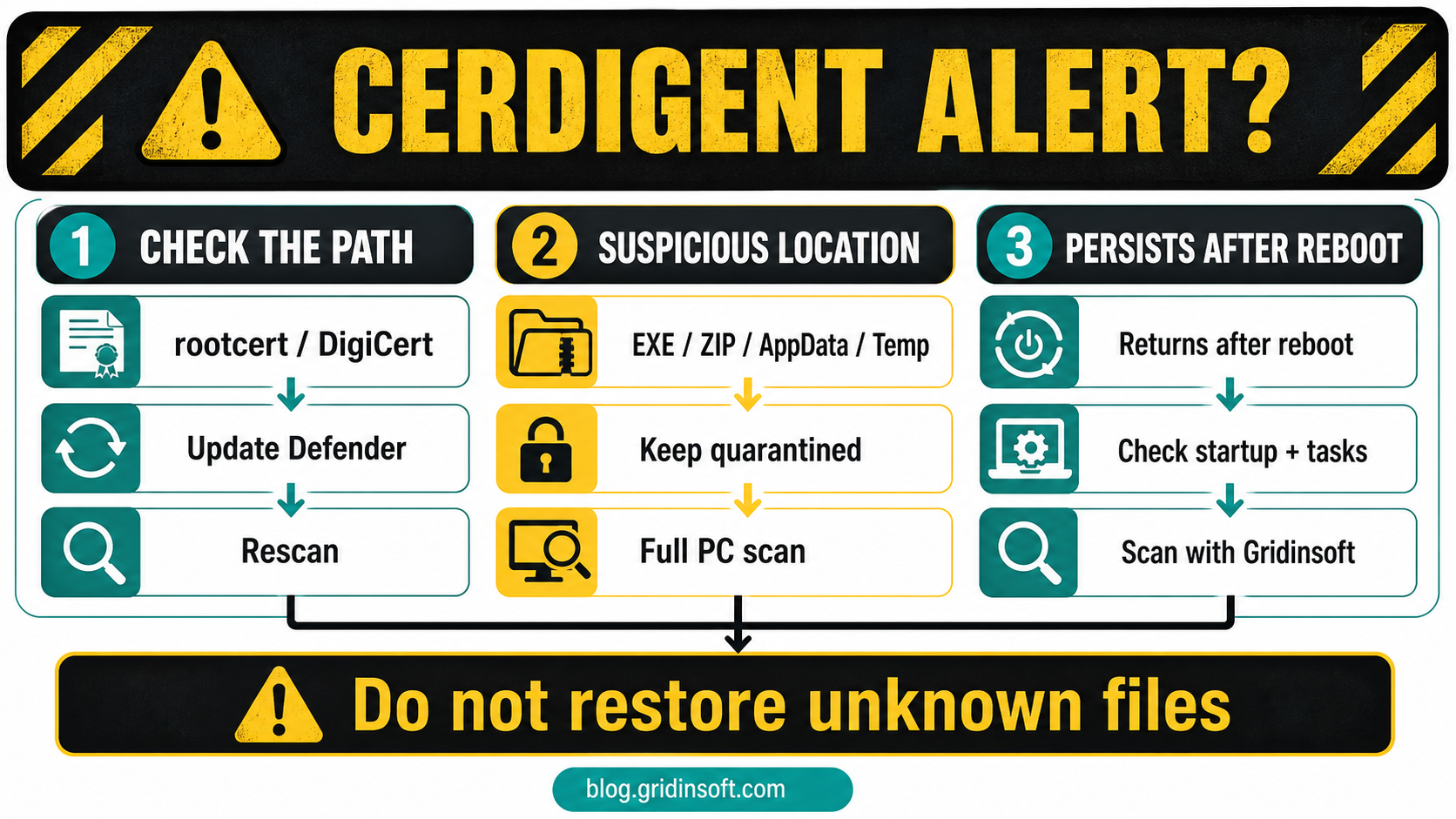
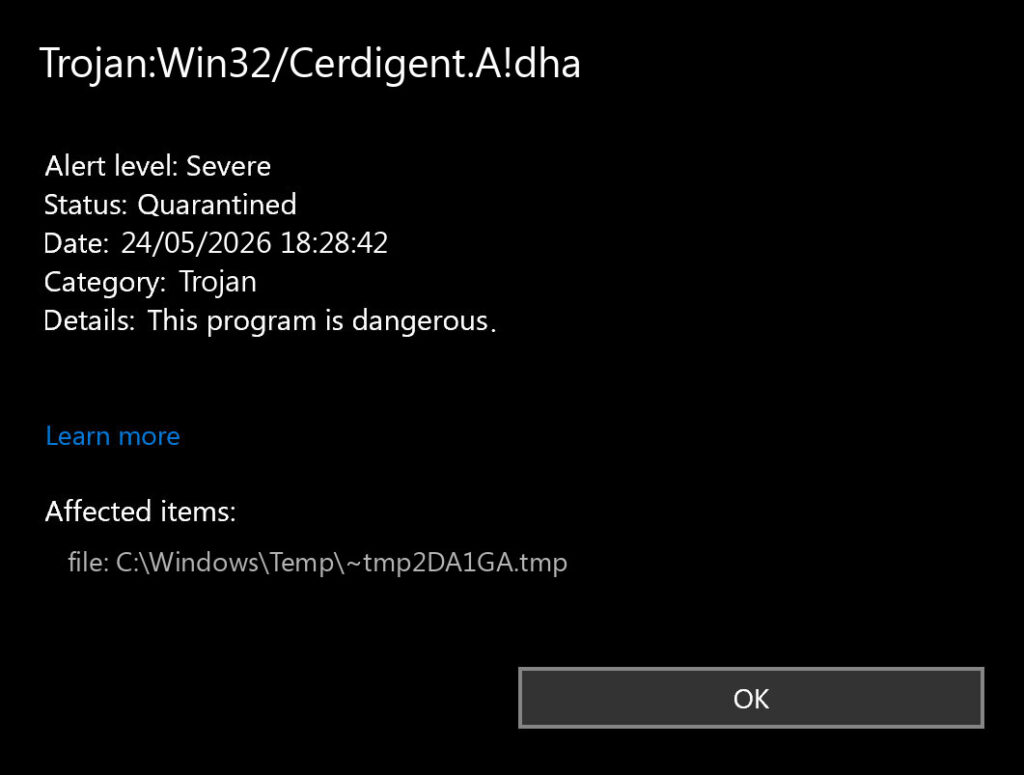
Open Windows Security → Virus & threat protection → Protection history, then open the Cerdigent.A!dha event. Look at the affected item.
| Affected item | Risk and what to do |
rootcert:, certificate store item, DigiCert root certificate |
Matches the known Microsoft Defender false-positive pattern. Update Defender, reboot if needed, then scan again. |
Downloads, Temp, AppData, unknown EXE/ZIP/script |
Not the known certificate case. Keep the item quarantined, delete the source package, and run a full scan before restoring anything. |
| Browser cache or email attachment | Could be a blocked download or script. Clear the source, do not open the attachment, and scan if the alert returns. |
| Program folder with trusted publisher | Possible false positive, but verify the signature, source, hash, and vendor notice before allowing or restoring the item. |
How to fix the DigiCert/rootcert false positive
- Update Microsoft Defender. Open Windows Security → Virus & threat protection → Protection updates → Check for updates.
- Install Windows updates if Defender definitions do not move forward.
- Reboot once if the alert remains stuck in Protection History.
- Run a quick scan, then a full scan if you want to confirm the system is clean.
- Do not create broad exclusions for Defender, certificates, or Windows folders.
If Defender removed a certificate and the system has TLS or app trust problems afterward, updating Defender should allow Windows to restore affected root certificates automatically in most consumer cases. On managed business devices, administrators should verify certificate store state through normal endpoint management tooling.
When Cerdigent.A!dha should not be treated as harmless
The false positive story only applies to the specific certificate/rootcert scenario. If Defender reports Trojan:Win32/Cerdigent.A!dha on a downloaded installer, crack, game mod, email attachment, script, or executable, handle it as a real threat until proven otherwise.
- Keep the Defender action as Remove or Quarantine.
- Delete the original archive or installer that triggered the alert.
- Check Startup Apps and Task Scheduler for new entries.
- Remove suspicious browser extensions and notification permissions.
- Run a full Microsoft Defender scan.
- Change passwords from a clean device if the file was executed.
If the Cerdigent.A!dha alert returns after reboot
A single old Protection History entry can remain visible after the DigiCert/rootcert false positive is fixed. Treat it differently when Defender creates new detections, shows a fresh timestamp, or points to a file outside the certificate store.
- Copy the exact affected item path and Defender action result before clearing history.
- Delete the original download, archive, attachment, or browser cache item if it is still present and untrusted.
- Check Startup Apps, Task Scheduler, browser extensions, and notification permissions for new or unfamiliar entries.
- Run another Microsoft Defender full scan after updating security intelligence.
- Use Gridinsoft Anti-Malware when the alert keeps returning, the path is under
AppData,Temp, orDownloads, or the file ran before it was quarantined.
That second scan is useful because the visible Defender event may be only the file Defender caught. A loader, scheduled task, bundled app, browser change, or hidden copy can recreate symptoms after reboot.
A false positive is possible, but restore only after checking that the system has no companion detections, startup entries, scheduled tasks, or hidden files tied to the same source.
Scan before restoring this itemSafe file check
Before restoring anything, collect evidence:
- Path: certificate/rootcert item vs. a user-downloaded file.
- Source: Windows certificate store, official vendor, email attachment, torrent, crack, or unknown website.
- Signature: Microsoft/DigiCert/correct vendor signature vs. unknown publisher.
- Timing: alert appeared after Defender update vs. after downloading/running a file.
- Repeat behavior: single historical Protection History entry vs. new files reappearing after reboot.
Defender detection context: This guide belongs with our Microsoft Defender detection reference. For similar false-positive-style cases, compare Trojan:Win32/Vigorf.A and Trojan:Win32/Kepavll!rfn.
FAQ
Is Trojan:Win32/Cerdigent.A!dha a real virus?
It can be a Defender Trojan detection, but the widely reported May 2026 case involving DigiCert/root certificates was a false positive. Check the affected item path before deciding.
What if Defender shows rootcert with Cerdigent.A!dha?
That matches the known false-positive pattern. Update Defender security intelligence, reboot if needed, and run another scan.
Should I restore the detected item?
Do not restore random files. If the item is a DigiCert/root certificate and Defender is updated, Windows should handle restoration. If the item is an EXE, ZIP, script, or installer, keep it quarantined.
Why does Cerdigent.A!dha keep coming back?
If it is only a historical Protection History entry, it may remain visible after the false positive. If Defender keeps detecting new files, check the affected path; a downloaded installer or persistence entry may still be present.
Is it Cerdigent or Certigent?
The Microsoft Defender name is Cerdigent.A!dha. Some discussions and posts spell it as “Certigent,” but the detection string shown by Defender uses Cerdigent.
References
- Microsoft Security Intelligence. “Trojan:Win32/Cerdigent.A!dha.” Microsoft, accessed June 18, 2026. https://www.microsoft.com/en-us/wdsi/threats/malware-encyclopedia-description?Name=Trojan%3AWin32%2FCerdigent.A%21dha
- DigiCert. “Microsoft and code-signing certificates: What to know.” DigiCert Blog, May 2026, accessed June 18, 2026. https://www.digicert.com/blog/microsoft-defender-incorrectly-flagged-digicert-root-certificates-as-malware
- Microsoft Security Intelligence. “Antimalware security intelligence and product updates: 1.449.430.0.” Microsoft, accessed June 18, 2026. https://www.microsoft.com/en-us/wdsi/definitions/antimalware-definition-release-notes?requestVersion=1.449.430.0