

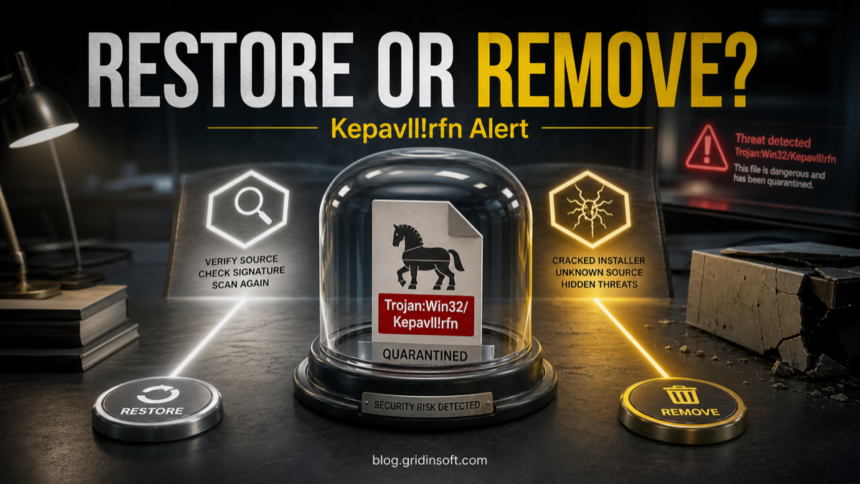
Trojan:Win32/Kepavll!rfn is a Microsoft Defender alert where the right answer depends on the affected file path, source, signature, and whether the alert returns. Keep the file quarantined while you check those details. A trusted signed utility can occasionally trigger a heuristic alert, but a Kepavll!rfn detection from a crack, repack, fake update, Temp/AppData path, email attachment, or repeated post-reboot alert should be treated as real malware until proven otherwise.
What should you do with Trojan:Win32/Kepavll!rfn?
- Do not restore or allow it first. Leave Defender’s quarantine/removal action in place.
- Copy the affected item path from Windows Security before clearing Protection History.
- Check the source and signature. Official, signed, repeat-clean files are different from cracks, unknown archives, and Temp/AppData droppers.
- Remove risky sources and scan the system if the file was executed or the alert returns after reboot.
| Detection | Trojan:Win32/Kepavll!rfn |
| Type | Microsoft Defender Trojan detection; the suffix alone does not establish how it was detected |
| Main risk | Downloader, bundled malware, suspicious installer behavior, or an unknown executable depending on the affected file |
| Best first action | Quarantine/remove, delete the source package, rescan, then verify before any restore decision |
Before you restore Kepavll, look for the detail that changes the decision: is Defender seeing one isolated file, or is something else able to recreate it? Scan for startup tasks, exclusions, Temp/AppData copies, hidden files, and companion detections before you put the file back.
If you ran the suspicious file or the alert returns, use Gridinsoft Anti-Malware for a second-opinion scan. Check for unwanted programs and startup items that may bring the alert back.
6-day full trial for eligible new users, including cleanup. Email activation; no credit card.
Download Anti-Malware for Windows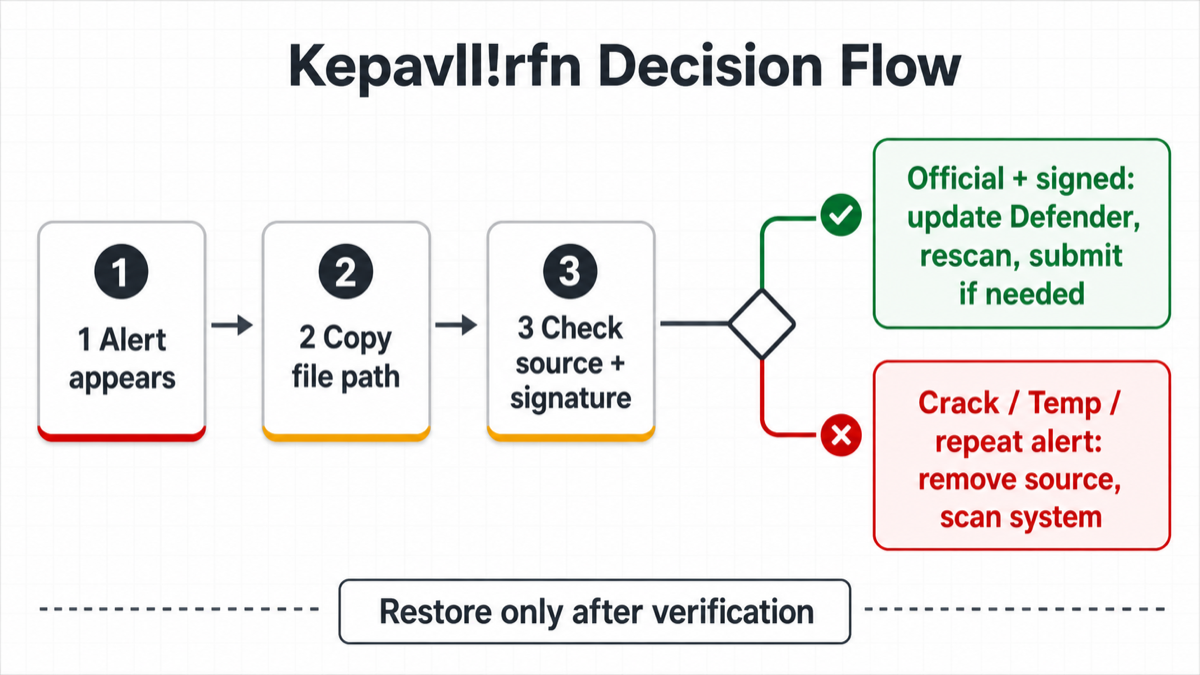
What is Trojan:Win32/Kepavll!rfn?
Defender names are labels for a detection pattern, not a full investigation report. Microsoft documents suffixes beginning with ! as internal indicators. Its public naming guide does not define !rfn as proof of reputation, cloud, or behavioral detection. That is why two users can see the same name in very different situations: one on a legitimate but unusual tool, another on a cracked installer or downloader.
For this exact name, the useful evidence is not only the label. Look at the affected item path, what downloaded or created the file, whether the file is digitally signed, whether it appears in startup or scheduled tasks, and whether other detections appeared around the same time.
Could Kepavll!rfn be a false positive?
Yes, a false positive is possible when the alert hits a known signed utility, a developer build, an emulator or game component, a remote-support tool, or a freshly updated app from the official vendor. In that case, update Defender security intelligence, rescan the same file, compare the file hash with the vendor copy when possible, and submit the exact file to Microsoft if you need a verdict.
Do not call it a false positive just because the program name looks familiar. A malicious loader can use a familiar name, and a cracked or bundled installer can drop both a wanted app and unwanted components. Restoring first and checking later is the risky order.
When should you treat it as real malware?
Treat Trojan:Win32/Kepavll!rfn as real malware until proven otherwise when the affected file came from any of these places:
- a crack, keygen, repack, mod menu, cheat loader, or KMS activator;
- a fake browser update, unofficial download portal, torrent, or bundled installer;
- an email attachment, Discord/Telegram link, or password-protected archive;
Downloads,Temp,AppData, browser cache, or a randomly named folder;- a repeated alert after reboot, sign-in, browser launch, or opening the same folder again.
Repeated alerts usually mean Defender caught one visible file but the source package, extracted copy, scheduled task, startup entry, browser extension, or companion app is still present.
How to verify before restoring the file
- Open Windows Security → Virus & threat protection → Protection history.
- Open the Kepavll!rfn detection and copy the exact affected item path.
- Check the file’s digital signature and publisher. A missing or mismatched signer raises risk.
- Check where the file came from. Official vendor site is lower risk; crack, archive, mirror, or message attachment is high risk.
- Update Defender security intelligence, then scan the exact file or folder again.
- If it is your own file or a vendor tool, submit the file to Microsoft for analysis instead of adding a broad exclusion.
- Restore only when the source, signature, path, and repeat scan all make sense.
Avoid folder-wide exclusions for Downloads, Temp, game-mod folders, or crack directories. An exclusion can hide the next malicious file that lands in the same place.
How to remove Trojan:Win32/Kepavll!rfn
- Keep Defender’s quarantine or removal action. Do not allow the file while investigating.
- Delete the original installer, archive, extracted folder, or download page shortcut that created the detected file.
- Uninstall suspicious apps installed on the same date.
- Check Startup Apps, Task Scheduler, unknown services, and browser extensions for entries created around the alert time.
- Update Defender and run a full scan after reboot.
- If the file ran, also check browser accounts, saved passwords, and recent sign-in alerts for unusual activity.
Related checks
- If the alert came from a crack or activator, compare it with HackTool:Win32/Keygen cleanup guidance.
- If the label looks generic or confusing, use the Microsoft Defender detection names guide to understand suffixes and family labels.
- If the file is still available and you do not want to run it, upload it to the Gridinsoft Online Virus Scanner for a separate file check.
References
- Microsoft Security Intelligence. “Trojan:Win32/Kepavll!rfn threat description.” Microsoft, updated September 3, 2025, accessed June 13, 2026. https://www.microsoft.com/en-us/wdsi/threats/malware-encyclopedia-description?Name=Trojan%3AWin32%2FKepavll%21rfn&ThreatID=2147939874
- Microsoft Security Intelligence. “Submit a file for malware analysis.” Microsoft, accessed June 13, 2026. https://www.microsoft.com/en-us/wdsi/filesubmission
- Microsoft Support. “Scan an item with Windows Security.” Microsoft, accessed June 13, 2026. https://support.microsoft.com/en-us/windows/scan-an-item-with-windows-security-d1c8c01d-12ed-e768-cbb8-830ea8ccf8e6
FAQ
Should I allow Trojan:Win32/Kepavll!rfn?
No, not on a normal PC. Allow it only in an isolated lab or after Microsoft or the software vendor confirms the exact file is a false positive.
Can Kepavll!rfn be triggered by a legitimate tool?
Yes. Behavior and reputation detections can flag developer tools, emulators, game components, remote-support tools, packed installers, and uncommon signed utilities. Verify the publisher, source, path, and hash before restoring anything.
Why does it come back after removal?
The source archive, extracted copy, browser cache, scheduled task, startup entry, or companion app may still be present. Delete the source package and check persistence points before rescanning.
Do I need to reinstall Windows?
Usually no if Defender blocked the file before execution. Consider deeper recovery if the file ran, Defender says remediation is incomplete, alerts return after reboot, or suspicious startup and network behavior remains.
Detection-name reference: Microsoft Learn, How Microsoft names malware, accessed September 7, 2026.



this is wrong
Buen articulo de una amenaza reciente detectada por win defender