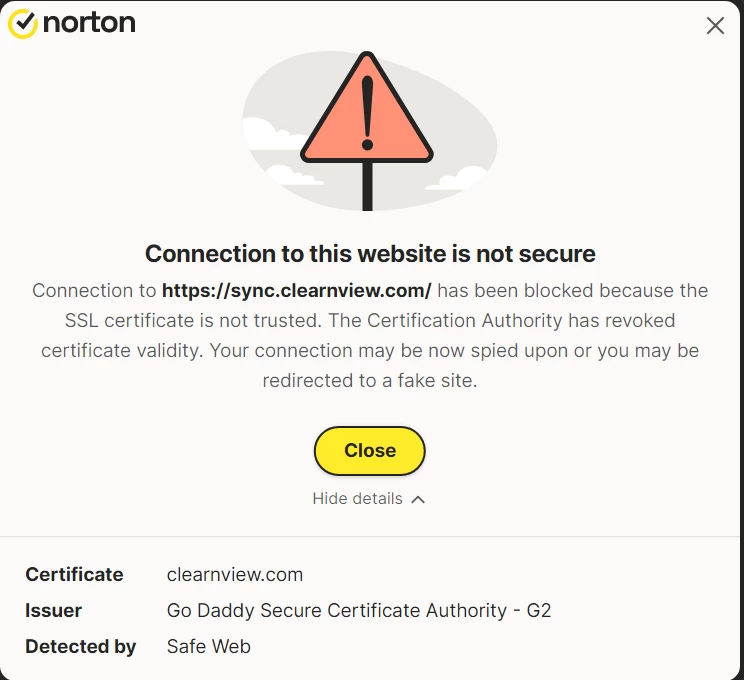
Sync.clearnview.com alerts usually mean your browser is being pushed through a suspicious redirect, notification permission, extension, or adware component. The domain is the visible symptom, not the whole problem. If your security tool blocks connections to it, first stop the browser trigger, then check extensions, notification permissions, search settings, installed apps, and startup items before assuming the computer is clean.
What is Sync.clearnview.com?
Sync.clearnview.com is a suspicious redirect endpoint connected with browser-hijacker and adware-style traffic. Users usually notice it because a browser opens unwanted pages, search results go through unknown domains, or an antivirus alert says a connection to Sync.clearnview.com was blocked. That does not mean you intentionally visited the site; it often means something in the browser profile or Windows installation tried to contact it.
The safest way to think about Clearnview is this: the domain is not a normal destination you need, and repeated alerts should be treated as a browser cleanup signal. A one-time block can come from a bad ad or compromised page, but repeated blocks usually point to a notification permission, extension, search-provider change, bundled app, or adware process that keeps trying again.
URLs associated with Clearnview
| URL | Gridinsoft analysis |
|---|---|
| Sync.clearnview.com | Check Sync.clearnview.com |
| Point.clearnview.com | Check Point.clearnview.com |
| Www.clearnview.com | Check Clearnview.com |
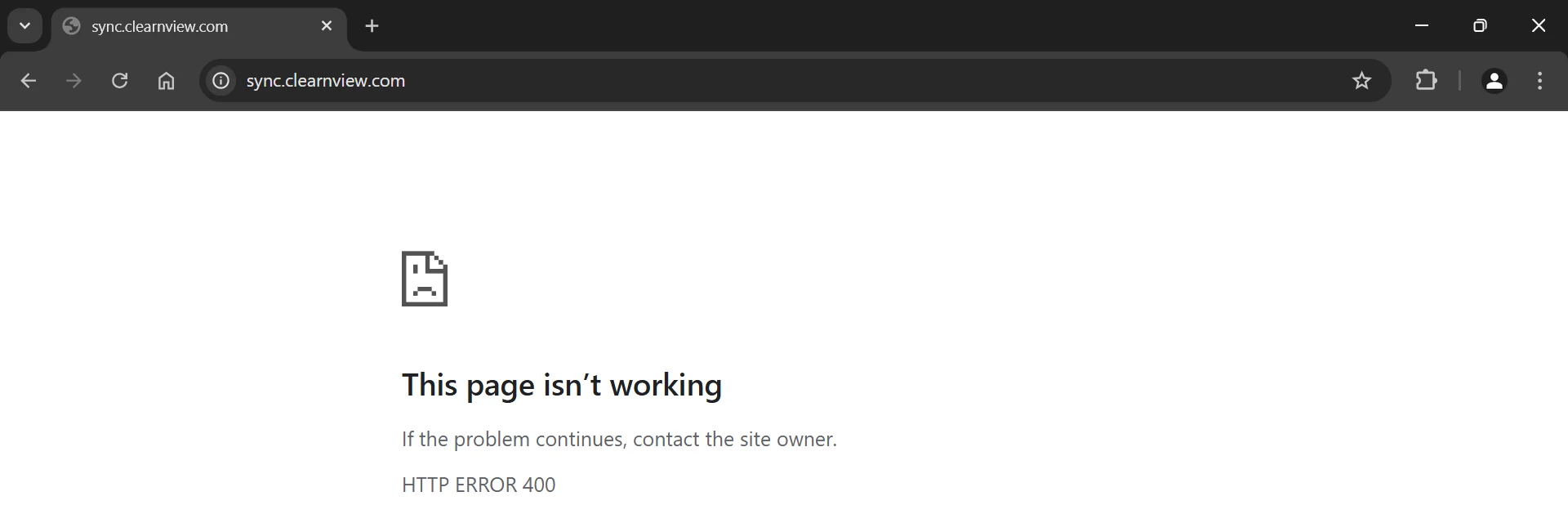
Opening the root domain directly may show an error page. That is common with redirect infrastructure: the unwanted request is generated with a path, query, referral chain, or browser state that is not present when you type the bare domain manually.
Why Sync.clearnview.com keeps appearing
Repeated Clearnview alerts usually come from one of these places:
- Browser notification permission. A site was allowed to send notifications and uses them to push fake alerts, ads, or redirects.
- Unwanted extension. A browser add-on changes search, new-tab, homepage, or page content and sends traffic through redirect domains.
- Search hijacker or policy change. The browser says it is managed, the search engine is locked, or settings return after restart.
- Bundled adware or PUA. A Windows app, updater, installer, or scheduled task keeps restoring browser changes.
- Bad advertising on one site. Alerts happen only on one ad-heavy page and stop after closing that tab and clearing site data.
How to stop Clearnview redirects and alerts
- Close the suspicious tab without restoring it. If the alert started on an ad-heavy or cracked-content site, close that tab and do not restore the previous session automatically.
- Remove unknown notification permissions. In Chrome, Edge, Firefox, and other browsers, review site permissions and remove unknown sites from the allowed notifications list.
- Review extensions. Disable anything installed near the time the alerts started, especially coupon, PDF, search, weather, video, downloader, or “security” extensions you do not recognize.
- Check search, homepage, and startup pages. Restore the default search engine and remove unknown startup URLs. If the browser says settings are managed, inspect browser policies before resetting.
- Clear site data for suspicious domains. Remove cookies and site data for Clearnview and unknown redirect domains if the issue is limited to one browser profile.
- Uninstall suspicious Windows apps. Check installed apps, startup entries, scheduled tasks, and recently installed programs for bundled software you did not request.
- Scan the system if the redirect returns. Use Gridinsoft Anti-Malware or another trusted security tool when several browsers are affected, extensions return after removal, or alerts continue after a browser reset.
- Reset the browser profile only after checking extensions and apps. A reset is useful, but adware can reapply settings if the Windows component remains installed.
After uninstalling the suspicious app or deleting the visible threat, use Gridinsoft Anti-Malware to check hidden files, startup entries, scheduled tasks, bundled apps, browser changes, and other persistence points that can restore malware.
Download Anti-MalwareWhen it is more than a browser notification
Do a deeper cleanup when Clearnview alerts appear even after notification permissions are removed, when the browser opens Yahoo/Bing/search-portal redirects by itself, or when unknown extensions come back after removal. Also treat it seriously if security alerts mention scripts, loaders, potentially unwanted applications, or blocked outbound traffic from a process other than the browser.
If the warnings only appear on one website with aggressive ads and stop after you leave that site, the problem may be a malicious ad chain rather than a persistent infection. Still clear that site’s permissions and avoid downloading any promoted extension or installer from the page.
How did it get on the computer?
Clearnview-style redirects commonly follow free installers, pirated software pages, fake update prompts, misleading browser extensions, and ad networks that open extra tabs. The user may not remember approving the final component because the unwanted offer was bundled inside another installer or hidden behind a browser permission prompt.
For prevention, install extensions only from trusted publishers, review requested permissions, avoid cracked software installers, and keep browser sync from reinstalling old extensions on a cleaned device. If the same redirect appears on several synced browsers, remove the extension from the account/profile and then clean each affected browser.
FAQ
Is Sync.clearnview.com a normal website?
No. Users usually encounter it through redirects, blocked connection alerts, pop-up notifications, or adware activity rather than by intentionally visiting it.
Can I fix Clearnview by blocking notifications only?
Sometimes, but not always. If a notification permission is the only trigger, removing it can stop the pop-ups. If an extension or adware component is responsible, the redirect can return until that component is removed.
Does a Clearnview alert mean my passwords were stolen?
Not by itself. A Clearnview alert is more commonly a browser-hijacker or adware symptom. Change passwords from a clean device if you entered credentials on a redirected page, installed an unknown extension, or saw account activity you do not recognize.
Why does the Clearnview domain show an error when I open it directly?
Redirect endpoints often respond differently when opened without the original ad chain, path, or query. A direct error page does not prove that earlier blocked browser traffic was harmless.
Related browser hijacker and notification cleanup guides
If unwanted pop-ups or redirects continue after blocking Sync.clearnview.com, check these related browser cleanup guides:
- Fake virus alert pop-ups removal
- EpiBrowser / EpiStart removal guide
- Weather Zero removal guide
- Opera GX: legit browser vs fake installers
Related PUA and browser cleanup guides
References
- Google Chrome Help. “Remove unwanted ads, pop-ups and malware.” Google, accessed June 1, 2026. https://support.google.com/chrome/answer/2765944
- Microsoft Support. “Add, turn off, or remove extensions in Microsoft Edge.” Microsoft, accessed June 1, 2026. https://support.microsoft.com/en-us/edge/add-turn-off-or-remove-extensions-in-microsoft-edge
- Mozilla Support. “Disable or remove Add-ons.” Mozilla, last updated June 24, 2025, accessed June 1, 2026. https://support.mozilla.org/kb/disable-or-remove-add-ons