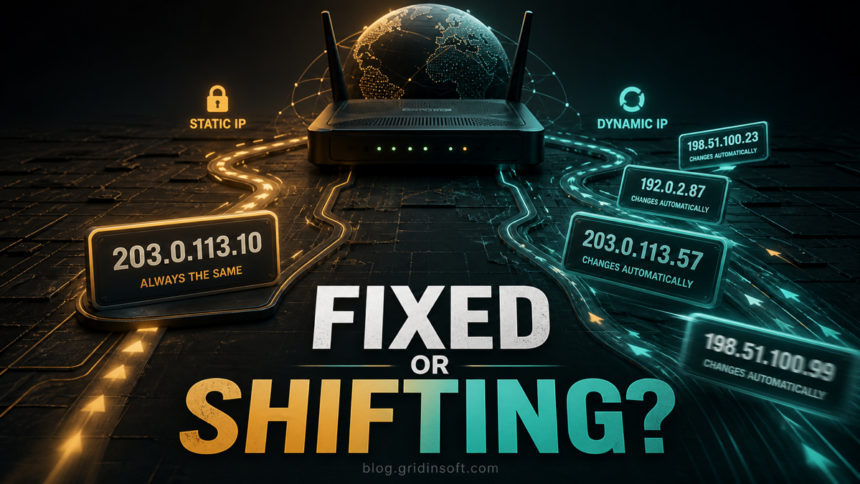
Static and dynamic IP addresses do the same basic job: they identify where internet traffic should go. The difference is stability. A static IP address stays the same until it is changed manually or by the provider. A dynamic IP address can change automatically when the network renews or replaces it.
Static vs Dynamic IP: The Main Difference
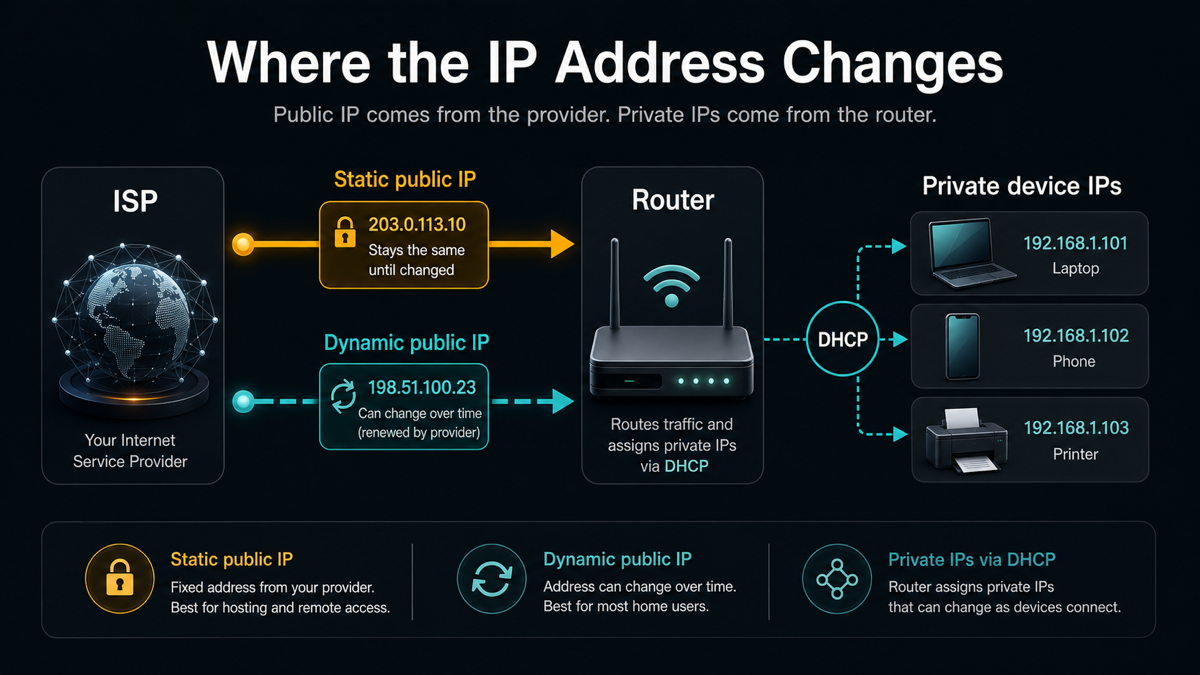
An IP address is a network address used to route traffic to the right place. Your public IP identifies your internet connection on the outside internet. Your private IP identifies a device inside your home or office network.
| Feature | Static IP | Dynamic IP |
| Does it change? | No. It stays fixed until changed by the ISP, administrator, or device configuration. | Yes. It can change after reconnecting, DHCP renewal, router changes, or provider changes. |
| Who assigns it? | ISP, network administrator, or manual router/device settings. | Usually assigned automatically by DHCP. |
| Best for | Hosting, VPN gateways, remote access, DNS records, cameras, business firewall rules. | Home browsing, streaming, gaming, phones, laptops, smart TVs, and ordinary office devices. |
| Cost | Often costs extra from an ISP. | Usually included by default. |
| Privacy | Easier to associate with one connection over time. | Can reduce long-term tracking by one fixed address, but does not make you anonymous. |
| Security impact | Requires stricter exposure control because the address is stable. | Still needs router and device security, but is less useful as a permanent target. |
Public IP vs Private IP
Many users mix up static/dynamic with public/private. They are different choices.
- Public IP is the address websites and online services see for your internet connection.
- Private IP is the address your router gives to devices inside your local network, such as a laptop, phone, printer, camera, or NAS.
- Static or dynamic describes whether an address stays fixed or can change.
A home internet plan may have a dynamic public IP from the ISP, while the router gives dynamic private IPs to devices inside the house. A small business may pay for a static public IP and still use DHCP for private device addresses.
What Is a Static IP Address?
A static IP address is fixed. If your router, server, camera, or business connection has a static IP, other systems can reliably find it at the same address every time. That makes static addressing useful when the device or network must be reachable from outside or must match firewall rules, DNS records, monitoring tools, or remote access policies.
Static IPs can be public or private. A public static IP comes from your ISP and is visible on the internet. A private static IP is used inside your local network, for example when a printer, NAS, or server should always keep the same local address.
What Is a Dynamic IP Address?
A dynamic IP address is assigned automatically. Most home internet connections use a dynamic public IP, and most home routers assign dynamic private IP addresses to phones, laptops, TVs, and other devices.
Dynamic addressing is usually handled by DHCP. The network gives your device an available address, renews that address for a period of time, and may replace it later. For normal browsing, shopping, email, streaming, and most gaming, you usually do not need to care whether the address changes.
Which One Do You Need?
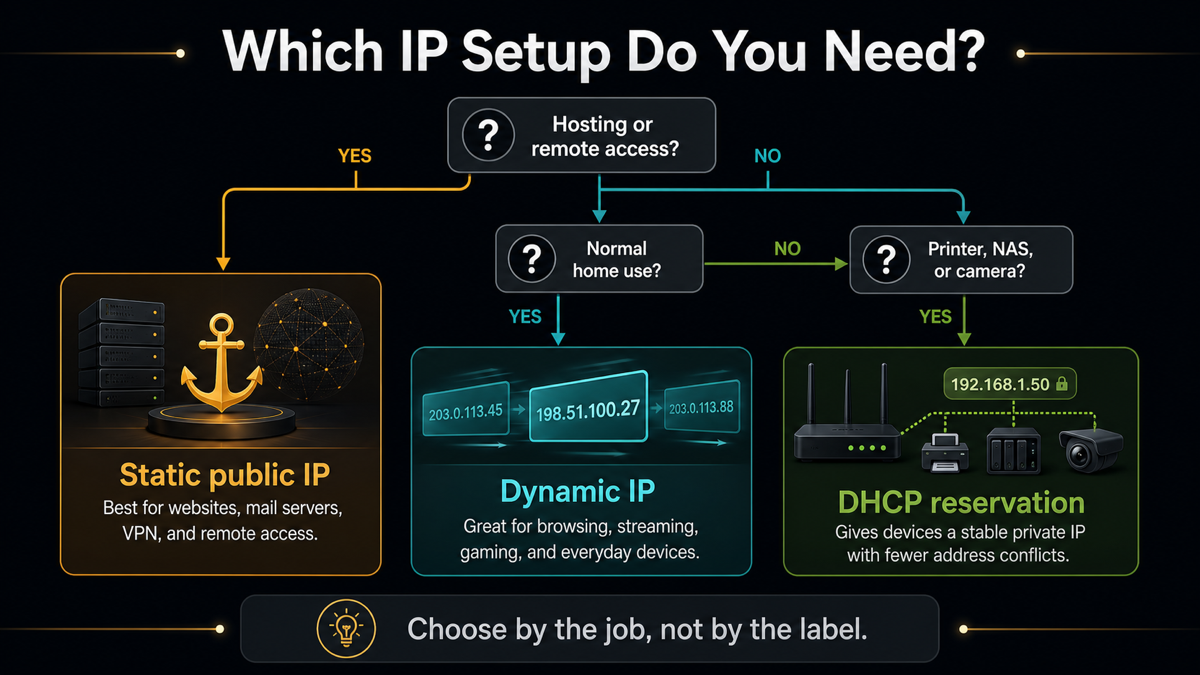
Choose the address type by the job it has to do, not by which one sounds more advanced.
| Your situation | Best choice | Why |
| Normal home internet | Dynamic public IP | Automatic, cheap, and enough for daily use. |
| Gaming as a player | Dynamic public IP | Most games do not need a fixed public address. |
| Hosting a game server | Static public IP or dynamic DNS | Other players need a stable address or hostname. |
| Business VPN or remote access gateway | Static public IP | Users, DNS records, and firewall rules need stability. |
| Printer, NAS, or camera inside your network | DHCP reservation | Keeps the same private IP without manual conflicts. |
| Privacy on public Wi-Fi | VPN, not static IP | A static IP does not protect traffic on an unsafe network. |
Pros and Cons of a Static IP
| Pros | Cons |
| Stable DNS and easier server hosting. | Often costs more from an ISP. |
| Useful for VPN, remote access, and business firewall allowlists. | Easier to track and target over time. |
| Predictable for monitoring, cameras, NAS, and gateways. | Misconfigured services can stay exposed permanently. |
| Helpful when outside systems must reach the same address. | Requires stronger firewall, patching, and access control. |
Pros and Cons of a Dynamic IP
| Pros | Cons |
| Automatic and easy to manage. | Not ideal for hosting public services. |
| Usually cheaper and enabled by default. | Remote access can break when the public address changes. |
| Enough for most home users and small offices. | DNS records need dynamic DNS if you host something. |
| Reduces long-term association with one fixed address. | Does not make you anonymous or invisible. |
DHCP Reservation vs Static Private IP
For local devices, DHCP reservation is often safer than typing a static address into every device. A DHCP reservation tells the router to give the same private IP to a specific device each time it connects. This is useful for printers, NAS devices, cameras, home lab servers, and local dashboards.
Manual static private IP settings can work, but they are easier to misconfigure. If two devices use the same address, the network may behave unpredictably. For most home and small office networks, set the reservation in the router and let DHCP manage the rest.
How to Check Whether Your IP Is Static or Dynamic
- Check your public IP with a trusted IP lookup page and write it down.
- Restart your modem or router, or check again after a day or two.
- If the public IP changes, it is dynamic. If it stays the same, it may be static, sticky dynamic, or simply not renewed yet.
- Check your ISP account or contact the provider if you need certainty.
- For private device IPs, open your router device list and look for DHCP leases or reservations.
Some ISPs keep dynamic addresses for a long time. That does not necessarily mean you pay for a static IP. The reliable answer comes from the provider plan or router/ISP configuration.
Is a Static IP Less Secure?
A static IP is not dangerous by itself. The risk is exposure. If Remote Desktop, router administration, a camera panel, a database, or an outdated server is open to the internet, a static IP gives attackers a stable target to scan and revisit.
If you use a static public IP, protect it like a business asset:
- Do not expose router admin pages, databases, NAS panels, or RDP directly to the internet.
- Use a VPN, zero-trust gateway, or remote access broker for administration.
- Keep router firmware, servers, and remote access tools updated.
- Use strong passwords and MFA where available.
- Review firewall rules and open ports regularly.
- Scan suspicious links and downloads before opening them, especially on systems that can reach internal services.
If Remote Desktop is part of your setup, also review our guide to securing RDP. For privacy on shared networks, see our advice on how to use public Wi-Fi safely. Static addressing also should not be confused with IP spoofing, which is a different network-abuse technique.
Can You Change Your IP Address?
If your ISP gives you a dynamic public IP, reconnecting the modem may or may not change it. Some providers keep the same dynamic address for weeks or months. If you need a static public IP, request it from the ISP. It may require a business plan or paid add-on.
Inside your local network, you can usually change a device’s private IP in router settings. For devices that should always be reachable, use DHCP reservation when possible. It is cleaner than configuring static settings on each device and helps avoid address conflicts.
How to Protect Your IP Address
An IP address is not your full identity, but it can reveal your ISP, rough location, and network. To reduce exposure:
- Use a VPN when you need privacy on public or untrusted networks.
- Keep your router firmware updated.
- Turn off UPnP if it opens ports you do not understand.
- Check exposed services before enabling remote access.
- Use DNS and firewall rules carefully when hosting public services.
- Scan suspicious URLs and downloads with a security tool before opening them.
Gridinsoft tools can help check suspicious websites and downloads before you trust them, but an IP address choice alone is not malware protection. Treat static IP security as network exposure management: fewer open services, stronger authentication, and regular checks.
FAQ
Is static IP better than dynamic IP?
Not always. Static IP is better for hosting, remote access, DNS, and business firewall rules. Dynamic IP is better for most home users because it is automatic, cheaper, and usually enough.
Does a dynamic IP make me anonymous?
No. A dynamic IP can change, but your ISP can still associate addresses with your connection, and websites can use accounts, cookies, browser data, and other signals.
Do gamers need a static IP?
Usually no. Playing games works fine with a dynamic IP. A static IP may help only if you host a game server or need special network rules.
What is DHCP reservation?
DHCP reservation tells your router to give the same private IP to a specific device every time. It is useful for printers, NAS devices, cameras, local servers, and home labs.
Can a static IP be hacked?
An IP address itself is not hacked. Exposed services on that IP can be attacked if they are misconfigured, outdated, or protected by weak passwords.
References
- Internet Engineering Task Force. RFC 2131: Dynamic Host Configuration Protocol. March 1997. Accessed June 11, 2026. https://www.rfc-editor.org/rfc/rfc2131
- Internet Engineering Task Force. RFC 1918: Address Allocation for Private Internets. February 1996. Accessed June 11, 2026. https://www.rfc-editor.org/rfc/rfc1918