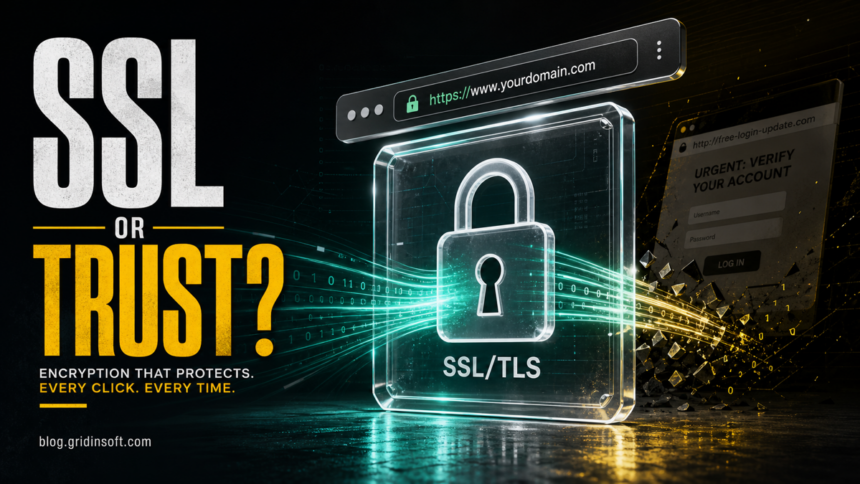
An SSL certificate, more accurately a TLS certificate today, is a digital file a website uses to prove that a browser is connecting to the right server and to help start an encrypted HTTPS session. It contains the domain name, public key, issuer, validity dates, and other identity details signed by a Certificate Authority. SSL is the older name; TLS is the modern protocol. A valid certificate protects data in transit, but it does not automatically prove that the website itself is honest or free from phishing.
That last point matters for everyday browsing. A lock icon means the connection to that domain is encrypted. It does not mean the store, login page, download offer, or support message is legitimate. Scammers can use HTTPS too, so the certificate is one signal, not the whole safety decision.
SSL vs TLS vs HTTPS: What Is the Difference?
SSL stands for Secure Sockets Layer, the older protocol name most people still use. TLS, or Transport Layer Security, is the modern successor that protects current HTTPS connections. In normal user-facing language, “SSL certificate” usually means a public TLS certificate used by a website.
HTTPS is HTTP running through TLS encryption. When a browser loads an HTTPS page, it asks the server for a certificate, checks whether it can trust that certificate, and then negotiates encryption keys for the session. Our separate guides explain the broader HTTP vs HTTPS difference and the TLS vs HTTPS relationship in more detail.
What Information Is Inside an SSL/TLS Certificate?
A website certificate is not just a decorative lock. It is a signed identity and encryption object that the browser can inspect before it sends sensitive data. The most important fields are:
- Domain or hostnames: the names the certificate is valid for, such as
example.comorwww.example.com. - Public key: the key the browser uses during the encrypted connection setup. The private key stays on the server and must not be shared.
- Issuer: the Certificate Authority or intermediate CA that signed the certificate.
- Validity dates: the time window when the certificate can be trusted.
- Signature: proof that the issuing CA signed the certificate data.
- Subject Alternative Names: additional hostnames covered by the same certificate.
If the certificate does not match the hostname, is expired, is self-signed without local trust, or chains to an authority the browser does not trust, the browser can show a warning instead of loading the page normally.
How the TLS Handshake Works
The certificate is used near the start of a secure visit. The exact TLS 1.3 details are more technical than most readers need, but the practical flow is simple: the browser asks for a secure connection, the server sends its certificate, the browser validates it, and both sides agree on fresh session keys. After that, the page data is encrypted in transit.
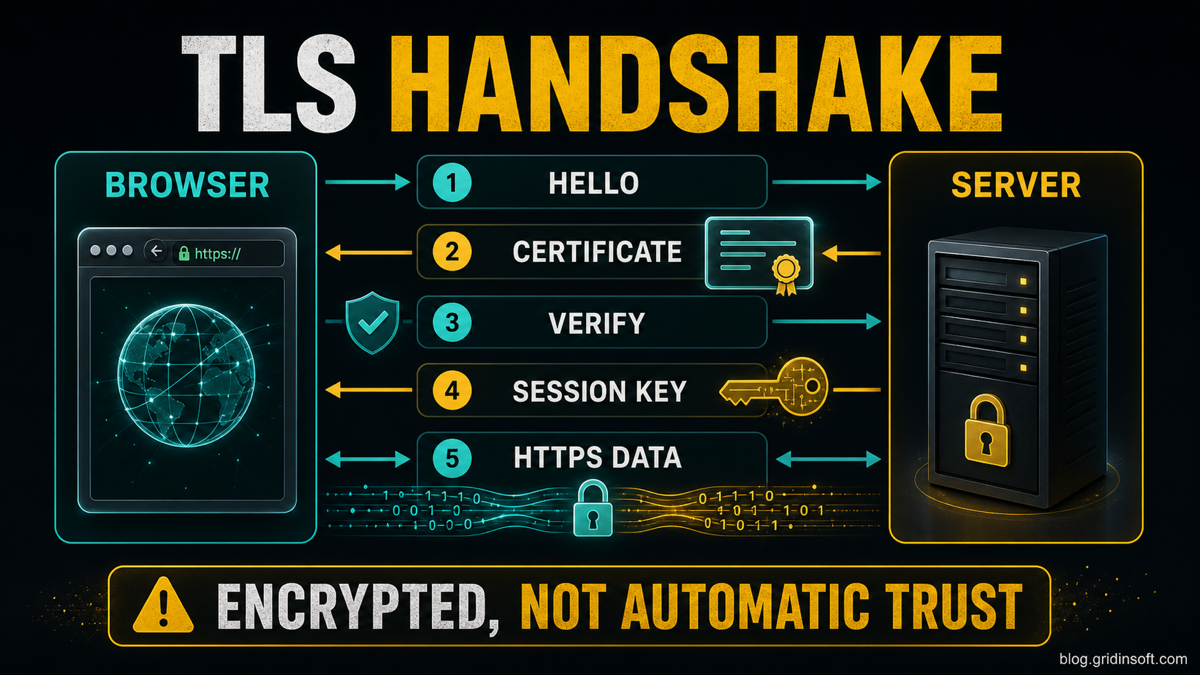
The browser checks the certificate before encrypted HTTPS data starts flowing.
- The browser starts a secure connection. It sends supported TLS options to the server.
- The server presents its certificate. The certificate includes the public key and identity details.
- The browser validates the certificate. It checks the hostname, validity dates, signature chain, and trusted CA path.
- Fresh session keys are created. These keys protect this visit without exposing the server’s private key.
- HTTPS data flows. Login forms, cookies, pages, and other traffic are encrypted between the browser and the server.
Why Websites Need Certificates
Without HTTPS, information can travel in a form that is easier to read or tamper with on the network. A valid certificate helps solve two problems at once: it lets the browser verify that the server is allowed to represent the requested hostname, and it enables encrypted communication for the session.
Certificates are especially important for login pages, checkout pages, account dashboards, webmail, healthcare portals, online banking, software downloads, and any site that handles personal information. Modern browsers also label plain HTTP pages as less secure, so HTTPS has become a baseline expectation rather than a premium feature.
Certificate Authorities and the Chain of Trust
A Certificate Authority, or CA, is a trusted organization that validates certificate requests and signs certificates. Browsers and operating systems include trusted root CA stores. A normal website certificate usually chains from the website’s leaf certificate through one or more intermediate certificates to a trusted root.
This chain matters because anyone can generate a certificate file, but browsers trust only certificates that validate through an accepted trust path. A self-signed certificate may still encrypt traffic, but public browsers will usually warn visitors because there is no outside authority proving the server identity.
Types of SSL/TLS Certificates
Certificate “types” are often explained poorly because two different questions get mixed together. One question is who was validated. The other is which hostnames are covered. Keep those separate.
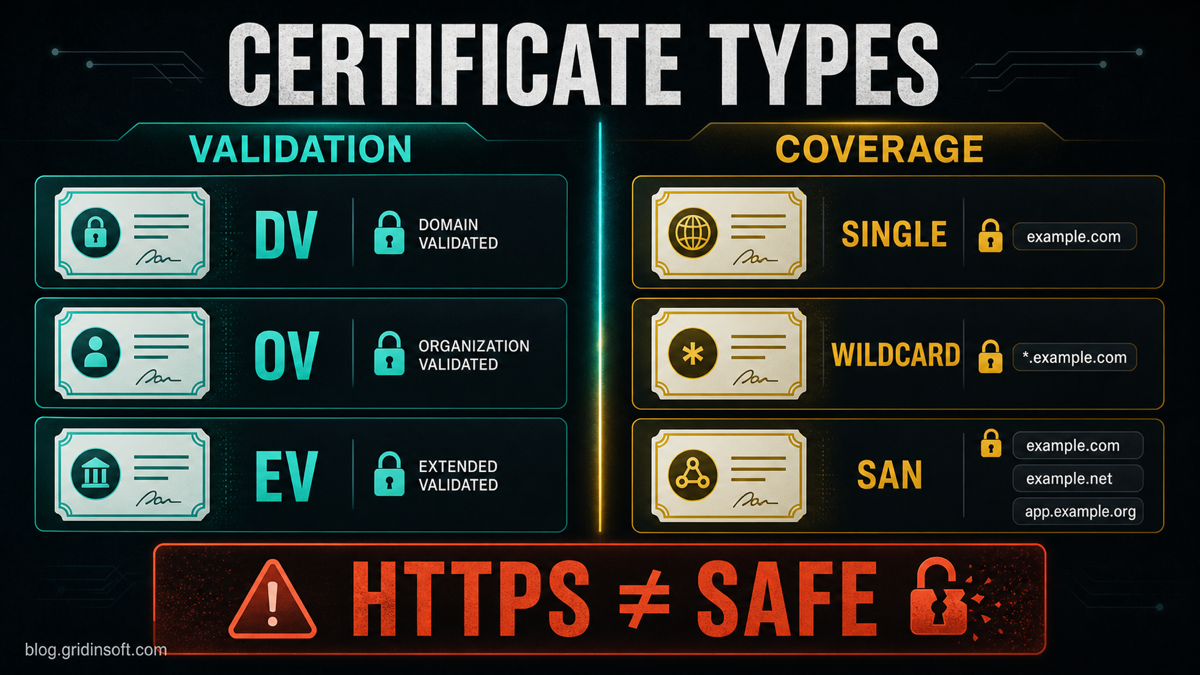
Validation level and domain coverage answer different certificate questions.
| Question | Correct category | Examples |
|---|---|---|
| Who was validated? | DV / OV / EV | Domain control, organization identity, extended checks |
| What names are covered? | Single / Wildcard / SAN | example.com, *.example.com, several hostnames |
| How is it trusted? | CA chain | Leaf certificate, intermediate CA, root CA |
Validation Levels: DV, OV, and EV
Domain Validated (DV) certificates prove control over a domain. They are common, fast to issue, and enough for encrypted HTTPS when business identity is not the main trust signal.
Organization Validated (OV) certificates add organization identity checks. The browser can show organization details in certificate information, but users usually need to open certificate details to see them.
Extended Validation (EV) certificates require stricter legal-identity checks. Older browser UI made EV more visible in the address bar, but modern browsers generally moved this identity information into certificate details. EV may still matter for organizational policy and compliance, but it should not be described as a magic green-bar trust signal.
Domain Coverage: Single, Wildcard, and SAN
A single-domain certificate covers one hostname or a small fixed set depending on how it is issued. A wildcard certificate covers one level of subdomains, such as *.example.com. A SAN or multi-domain certificate lists several hostnames in the Subject Alternative Name field.
You may also see the term UCC, originally common around Microsoft Exchange and communications services. In practice, it is a multi-domain/SAN certificate naming pattern, not a separate validation level.
Free vs Paid Certificates: What Actually Changes?
A free certificate can encrypt traffic just as effectively as a paid certificate when it uses the same modern TLS configuration. The difference is usually validation level, certificate management, support, warranty language, automation features, and organization policy. Many small sites use automated DV certificates because they are fast and renew without manual work.
For readers, the important question is not “free or paid?” but whether the certificate is valid for the domain, chains to a trusted CA, uses modern TLS, and belongs to the site you intended to visit.
Certificate Expiration and Shorter Lifetimes
SSL/TLS certificates expire because the information they certify can become stale: domains change owners, organizations change, keys are rotated, and security requirements evolve. When a public website certificate expires, browsers may block the page or show a warning.
Public TLS certificate lifetimes are also getting shorter. The CA/Browser Forum approved Ballot SC081v3, which phases in shorter maximum certificate validity periods: 200 days in 2026, 100 days in 2027, and 47 days in 2029. That makes automated certificate renewal increasingly important for website owners.
How to Check an SSL/TLS Certificate
You do not need to be a system administrator to inspect a certificate. The exact menu changes between browsers, but the pattern is similar:
- Open the site manually, not through a suspicious message link.
- Click the lock or site information icon near the address bar.
- Open connection security or certificate details.
- Check whether the certificate is valid for the exact hostname.
- Check the issuer and expiration date.
- If the page asks for passwords, payment data, or downloads, also verify the domain spelling and company identity.
If a domain itself looks suspicious, check it before entering data. Gridinsoft’s Website Reputation Checker can help review domain reputation, redirects, and risk signals, while the certificate check tells you only about the encrypted connection.
SSL Certificate Errors and When to Leave a Site
Certificate warnings can appear for several reasons: an expired certificate, a hostname mismatch, a missing intermediate certificate, a self-signed certificate, a captive Wi-Fi portal, incorrect device time, SSL inspection by security software, or a real attack attempt. Do not enter credentials or payment data while a certificate warning is active.
If the warning appears on one site only, the site owner may need to fix the certificate. If many sites fail at once, check your device date and time, browser updates, VPN/proxy settings, antivirus HTTPS inspection, and network. For exact browser warnings, use our guides for Your connection is not private and This site can’t provide a secure connection.
Does HTTPS Mean a Website Is Safe?
No. HTTPS means the connection between your browser and that domain is encrypted and the certificate validated for that hostname. It does not prove the seller is real, the login page is official, the download is clean, or the offer is honest. Phishing pages and fake stores can use valid certificates too.
| Browser signal | What it means | What it does not mean |
|---|---|---|
| HTTPS + lock | Encrypted connection, valid certificate | The site is honest |
| Certificate warning | The browser cannot validate identity or session safety | The site is always malware |
| Domain mismatch | The certificate does not match the hostname | Only a harmless cache issue |
For scam prevention, combine the certificate signal with domain spelling, reputation, payment method, company details, and page behavior. This is why a fake shopping site can still look “secure” in the address bar while being unsafe to use.
FAQ
Is SSL the same as TLS?
Not technically. SSL is the older protocol name, while TLS is the modern protocol used for current HTTPS connections. In everyday wording, “SSL certificate” usually means a TLS certificate for a website.
Does HTTPS mean a website is safe?
No. HTTPS means the connection is encrypted and the certificate is valid for that hostname. A phishing page, fake store, or scam login can still use HTTPS.
What is inside an SSL certificate?
A typical website certificate includes the domain or hostnames, public key, issuer, validity dates, digital signature, and related certificate-chain information. The private key is not inside the public certificate.
What is the difference between DV, OV, and EV certificates?
DV proves domain control. OV adds organization identity checks. EV requires stricter organization validation. They differ by identity validation, not by a simple “stronger encryption” ladder.
What is the difference between wildcard and SAN certificates?
A wildcard certificate covers one level of subdomains, such as *.example.com. A SAN certificate lists several specific hostnames in the Subject Alternative Name field.
Why do SSL certificates expire?
Certificates expire so domain ownership, organization details, keys, and validation data can be refreshed. Shorter certificate lifetimes reduce how long stale or risky certificate data can remain trusted.
What should I do if my browser shows an SSL certificate warning?
Do not enter passwords, payment details, or personal information. Check the domain, device time, network, VPN/proxy, and whether the warning happens on many sites or only one. If the warning is for a banking, mail, payment, or admin page, leave and open the site later from a trusted network.
References
- Cloudflare. “What is an SSL certificate?” Cloudflare Learning Center, accessed June 11, 2026. https://www.cloudflare.com/learning/ssl/what-is-an-ssl-certificate/
- Amazon Web Services. “What is an SSL/TLS Certificate?” AWS, accessed June 11, 2026. https://aws.amazon.com/what-is/ssl-certificate/
- CA/Browser Forum. “Ballot SC081v3: Introduce Schedule of Reducing Validity and Data Reuse Periods.” CA/Browser Forum, April 11, 2025, accessed June 11, 2026. https://cabforum.org/2025/04/11/ballot-sc081v3-introduce-schedule-of-reducing-validity-and-data-reuse-periods/