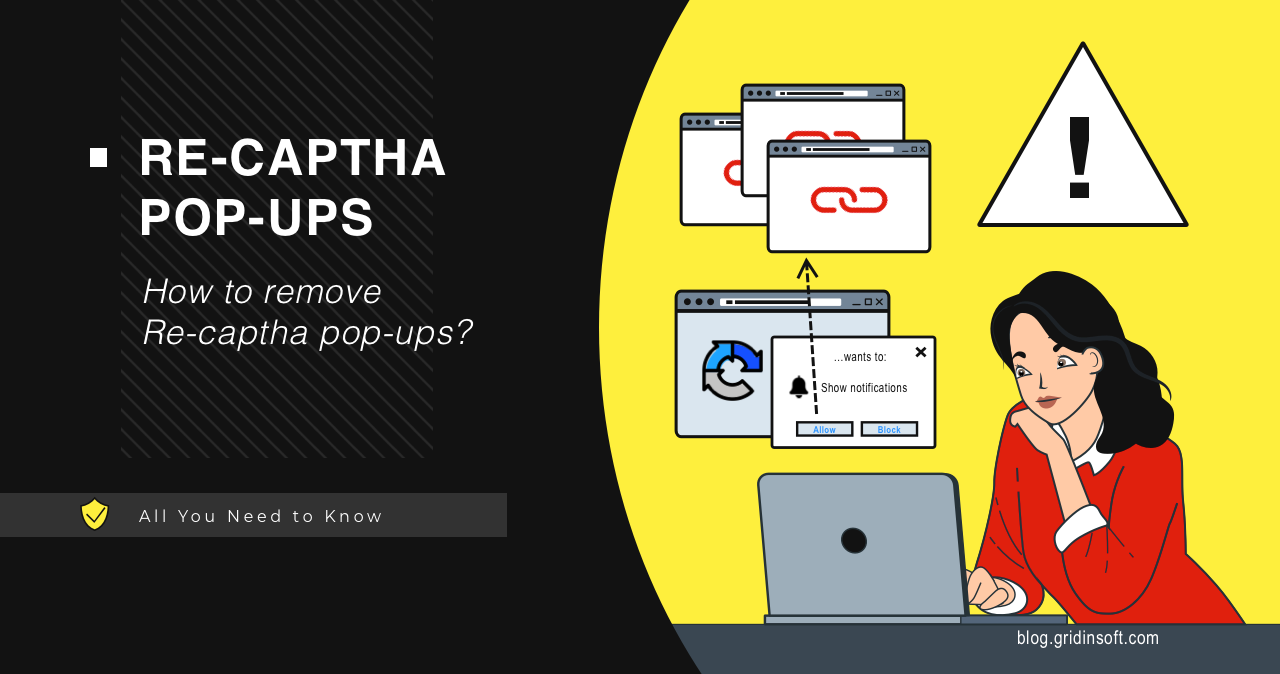
Recent user complaints show a new wave of malicious Re-Captha-Version website pop-ups. Such websites aim to force users into allowing pop-up notifications and send dozens of pop-up advertisements. Let me explain how this all works and how to stop pop-ups from appearing.
Let’s figure out what this scam is, and how to stop Re-Captha-Version pop-ups.
What are Re-Captha-Version pop-up notifications?
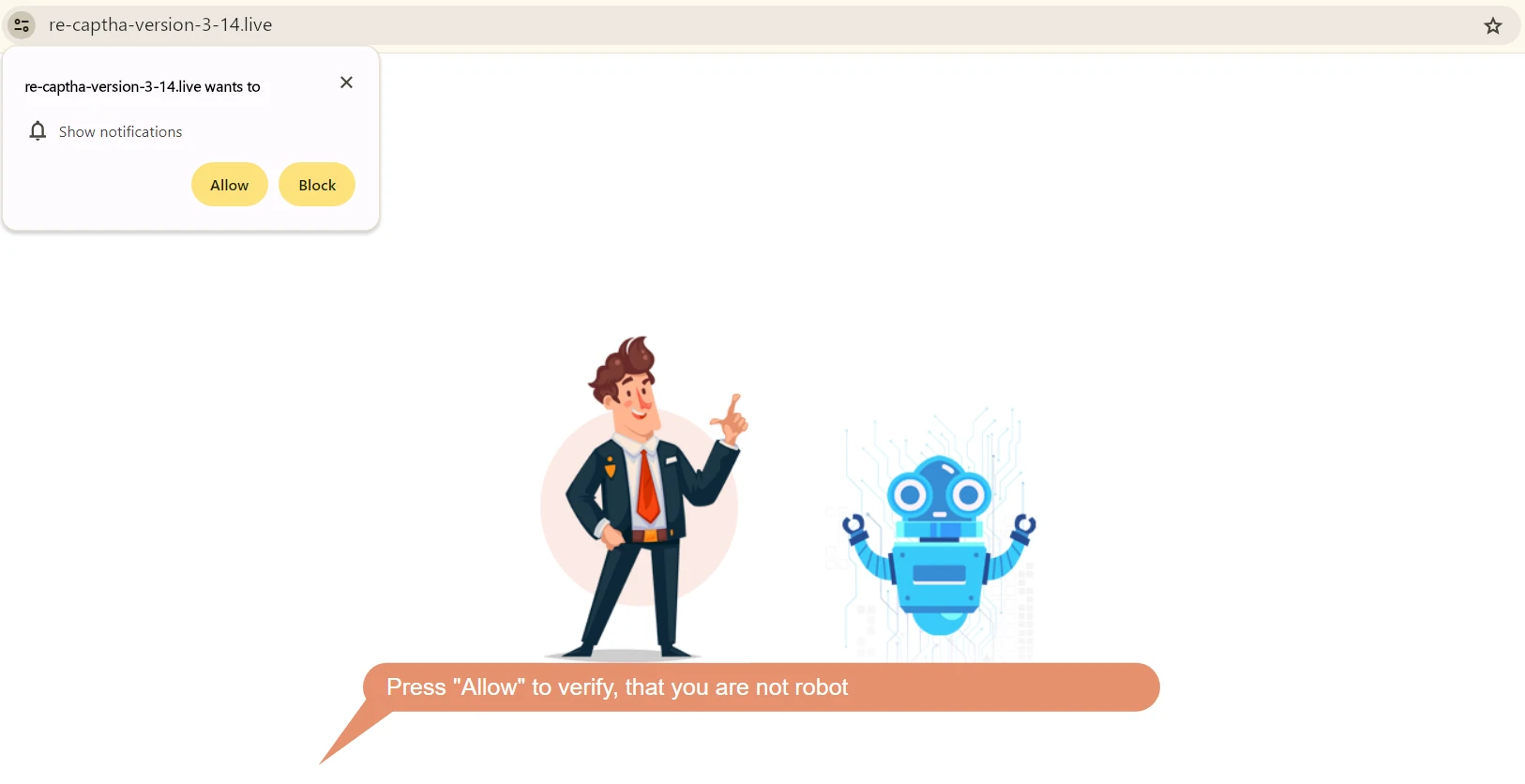
Re-Captha-Version is a browser notification spam campaign that takes place on an eponymous website. An entire network of such sites has similar names and content. All of them aim at one thing – forcing users to allow notifications, under the guise of anti-robot captcha. This makes possible the main course of this scam – huge numbers of pop-ups that flood both the web browser and system notifications.
List of domains involved in the scam
| Domain | Registered | Report |
|---|---|---|
| Re-captha-version-4-25.buzz | 2024-11-18 | Scan Report |
| Re-captha-version-4-23.buzz | 2024-11-18 | Scan Report |
| Re-captha-version-4-21.buzz | 2024-11-18 | Scan Report |
| Re-captha-version-3-271.buzz | 2024-07-05 | Scan Report |
| re-captha-version-3-275.buzz | 2024-05-31 | |
| re-captha-version-3-278.buzz | 2024-06-14 | |
| re-captha-version-3-290.buzz | 2024-03-15 | |
| re-captha-version-3-298.buzz | 2024-03-12 | |
| re-captha-version-5-1.com | 2024-03-03 | |
| re-captha-version-3-73.fun | 2024-02-13 | Scan Report |
Websites like Re-Captha-Version commonly appear after the redirection from another site, or following the click on the suspicious banner somewhere on the Web. If you try visiting such websites apart from the malicious redirections, they will likely return a white screen or various error messages. In some cases, they work, but the content is the same as the first time – just the offer to enable pop-up notifications.
But what for all this is running? Promotions that such websites show are extremely cheap, but their volume multiplied by the number of victims gives quite a substantial profit. Considering that these frauds will advertise other malicious actors, the profit may be smeared through several cybercriminal groups. And while there are ways to earn more, and in a legitimate way, pop-up spam campaigns are extremely easy to run. This is what causes these fraudulent sites to keep going.
How dangerous are Re-Captha-Version pop-up notifications?
Despite what they look like, pop-ups are a rather dangerous thing, especially when dozens of them appear in a short period. The main effect is distraction: pop-ups will keep appearing even after closing the browser. They clutter the notification tray, making it impossible to find the alerts you need.
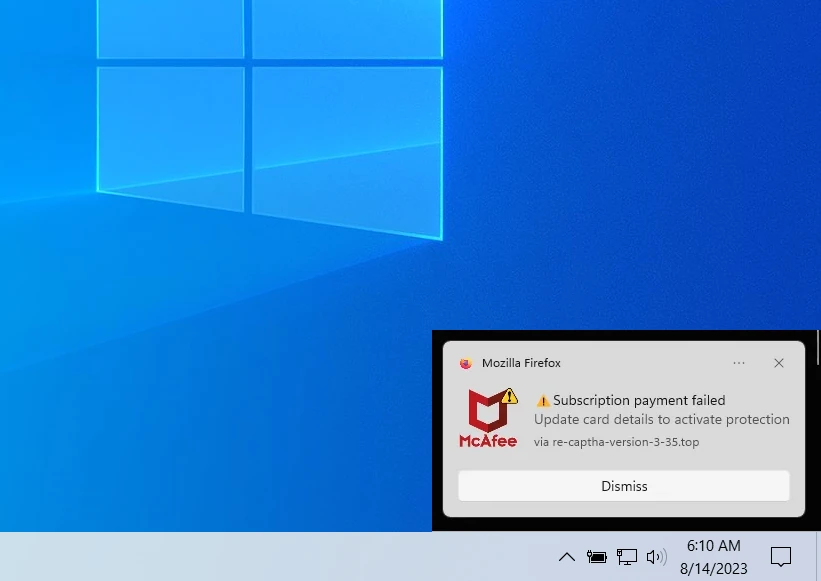
But the key danger hides in the content of those promotions. Pages and offers they promote are not even remotely relevant. Moreover, the links these advertisements lead to are often just clickbait websites or outright phishing pages. The longer all this happens, the more likely for the user to accidentally click one and get into a sticky situation.
How to remove Re-Captha-Version?
Removing pop-ups from the browser involves two steps – disallowing sending notifications to all sites and scanning your system for threats. The first one is manual – you need to go to your browser settings, open the page with notification settings and delete all entries there. Then, reload your browser for the changes to take effect.
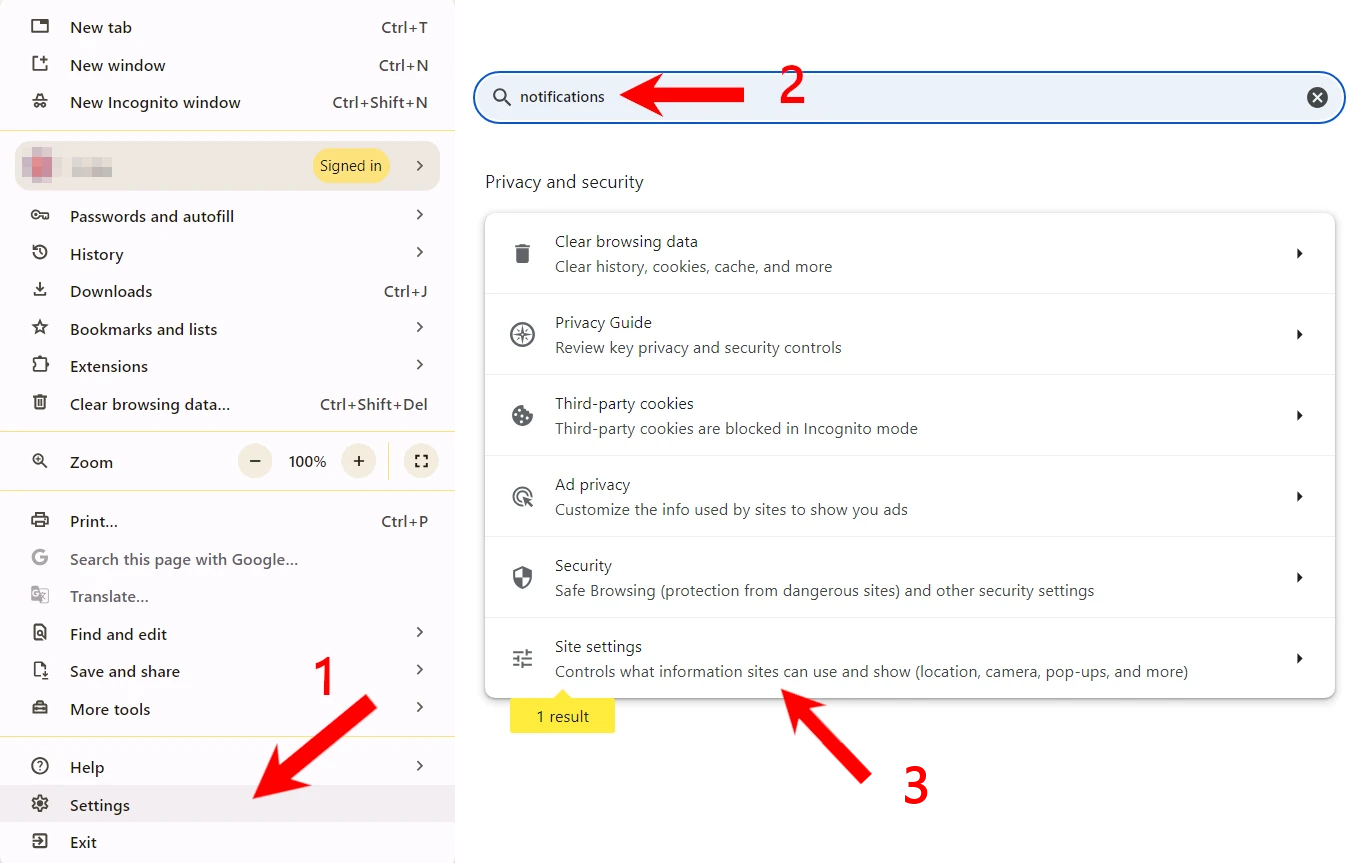 Disabling browser pop-ups (scroll images)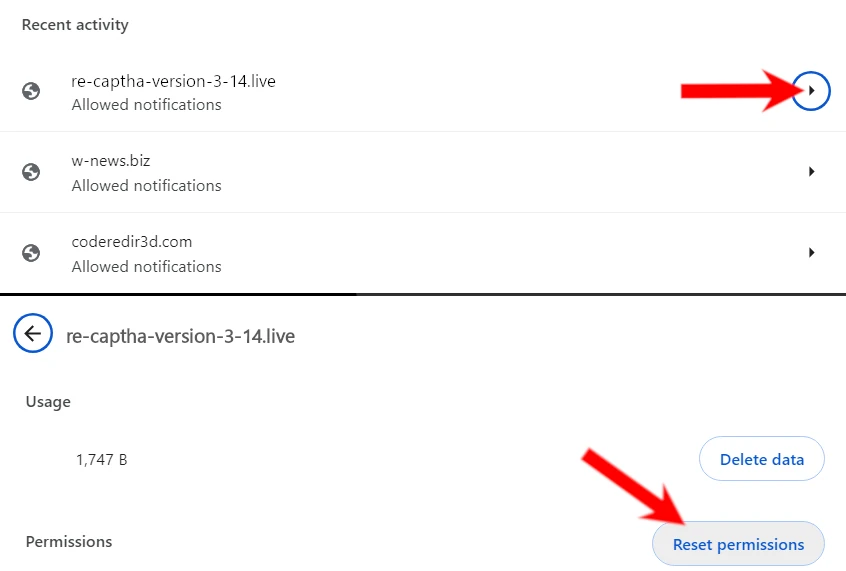
For the second step – scanning for threats – I recommend using GridinSoft Anti-Malware. Ads can lead to the installation of unwanted software. But aside from this, the appearance of Re-Captha-Version website may be the sign of adware activity. To ensure that your device is clean, run a Standard scan and let it finish – it won’t take long.
After uninstalling the suspicious app or deleting the visible threat, use Gridinsoft Anti-Malware to check hidden files, startup entries, scheduled tasks, bundled apps, browser changes, and other persistence points that can restore malware.
Download Anti-Malware