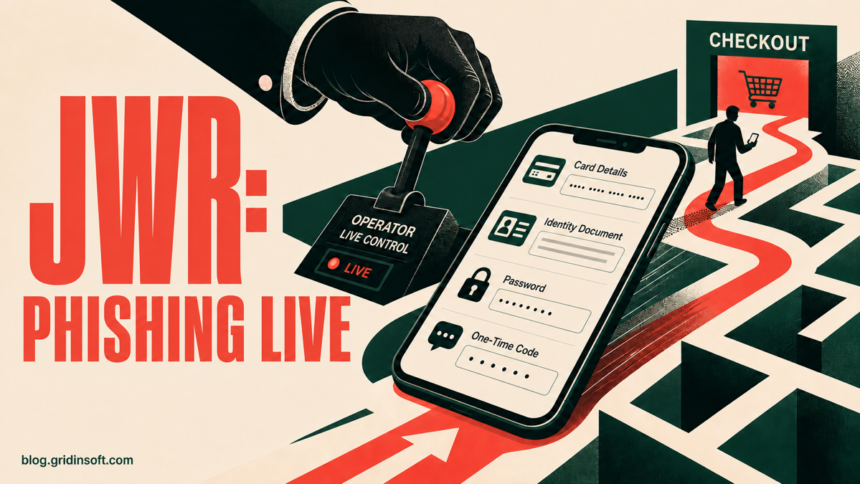
Cisco Talos has documented JWR, a phishing framework that lets a criminal operator watch what a victim types and change the fake checkout or login screen in real time. The observed campaign used text messages that impersonated toll, postal, and courier services. A JWR page can request payment-card details, passwords, one-time codes, identity documents, and other personal data, so the safe response depends on exactly what you entered—not only whether you clicked the link.
What to do if a delivery or toll text opened a checkout page
- Only opened the page: close it. Do not return through the message, and verify the delivery or toll through an official app or a typed address.
- Entered a password: change it from the real service, sign out other sessions, and replace it anywhere it was reused.
- Entered a one-time code: treat the account as exposed even if the fake page showed an error. End sessions and review login, recovery, and payment activity.
- Entered card details or a PIN: call the card issuer using the number on the card, lock or replace the card, and dispute unrecognized transactions.
- Uploaded an ID image: preserve the message and URL, report the exposure, and follow the identity-theft steps for your country.
Why JWR phishing is different from a static fake form
A conventional phishing page may collect a form after the victim presses Submit. JWR keeps an encrypted WebSocket connection open to the operator. Talos found that the page streams input while it is being typed and can process more than 40 operator commands across 44 phishing pages.
That live control lets the attacker decide what the victim sees next. The operator can request a password, SMS code, bank-app approval, card PIN, a second card, an identity document, or a custom verification step. They can also show a false decline or error and ask for the same data again. A page that rejects a code or card therefore does not prove the information was safe: JWR may have transmitted partial and completed fields before the final button was pressed.
| Observed delivery | SMS lures impersonating toll, postal, and courier services |
| Copied flows | Generic bank and checkout pages, plus Shopify, PayPal, Apple, and Klarna-themed paths |
| Data at risk | Cards, PINs, passwords, 2FA codes, PayPal logins, identity details and document images |
| Key warning | The operator can watch input and change the next prompt during the same session |
How the attack reaches a phone
Talos observed real messages that claimed a parcel could not be delivered or a toll payment was outstanding. The message supplied a link and created urgency around an address, fee, or delivery deadline. The link then opened a copied checkout or account page.
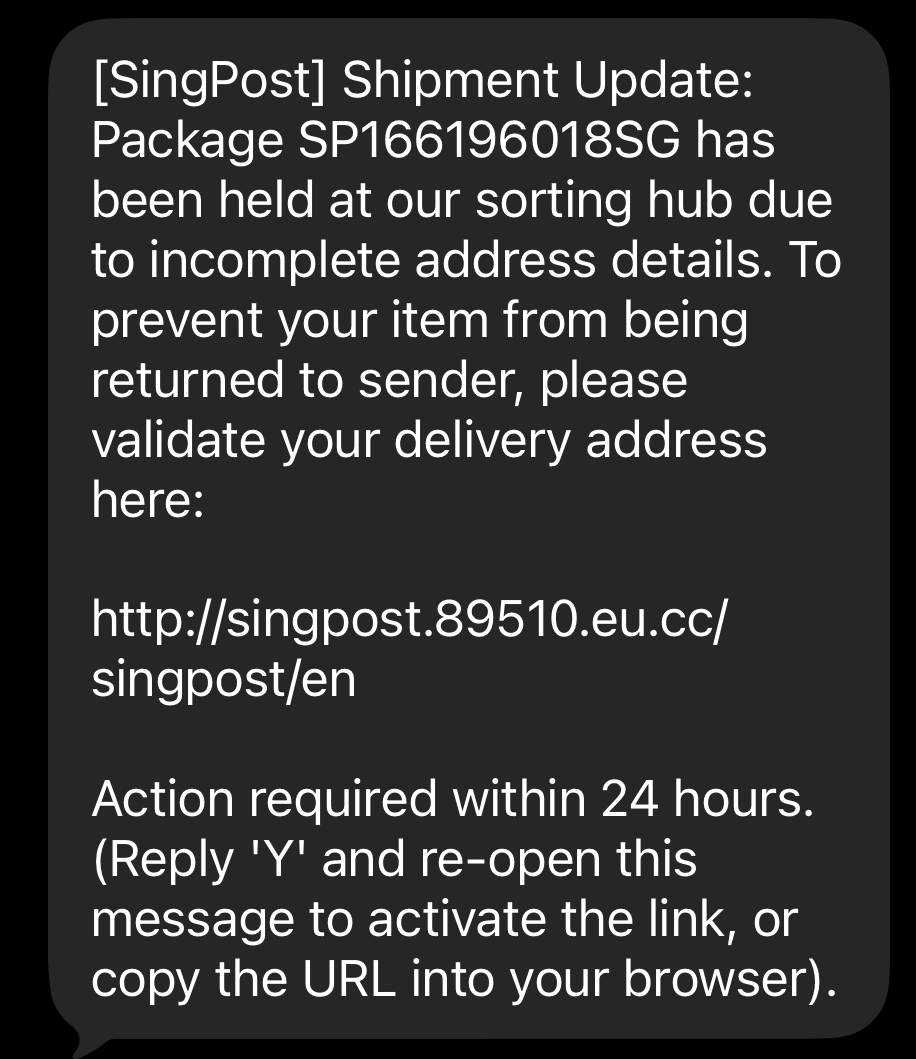
The framework can reconstruct believable cart details for Shopify and WooCommerce-style pages. That visual accuracy is not proof that the shop owns the page. Check the hostname in the browser, then leave the message and open the merchant, courier, bank, or toll service independently. If you need to inspect an unfamiliar destination without loading it again, paste the address into the Gridinsoft Website Reputation Checker from a separate trusted tab.
The commercial supply behind a separate phishing ecosystem is visible in the YAM Store and Iron Man investigation: criminals could buy cloud accounts and ready-made impersonation pages instead of assembling everything themselves. That investigation concerns different services from the JWR case documented here.
Match the response to what JWR collected
If you entered login details, start with the email account that can reset your other accounts. Change affected passwords from a clean browser session, end active sessions, remove unknown recovery methods and connected apps, and verify recent sign-ins. The full account takeover checklist covers the order of operations when several services may be connected.
If you entered card data, do not wait for a charge. Lock the card in the issuer’s app when available and call the number printed on the card. Tell the issuer that the full number, expiry, security code, or PIN may have been entered on a phishing page. Monitor pending and completed activity; do not approve a bank-app prompt that appears after the incident.
If you uploaded a passport, driver’s license, or another identity image, preserve evidence before deleting the text. Save screenshots, the sender, time, URL, and any confirmation page. File reports through the relevant identity-theft and law-enforcement channels, and watch for account-opening, SIM-swap, and password-reset attempts. In the United States, IdentityTheft.gov provides a recovery plan.
If the page also made you install an app, profile, extension, or file, treat that as a separate device incident. Disconnect the affected device from sensitive work, remove the untrusted item, check browser permissions and downloads, and run a full security scan before using the device for account recovery.
What not to assume
- “The form failed, so nothing was sent.” JWR can stream fields before submission and deliberately show a failure.
- “I use 2FA, so the password is useless.” The operator can request and use a one-time code or push approval during the live session.
- “The cart details were correct, so the page was genuine.” JWR includes integrations designed to reproduce product and checkout information.
- “Changing one password fixes every exposure.” Card data, documents, email access, and reused credentials require separate recovery steps.
References
- Cisco Talos. “Dissecting the JWR phishing framework.” Cisco, August 13, 2026. Primary technical report.
- Cybersecurity and Infrastructure Security Agency. “Recognize and Report Phishing.” CISA, accessed August 13, 2026. Official phishing guidance.
- Federal Trade Commission. “IdentityTheft.gov.” FTC, accessed August 13, 2026. Identity-theft recovery planning.