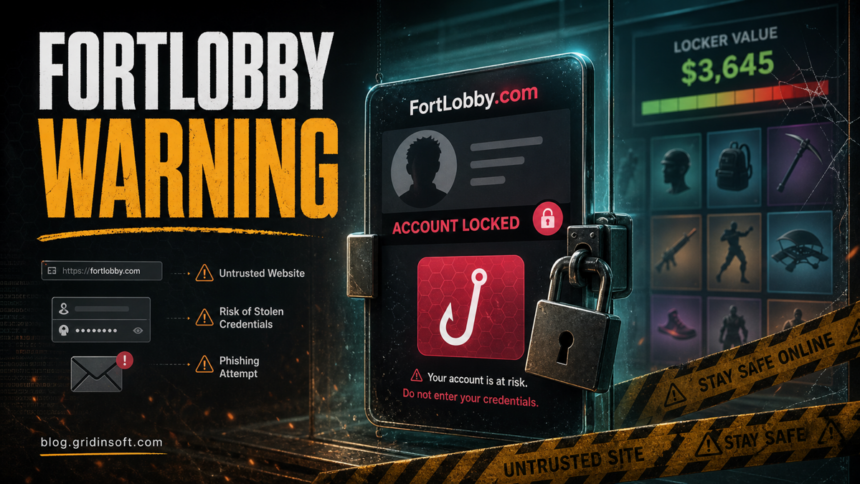
FortLobby.com is not a safe place to check a Fortnite locker value or connect an Epic Games account. The current domain is very new, the Gridinsoft Website Reputation Checker classifies it as a scam website, and the hook asks players to trust an unknown third-party page with account-related data. Do not sign in through it, do not link your Epic account, and do not enter payment or recovery details there.
The risk is not the idea of checking what cosmetics are worth. The risk is the workflow around it: a page that imitates a gaming-account tool can collect credentials, redirect to fake verification, push a download, or prepare a second-stage recovery scam after the player realizes the account is locked. Treat FortLobby.com as an account-safety problem, not as a price calculator.
What Is FortLobby.com?
FortLobby.com presents itself around the Fortnite locker-value idea: players want to know what rare skins, cosmetics, V-Bucks purchases, or old account history might be worth. That curiosity is exactly what makes the lure effective. A scam page can promise a fast estimate, then ask for an Epic sign-in, display-name lookup, account connection, “human verification,” or payment-style confirmation.
A legitimate Fortnite account action should happen through Epic Games or the official Fortnite client. A third-party locker-value page does not need your password, 2FA code, recovery email access, payment card, or browser extension. If a site asks for those, assume the goal is account takeover or data collection.
Why FortLobby.com Looks Risky
The current evidence is strong enough to avoid the site. Gridinsoft’s domain report for fortlobby.com shows a 1/100 trust score, a scam-website classification, a very young domain age, security-provider warnings, low third-party reputation, and limited independent reputation history. [1] A direct bot-safe check of the domain also returned a loading/captcha-style page with noindex,nofollow, which is not enough to prove theft by itself but is consistent with a high-risk, evasive user flow.
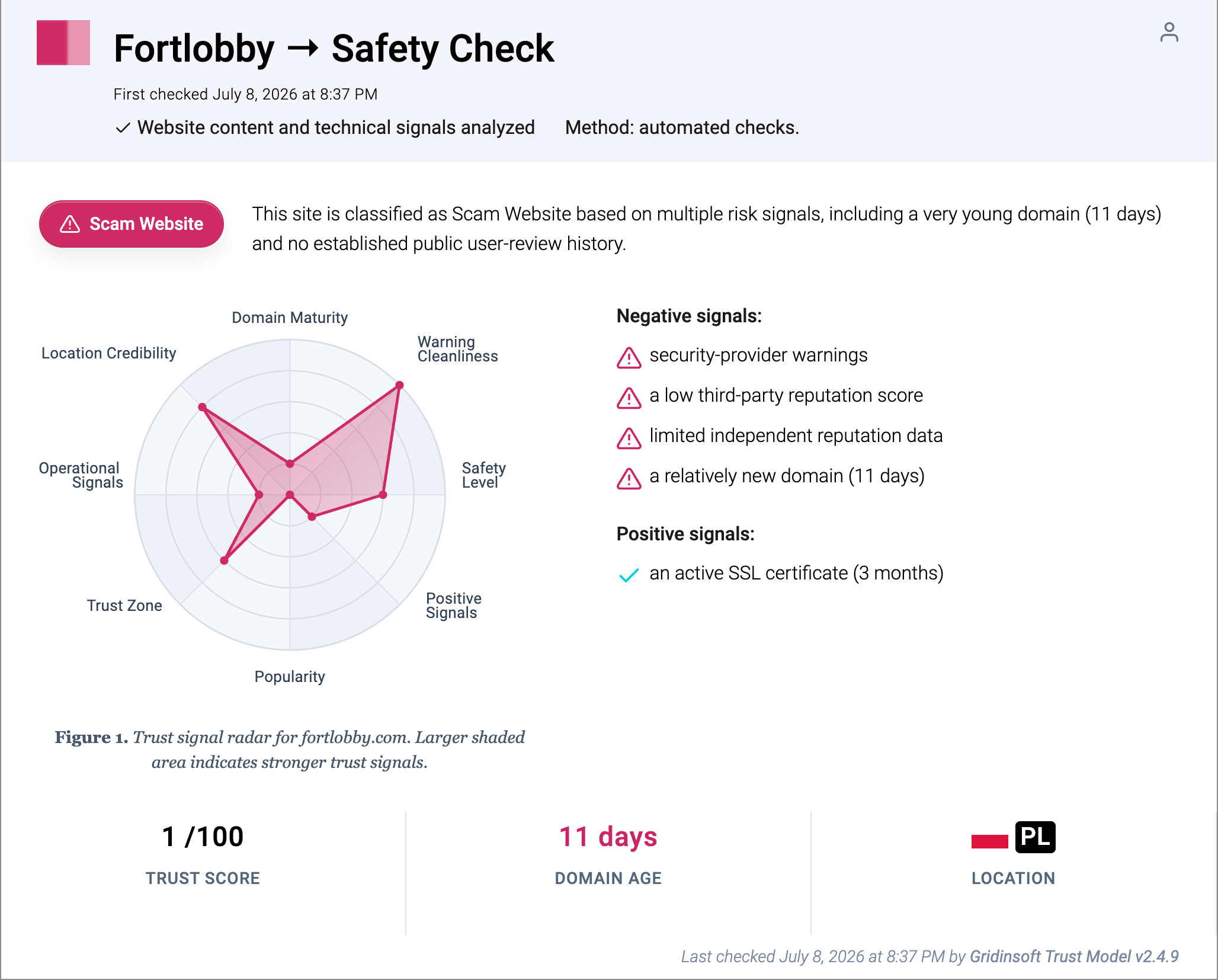
Those signals matter because Fortnite accounts have real value to attackers. A compromised account can be used to change the linked email, unlink consoles, make purchases, trade access in private markets, or pressure the owner into paying a fake recovery helper. A locker-value scam does not need to steal everything at once; one login, one 2FA code, or one installed “checker” can be enough to start the takeover.
Fortmux.com Is A New Locker-Value Variant
Fortmux.com currently markets itself as a free Fortnite rank and locker-value checker, but it is not an Epic Games domain. Gridinsoft’s current domain report rates fortmux.com 12/100 and classifies it as a Suspicious Website, citing four blacklist detections, a very young domain, and no established public-review history. Those signals are enough to avoid the site even if the first screen shows only a calculator or a captcha. [2]
An Epic-looking sign-in or permission screen does not prove that the site requesting access is trustworthy. Check that the address bar stays on epicgames.com, read the exact app or service name, and reject permissions you did not intentionally request. A locker-value tool should never ask for your Epic or email password, MFA or backup code, browser session cookie, payment details, browser extension, executable, or archive.
Fortimpact.com Is Another New Locker-Value Warning
Fortimpact.com is another very new domain aimed at the Fortnite locker-value audience. Gridinsoft’s current domain report rates fortimpact.com 15/100 and classifies it as a Suspicious Website, citing two blacklist detections, a domain age of six days, and too little history to establish trust. Those signals do not prove that every visitor lost an account, but they are enough to avoid entering sensitive information or approving access through the site. [6]
Do not treat an Epic-styled button or claims of official authorization as proof that a locker checker is connected to Epic Games. Before approving any app, make sure the browser is actually on epicgames.com, read the exact product or service name and requested permissions, and cancel anything you did not deliberately start. Fortimpact or any similar valuation page should not need your Epic or email password, MFA or backup code, browser session cookie, payment details, extension, executable, or archive.
What You Should Not Do On FortLobby.com
- Do not enter your Epic Games password, 2FA code, backup code, or email password.
- Do not connect PlayStation, Xbox, Nintendo, Google, Facebook, or other linked accounts through a page you reached from FortLobby.com.
- Do not install a browser extension, checker app, archive, or “verification” tool from the site.
- Do not enter card data to “unlock” a value estimate, verification step, prize, or payout.
- Do not share screenshots that expose email addresses, purchase history, order IDs, account IDs, or recovery details.
What To Do If You Used FortLobby.com
If you only opened the page and did not enter anything, close it and avoid returning. If you typed credentials, linked an account, installed anything, or received a login/2FA prompt, act as if the account may be exposed.
- Secure the email account first. Change the email password from a clean browser session and enable 2FA. Your email controls password resets for Epic and other gaming accounts.
- Change your Epic Games password. Use the official Epic Games website or launcher, not a link from the suspicious page.
- Review linked accounts. Check whether console, social, or platform accounts were added, removed, or changed.
- Remove unfamiliar app access. In Epic’s official Linked accounts page, open the Apps tab and unlink any site, game, or service you did not knowingly approve. [5]
- Re-enable or rotate 2FA. Remove unknown authentication methods and save new backup codes somewhere safe. [4]
- Check purchases, items, and account access. Save Epic receipts and bank alerts, note missing cosmetics or unexpected V-Bucks activity, and use Epic’s compromised-account recovery if the email changed or you can no longer sign in. [3]
- End sessions where the platform allows it. Sign out from browsers and devices you do not recognize.
- Scan the device if anything was downloaded. A fake checker, extension, archive, or helper app can leave browser changes, startup items, or stealer components behind.
If you installed a file, allowed browser notifications, or noticed redirects after visiting the page, do not log back into Epic from the same Windows session until you have checked the device. Gridinsoft Anti-Malware can help look for suspicious downloads, browser changes, startup entries, bundled apps, and persistence that may remain after the visible page is closed.
If the page or email made you download an invoice, coupon, tracking app, browser extension, or support tool, scan the PC before opening it again or logging into sensitive accounts.
Scan after a suspicious downloadHow To Tell A Locker-Value Page Is Unsafe
Use these checks before trusting any Fortnite locker-value or account-worth page:
- It asks for a real password. A value estimate should not require your Epic password or email password.
- It requests a 2FA code. 2FA codes are for sign-in and recovery, not for third-party calculators.
- It pressures you with a countdown. Fake scarcity is common in phishing and prize scams.
- It requires an app, extension, survey, or “human verification.” That can be the malware or affiliate-install step.
- It promises a payout for account value. Avoid pages that turn a curiosity check into account selling, trading, or payment collection.
- It has almost no reputation history. A newly created domain with sensitive account prompts deserves extra suspicion.
How This Differs From V-Bucks And Recovery Scams
FortLobby.com is closest to a locker-value phishing lure. It overlaps with Fortnite V-Bucks generator scams because both abuse Fortnite curiosity, but the promise is different: V-Bucks scams usually claim to add currency, while locker-value scams ask what an account is worth and may push the user toward sign-in, account linking, or resale-style thinking.
It also connects to gaming account recovery scams. If a player loses access after using a suspicious page, scammers may appear later and claim they can recover the account for a fee, a code, or more private information. Keep recovery inside the official Epic process and do not negotiate with strangers who say they can unlock the account.
Safe Alternatives
There is no account-safety reason to give an unknown locker-value site your login. If you only want to inspect your Fortnite purchases or V-Bucks balance, use the official Fortnite client, Epic Games account settings, and official receipts. If you want to understand account risk, check the domain with a reputation tool, keep 2FA on, and avoid sites that ask for credentials outside Epic.
If the account is already compromised, start with the official recovery path. Secure the email first, recover access through Epic, rotate passwords, review linked accounts, then scan the device before signing back into gaming services from it.
FAQ
Is FortLobby.com legit?
No. Based on the current domain evidence and the account-sensitive lure, treat FortLobby.com as unsafe. Do not sign in, link an account, install anything, or enter payment details there.
Can a Fortnite locker-value checker steal my account?
Yes, if it asks for credentials, 2FA codes, recovery information, or a browser/app install. A fake checker can use the value-estimate hook to collect the same information needed for account takeover.
What if I entered my Epic password on FortLobby.com?
Change your email password first, then change your Epic Games password through the official site, review linked accounts, re-enable 2FA, and check purchase history. If you installed anything, scan the device before logging back in.
Should I pay someone to recover my Fortnite account?
No. Paid “recovery helpers” outside the official platform are a common second-stage scam. Use Epic’s recovery process and keep private account evidence out of public chats.
References
- Gridinsoft. “Fortlobby.com Review: Scam Risk (1/100 Trust Score).” Gridinsoft Website Reputation Checker, first checked July 8, 2026, accessed July 20, 2026. https://gridinsoft.com/online-virus-scanner/url/fortlobby-com
- Gridinsoft. “Fortmux.com Scam Check: Blacklist Warning (12/100 Trust Score).” Gridinsoft Website Reputation Checker, first checked July 19, 2026, accessed July 20, 2026. https://gridinsoft.com/online-virus-scanner/url/fortmux-com
- Epic Games. “My Epic account was compromised and I cannot access it.” Epic Games Player Support, accessed July 20, 2026. https://www.epicgames.com/help/c-202300000001645/c-202300000001755/my-epic-account-was-compromised-and-i-cannot-access-it-a202300000010592
- Epic Games. “Securing your Epic Games account.” Epic Games Player Support, accessed July 20, 2026. https://www.epicgames.com/help/epic-accounts-c74/account-security-c112/securing-your-epic-account-a3663
- Epic Games. “How do I disable access to my Epic Account for a specific product or service, such as a site, game, or app?” Epic Games Account Support, accessed July 20, 2026. https://www.epicgames.com/help/c-202300000001645/c-202300000001752/a202300000017953?lang=en-US
- Gridinsoft. “Fortimpact.com Scam Check: Blacklist Warning (15/100 Trust Score).” Gridinsoft Website Reputation Checker, first checked July 30, 2026, accessed August 5, 2026. https://gridinsoft.com/online-virus-scanner/url/fortimpact-com