


Axios maintainer Jason Saayman thought he was joining a Microsoft Teams meeting with a company founder and several colleagues. He had already seen their Slack workspace, complete with staff profiles and links to company posts. When the meeting told him a component was out of date, he installed it. It was a remote-access trojan. [1] If someone you recognize asks you to fix your sound this way, leave the call. Phone them on a number you already have before you install anything or follow their replacement link.
On March 31, 2026, attackers used Saayman’s account to publish two malicious versions of Axios, a JavaScript library that other software relies on. The releases, 1.14.1 and 0.30.4, were available for about three hours. That was long enough for one to run in the process OpenAI used to sign its Mac applications. OpenAI replaced its signing certificate as a precaution. It found no evidence that its apps had been altered or that anyone had accessed user data. [2]
Why you can recognize the face and still be in a fake meeting
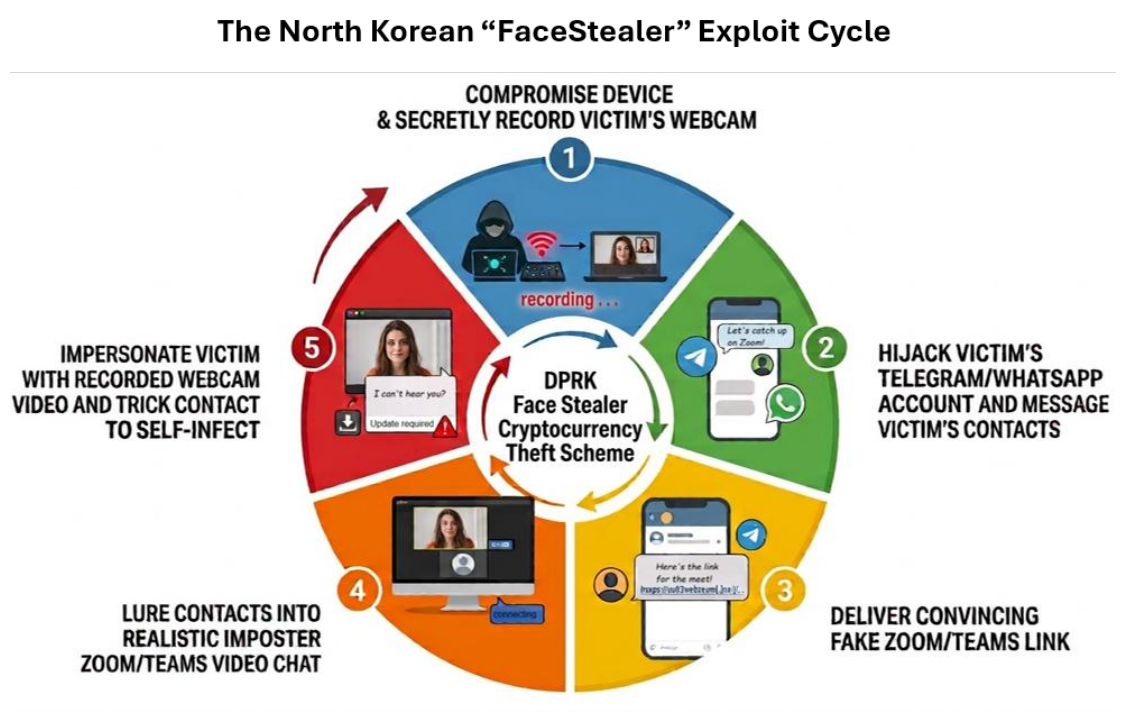
A fake Zoom meeting scam doesn’t need a convincing computer-generated face. In its investigation of a North Korean scheme it calls FaceStealer, the FBI found that most of the video used to impersonate people was genuine footage of earlier victims. The invitation could come from a colleague’s actual messaging account after someone took it over. The face and the chat history could both be real; neither showed that your colleague was there now. Saayman’s own account doesn’t establish what kind of video he saw. [3]
In the calls described by the FBI, attackers recorded the new guest’s webcam while playing familiar faces on screen. When the guest couldn’t hear anyone, a message offered an update or a fix. These are two separate risks: the site could capture a guest’s face while they waited; running the supposed repair gave the attackers access to the device. On November 12, 2026, the FBI reported seizing more than 900 webcam recordings and attributed over $400 million in cryptocurrency theft to FaceStealer over the preceding 18 months. The bureau counted recordings, not unique victims. [3]
How to verify a Zoom or Teams call before you rejoin
- Confirm who arranged the meeting. Leave the room and call the number already saved for that person, or find their extension in your company directory. Ask, “Did you invite me to a call just now? What were we going to discuss?” A reply in the chat that sent the invitation tells you little if someone else controls that account. For a first-time contact, reach the organization through a number you find independently. If nobody can confirm the meeting, reschedule.
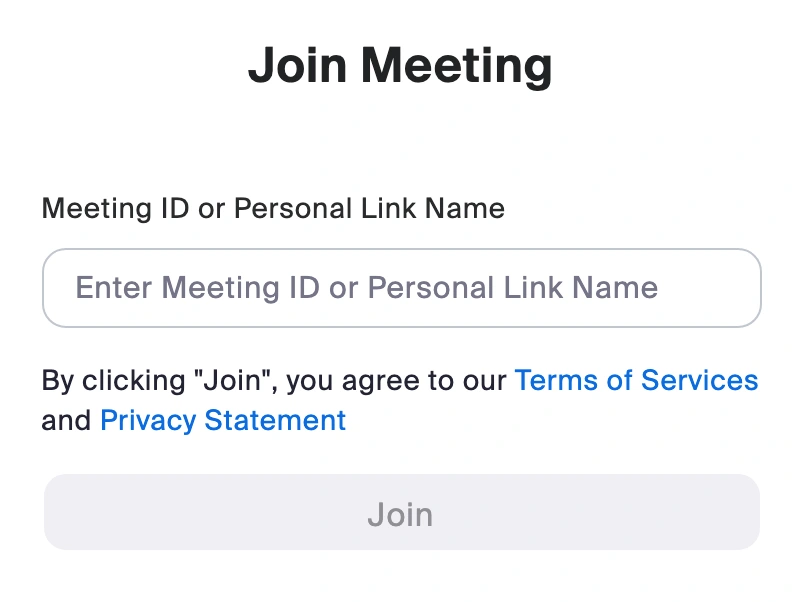
- Choose how you enter. After you confirm the invitation, open Zoom Workplace yourself and choose Join, or open Teams and select Join with an ID. Enter the meeting ID and passcode supplied by the verified organizer. If you don’t have the Zoom app, open Zoom’s official Join Meeting page yourself and enter the ID there. [5] You can also create a fresh meeting yourself and send its details through the confirmed channel. This checks that you’re using the real service. It doesn’t vouch for a person who happens to be in the room.
- Keep your camera off until you can talk with the person you expected. If audio really fails, switch to the phone call or try your microphone in the app’s own settings. Handle any software update separately through the installed app or your IT team. A file, terminal command or request for remote control from someone in the meeting is a reason to stop. You don’t need to decide whether their face is a deepfake.
What if you sent the first invitation yourself? Switzerland’s National Cyber Security Centre documented exactly that case. Someone advertising a property created a Zoom meeting for a prospective customer. The customer claimed the link didn’t work and supplied another. The new page displayed an imitation browser address bar and an apparent Zoom update. Installing it infected the advertiser’s computer. If your own link “doesn’t work,” give the other person the ID for your meeting or speak by phone. The Swiss report did not attribute this incident to FaceStealer. [4]
Already joined? What to do depends on what you shared
You opened the link but shared nothing
Close it and verify the invitation separately. Check your downloads; if a file appeared, don’t open it. Opening a page is different from running its installer.
You turned on the camera
If you also signed in or ran software, follow the steps below as well. Revoke the site’s camera and microphone permissions in your browser. This stops future access; it can’t erase an existing recording. Warn contacts through a trusted channel. For example: “If you get a meeting invite from me today, call my usual number before you join. Someone may have recorded me.” Camera access alone doesn’t establish that the device is infected.
You entered a password or approved a sign-in
From a trusted device, go directly to the service, change the password, sign out other sessions and check recovery details. Tell your IT team if it was a work account. For Microsoft accounts, see the account recovery steps.
You installed the fix or gave remote access
Disconnect the device from the network and stop using it for sign-ins. Contact IT from another device. Note the time and save the invitation for the investigation. Use a clean device to revoke exposed sessions and credentials. The fake meeting software cleanup guide covers what to check next.
If you maintain a software project, tell a co-maintainer promptly so someone on a clean machine can review recent releases and revoke exposed publishing credentials. If a wallet recovery phrase was accessible on the affected device, an unchanged balance isn’t an all-clear: the FBI documented thefts months after compromise. The bureau recommends creating a new wallet with a fresh recovery phrase on a clean device and moving the exposed funds there. Changing the old wallet app’s password won’t invalidate a copied phrase. [3]
References
- Saayman, J. Post Mortem: axios npm supply chain compromise. Axios project, GitHub, April 2, 2026. Accessed November 12, 2026.
- OpenAI. Our response to the Axios developer tool compromise. April 10, 2026. Accessed November 12, 2026.
- Federal Bureau of Investigation. North Korean Hackers Use Secretly Recorded Webcam Library of 900+ Tech Workers in $400M “FaceStealer” Crypto Theft Scheme. FBI FLASH AC-111226-MS, November 12, 2026.
- Swiss National Cyber Security Centre. When updates become traps: Malware spreads through fake Zoom invitations. June 30, 2026. Accessed November 12, 2026.
- Zoom Communications. Join Meeting. Official meeting ID entry page. Accessed November 12, 2026.