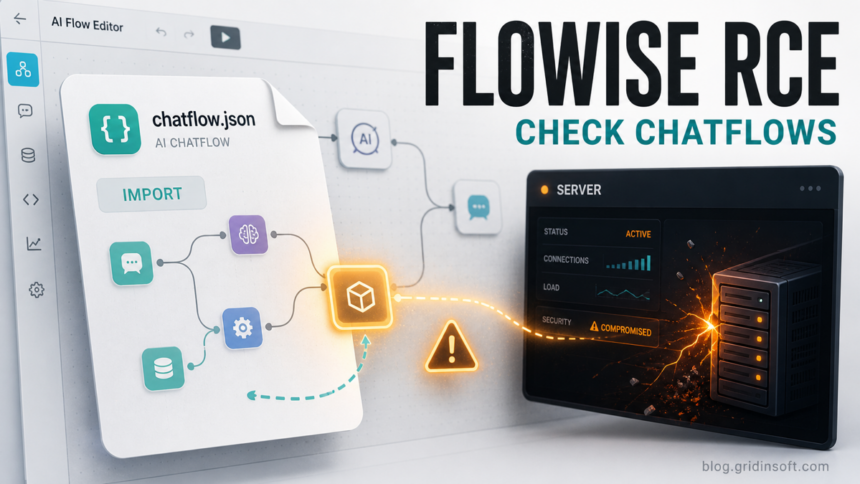
Flowise administrators should treat shared chatflow files as executable risk, not just configuration. CVE-2026-40933 lets an attacker turn a malicious Flowise chatflow import into server-side command execution through the Custom MCP stdio adapter. GitHub lists Flowise and flowise-components versions up to 3.0.13 as affected and 3.1.0 as the patched advisory version, while Obsidian Security’s May 31 update warns that self-hosted deployments still need to disable or tightly restrict stdio MCP when the safer operational choice is to avoid local command execution.
The practical danger is the trust pattern around AI workflow templates. A useful-looking JSON chatflow can arrive from a community post, a customer, a contractor, or a compromised teammate account. If an authorized Flowise user imports it, the backend can enumerate the embedded MCP server and start the configured process. That can expose API keys, stored credentials, database tokens, model provider keys, and any connected SaaS or cloud services reachable from the Flowise instance.
Who Is Affected
The risk applies to self-hosted Flowise open-source and enterprise deployments where users can create or import chatflows and where Custom MCP with stdio transport is available. Flowise Cloud is reported by Obsidian as not affected because stdio MCP is disabled there. Internet exposure makes the issue worse, but it is not required: a compromised internal user account or a trusted operator importing an untrusted template is enough for the attack path.
| Check | What it means |
|---|---|
| Flowise version | GitHub marks Flowise and flowise-components through 3.0.13 as affected and 3.1.0 as the advisory patched version. |
| Custom MCP usage | Any enabled stdio MCP path should be reviewed because it is designed to launch local child processes. |
| Recent chatflow imports | Imports from community templates, tickets, email attachments, Gists, or unknown repositories deserve immediate review. |
| Secrets in Flowise | Assume stored API keys and connected credentials are exposed if an untrusted chatflow was imported. |
Why Import Alone Can Be Dangerous
The vulnerable pattern is not a classic drive-by browser exploit. The attacker needs a path to a Flowise user who can import or edit chatflows. The crafted JSON contains a Custom MCP configuration that abuses stdio command handling. When Flowise renders the imported flow and populates MCP actions, the backend may start the configured MCP process. In other words, the file does not have to look like a program to behave like one on the server.
This is why the response should include both patching and process control. Treat Flowise chatflows like code reviews: verify the source, inspect Custom MCP nodes, and do not import templates directly into production instances. If an admin workstation downloaded the template from a suspicious page or archive, scan that workstation as well; Gridinsoft Anti-Malware can help check for local malware that may have accompanied the lure, but the server-side Flowise logs and secrets still need their own review.
For adjacent server-side AI tooling risk, compare this with the Langflow token hijack and RCE case and the ChromaDB pre-auth server takeover. If the chatflow arrived through a fake AI download or suspicious page, the Fake ChatGPT Apps guide is the better cleanup context for the workstation side.
What To Do Now
- Inventory every self-hosted Flowise instance, including staging and test containers that still hold real API keys.
- Update Flowise and flowise-components to at least 3.1.0, then read the current Flowise and Obsidian guidance before re-enabling risky MCP behavior.
- If you do not need local stdio MCP, set Flowise to use SSE-only custom MCP behavior, for example with
CUSTOM_MCP_PROTOCOL=sse, and avoid disabling MCP security checks in production. - Block anonymous or broad team access to chatflow import. Require review before importing JSON from Discord, GitHub gists, tickets, email, or contractor handoffs.
- Review recent imports and Custom MCP nodes for unexpected commands, arguments, environment variables, outbound callbacks, or newly added credentials.
- Rotate model provider keys, database credentials, webhook secrets, and cloud tokens stored in or reachable from Flowise if an untrusted chatflow was imported.
- Check container, host, and reverse-proxy logs for child process launches, unusual outbound connections, new files, new scheduled tasks, or access to secret stores.
FAQ
Is CVE-2026-40933 only a developer problem?
No. Developers may run Flowise, but production deployments often hold live AI provider keys, database access, webhook secrets, and customer workflow data. That makes compromise relevant to security and operations teams too.
Does updating to Flowise 3.1.0 end the risk?
It addresses the GitHub advisory’s patched-version requirement, but Obsidian argues that relying only on validation is not enough for every deployment. Disable stdio MCP where possible and treat imported chatflows as code.
Should I rotate keys after importing a suspicious chatflow?
Yes. If the import may have run server-side commands, rotate stored Flowise credentials and any connected service keys because the attacker may have read environment variables or credential storage.
References
- GitHub Advisory Database. “Flowise: Authenticated RCE Via MCP Adapters.” GitHub, published April 15, 2026, updated April 16, 2026, accessed June 1, 2026. https://github.com/advisories/GHSA-c9gw-hvqq-f33r
- Obsidian Security. “1-Click RCE in Flowise (CVE-2026-40933): When Is stdio MCP Actually a Vulnerability?” Obsidian Security Blog, published May 28, 2026, updated May 31, 2026, accessed June 1, 2026. https://www.obsidiansecurity.com/blog/when-is-stdio-mcp-actually-a-vulnerability
- FlowiseAI. “Release [email protected].” GitHub Releases, accessed June 1, 2026. https://github.com/FlowiseAI/Flowise/releases/tag/flowise%403.1.0