Phones can get malware, but the warning on your screen is not always a real infection. On Android, the most important signals are unknown apps, sideloaded APKs, device admin abuse, strange permissions, Play Protect warnings, pop-ups that keep returning, and battery or data spikes tied to one app. On iPhone, most “virus” messages are scam pages, spam calendars, malicious configuration profiles, or account compromise rather than a classic self-spreading virus.
If your phone suddenly shows a “your device is infected” page, do not tap the download button. Close the tab, clear suspicious browser data or notifications, then check apps, permissions, profiles, and account security. A factory reset is the last step, not the first move for every pop-up.
Fast check: virus, scam pop-up, or unwanted app?
| What you see | Most likely cause | First safe action |
|---|---|---|
| A web page says your phone has viruses and asks you to install a cleaner | Scareware page or malicious ad | Close the tab, do not install anything, then clear that site’s data and notifications. |
| Unknown Android app, APK, device admin entry, VPN, or accessibility access | Potentially harmful app or unwanted software | Remove the app, revoke special access, turn on Play Protect, and scan again. |
| Play Protect warning about phishing, billing fraud, stalkerware, or ransomware | Potentially harmful Android app | Follow the Play Protect removal prompt and review accounts/passwords afterward. |
| iPhone calendar events repeatedly warn about viruses | Spam calendar subscription | Delete or unsubscribe from the unknown calendar and avoid clicking its links. |
| Banking app, email, or Apple ID alerts appear after you entered credentials | Account compromise or phishing | Change passwords from a clean device, enable MFA, and review sessions and trusted devices. |
Signs your phone may have malware
One symptom alone is not proof. Battery drain can come from an old battery, pop-ups can come from one bad website, and crashes can come from a broken app. Treat the pattern as suspicious when several signals begin together or start after a new app, APK, link, profile, or update prompt.
- Unknown apps appear, or a recently installed app cannot be removed normally.
- Browser tabs, search results, or notifications keep redirecting to suspicious pages.
- Battery, data usage, storage, or overheating spikes point to one unfamiliar app.
- Security tools, Play Protect, browser settings, or account sign-ins behave strangely.
- Contacts receive messages or links you did not send.
- Premium SMS charges, unexpected subscriptions, or payment prompts appear.
- On Android, device admin, accessibility, notification access, VPN, or install-unknown-apps permissions are enabled for something you do not recognize.
- On iPhone, a configuration profile, spam calendar, unexpected VPN, or repeated Safari pop-up appears after visiting a suspicious page.
Fake phone virus warnings
Many mobile “virus” alerts are designed to make you panic. A real warning from Play Protect or a trusted security app appears inside that app or Android’s security flow. A fake alert usually appears in a browser tab, uses urgent countdown language, claims impossible scan results, or pushes a random cleaner, VPN, APK, survey, or payment page.
If the warning is inside a browser page, close the page first. Then clear the website data or notification permission for the domain that produced it. If you clicked a link, installed an app, entered a password, or allowed a profile, continue with the Android or iPhone checks below.
How to check an Android phone
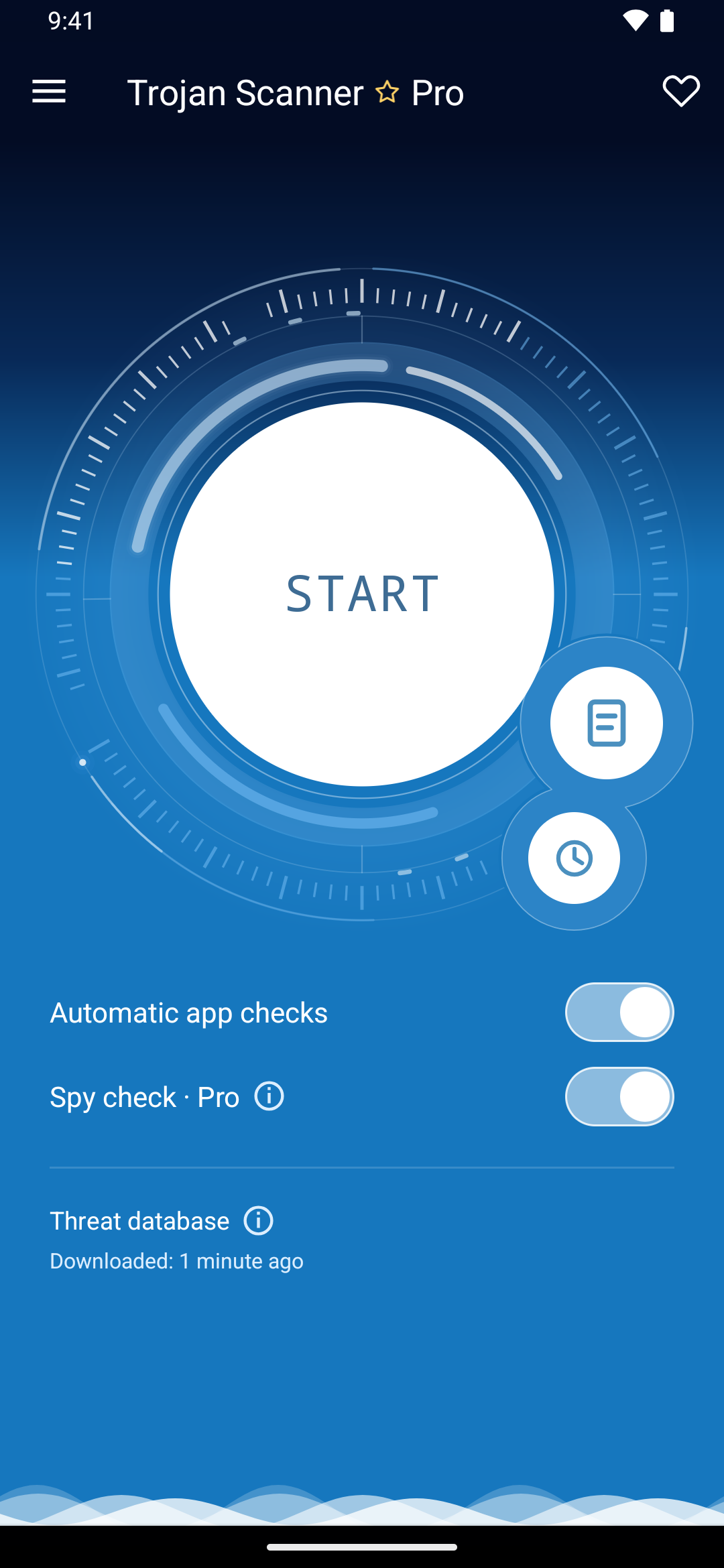
If the warning signs point to an installed app, use Trojan Scanner for Android to check the phone. Its clear findings help you connect a suspicious app with a reason for concern instead of guessing from an icon or a battery spike. Anti Spy also helps review hidden apps with suspicious sensitive access.
- Open Trojan Scanner, update the threat database, and tap Start. Let the scan finish, then open the findings.
- Review and remove unwanted apps. Check the app name and warning, choose removal, and confirm Android’s uninstall prompt. If removal is blocked, review that app’s Accessibility and device-admin access before trying again.
- Check downloads before installing them. Use Menu → Check a file → Choose file for a suspicious APK or archive. Leave a flagged APK uninstalled and delete the unwanted download.
- Keep Play Protect enabled and install updates. Run its check from Google Play → profile icon → Play Protect. Update Android and your apps.
- Clear browser-only trouble separately. Remove notification permission for the offending website. A page claiming “viruses found” is not a phone scan.
- Restart and check again. Confirm that the unwanted app and its symptoms do not return. If account activity was affected, use a trusted device to review sessions and change passwords.
How to check an iPhone
iPhone malware is less common than Android malware, but iPhones can still be affected by phishing, malicious profiles, spam calendars, unsafe links, compromised accounts, and rare spyware cases. Start with the items that actually persist on iOS.
- Close the fake alert: if the warning is a Safari or Chrome page, close the tab and clear history or website data for that site.
- Remove spam calendars: open Calendar, inspect unknown calendars, then delete or unsubscribe from anything you did not add.
- Check profiles and VPN: open Settings, then General, then VPN & Device Management. Remove unknown configuration profiles only if the phone is not managed by your school or employer.
- Delete suspicious apps: remove apps you installed right before the problem started, especially apps from third-party marketplaces or TestFlight links you do not trust.
- Update iOS and apps: install current updates, then restart the phone.
- Protect accounts: if you typed Apple ID, email, banking, or social passwords into a suspicious page, change them from a clean device and review trusted devices, sessions, and MFA settings.
When a factory reset is reasonable
A reset is reasonable when an unknown app or profile keeps returning, the phone was rooted or jailbroken without your knowledge, a banking/security app says the device is compromised, Play Protect or another trusted tool repeatedly detects the same threat, or the device still redirects and crashes after apps, profiles, permissions, and browser data have been cleaned.
For a one-time browser pop-up, spam calendar, or single unwanted app, a full reset is usually unnecessary. Back up photos and documents first, avoid backing up suspicious APKs or unknown files, and restore only from a clean backup when possible.
How to prevent phone malware
- Install apps from Google Play or the Apple App Store unless you have a strong reason to do otherwise.
- Keep Android, iOS, Chrome, Safari, and apps updated.
- Do not install phone cleaners, VPNs, codecs, games, or “security updates” pushed by pop-up ads.
- Review app permissions when an app asks for SMS, accessibility, device admin, notification, or VPN access.
- Use MFA for Google, Apple ID, banking, email, and social accounts.
- Scan suspicious links or files before opening them, especially APKs, archives, and shortened URLs.
- Keep backups so a reset is an option if the device really is compromised.
FAQ
Can iPhones get viruses?
Yes, but classic self-spreading viruses are rare on iPhone. Most iPhone “virus” cases are fake browser alerts, spam calendars, phishing, malicious profiles, account compromise, or risky third-party app installs.
Does Play Protect remove malware?
Play Protect checks Android apps for harmful behavior and can warn, disable, remove, or ask you to uninstall risky apps. After removal, still review permissions and account security.
Should I install a phone cleaner from a virus warning?
No. Browser warnings that push a cleaner or urgent download are usually scareware. Close the page, clear the site’s data or notifications, and use official device settings or a trusted security tool instead.
Why does my phone keep showing virus pop-ups?
The usual causes are browser notification spam, a malicious ad page, a rogue app, or an unwanted calendar/profile. Remove the source instead of repeatedly tapping the pop-up.
Will a factory reset remove a phone virus?
A factory reset can remove many device-level problems, but it also erases personal data and is overkill for most browser pop-ups. Use it when trusted checks still show compromise or when suspicious apps/profiles keep returning.
Related guides
If your issue is more specific, use these next: iPhone calendar virus removal, how to know if your phone is hacked, and Android malware guide.
When the worry is unwanted location tracking rather than a fake virus alert, check our guide on phone tracking after Location Services are turned off.
References
- Google Account Help. “Remove malware or unsafe software.” Google, accessed June 6, 2026. https://support.google.com/accounts/answer/9924802
- Google Pixel Phone Help. “Use Google Play Protect to help keep your apps safe & your data private.” Google, accessed June 6, 2026. https://support.google.com/pixelphone/answer/2812853
- Apple Support. “Delete your Safari history, cache, and cookies on iPhone.” Apple, updated January 14, 2026, accessed June 6, 2026. https://support.apple.com/en-us/105082