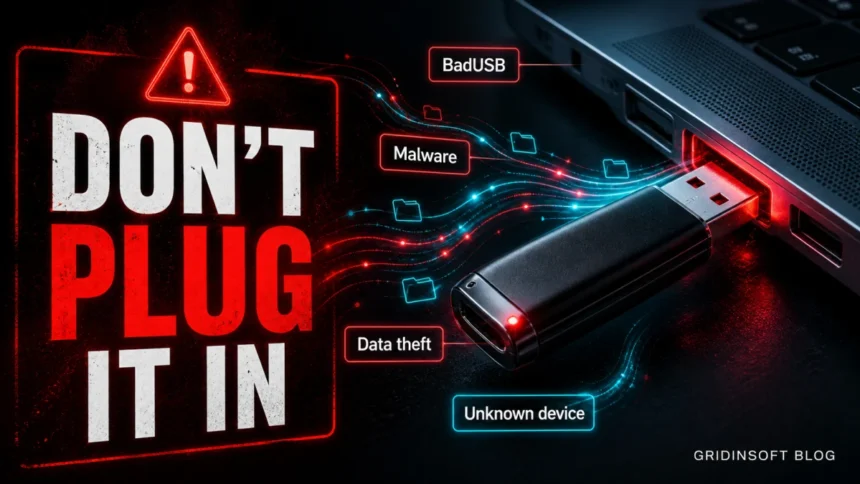
A USB drive is safe only when you trust both the device and the computer it touched before yours. An unknown USB stick can carry infected files, fake shortcuts, ransomware droppers, or a BadUSB-style controller that pretends to be a keyboard and types commands before you even open a file. Scanning the drive helps against file malware, but it does not prove that the hardware itself is safe. If you found a flash drive, received one in the mail, or used it on an infected PC, do not plug it into your main computer. Treat it like an untrusted download with a physical connector.
USB safety quick answer
- Found USB drive: do not plug it in. Hand it to IT, security, or the owner if you can identify them safely.
- Already plugged it in: disconnect it, do not open files, scan the PC, and check whether new programs, PowerShell windows, or security alerts appeared.
- Trusted personal drive: scan it before opening files, keep AutoPlay off, and avoid running
.exe,.scr,.vbs,.js, or suspicious.lnkshortcuts from it. - Work computer: use only approved encrypted media. Many attacks start with curiosity, free gifts, or “please return this USB” social engineering.
- Important limit: antivirus scanning can find malicious files, but it cannot reliably prove that a USB controller, cable, or HID device is harmless.
Why USB drives are still risky in 2026
USB storage is convenient because Windows, macOS, Linux, printers, cameras, and industrial systems all understand it. That same convenience makes USB useful to attackers. A drive can move malware between offline computers, hide executables behind document-like names, or carry scripts that launch only when a user opens a file. MITRE tracks this behavior as replication through removable media, including malware that modifies files on removable drives or copies itself under a legitimate-looking name [1].
The modern risk is not only old AutoRun malware. A malicious USB device can also present itself as a keyboard, network adapter, charger, or composite device. That is the idea behind BadUSB and USB Rubber Ducky-style attacks: the victim thinks they connected storage, but the computer sees a trusted input device and accepts fast keystrokes or commands. This is why “I will just plug it in and not open anything” is safer than opening files, but it is not a complete defense for unknown hardware.
Main USB drive security risks
| Malware on files | Droppers, trojans, shortcut worms, malicious Office files, scripts, archives, and fake installers can run after you open or extract them. |
| BadUSB or HID injection | The device pretends to be a keyboard or another trusted device and may type commands or open tools automatically. |
| Ransomware spread | An infected PC can copy ransomware or worm components to removable media, then the next PC becomes the target. |
| Data leakage | Lost unencrypted USB drives can expose customer files, tax records, credentials, business plans, photos, or backups. |
| Unsafe charging and cables | Unknown cables and public USB ports can create data prompts or device trust decisions that users accept too quickly. |
| Hardware damage | Rare but real destructive devices can damage ports or electronics. Do not test unknown hardware on a primary machine. |
What to do if you found an unknown USB drive
- Do not plug it into your main PC. Curiosity is the attack path. If the drive belongs to a workplace, school, hotel, or public venue, hand it to the responsible staff.
- Do not try to “help” by opening files. Names like
Payroll.xlsx,Photos,Return_to_owner.pdf, orGift_cardcan be bait. - If the data truly matters, use a controlled machine. A security team can inspect it on an isolated device with no saved credentials, no corporate sessions, and no access to sensitive shares.
- Never boot from it. Disable USB boot in BIOS/UEFI unless you intentionally need it. USB boot is useful for recovery, but dangerous with unknown media.
- Do not keep it as a free drive. Formatting removes file malware, but it does not prove the firmware or hardware behavior is trustworthy.
What if you already plugged it in?
If you inserted a suspicious USB drive, stay calm and collect symptoms. Disconnect the device. Do not open more files from it. If a command window, PowerShell, browser tab, installer, or security alert appeared, write down exactly what you saw.
- Run a full security scan of the computer before reconnecting the drive.
- Check Downloads, Startup Apps, Task Scheduler, and recently installed apps for anything created at the time you plugged it in.
- Look for strange shortcuts on the USB drive. Shortcut worms often hide real folders and replace them with
.lnkfiles. - If you typed passwords, opened a password manager, or accepted a device trust prompt after connecting it, change important passwords from a clean device.
- If the PC belongs to work or school, report it. A USB incident can matter even if nothing obvious happened on screen.
USB worms can hide behind familiar document names. If you see a course-notes executable or a shortcut that launches a file instead of opening a folder, use our DERS NOTLARI.exe Worm.Autorun removal guide as a practical cleanup checklist.
Is scanning a USB drive enough?
Scanning is useful, but it is not the whole answer. A good scan can detect known malicious files, scripts, archives, trojan installers, and ransomware components stored on the drive. It can also catch threats that were copied from an infected computer. That is why you should scan removable media before opening files, especially when the drive moved between several PCs.
Scanning does not fully solve three cases: a malicious USB controller that behaves as another device, a physical damage device, or a brand-new file that no scanner recognizes yet. Microsoft provides an Attack Surface Reduction rule for managed Windows environments that can block untrusted and unsigned processes running from USB removable drives [2]. Home users usually do not manage ASR policies directly, but the same principle applies: do not run unknown executables from removable media.
Safer USB checklist for Windows users
- Keep Windows and your security software updated before connecting removable media.
- Turn off AutoPlay for removable drives in Settings → Bluetooth & devices → AutoPlay.
- Scan the USB drive before opening files. If malware is found, scan the computer too.
- Show file extensions in File Explorer so
invoice.pdf.exeand suspicious.lnkfiles are easier to spot. - Do not run installers, cracks, “viewer” apps, or scripts from a USB drive unless you know the source.
- Use encrypted drives for personal, legal, medical, customer, or business data.
- Back up important files somewhere else. A USB stick is portable storage, not a backup strategy by itself. If Windows suddenly says the drive is write-protected, copy readable files first and use the write-protected USB diagnosis guide before formatting it.
- For company devices, allow only approved USB storage and block unknown removable media where possible.
NIST’s 2025 guidance for operational technology environments treats portable storage media as a serious cybersecurity path because infected media can move malware into systems that are otherwise separated from normal internet access [3]. Home users face a smaller version of the same problem when a drive moves between a friend’s PC, a library computer, a print shop, a work laptop, and a personal machine.
How Gridinsoft Anti-Malware helps with USB risks
Gridinsoft Anti-Malware can help when the risk is file-based: shortcut worms, trojan installers, malicious scripts, suspicious archives, ransomware droppers, and other malware copied to or from a USB drive. Scan both the removable drive and the computer if the USB came from an infected system or if Windows showed a security warning after you connected it.
Before cleanup, note the drive letter, suspicious file names, detection names, and the time the device was connected. This helps distinguish a one-time infected file from a broader compromise that added startup entries or scheduled tasks to the PC.
After uninstalling the suspicious app or deleting the visible threat, use Gridinsoft Anti-Malware to check hidden files, startup entries, scheduled tasks, bundled apps, browser changes, and other persistence points that can restore malware.
Download Anti-MalwareFor broader prevention, combine USB hygiene with the personal data protection checklist and the ransomware prevention guide. If a USB incident exposed passwords or personal documents, our identity theft protection guide explains what to check next.
If Defender names a specific threat on removable media, such as Trojan:Win32/Sfone!pz on an external drive, clean the detected files and drive Recycle Bin before deciding whether the whole USB or HDD must be wiped.
FAQ
Can a USB drive infect a computer just by being plugged in?
Ordinary file malware usually needs a file to be opened or executed, but malicious USB hardware can act as a keyboard or another device. That is why unknown USB devices are risky even if you do not plan to open files.
Does formatting a USB drive make it safe?
Formatting can remove files stored on the drive, including many file-based threats. It does not prove that the USB controller, cable, or hardware behavior is safe, so do not reuse found or suspicious drives.
Should I scan a USB drive before opening it?
Yes. Scan removable media before opening files, and scan the computer too if the drive came from an infected PC. A scan is useful protection, but it is not proof against BadUSB-style hardware attacks.
Are USB drives more dangerous than cloud storage?
They have different risks. USB drives can be lost, stolen, infected, or physically malicious. Cloud storage has account, sharing, and phishing risks. For sensitive files, use encryption and keep a separate backup.
What file types are most suspicious on a USB drive?
Be careful with .exe, .scr, .vbs, .js, .bat, .cmd, suspicious .lnk shortcuts, archives from unknown sources, and documents that ask you to enable macros or install a viewer.
References
- MITRE ATT&CK. “Replication Through Removable Media (T1091).” MITRE, accessed June 7, 2026. https://attack.mitre.org/techniques/T1091/
- Microsoft. “Attack surface reduction rules reference.” Microsoft Learn, updated 2026, accessed June 7, 2026. https://learn.microsoft.com/en-us/defender-endpoint/attack-surface-reduction-rules-reference
- National Institute of Standards and Technology. “Cyber Risks of Portable Storage Media in OT.” NIST CSRC, September 30, 2025, accessed June 7, 2026. https://csrc.nist.gov/news/2025/cyber-risks-of-portable-storage-media-in-ot