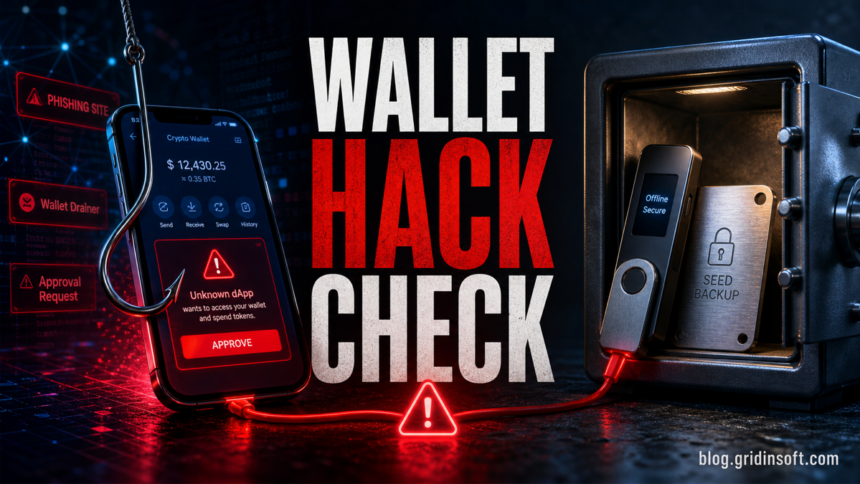
A hot wallet can be hacked remotely because it lives on an internet-connected phone, browser, exchange account, or desktop app. A cold wallet is harder to hack online because the private keys stay offline, but it can still be emptied if you type the seed phrase into a fake recovery page, approve a malicious transaction, install a fake wallet app, or fail to verify the address on the device screen. The safest setup is usually a small hot wallet for daily use and a cold wallet for long-term storage, with the recovery phrase kept offline and never typed into a website.
This guide compares hot and cold wallet risks from a security point of view. It is not about which coin to buy. The practical question is simpler: where can an attacker reach your private keys, seed phrase, wallet approval, exchange login, or device confirmation?
Hot Wallet vs Cold Wallet: Security Difference
A crypto wallet does not store coins like a physical wallet. The blockchain records ownership, while the wallet stores or controls the private keys that authorize transactions. If an attacker gets the key, the seed phrase, or a signed approval that lets a malicious contract spend tokens, the wallet can be drained quickly.
| Wallet type | Main risk and safe use |
|---|---|
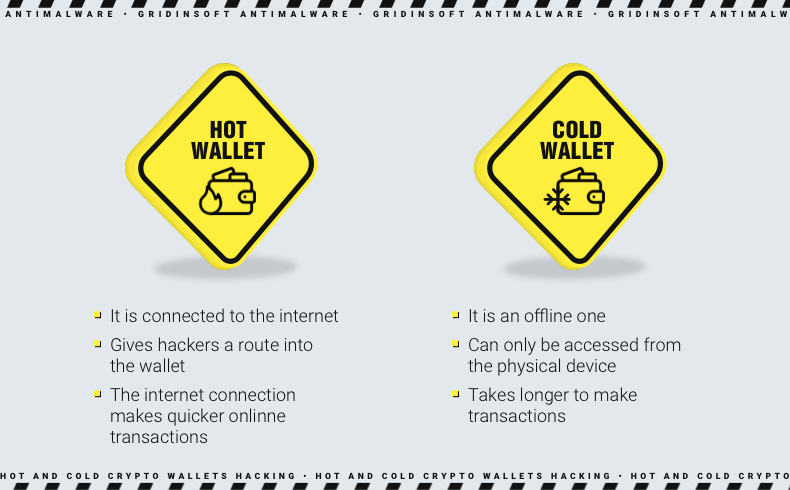
| Hot wallet | Best for small daily balances, swaps, games, NFTs, and dApps. Risk comes from malware, phishing pages, fake browser extensions, stolen passwords, malicious token approvals, and compromised devices. |
| Cold wallet | Best for larger long-term holdings. Risk is lower for remote key theft, but not zero: fake recovery pages, fake support emails, tampered devices, clipboard/address malware, blind signing, and exposed seed backups can still lead to loss. |
| Exchange account | Convenient for buying and selling, but it is custodial. Protect it like a financial account: strong password, phishing-resistant 2FA, withdrawal allowlist where available, and no reused credentials. |
How Hot Wallets Get Hacked
Most hot-wallet losses are not dramatic “blockchain hacks.” They are account takeovers, fake pages, malicious approvals, infected devices, or seed phrase theft. The attacker does not need to break the blockchain if the victim signs the wrong action or reveals the recovery phrase.
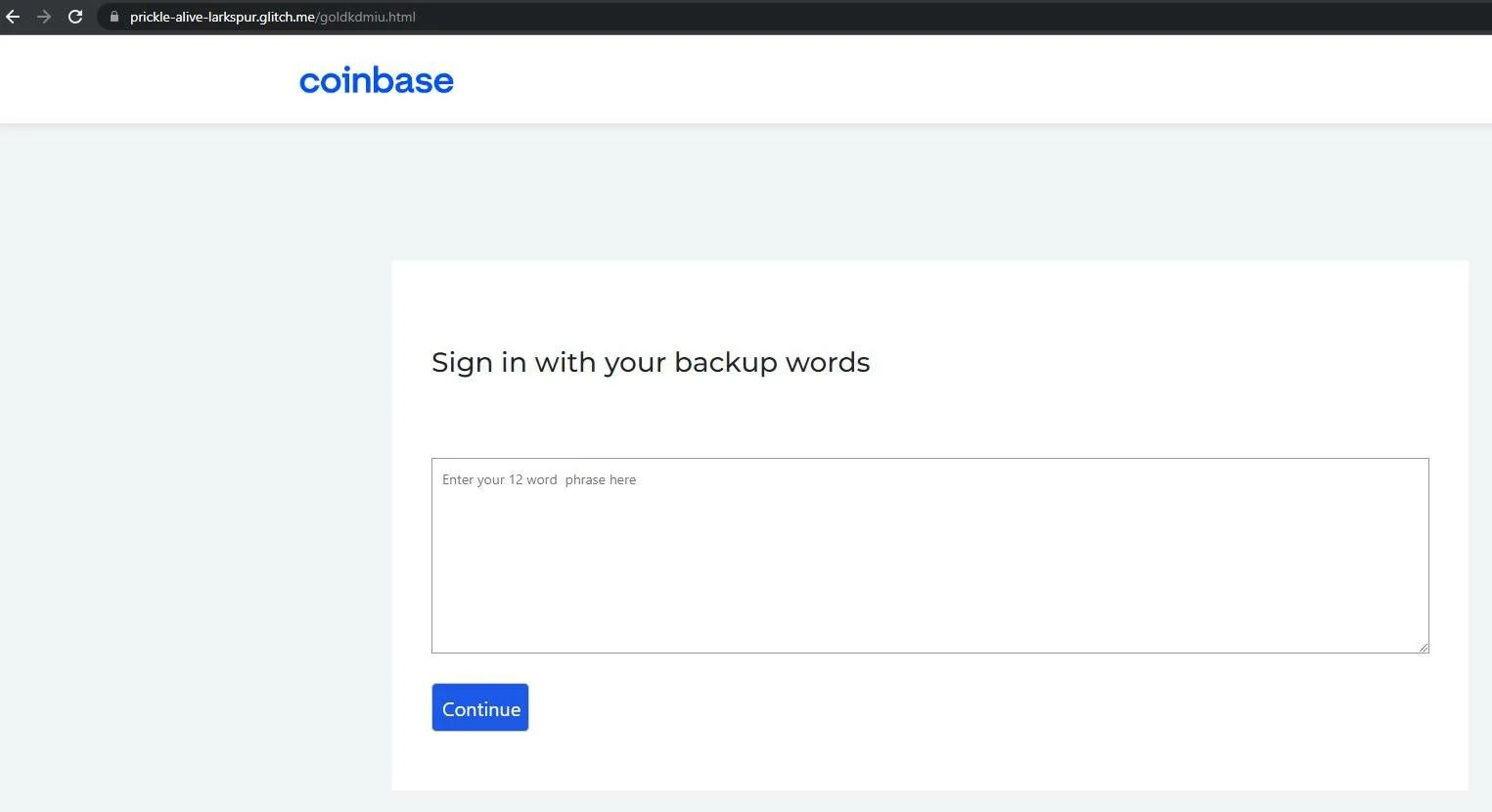
Seed phrase phishing
A seed phrase, also called a recovery phrase or Secret Recovery Phrase, is enough to restore many self-custody wallets. Anyone who obtains it can import the wallet elsewhere and move funds. A legitimate wallet provider, exchange support agent, Discord moderator, or giveaway page should not ask for it.
Weak-seed exception: not every unexplained drain starts with phishing or a malicious approval. Coinspect’s Ill Bloom wallet vulnerability research found recovery phrases that were weak from the moment certain mobile wallets generated them. The safe check uses only a public address; a match requires moving funds to a wallet created with a new seed.
Malicious token approvals
Wallet drainers often ask for a harmless-looking signature or token approval. If the approval grants broad spending permission, the attacker may move tokens later without asking for the seed phrase again. This is why a hot wallet used for new dApps should not hold the same funds you plan to keep long term.
Fake wallet apps and browser extensions
Fake wallet apps imitate popular names, advertise through search ads, or appear in unofficial download links. Once installed, they may capture passwords, replace wallet files, steal browser sessions, or display a fake “restore your wallet” error that asks for the seed phrase.
Malware on the device
Hot wallets run on the same computer or phone used for browsing, email, downloads, games, and messaging. Infostealers, keyloggers, clipboard clippers, and remote-access trojans can steal browser data, wallet files, passwords, screenshots, or copied wallet addresses. If a wallet suddenly sends funds after a suspicious download, treat the device as compromised before logging back in.
Can Cold Wallets Be Hacked?
A cold wallet greatly reduces remote theft because the private keys are not supposed to leave the hardware device or offline backup. That does not make the owner immune. Attackers usually target the human workflow around the device: the recovery phrase, the computer used to connect it, the transaction details shown on screen, or a fake support process.
A cold wallet can also have a physical hardware flaw. Ledger Donjon’s Tangem laser attack shows why a lost device may require moving funds to a newly generated wallet even when the seed phrase was never shared.
- Recovery phrase exposure: typing the seed into a website, cloud note, screenshot, email draft, or fake support form defeats the point of cold storage.
- Blind signing: approving a transaction without understanding the contract, token, address, or permission can drain assets even when a hardware wallet is used.
- Address replacement: clipboard malware can swap a recipient address on the computer. Always compare the address on the hardware wallet screen, not only in the browser.
- Fake firmware or fake support: install wallet software and firmware only from the official source, and never follow a support message that asks you to “verify” or “synchronize” a seed phrase.
- Physical compromise: a stolen device protected by a strong PIN is harder to abuse, but a stolen seed backup can restore the wallet immediately.
Best Setup: Use Both Wallet Types
For most users, the strongest practical setup is not “hot or cold.” It is separation. Use a hot wallet for everyday actions and a cold wallet for savings. That way, a risky dApp approval, infected browser, or fake airdrop does not immediately expose the main holdings.
- Keep only spending money in a browser or mobile hot wallet.
- Keep long-term holdings in cold storage with the recovery phrase stored offline.
- Use a separate burner wallet for unknown dApps, games, NFT mints, airdrops, and test transactions.
- Do not connect the cold wallet to every site. Move funds to the hot wallet when you need daily liquidity.
- Review and revoke old token approvals after using DeFi or NFT sites.
Before moving funds from either wallet type, follow the before-send crypto wallet verification checklist to confirm the recipient, chain, full destination address, and test transfer.
Warning Signs of a Wallet-Draining Attack
| What you see | What to do |
|---|---|
| A site asks for 12 or 24 recovery words | Close it. Do not type the phrase. If you already did, move remaining assets to a new wallet generated on a clean device. |
| A wallet popup asks for unlimited token access | Reject it unless you fully understand the contract. Use a small burner wallet for testing. |
| The address on the computer differs from the hardware wallet screen | Cancel the transaction and scan the device for clipboard or browser malware. |
| Support contacts you first and sends a recovery link | Assume it is a scam. Navigate to the official site manually and open a support ticket there. |
| Funds moved after a game/mod/download | Disconnect the device from the network, scan it, rotate exchange passwords, and do not restore the old seed into a hot wallet. |
What To Do If Your Crypto Wallet Was Hacked
- Stop signing transactions. Disconnect the wallet from sites and reject pending approvals.
- Use a clean device. Do not investigate or recover funds from the same computer if malware is suspected.
- Move remaining assets safely. If the seed phrase was exposed, create a new wallet with a new seed phrase on a clean device and transfer what remains.
- Revoke risky approvals. For token-drainer cases, use reputable chain-specific approval tools, but only from manually verified URLs.
- Secure exchange accounts. Change passwords, reset 2FA, revoke API keys, and enable withdrawal allowlists if the exchange supports them.
- Check the device for malware. Run a full scan with Gridinsoft Anti-Malware before using wallets again, especially after suspicious downloads, fake wallet installers, browser extensions, or cracked apps.
- Document addresses and transactions. Save transaction hashes, wallet addresses, domains, emails, and chat handles. If theft occurred, report it through official fraud-reporting channels and avoid “crypto recovery” agents who ask for upfront fees.
If someone promises to reverse a confirmed blockchain transaction for a fee, be careful. Read our guide to crypto recovery scams before paying anyone. For broader scam patterns, see common cryptocurrency scams and red flags.
Hot and Cold Wallet Safety Checklist
- Never type a seed phrase into a website, email, chat, support form, or cloud document.
- Download wallet apps from the official vendor site or official app store listing, not search ads or social posts.
- Verify the receiving address on the hardware wallet screen before confirming.
- Use strong, unique passwords and phishing-resistant 2FA for exchange accounts.
- Keep wallet software, browser, operating system, and hardware wallet firmware updated.
- Use a separate browser profile or device for wallet activity if you handle meaningful funds.
- Keep seed backups offline, private, and protected from fire, theft, and photos.
- Scan suspicious files, wallet installers, and phishing domains before interacting with them.
FAQ
Is a cold wallet safer than a hot wallet?
Yes, for long-term storage, a cold wallet is usually safer because the private keys stay offline. It still depends on user behavior: if you reveal the seed phrase or approve a malicious transaction, the cold wallet cannot save those funds.
Can a hardware wallet be drained without the seed phrase?
It can happen through malicious approvals, blind signing, address replacement, or compromised signing workflows. The attacker may not need the seed phrase if the owner signs a transaction that gives spending permission.
Should I keep all crypto in a cold wallet?
Keep long-term holdings in cold storage, but use a smaller hot wallet for daily transactions. This limits the damage if a browser extension, dApp, or phishing page tricks you.
What should I do if I typed my seed phrase into a fake site?
Treat the wallet as compromised. From a clean device, create a new wallet with a new seed phrase and move any remaining assets. Do not reuse the exposed phrase.
References
- Coinbase. “What is a seed phrase?” Coinbase Learn, accessed June 1, 2026. https://www.coinbase.com/learn/wallet/what-is-a-seed-phrase
- MetaMask. “Basic security tips for MetaMask users.” MetaMask Help Center, accessed June 1, 2026. https://support.metamask.io/stay-safe/safety-in-web3/basic-safety-and-security-tips-for-metamask
- Trezor. “Security threats to crypto wallets and how Trezor defends against them.” Trezor Learn, accessed June 1, 2026. https://trezor.io/learn/security-privacy/personal-security-standards/security-threats-to-crypto-wallets-and-how-trezor-defends-against-them
- Federal Bureau of Investigation Internet Crime Complaint Center. “2024 IC3 Annual Report.” FBI IC3, 2025, accessed June 1, 2026. https://www.ic3.gov/AnnualReport/Reports/2024_IC3Report.pdf