If you are trying to understand who stands behind a cyberattack, start with the motive and the entry point, not the movie image of a lone hacker. Most incidents trace back to profit-driven criminals, phishing and scam crews, opportunists using ready-made tools, state-backed or hacktivist groups, or insiders who already had some level of access.
For a victim, the attacker label matters because it changes the response. A stolen password needs account recovery and session cleanup. A malicious download needs malware removal. A ransomware note needs evidence preservation and backup checks. A suspicious employee or contractor needs access review and logging, not just a password reset.
Quick guide: which attacker fits your situation?
| What you see | Most likely attacker type |
|---|---|
| Fake login page, urgent email, gift card demand, delivery or bank warning | Phishing or scam crew |
| Unknown login, reused password abuse, stolen cookies, account takeover | Cybercriminal or credential seller |
| Malware after a cracked app, game mod, fake update, or suspicious attachment | Opportunist, malware operator, or initial access broker |
| Ransom note, file encryption, leaked-data threat, business interruption | Ransomware affiliate or organized cybercrime group |
| Targeted access to internal systems, unusual admin activity, data copied by someone trusted | Insider, compromised partner account, or targeted actor |
Why people search for attackers in different words
People rarely search only for “who stands behind cyberattacks.” They search from the pain they see: why did my account get hacked, I clicked a phishing link, who is trying to log into my email, why are my files encrypted, is this malware or a false alarm, or how did a hacker get my password. That is why modern cyberattack explainers need to connect attacker types with real symptoms.
Security teams often use the broader term threat actor. A threat actor is any person or group that can cause a security incident: a criminal crew, a scammer, a bot operator, an employee, a contractor, a hacktivist group, or a state-sponsored team. The useful question is not only “who are they?” but “what access did they get, what do they want, and what should I do first?”
1. Cybercriminals and ransomware crews
Cybercriminals attack for money. They steal passwords, payment details, browser cookies, crypto wallets, company data, or access to business systems. Some groups run ransomware, while others sell stolen credentials, rent botnets, or provide malware-as-a-service to less skilled attackers.
For home users, the first sign is often a changed password, a new login from another country, crypto spam sent from a social account, or a security alert after a suspicious download. For businesses, it may be unusual VPN activity, data copied from file shares, suspicious admin tools, or encrypted servers.
If malware may be involved, disconnect the affected device from risky networks, avoid logging into more accounts from it, and scan the system before changing passwords. For account recovery after malware, see our guide to a Microsoft account hacked after malware.
2. Phishing and scam crews
Phishing crews rely on social engineering rather than advanced exploitation. They impersonate banks, delivery services, employers, cloud providers, marketplaces, crypto platforms, or support teams. Their goal is to make you type credentials, approve a login, install a remote-access tool, or send money before you slow down.
This group is behind many victim searches such as “I clicked a phishing link, what now?” or “I gave a verification code to a scammer.” The urgent step is to secure the affected account from a clean device, revoke active sessions, change reused passwords, and check whether the scam also delivered malware.
Use our phishing email red flags guide for message checks and the social engineering attacks guide for common manipulation patterns.
3. Opportunists, script kiddies, and tool users
Not every attacker writes custom malware. Many use leaked passwords, public exploit scripts, cracked malware builders, fake installers, malicious browser extensions, or ready-made phishing kits. Older security articles called some of these people “script kiddies”; today, the more practical point is that cheap tools make low-skill attacks look professional.
Victims meet this category through fake game installers, cracked software, infected mods, malicious ads, browser pop-ups, or files shared in chat. The attacker may not know you personally. They only need your device, browser session, or credentials to become useful in a larger criminal workflow.
If the incident started after a download, treat it as a malware problem first. Our infostealer after a game or mod guide explains the first steps when a suspicious download may have stolen browser passwords or session cookies.
4. State-sponsored actors and hacktivists
State-sponsored actors usually target governments, defense, telecom, research, journalists, critical infrastructure, and strategic companies. Their goal may be espionage, long-term access, disruption, or theft of sensitive data. Hacktivists usually want attention, disruption, embarrassment, or pressure around a political or social cause.
Most home users are not direct targets of state operations, but they can still be affected indirectly: reused passwords from a breach, compromised services, phishing lures during major events, or malware campaigns that spread through popular platforms. Businesses should take this category seriously when incidents involve unusual persistence, cloud identity abuse, supplier access, or targeted reconnaissance.
5. Insiders and compromised partners
An insider is not always a malicious employee stealing data on purpose. It can also be a careless user, a contractor with too much access, a former employee whose account was not disabled, or a partner account that was compromised and then used as a trusted doorway.
Insider cases are dangerous because the activity may look normal at first: legitimate VPN, known device names, real email threads, or access to folders the person once needed. The response should include access review, logging, device checks, and a careful look at recent permission changes. If the issue is a public leak or exposed customer data, our data breach vs data leak guide explains the difference.
What to do if you think someone attacked you
- Identify the entry point. Was it a login alert, phishing message, malicious download, browser pop-up, remote-access request, or insider access?
- Use a clean device for account recovery. Change passwords and revoke sessions only after you stop using a possibly infected computer.
- Scan suspicious files and URLs. Use the Gridinsoft Online Virus Scanner for links or files that may have started the incident.
- Check for malware persistence. If a Windows device shows repeated alerts, unknown startup items, or strange network activity, scan and clean it before returning to normal use.
- Preserve evidence before deleting everything. Keep screenshots, alert names, email headers, ransom notes, suspicious URLs, timestamps, and affected account names.
- Do not assume the attacker type too early. A scam message can lead to malware; a malware infection can steal cloud credentials; an insider-looking event can be a compromised partner account.
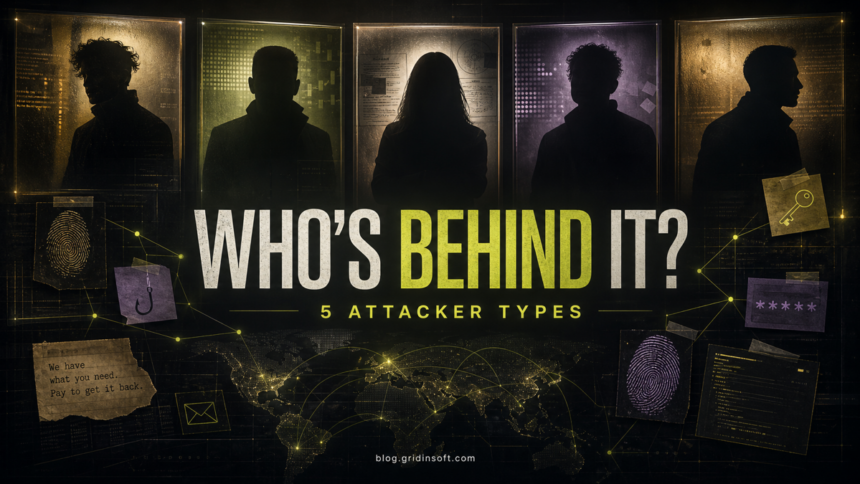
Five attacker types at a glance
| Attacker type | Main motive and practical clue |
|---|---|
| Cybercriminals | Money. Look for stolen credentials, payment fraud, ransomware, infostealers, and resale of access. |
| Phishing and scam crews | Deception. Look for urgent messages, fake login pages, verification-code requests, and remote-support pressure. |
| Opportunists and tool users | Easy targets. Look for cracked apps, fake updates, public exploit tools, malicious ads, and reused passwords. |
| State-sponsored actors and hacktivists | Espionage, disruption, or publicity. Look for targeted lures, persistence, strategic data, or politically timed attacks. |
| Insiders and partner accounts | Trusted access. Look for unusual activity from real accounts, excessive permissions, data copying, and dormant accounts. |
FAQ
What is the difference between a hacker and a threat actor?
A hacker is a person with technical skills. A threat actor is any person or group that creates a security risk. A threat actor can be a cybercriminal, scammer, insider, bot operator, hacktivist, or state-sponsored group.
Can I know exactly who hacked me?
Sometimes, but not from one clue. You need evidence such as login records, malware detections, phishing URLs, file changes, payment demands, account activity, and network logs. For most home users, the safer first goal is to stop access and recover accounts, not to name the attacker.
Are white-hat hackers attackers?
Ethical hackers test systems with permission. They can use attacker techniques during authorized testing, but they are not cyberattackers when the work is approved, documented, and designed to improve security.
Why do attackers target ordinary people?
Ordinary accounts still have value: email access, payment cards, saved passwords, social profiles, game accounts, crypto wallets, browser cookies, and contact lists. Attackers also use personal devices as stepping stones into workplaces or more valuable accounts.
Should I scan my computer after a phishing attack?
Scan it if you downloaded a file, installed an app, allowed remote access, clicked a link that triggered a download, or see browser/account behavior you cannot explain. If you only opened a message but did not interact, account safety checks may be enough.
References
- Verizon. “2026 Data Breach Investigations Report.” Verizon Business, 2026, accessed June 7, 2026. https://www.verizon.com/business/resources/reports/dbir/
- Microsoft. “Microsoft Digital Defense Report 2025.” Microsoft Security Insider, accessed June 7, 2026. https://www.microsoft.com/en-us/security/security-insider/threat-landscape/microsoft-digital-defense-report-2025
- Cybersecurity and Infrastructure Security Agency. “Insider Threat Mitigation.” CISA, accessed June 7, 2026. https://www.cisa.gov/topics/physical-security/insider-threat-mitigation