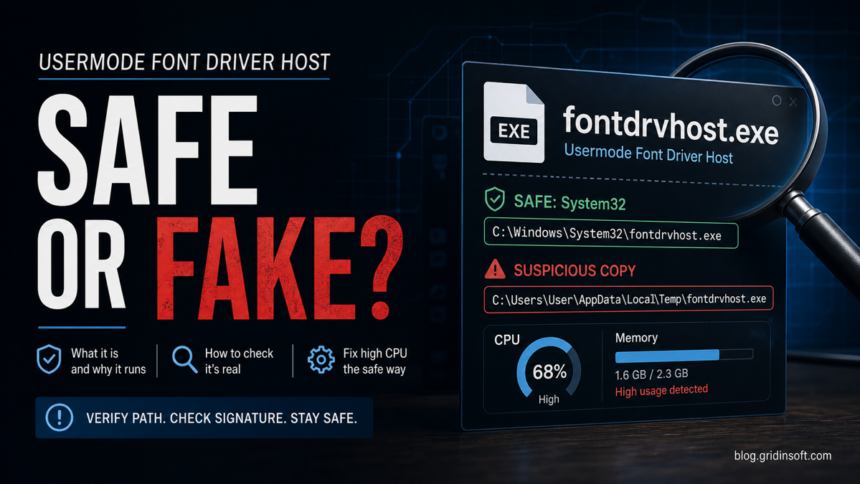
Usermode Font Driver Host is the Microsoft Windows process fontdrvhost.exe. It is usually safe when it opens from C:\Windows\System32\fontdrvhost.exe and has a Microsoft digital signature. Do not delete it only because you see UMFD-0 or UMFD-1; those names can be normal Windows font-driver isolation accounts. Investigate when the file opens from Temp, AppData, Downloads, a user profile folder, or when high CPU or memory returns after reboot.
Is Usermode Font Driver Host safe?
- Safe:
fontdrvhost.exeis inC:\Windows\System32, signed by Microsoft, and uses low resources. - Folder or account label:
UMFD-0,UMFD-1, orTEMP.Font Driver Hostis not an executable path or a malware verdict. Do not delete a profile just because of its name. - Check the actual file: an unexpected
fontdrvhost.exerunning from a user folder, a missing Microsoft signature, or startup/network activity from a non-System32 copy warrants investigation. - Choose the right check: for a running process, inspect its file location and signature; for a temporary-login warning with missing desktop/files, protect your work and troubleshoot the user profile.
| Process name | fontdrvhost.exe |
| Task Manager name | Usermode Font Driver Host |
| Normal path | C:\Windows\System32\fontdrvhost.exe |
| Publisher | Microsoft Windows |
| Purpose | User-mode font rendering and font-driver isolation |
| Should you disable it? | No. Fix the font, cache, app, or malware cause instead. |
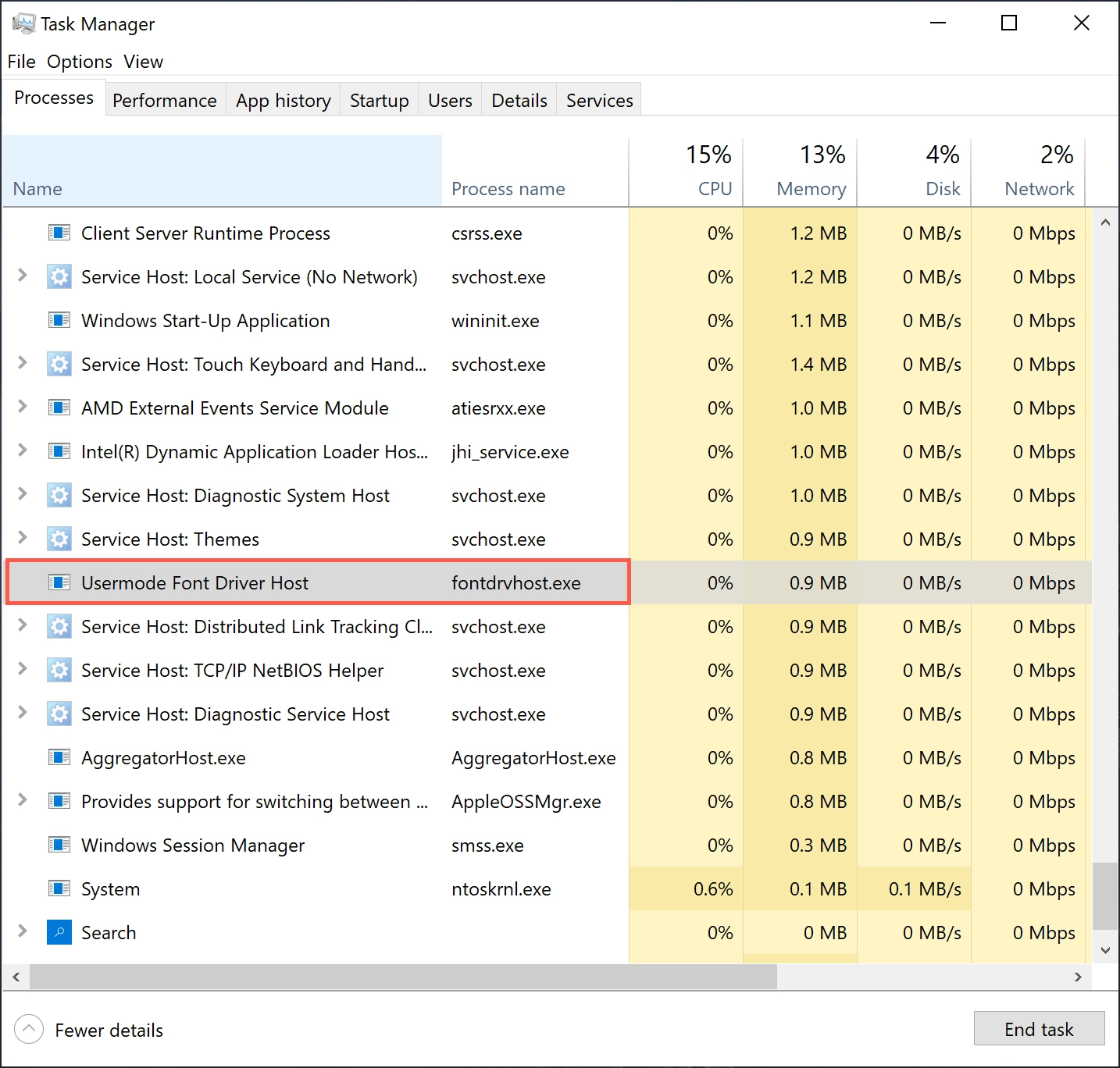
fontdrvhost.exe. Low CPU and memory use is normal; the path and signature decide whether the file is trustworthy.What is Usermode Font Driver Host?
Windows uses fontdrvhost.exe to handle font-related work outside the most sensitive kernel areas. Font parsing is security-sensitive because fonts can be embedded in documents and webpages, so modern Windows isolates more of this work from the kernel. That isolation is why the process name looks technical and why it can appear under special accounts instead of your regular username.
The process is not a browser, miner, game overlay, or standalone app. It should not create its own startup shortcut, ask for internet access, or run from a random folder. When people search for “Usermode Font Driver Host high CPU” or “fontdrvhost.exe virus,” the real question is usually whether the Windows component is damaged, being stressed by a bad font/app, or being impersonated by malware.
What do UMFD-0, UMFD-1, and TEMP.Font Driver Host mean?
UMFD stands for User Mode Font Driver. Windows uses isolated accounts such as UMFD-0 and UMFD-1 for font handling. A folder named TEMP.Font Driver Host or UMFD-0.Font Driver Host under C:\Users is a profile-folder name, not evidence that an executable is running from there. Microsoft Q&A describes these font-host profiles as Windows system profiles. That explains the naming; it does not certify every similarly named folder or its contents. [2]
Names ending in .000 or .001 identify differently named folders. The suffix alone neither explains why the folder was created nor identifies malware. Separate the folder you see in File Explorer from the account shown in Task Manager and the full path of the running file.
- You only found a folder or account label. If your usual desktop and files are present, do not treat the name alone as an infection or start deleting profiles. Note whether it appeared after an app, font, or Windows change if you need to investigate repeated creation.
- You are checking a running process. Use Task Manager’s Open file location and the file’s Digital Signatures tab. The expected Windows file is
C:\Windows\System32\fontdrvhost.exe. An actual executable at a path such asC:\Users\{user}\AppData\Local\Temp\fontdrvhost.exedeserves investigation; the existence of a similarly named profile folder does not establish that this executable exists. A path or valid signature alone is not a complete safety check. - Your normal desktop/files are missing after sign-in. A message saying you were signed in with a temporary profile is a separate login problem. Save work created in that session to external storage before signing out or restarting: temporary-profile changes can be lost. Then use Microsoft’s temporary-profile recovery guidance, starting with its restart/sign-in checks. Do not jump to malware removal solely because the folder name contains
TEMP. [4] - High CPU only while opening font-heavy apps. Often a font cache, app, document, or driver issue; use the troubleshooting section below.
- High CPU after every reboot plus an unknown executable path. Check the actual file and what launches it, then follow the suspicious-copy scan guidance below.
Do not bulk-delete C:\Users folders, remove UMFD accounts, or erase ProfileList registry keys as a generic fix. A directory name does not establish which profile data can be removed safely. For a managed PC or persistent sign-in failure, ask the administrator or support to diagnose the profile while preserving your files.
Is fontdrvhost.exe a virus?
The real Microsoft file is not a virus. Malware can still copy a familiar Windows name into another folder to look legitimate. That is why “fontdrvhost.exe” alone is not enough evidence either way.
- Open Task Manager.
- Right-click Usermode Font Driver Host and choose Open file location.
- Confirm that the folder is
C:\Windows\System32. - Right-click
fontdrvhost.exe, open Properties, and check Digital Signatures. - If the file is outside System32, do not run it manually. Scan the file and the whole system.
You can also check a suspicious file with the Gridinsoft Online Virus Scanner before deciding whether it belongs to Windows or to an unwanted app.
Why fontdrvhost.exe uses high CPU or memory
Short spikes are normal when Windows or an app loads many fonts. Sustained high CPU or memory is not normal. Common causes include a corrupted font cache, damaged system files, a buggy app rendering many fonts, a bad third-party font, outdated graphics drivers, Windows update issues, Remote Desktop sessions, or malware pretending to be the process.
| Symptom | Most useful next check |
| CPU spike disappears after closing a design/PDF/browser app | Update that app and remove recently installed fonts. |
| Text disappears or font menus freeze | Repair Windows files and rebuild the font cache. |
| Process returns after every reboot | Check startup entries, scheduled tasks, and file location. |
| File is not in System32 | Scan it as a suspicious executable. |
How to fix Usermode Font Driver Host high CPU
- Restart Windows once. If usage drops and does not return, it was probably a temporary font or app issue.
- Check the file path. In Task Manager, right-click
Usermode Font Driver Hostand open the file location. It should openC:\Windows\System32. - Verify the Microsoft signature. A valid System32 path plus Microsoft signature is the strongest sign that the file itself is legitimate.
- Run System File Checker. Open Command Prompt as administrator and run
sfc /scannow. - Repair the component store. If SFC reports problems, run
DISM /Online /Cleanup-Image /RestoreHealth, reboot, and run SFC again. - Remove recent fonts or font-heavy apps. If the issue started after installing a font pack, design tool, game mod, PDF utility, or browser extension, remove it and reboot.
- Rebuild the font cache if fonts glitch. Stop the Windows Font Cache Service, clear old font cache files, then restart Windows. Do this only after saving your work.
- Try a clean boot. If the spike returns after every login, a third-party service or startup app may be triggering it.
- Scan for malware. If the path is wrong, the signature is missing, or new startup entries launch a non-System32 copy, run a full scan and remove the parent app/folder.
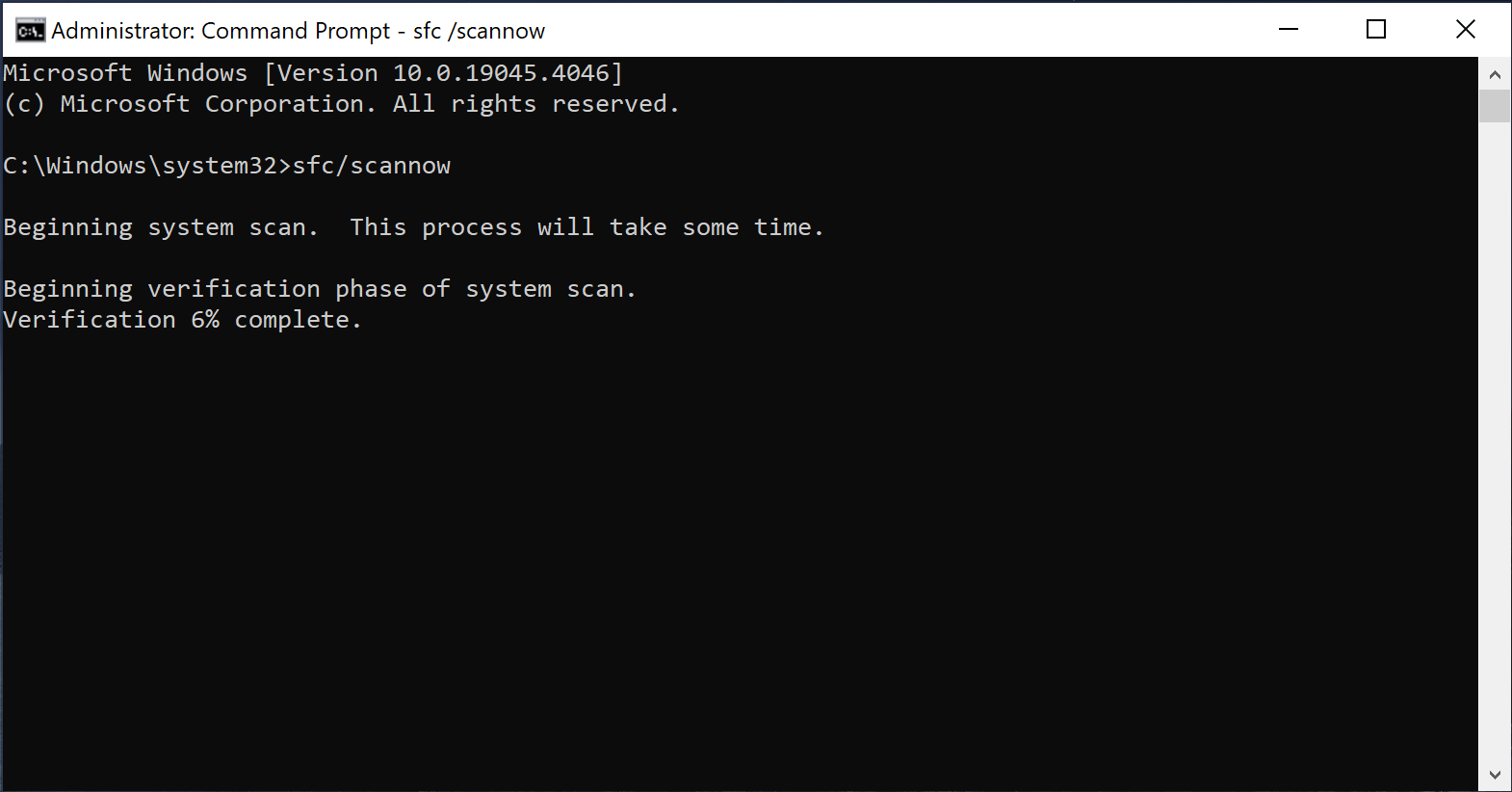
sfc /scannow from an elevated Command Prompt when fontdrvhost.exe keeps spiking or Windows text rendering behaves strangely.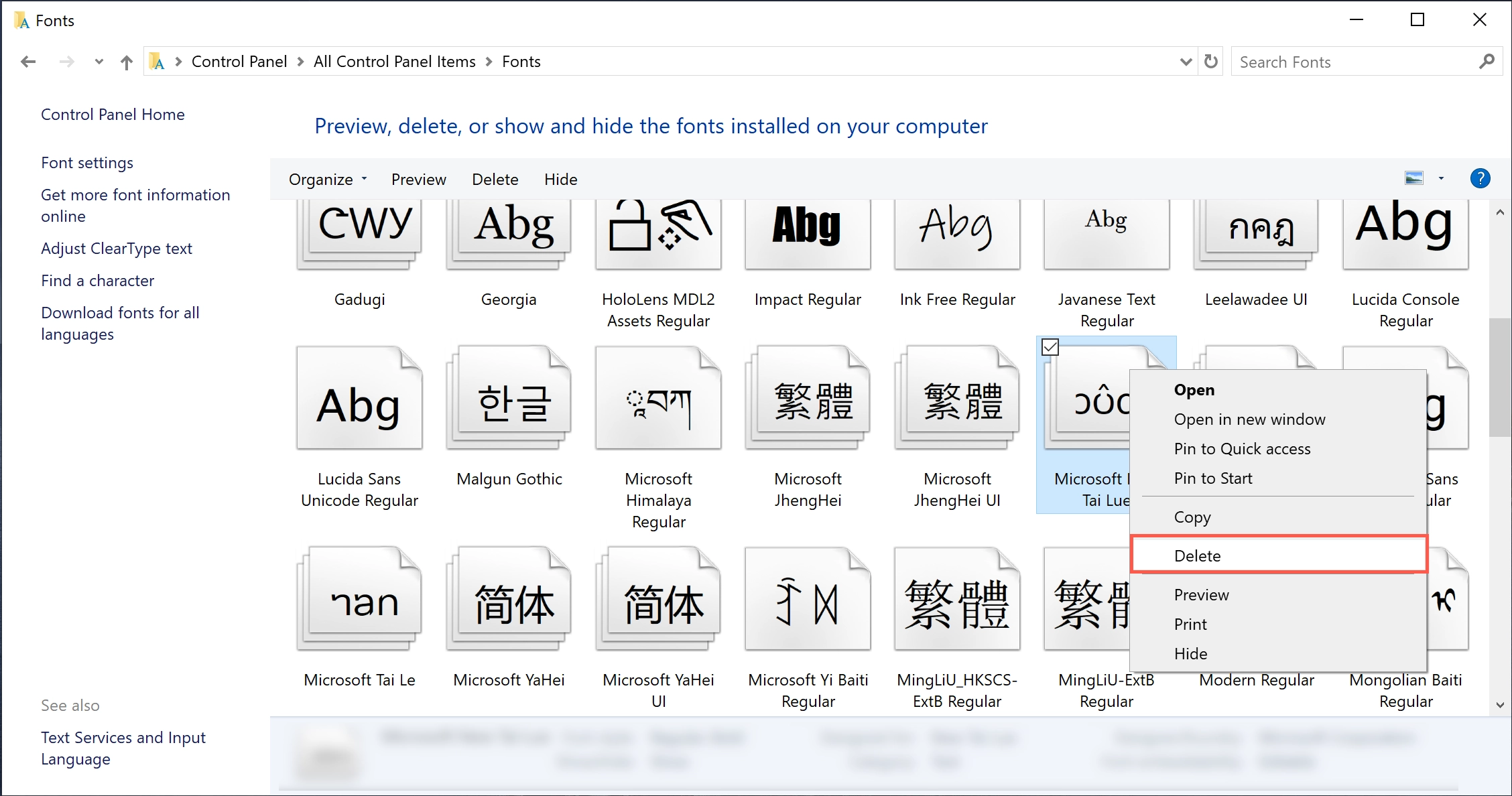
If the process path is wrong, the name imitates a Windows component, or high CPU started after an unknown installer, scan for hidden miners, services, startup entries, and bundled components.
Scan only if the path or startup source is suspiciousWhat not to do
- Do not delete
C:\Windows\System32\fontdrvhost.exe. - Do not disable Windows services randomly just to hide the process.
- Do not assume
UMFD-0is malware without checking the actual executable path. - Do not restore a suspicious file from quarantine unless you have verified the path, signature, and source.
FAQ
Can I end Usermode Font Driver Host in Task Manager?
You can end a stuck instance, but Windows may restart it. If the problem returns, repair Windows files, check recent fonts/apps, and scan suspicious copies instead of trying to permanently disable it.
Why are there multiple fontdrvhost.exe processes?
Multiple instances can appear for different sessions or desktop contexts. That is normal when each instance points to the Microsoft-signed file in C:\Windows\System32.
Is UMFD-0.Font Driver Host malware?
Not by itself. UMFD-0 can be a normal Windows font-driver isolation account. Verify the file path and Microsoft signature before deciding it is malicious.
What if fontdrvhost.exe is outside System32?
Treat it as suspicious. Do not open it manually. Scan the file and the system, then remove the parent folder, startup entry, or unwanted app if it is confirmed malicious or unwanted.
References
- Microsoft Learn. “The blocking untrusted fonts feature.” Microsoft, accessed June 1, 2026. https://learn.microsoft.com/en-us/troubleshoot/windows-client/shell-experience/feature-to-block-untrusted-fonts
- Hendrix-V, Microsoft External Staff moderator. “Why do I see multiple profiles on my Windows 11 laptop UMFD-0.Font Driver Host?” Microsoft Learn Q&A, January 8, 2026; accessed September 19, 2026. Microsoft Q&A response on font-host profiles
- Microsoft Learn Q&A. “Usermode Font Driver Host Issues.” Microsoft, October 22, 2017, accessed June 1, 2026. https://learn.microsoft.com/en-us/answers/questions/2797238/usermode-font-driver-host-issues
- Microsoft Support. “We can’t sign in to your account” error message. Microsoft, accessed September 19, 2026. Temporary-profile recovery guidance