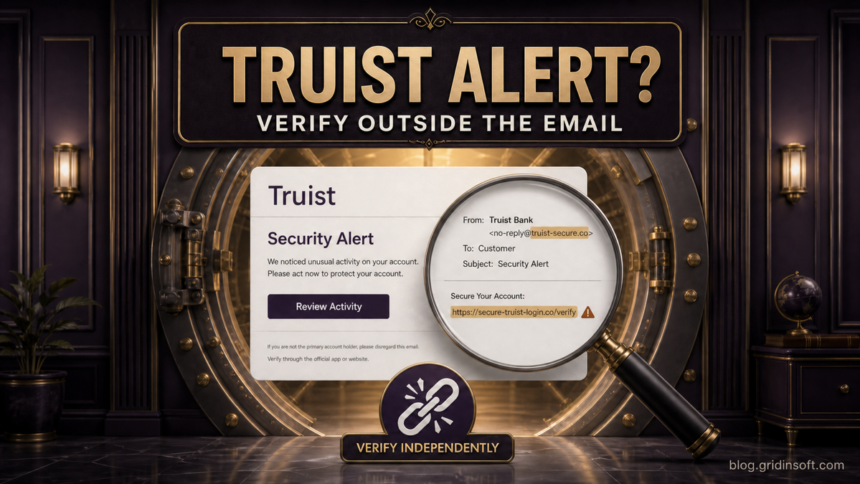
The “Truist Security Alert” email that warns about unusual activity and pushes you to “Secure Your Account Now” is a phishing lure. Do not use the button, phone number, or link in the message. Open the Truist app or type truist.com yourself, check recent activity there, and call the number printed on your card if anything looks wrong.
This campaign also appears as “Your Account Requires Verification” or “Action Needed: Review Your Truist Account.” The wording may borrow real security advice, but copied bank language does not make the sender or destination legitimate.
What Is the Truist Security Alert Email Scam?
The message impersonates Truist and creates a short deadline: verify now or the account may be suspended. Its goal is to move the recipient away from the trusted banking app and onto a page controlled by the sender. That page may ask for a Truist user ID, password, card details, personal information, or a one-time code.
A real fraud alert can also be urgent, so urgency alone is not proof. The decisive check is whether the same alert appears after you reach Truist independently. Never authenticate a bank warning through the warning itself.
What the Fake Truist Email Looks Like
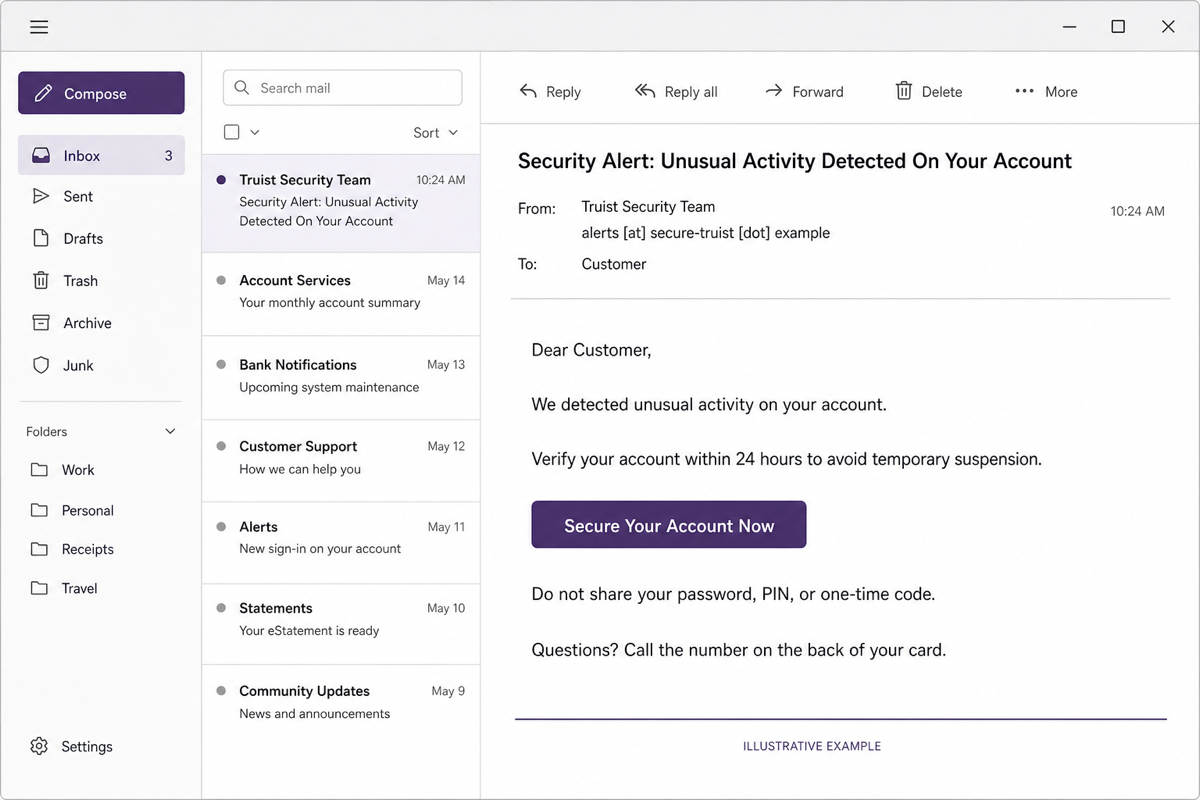
The illustration shows the current lure pattern without using victim information or a live phishing destination. The display name says “Truist Security Team,” but the sender does not belong to truist.com. The message claims unusual activity, sets a 24-hour deadline, and provides a prominent account-security button.
Example
Subject: Security Alert: Unusual Activity Detected On Your Account
From: Truist Security Team <alerts [at] secure-truist [dot] example>
Dear Customer,
We detected unusual activity on your account. Verify your account within 24 hours to avoid temporary suspension.
Secure Your Account Now
Do not share your password, PIN, or one-time code. Questions? Call the number shown in this message.
Other versions use “Account Requires Verification,” a “Review Account” button, a case number, or the misspelled phrase “Account Onership Verification Process.” A fake phone number such as 1-800-123-4567 is not a verification channel. Use the number on your card or Truist’s official fraud number instead.
Red Flags in the Message
| What you see | Why it matters and what to do |
|---|---|
| Unexpected “unusual activity” warning | Open the bank app independently. Do not use the email button to check whether the alert is real. |
| 24-hour suspension threat | A deadline is meant to suppress careful checking. A real restriction should also be visible inside online banking. |
| Display name says Truist, but sender domain differs | Display names are easy to fake. Expand the sender details and compare the domain character by character. |
| “Secure Your Account Now” or “Review Account” button | The visible label does not reveal the destination. Do not test it by clicking. |
| Request for password, PIN, card data, or one-time code | Stop. Truist says not to provide confidential information in response to unexpected messages. |
| Copied warning not to share a password or PIN | Scammers can copy legitimate safety language. Verify the sender, destination, and request—not just the tone. |
Good spelling and polished branding are not trust signals. Modern phishing can closely imitate legitimate templates. Our guide to spotting phishing emails explains how to check the sender, links, headers, and request together.
How to Verify a Truist Alert Safely
- Leave the email closed. Do not reply, call its number, scan a QR code, or use its button.
- Open Truist independently. Use the installed app, a saved bookmark, or type
truist.comyourself. - Review account activity and alerts. Look for transactions, login notices, profile changes, new payees, or card controls you do not recognize.
- Call a trusted number. Use the number printed on your card. Truist also lists 844-487-8478 for fraud reporting.
- Forward the suspicious message. Truist directs customers to send suspected phishing emails to
emailabuse [at] truist [dot] com, then delete them.
Do not forward a message after adding passwords, account numbers, or other private notes. Forward the original suspicious email as instructed, and discuss account-specific details only through a trusted banking channel.
What to Do If You Clicked
If you opened the page but entered nothing
Close the page. Do not approve notifications, downloads, profiles, extensions, or remote-support requests. Open online banking independently and review activity. A click by itself does not automatically prove the account or device was compromised, but any unexpected download or security prompt changes the response.
If you entered a Truist user ID or password
- From a trusted device, open the Truist app or official site directly.
- Change the password immediately. If you cannot sign in, call Truist through the card number or official fraud line.
- Review contact details, recovery information, recent activity, new payees, linked services, and card controls.
- Change the password anywhere else it was reused. Start with the email account because password resets often arrive there.
- Sign out unknown sessions where the service provides that control.
If you entered a one-time code
Contact Truist immediately. A one-time code can let an attacker finish a login, password reset, payment, or device-registration step while you are still on the phishing page. Do not approve another prompt that arrives during the call unless you initiated the action in the official app.
If you shared card or personal information
Lock the affected card in the official app if that option is available, then call the issuer. Review pending and posted transactions and ask what replacement or fraud-claim steps apply. If you supplied a Social Security number or enough identity information to open accounts, also review credit reports and follow the bank’s identity-theft guidance.
If you approved or sent money
Call the bank now. Record the transaction date, amount, recipient, and case number. Do not pay anyone who promises guaranteed recovery; recovery scams often target people immediately after a bank-phishing loss.
When Should You Scan the Device?
A fake login page primarily threatens account credentials. A malware scan becomes important if the message or page also downloaded a file, installed a browser extension or app, asked you to run a command, opened remote-support software, or caused repeated redirects and security warnings.
In those cases, disconnect from sensitive accounts until the device is checked. A Gridinsoft Anti-Malware scan can look for malicious files, browser changes, startup entries, scheduled tasks, and persistence that may remain after the visible download is removed.
If the page or email made you download an invoice, coupon, tracking app, browser extension, or support tool, scan the PC before opening it again or logging into sensitive accounts.
Scan a suspicious downloadIf the incident involved only a web form and no download or install, prioritize the bank and email-account recovery steps above. A scan cannot reverse a transfer, invalidate a stolen password, or prove that no account data was exposed.
How to Avoid the Next Bank-Alert Phish
- Use a bookmark or the official banking app instead of links in account-alert emails.
- Enable transaction and login alerts inside the bank’s own settings.
- Use a unique password for banking and another unique password for email.
- Never read a one-time code back to an unexpected caller or type it into a page reached from an unsolicited message.
- Keep the card’s support number available independently of email.
- Check a suspicious destination with the Gridinsoft Website Reputation Checker without visiting it directly.
For the broader pattern, see the Account Verification Alert scam guide. It covers the same pressure tactic across email, payment, and social accounts without replacing the Truist-specific reporting steps on this page.
FAQ
Is every Truist security alert email fake?
No. Banks send legitimate alerts, but the reviewed “Security Alert” and “Account Requires Verification” messages are phishing lures. Verify any alert in the Truist app or typed website instead of through the email.
What is the official Truist fraud phone number?
Truist lists 844-487-8478 for fraud reporting. The number printed on the back of your card is also a trusted route. Do not rely on a number supplied only by the suspicious email.
Where should I send a suspicious Truist email?
Truist instructs customers to forward suspected phishing emails to emailabuse [at] truist [dot] com and then delete them. Do not click links or reply to the sender first.
Does clicking the email mean my phone or PC is infected?
Not necessarily. The main risk is usually entering data on the fake page. Scan the device if a file downloaded, an app or extension was installed, a command was run, remote access was granted, or unusual browser behavior began.
What if the warning also appears in the real Truist app?
Handle the alert inside the app or through the card number. The email may still be fake even when a real account issue exists; scammers sometimes exploit concerns that happen to be timely.
References
- Truist. “How to Report Fraudulent and Suspicious Activity.” Truist Fraud and Security, accessed July 21, 2026. https://www.truist.com/fraud-and-security/report-fraud
- Truist. “Suspicious messages? Tips to help prevent against phishing scams.” Truist Money and Mindset, accessed July 21, 2026. https://www.truist.com/money-mindset/principles/protecting-what-matters/spotting-suspicious-messages