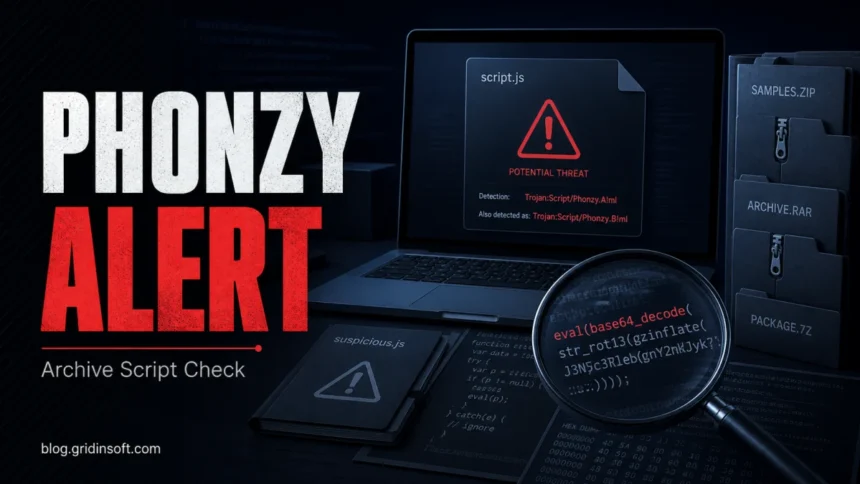
Trojan:Script/Phonzy.A!ml and Trojan:Script/Phonzy.B!ml are Microsoft Defender family detections, not proof that every flagged file has one fixed behavior. Keep the item quarantined while you record the exact label and affected path, then check whether the file was only stored in an archive or browser download cache or actually ran. Treat an alert from an email script, unknown cloud link, crack, mod, or unsigned installer as unsafe until verified. If the file is your own freshly compiled build or comes from a trusted signed tool, update Defender, verify its source or hash, and submit the exact item to Microsoft before restoring it.
What should you do first?
- Save the exact label and path: note whether Defender says
Trojan:ScriptorTrojan:Win32, the A!ml/B!ml variant, and the full affected item. - Do not allow or restore blindly. Keep quarantine while you verify the source, signature or hash, and whether the alert returns.
- Separate stored from executed: remove an untrusted ZIP, 7z, RAR, cached download, or cloud-sourced package; keep a trusted quarantined build isolated while its detection is reviewed. Running an unknown script or installer raises the response to compromise cleanup.
- For your own build: rebuild from reviewed source on a clean machine, update Defender, and submit the exact output to Microsoft instead of excluding the whole build folder.
- If unknown software executed, follow the Gridinsoft Full Scan and cleanup steps below. In parallel, use a clean device to change exposed passwords and revoke sessions; account recovery does not need to wait for the PC scan.
| Detection variants | Trojan:Script/Phonzy.A!ml, Trojan:Script/Phonzy.B!ml, and related Trojan:Win32/Phonzy.*!ml alerts |
| Detected by | Microsoft Defender Antivirus |
| Type | Defender family / machine-learning detection; the exact behavior is sample-specific |
| Best action | Quarantine, identify path/source and execution state, remove untrusted source packages, or keep a trusted build isolated for review; scan and check genuinely new activity |
What is Trojan:Script/Phonzy.A!ml or B!ml?
Microsoft Security Intelligence lists Trojan:Script/Phonzy.A!ml as a Defender script Trojan detection and says Defender detects and removes it [1]. Huntress describes Phonzy as a detection-family label whose behavior can vary by sample rather than one fixed malware codebase [4]. The label alone therefore cannot prove a specific capability. The affected item path, source, signature, and whether it executed are the practical evidence.
The Microsoft Defender detection name format still matters: Script or Win32 is the platform field, Phonzy is the family label, A or B is a variant, and !ml indicates machine-learning classification. A Win32 result does not automatically mean a different infection from a Script result, and an ML suffix does not make the alert harmless. Use the exact full label when searching or submitting the affected file.
Phonzy.A!ml in a ZIP, 7z, RAR, or MEGA download
Archive detections create false-positive anxiety because Defender may report the archive member rather than a file you intentionally ran. Do not judge the alert from the extension alone. A compressed file can contain scripts, shortcut files, HTML payloads, installers, or obfuscated JavaScript even when the outer archive looks ordinary.
- If the archive came from a crack, mod, game repack, password-protected link, or unknown MEGA folder, delete it and keep Defender’s quarantine.
- If the file came from your own project or a trusted vendor, compare hashes, redownload from the official source, update Defender security intelligence [3], and submit the exact file to Microsoft as an incorrect detection if evidence supports a false positive [2].
- If you only opened an untrusted archive but did not run anything, remove that archive/source and scan. Keep a trusted flagged build quarantined during vendor review; do not restore or re-extract it just to test the warning. For general archive risk, see our guide on whether opening a ZIP or RAR file can give you a virus.
- If you executed a script, installer, or command from the archive, treat the event as a possible compromise and continue with the cleanup steps below.
Could a developer build or trusted utility be a false positive?
A freshly compiled plugin, unsigned automation script, self-extracting bundle, or uncommon utility can trigger an ML detection, but ownership of the source is evidence, not an automatic clean verdict. Rebuild from reviewed source on a clean machine, compare the output hash, verify the expected signer when one should exist, update Defender definitions, and submit the exact file to Microsoft. Do not create a broad exclusion for a workspace, Downloads, Temp, or an entire app folder while the result is unresolved.
If Windows Security asks to send or review a sample, the Defender sample-review guide explains the separate privacy and submission decision. A downloaded release that differs from your clean reproducible build should remain quarantined.
Can Phonzy.A!ml or B!ml be a false positive?
False positives are possible, especially with custom scripts, freshly compiled files, packed software, browser cache artifacts, or security tooling. The safer test is source plus execution state: a reproducible file from reviewed source that stays clean after updated scans is different from a script delivered through an ad, fake update, crack, or unknown cloud link. Avoid exclusions until Microsoft or another trusted analysis supports a clean verdict.
If the alert appeared after you ran an unknown game/mod installer or entered passwords afterward, also review account risk. Our infostealer detection and recovery guide covers password changes, session revocation, and browser-token exposure.
Why does the Phonzy alert keep coming back?
First establish whether there is a new detection. Open the latest Protection History card and compare its timestamp, status, affected path or archive member, and action with the earlier event. A card for an already blocked or quarantined item is a record of that action; its continued presence alone does not show that the file returned. Do not clear history to judge whether cleanup worked. [5]
- Same stored download or archive: another scan can detect an unchanged source again. Remove an untrusted package and any extracted copies while keeping quarantine. A trusted build under review should remain isolated; do not restore, re-extract, or run it to reproduce the alert.
- App update or developer rebuild: a newly produced file may trigger the same family label. Compare its source, version, hash, and build time, update Defender, and request review of the exact item. The repeated name alone cannot distinguish a false positive from a harmful file.
- Fresh recreation after cleanup: a later event showing a file recreated after removal and restart calls for investigation. Note whether a browser download, extension, updater, task, or startup app ran at that time. Follow the cleanup steps below; use targeted manual checks if new activity persists.
- Remediation incomplete or action needed: expand the current card and follow its pending action. Do not treat an unresolved warning as historical merely because its date is old.
How to remove Trojan:Script/Phonzy.A!ml or B!ml
- Keep the item blocked. In Windows Security, expand the detection, record the full affected path and current status, and apply Quarantine or Remove if action is needed. Do not allow the file or disable protection.
- Handle the source according to its origin. Delete the untrusted download, archive, email attachment, or extracted copies that produced it. For your own build or a trusted vendor file, keep quarantine and use the review process above; do not restore it for testing or upload private files without authorization.
- Update protection. Install the current Microsoft Defender security intelligence before checking the same item again [3].
- Clean up unknown software that ran or unresolved suspicious activity. Download and install Gridinsoft Anti-Malware using the button below, update its detection database, run a Full Scan, review the detections, and apply cleanup to detected threats. Restart and check the original symptom and latest detection time/status/path. If the scanner cannot run, use Safe Mode or Microsoft Defender Offline as a recovery fallback, then return to the full cleanup scan.
- Use manual checks only when needed. If a genuinely new event remains, check the specific startup app, task, browser extension, or recently installed program associated with that path. You do not need to search registry keys or remove random tasks before choosing the scan route.
If the file ran, opened a phishing page, installed another payload, or coincided with unauthorized account activity, use a clean device to change affected passwords, revoke sessions, and review account security now, in parallel with PC cleanup. A malware scan cannot recover stolen credentials or establish whether they were used.
For a suspicious archive, MEGA download, crack, mod, or fake update that executed, quarantining one script may leave a downloader or startup component that recreates it. The scan checks for those associated threats; a clean result is not proof that no compromise occurred. A trusted quarantined build with no execution or other symptoms remains a file-review case.
Defender can quarantine the visible file, but repeated alerts may mean a loader, scheduled task, service, browser change, or bundled component is recreating it. Scan the PC before trusting the cleanup.
Find what keeps recreating the script alertFAQ
Is Trojan:Script/Phonzy.A!ml the same as Phonzy.B!ml?
They are related Defender family variants, but the exact sample behavior can differ. Use the full label from the alert and make the decision from the affected path, source, signature, and whether anything executed.
Why does Defender sometimes say Trojan:Win32/Phonzy instead of Trojan:Script/Phonzy?
Script and Win32 are platform fields in the Defender name. They help identify the alert but do not by themselves prove a separate malware family or fixed behavior. Keep the entire label for searches and file submission.
Can my freshly compiled app be a Phonzy false positive?
Yes, an uncommon build can be misclassified, but do not restore it on that assumption. Rebuild from reviewed source, compare hashes, update Defender, and submit the exact output to Microsoft before allowing it.
What does remediation incomplete mean?
Defender started cleaning the threat but could not finish. Expand the card to see its outstanding action. Keep quarantine, remove untrusted source packages, and follow the updated scan/cleanup workflow above. Compare a later event’s time, status, and affected item after restart; an old card alone is not fresh recurrence. Keep trusted builds isolated for review.
Should I restore a Phonzy file if Reddit says it is a false positive?
No. Keep it quarantined until you can verify the source, hash, signature, clean rescans, and Microsoft submission result. Forum reassurance is not enough for an unknown script or archive.
Can a Phonzy detection mean password risk?
Only the label cannot prove credential theft. Change passwords and revoke sessions from a clean device if the detected file ran, opened a phishing page, installed another payload, or appeared with unauthorized account activity.
References
- Microsoft Security Intelligence. “Trojan:Script/Phonzy.A!ml threat description.” Microsoft, published January 21, 2021, accessed August 21, 2026. Microsoft Phonzy.A!ml threat description.
- Microsoft Security Intelligence. “Submit a file for malware analysis.” Microsoft, accessed August 21, 2026. Microsoft file submission portal.
- Microsoft Security Intelligence. “Security intelligence updates for Microsoft Defender Antivirus and other Microsoft antimalware.” Microsoft, accessed August 21, 2026. Microsoft Defender security intelligence updates.
- Lizzie Danielson. “Phonzy Malware.” Huntress Threat Library, published December 23, 2025, updated August 14, 2026, accessed August 21, 2026. Huntress Phonzy family overview.
- Microsoft Support. “Protection History in the Windows Security App.” Microsoft, accessed October 15, 2026. Protection History statuses and actions.