Trojan:Win32/Malgent!MSR is a Microsoft Defender detection for a suspected Trojan on Windows. You may also see Trojan:Win32/Malgent without a suffix. Keep the flagged file quarantined while you check what Defender found. A download blocked before you opened it needs a different response from a program you ran or an alert marked Remediation incomplete. The detection name alone cannot tell you whether passwords were stolen or whether the file is a false positive.
Defender found Malgent: what should you do first?
- Blocked download, never opened: keep it blocked, remove the unwanted download and scan. A warning alone does not mean the program ran.
- Opened the file or ran its installer: stop using the PC for sensitive accounts, disconnect it from the network and follow the cleanup steps below.
- Removal failed or a new alert appears: record the affected path and time, then investigate the source of the repeated detection.
What is Trojan:Win32/Malgent!MSR?
Malgent is a detection name, not enough information to reconstruct an infection. Microsoft describes attacks involving tampered software, remote access, credential theft and additional downloads. Its MSR entry includes a specific scenario in which a legitimate-looking program loads a malicious DLL from the same extracted folder. That description explains a possible attack; it does not establish what happened on every PC that displays the label. [1]
The useful questions are: Which file was detected, where did it come from, did it execute, and did remediation finish? A signed application beside a malicious DLL, a cached web object and an unexpected driver are different investigations.
What do !MSR, !MTB, !MBT and !AMTB mean?
Microsoft describes a suffix beginning with ! as an internal indicator. Do not read !MSR, !MTB, !MBT or !AMTB as a public severity scale or a guarantee of a false positive. Record the complete name exactly as it appears. Our Microsoft Defender detection-name guide explains the type, platform, family and suffix.
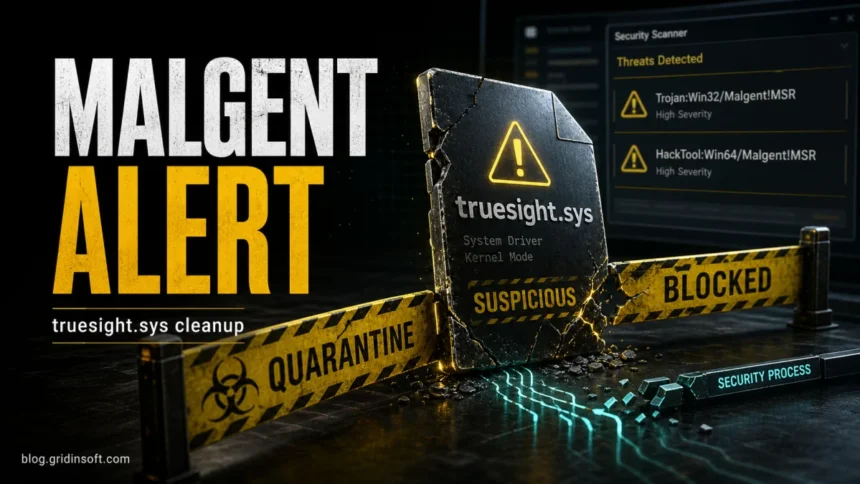
HackTool:Win64/Malgent!MSR is a different full label. If that is your warning, keep its exact wording and use the HackTool and truesight.sys checks below rather than assuming every Malgent result describes the same file.
How to remove Malgent from Windows
1. Read the current status in Protection history
Open Windows Security → Virus & threat protection → Protection history. Expand the Malgent event; Windows may require administrator approval to show its details. Record the full detection name, date, affected items and action result before clearing temporary files. [2]
| Defender status | What to do |
| Threat found — action needed | Choose Quarantine for an unverified file. Do not choose Allow on device to make the warning disappear. |
| Threat quarantined | The item is isolated. Leave it there or choose Remove if you do not need it; Restore puts it back. |
| Threat blocked | Defender reports that it blocked and removed the threat. Check how it arrived and whether you ran anything else from that package. |
| Remediation incomplete | Cleaning did not finish. Read the event details and continue with scanning and the repeated-alert checks below. |
Keep the event’s time in mind. Seeing the same old card again is different from receiving a new detection after a restart.
2. Match the response to whether the file ran
If it was only downloaded and blocked: do not open or extract it to investigate. Remove an unwanted original archive as well as any extracted copies that your scanner identifies. Update your protection and scan the PC. With no execution, fresh detections or account symptoms, a blocked download alone does not justify reinstalling Windows.
If you ran an unknown installer, executable, script or game tool: disconnect Wi-Fi/Ethernet and avoid entering passwords on that PC. Quarantining one file cannot undo actions it took earlier. If the affected device belongs to work or school, give IT the detection details before doing manual cleanup.
A game title, repack name or familiar download site does not authenticate the files inside an archive. If the instructions tell you to disable Defender or exclude an installation folder, stop. The HackTool:Win32/Crack guide explains why a functioning crack and a safe download are different questions.
3. Update protection, scan and check the result
In Virus & threat protection, open Protection updates → Check for updates. Then choose Scan options → Full scan. Apply the recommended actions and restart if requested. If you isolated the PC because suspicious code ran, use a trusted device to obtain official update or recovery resources; do not continue browsing on the affected system just to collect more tools.
If cleaning fails or the threat returns after restart, save your work and use Scan options → Microsoft Defender Offline scan. Have your BitLocker recovery key available before recovery troubleshooting. Offline scanning restarts the PC and checks it outside the normal Windows session. Afterwards, review Protection history for the action result. If it will not start, follow our Defender Offline troubleshooting guide.
Why does Malgent keep coming back after removal?
Compare the new event’s timestamp and affected path with your notes. This avoids confusing a retained history entry with a file that has actually returned.
| What changed? | What to investigate next |
| Same old event; no new detection | Check its final action status. Do not delete Defender’s history folders just to hide the card. |
| Fresh event after downloading or extracting the same archive | The source package or another extracted copy may still be present. Stop re-downloading it and scan the package’s location. |
| Fresh browser-cache object after visiting a page | Close that page, clear the affected browser’s cached files through its settings and scan. Investigate extensions if the behavior continues. |
| File reappears after restart without another download | Check the matching startup entry, scheduled task, service or driver. A remaining component may be recreating it. |
When a fresh detection returns, the visible file may be only part of the problem. Run a full Gridinsoft Anti-Malware scan to check for related files and persistence entries, review the findings and apply the recommended cleanup. This is especially useful when repeatedly removing the same file leaves its source in place.
Defender can quarantine the visible file, but repeated alerts may mean a loader, scheduled task, service, browser change, or bundled component is recreating it. Scan the PC before trusting the cleanup.
Scan for related threatsPersistence points worth checking
Use the detected path to guide these checks. AppData, Temp and Windows driver folders also contain legitimate software; their location alone is not a reason to delete them.
- Startup: review Startup Apps and the folders opened with
shell:startupandshell:common startup. Look for a target connected to the flagged package. - Scheduled tasks: inspect the task’s Actions tab. Record the executable path, arguments and trigger before changing a task.
- Services and drivers: identify the owning application, publisher and file version. A recurring driver alert needs the additional checks below.
- Run entries: an advanced review can include
HKEY_CURRENT_USER\Software\Microsoft\Windows\CurrentVersion\Run. Do not remove entries just because their names are unfamiliar. - Companion DLLs: inspect the full package identified by the scanner. Removing one DLL while repeatedly launching its installer can recreate the problem.
Can Malgent be a false positive?
Yes, an antivirus can misclassify a legitimate file. But a familiar filename, an old forum reply or a clean result from another scanner does not resolve your exact detection. Keep the file blocked while checking its origin and the current verdict.
- Browser cache, including a warning after Twitch or another website: check that the affected path really belongs to cache data. Clear cached files, update Defender and scan again. A cache location does not establish that a desktop Trojan ran, and it does not automatically make the content harmless.
- Tor Browser, FRST64.exe or another known tool: verify the developer’s download source, exact version and published hash or signature where available. Not every legitimate diagnostic tool has an Authenticode signature; treat that as one check, not the whole decision.
- Unknown installer, crack or unexpected DLL: a familiar product name cannot verify a repackaged file. Keep it blocked and investigate the package.
If a necessary, legitimately obtained file is still flagged after security-intelligence updates, ask its developer to investigate or use Microsoft’s file submission service. Include the exact label, file version and how you obtained it. Do not upload confidential documents or work files without the owner’s permission. Prefer a verified replacement from the developer over restoring an uncertain copy.
HackTool:Win64/Malgent!MSR and truesight.sys
If HackTool:Win64/Malgent!MSR names C:\Windows\System32\drivers\truesight.sys, investigate the driver separately. TrueSight has legitimate security-tool origins, but that does not make every copy safe. Check Point documented abuse of the legacy 2.0.2 driver to terminate security software; the campaign included thousands of modified copies that retained valid signatures. [3]
A valid signature is therefore insufficient for this decision. Check the file’s Properties → Details and Digital Signatures where available, then establish:
- Which installed application owns the driver, and did you intentionally install it?
- Does its version match the vendor’s supported release, or is an old copy being loaded?
- Does the related service point to that expected file?
- Did the alert begin after an unknown installer, or alongside security tools stopping unexpectedly?
An expected application with an outdated driver needs a vendor update or supported removal. An unexplained driver that returns after quarantine needs incident cleanup. Do not restore it to force a tool to work, and do not manually delete unrelated files from System32\drivers. If security tools cannot run reliably, use offline recovery or get help from IT rather than experimenting with loaded drivers.
The WinRing0x64.sys guide covers the related distinction between legitimate driver use and vulnerable-driver risk. A clean result from a second scanner can be useful evidence, but the driver version and installation history still matter.
How to check cleanup and protect your accounts
After remediation and a normal restart, confirm that there are no new Malgent events, no unresolved cleaning failures and no unexplained file or service returning. Review the scan report rather than relying only on a green status icon.
If the suspicious code ran, or you noticed unauthorized logins, use a separate trusted device to change affected passwords, starting with your primary email. Sign out other sessions, review recovery details and enable multi-factor authentication. Cleanup of the PC and recovery of an account are separate jobs: removing a file does not revoke a session an attacker already obtained.
Consider a clean Windows installation from official media if unwanted components persist, security settings keep changing or you cannot restore confidence after suspicious code executed. Back up personal documents carefully; do not carry the suspect installer, scripts or executable archives into the fresh installation.
FAQ
I downloaded Malgent but never opened it. Am I infected?
A file detection during download does not establish that its code executed. Confirm Defender blocked or quarantined it, remove the unwanted package and scan. Escalate if you also ran a file from the package, receive new alerts or see account misuse.
Does quarantined mean Malgent is gone?
Quarantine isolates the detected item; Remove deletes it. Neither action tells you what happened before detection. If the program ran or new alerts appear, complete the related-file and account checks.
Why does another antivirus not detect Malgent?
Engines can classify the same file differently, and a later scanner may not be examining a file already isolated by Defender. Compare the exact file, scan time and action status before treating the results as a disagreement.
Should I allow Malgent to make my game or tool work?
Only a verified false-positive finding can justify reconsidering a blocked file. The application failing to launch is not that verification. Get an authentic replacement or a developer/Microsoft review rather than excluding an entire folder.
References
- Microsoft Security Intelligence. “Trojan:Win32/Malgent!MSR threat description.” Updated February 4, 2026; accessed September 11, 2026. Threat description.
- Microsoft Support. “Protection History in the Windows Security App.” Accessed September 11, 2026. Status definitions and actions.
- Check Point Research. “Silent Killers: Unmasking a Large-Scale Legacy Driver Exploitation Campaign.” February 24, 2025; accessed September 11, 2026. Legacy TrueSight driver research.