

Trojan:PowerShell/Powersploit is a Microsoft Defender detection name for content associated with PowerSploit, a collection of PowerShell security testing tools. If Defender found it in a download, leave the item in quarantine. You do not need to uninstall PowerShell: the alert identifies what Defender recognized, not a defect in the Windows shell. The first question is whether Defender caught a file sitting on disk or whether you had already run something. The same detection name can appear in either situation.
What did Defender quarantine?
Open Windows Security → Virus & threat protection → Protection history and expand the entry. Write down the full name, including a suffix such as .A or !rfn, the detection time, the status and the Affected items field. Microsoft publishes separate entries for variants. Its entry for Trojan:PowerShell/Powersploit.A does not identify a specific action that ran on your computer. For that, the time and the circumstances matter more than the suffix.
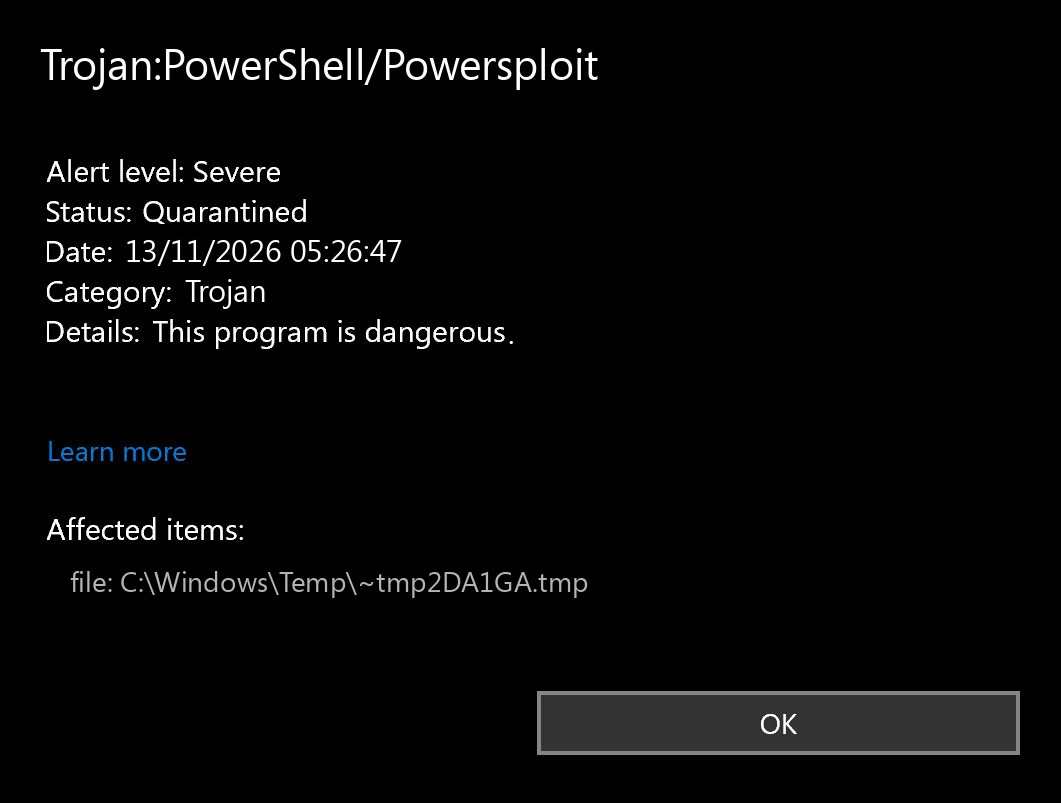
- Threat quarantined: Defender isolated the item. If it was an unexpected download that you never opened, leave it isolated or choose Remove. There is no need to restore it to find out what it does.
- Threat found – action needed: Defender is waiting for a decision. Choose Quarantine for an unverified item. If you previously chose Allow on device by mistake, remove the item from Allowed threats and scan again.
- Remediation incomplete: Open the card and follow the outstanding action. Update Defender’s security intelligence and run a Full scan under Scan options. On a managed device, send the status and time to IT.
Why PowerSploit can appear while writing a Kali USB
In February 2026 a Windows 11 user reported Trojan:PowerShell/Powersploit.L while Rufus was writing a Kali Linux image to a USB stick. The user distinguished two moments: starting Rufus produced no warning; writing the image did. A Kali maintainer directed them to the project’s antivirus FAQ and closed the report. That timing is a useful clue: Windows can encounter security testing tools as files are copied, without anyone running those tools on the Windows host.
If you deliberately obtained a Kali image, compare the affected drive and the alert time with the USB you were writing. Verify the image against the Kali project’s signed checksums. An expected detection of testing tools is different from a mistaken identification of harmless code. The report does not establish that your copy is genuine, and it does not explain an alert in your Windows user profile the next morning. Keep protection enabled; do not exclude a drive or your Downloads folder to make the alert disappear.
What if you pasted a command or ran an installer?
If a webpage, video or “support” message asked you to paste a command, the fact that Defender quarantined an item afterward does not tell you how far the command got. For example, Gridinsoft documented videos that passed off PowerShell commands as software activation instructions. That is a separate case, but it illustrates why the action before the alert matters. Do not repeat the command to see whether the warning comes back.
On a work PC, contact your security team from another device. Give them the time, full detection name, affected item and what you clicked or pasted. If you suspect activity is ongoing, disconnect from the network in line with your organization’s incident procedure. Preserve the alert and the original message; do not wipe the machine or install another scanner before IT reviews it.
On a personal PC, disconnect if unexplained activity is continuing and stop using the device for sign-ins. Update your security software and run a full scan. If you entered a password on a suspicious site or see unfamiliar sign-ins, use a trusted device to change that password and revoke active sessions. The PowerSploit alert alone does not establish that a password was taken.
Is it a new detection or the old quarantine entry?
Open both entries and compare time and affected item. Seeing yesterday’s quarantined item in Protection history today is not a second detection. A new timestamp when you reconnect the same USB points you back to that source. A fresh entry after you restart Windows with the USB disconnected, especially at a different local path, needs its own investigation.
If you ran unknown software or keep getting new alerts on a personal PC, a launcher or scheduled task may be recreating the file. To check for leftovers, install Gridinsoft Anti-Malware from the official download below, update its database and run a Full Scan. Review detected items, apply cleanup and restart. Then check for a new Defender event. A clean scan helps with cleanup; it cannot reconstruct everything a script did earlier.
References
- Microsoft. Trojan:PowerShell/Powersploit.A. Microsoft Security Intelligence, January 10, 2018.
- Kali Linux. Issue 9575: antivirus detections while writing a Kali image with Rufus. Kali Linux Bug Tracker, February 27, 2026.
- Microsoft. Protection History in the Windows Security App. Microsoft Support. Accessed November 12, 2026.