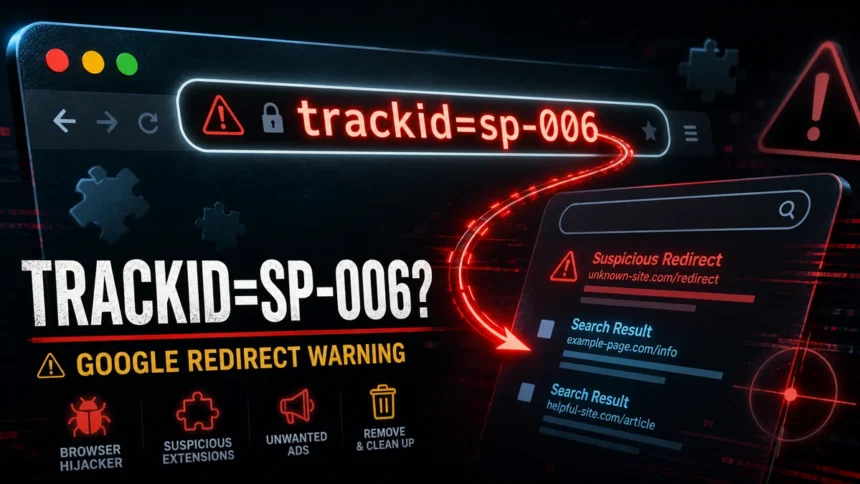
If ?trackid=sp-006 appears after every Google search, a custom search-provider URL, synced browser setting, or extension is usually adding it. It is a URL parameter, not a virus name. One copied link is usually harmless; repeated appearances after you delete the parameter point to a browser setting, sync problem, extension, or bundled adware that needs cleanup.
What is trackid=sp-006?
trackid=sp-006is a URL parameter, not a standalone virus name.- One appearance can be harmless. It may come from a copied link, tracking tag, or old search URL.
- Repeated Google/search redirects point to browser cleanup. Check extensions, default search settings, homepage/new-tab settings, shortcuts, and recently installed apps.
- If it returns after reset, treat it as possible adware or a browser hijacker and scan the system.
| Looks like | ?trackid=sp-006 appended to Google searches, address-bar searches, or copied URLs |
| Most common cause | Tracking parameter, modified search provider, browser extension, synced browser profile, or adware bundle |
| Fastest fix | Remove suspicious extensions, restore the default search engine, then reset browser settings if needed |
| Escalate if | The parameter returns after reset, appears on new devices, or unknown apps/startup items are installed |
Why does trackid=sp-006 appear in Google searches?
The parameter usually appears because something is adding extra tracking data to a search URL. That “something” can be harmless, such as a copied link, but it can also be a browser setting or extension that rewrites searches before they reach Google. Google Chrome Help treats unwanted ads, changed search behavior, and suspicious extensions as browser cleanup symptoms, while browser reset is a recovery step when settings keep changing unexpectedly.12
- Copied or shared URL: the parameter appears once, only in one link, and does not return.
- Modified search provider: browser searches go through a custom URL template that appends
trackid=sp-006. - Suspicious extension: a search, coupon, download, PDF, or “helper” extension changes searches or injects redirects.
- Browser sync: the same unwanted extension or setting returns after signing in on a new computer.
- Adware or PUA bundle: a recently installed app restores the redirect after each cleanup.
Is trackid=sp-006 dangerous?
| Situation | What it means |
|---|---|
| It appears once in a copied URL | Usually low risk. Remove the parameter and continue normally. |
| It appears in every Google search | Suspicious. Check the default search engine, homepage, new tab page, and extensions. |
| It returns after browser reset | Likely persistence from sync, a local app, scheduled task, or startup item. |
| It appears with pop-ups or unwanted tabs | Treat it as adware/browser hijacker behavior and scan the device. |
How to remove trackid=sp-006 redirects
- Remove suspicious extensions. In Chrome, Edge, and Firefox, disable extensions you do not recognize, especially search helpers, shopping/coupon add-ons, video downloaders, PDF converters, and “new tab” extensions. If you are unsure, compare them with our browser extension safety guide.
- Restore the default search engine manually. Open browser settings and set Google, Bing, DuckDuckGo, or your preferred provider directly. Delete custom search engines that contain
trackid=sp-006, unfamiliar domains, or long redirect URLs. - Check homepage and new-tab settings. Remove unknown pages from the startup page, homepage, and new-tab controls.
- Inspect browser shortcuts on Windows. Right-click the browser shortcut, open Properties, and check the Target field. It should end with the browser executable, not an extra URL after
chrome.exe,msedge.exe, orfirefox.exe. - Pause browser sync before resetting. If the parameter follows you to another device, turn off sync temporarily, remove the bad extension or search setting, then reset the browser. For Chrome, use the official reset flow rather than deleting random profile files.2
- Uninstall recently added apps. Look for download managers, fake browser tools, media converters, free VPNs, cracked software installers, or apps installed around the same time the redirect started.
- Scan for adware if it comes back. Recurring redirects, pop-ups, and self-opening tabs fit the same cleanup pattern as a PUA or browser hijacker. A full scan can catch bundled files, startup entries, and hidden restore components.
What if trackid=sp-006 keeps coming back?
If the redirect returns after the browser reset, the browser is probably being restored by another source. Work through the persistence points in this order:
- Check whether the same extension reappears after sign-in or sync.
- Review installed Windows apps and remove anything unfamiliar from the same install date.
- Open Task Manager and Startup Apps, then disable unknown browser helpers.
- Check scheduled tasks only if the redirect returns after every reboot.
- Scan the system before signing back into browser sync.
If your browser also opens tabs by itself, use the focused troubleshooting steps in our browser opens multiple tabs by itself guide after removing trackid=sp-006.
After uninstalling the suspicious app or deleting the visible threat, use Gridinsoft Anti-Malware to check hidden files, startup entries, scheduled tasks, bundled apps, browser changes, and other persistence points that can restore malware.
Download Anti-MalwareFAQ
Is trackid=sp-006 a virus?
No, not by itself. It is a URL parameter. Repeated unwanted redirects, changed search settings, pop-ups, or returning extensions suggest adware or a browser hijacker.
Why does trackid=sp-006 appear in Google?
A modified search provider, extension, or copied tracking URL may be adding the parameter before the search reaches Google.
Why does it come back after resetting Chrome?
The most common reasons are browser sync restoring the same extension/settings, an unwanted Windows app reinstalling the setting, or a shortcut/startup item launching the browser with an extra URL.
Can trackid=sp-006 follow me to a new computer?
Yes, if the unwanted extension or search setting is synced with your browser account. Pause sync, clean the browser profile, and then sign in again carefully.
Should I run a malware scan?
Run a scan if the parameter returns, appears with pop-ups, changes your search engine, or shows up after uninstalling suspicious extensions.
References
- Google Chrome Help. “Remove unwanted ads, pop-ups & malware – Computer.” Google, accessed June 7, 2026. https://support.google.com/chrome/answer/2765944
- Google Chrome Help. “Reset Chrome settings to default.” Google, accessed June 7, 2026. https://support.google.com/chrome/answer/3296214
- Microsoft Support. “Add, turn off, or remove extensions in Microsoft Edge.” Microsoft, accessed June 7, 2026. https://support.microsoft.com/en-US/edge/add-turn-off-or-remove-extensions-in-microsoft-edge