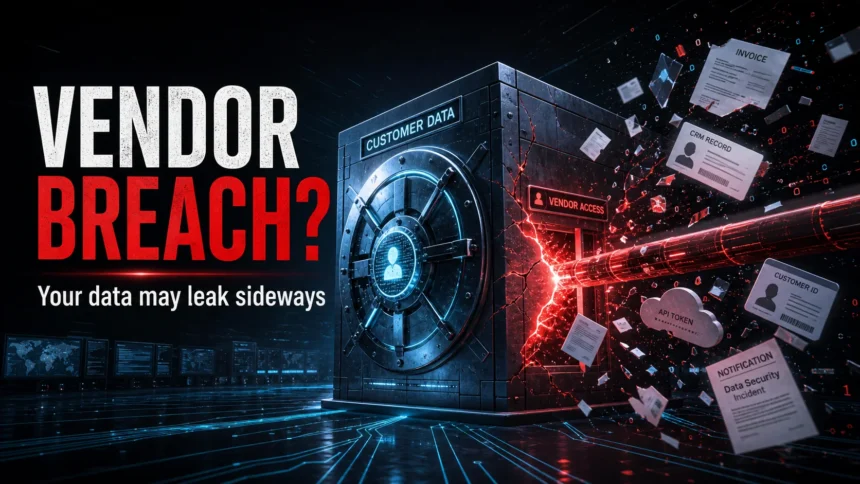
A third-party data breach happens when attackers compromise a vendor, SaaS platform, contractor, supplier, analytics tool, payroll provider, payment processor, or other partner that had legitimate access to someone else’s data. Your own account or company may not be the first system hacked, but your personal information, employee records, support tickets, tokens, invoices, or customer files can still be exposed through that vendor.
This is why people often receive a breach notice from a company they trust even though the incident started somewhere else. For individuals, the practical question is what data was exposed and what attackers can do with it next. For businesses, the hard lesson is that vendor access is part of the attack surface. Verizon’s 2026 DBIR says breaches involving a third party now account for 48% of all breaches, so this is no longer a rare supply-chain edge case.
Quick answer
- Meaning: a breach at an outside provider exposes data it stored, processed, synced, or accessed for another organization.
- Common entry points: stolen credentials, missing MFA, OAuth/token abuse, vulnerable file-transfer tools, exposed cloud storage, over-permissioned integrations, and compromised contractor accounts.
- If you received a notice: verify the notice source, identify the exposed data type, change reused passwords, watch for phishing, freeze credit if SSN or financial identity data was exposed, and save the notice for records.
- If you run a business: map vendors by data access, require MFA and logging, limit tokens and permissions, define breach notification deadlines, and monitor high-risk vendors continuously.
What Makes a Breach “Third-Party”?
The key difference is where the compromise starts. In a first-party breach, attackers break into the organization that collected or owns the data. In a third-party breach, attackers hit a connected provider first, then expose the data that provider held or could reach.
| Situation | What it means |
|---|---|
| Your employer’s payroll vendor is hacked | Employee names, tax data, addresses, or bank details may leak even if the employer’s own network was not breached. |
| A SaaS chat or CRM integration loses OAuth tokens | Attackers may use those tokens to read customer records, support cases, or sales data in connected systems. |
| A file-transfer vendor has a zero-day vulnerability | Many organizations using the same tool can have files stolen in one campaign. |
| A marketing analytics provider is breached | Email addresses, locations, product analytics, and account metadata may leak even when passwords and payment data are not affected. |
Third-party breaches overlap with data leaks and supply-chain attacks, but they are not identical. A leak can be accidental, such as a public cloud bucket. A third-party breach means an outside provider’s environment, access, or integration became the path to someone else’s data.
Recent Examples That Changed the Risk
The old pattern was simple: a contractor loses a laptop or a payment processor is hacked. That still happens, but modern incidents often involve SaaS integrations, API tokens, cloud data stores, and file-transfer systems that connect many companies at once.
- Salesloft Drift and Salesforce data theft, 2025: Google Threat Intelligence reported a campaign in which attackers used compromised OAuth tokens associated with the Salesloft Drift third-party application to target Salesforce customer instances. The campaign shows how a trusted integration can become a doorway into CRM data and secrets.
- Mixpanel analytics incident affecting OpenAI API users, 2025: OpenAI said a third-party analytics provider, Mixpanel, had a security incident involving limited customer-identifying and analytics data for some API users. OpenAI stated the incident did not involve unauthorized access to OpenAI infrastructure, API keys, passwords, payment details, chats, or API request data.
- MOVEit-style file-transfer campaigns: managed file-transfer tools can become high-blast-radius targets because many organizations use them to exchange sensitive files with partners, insurers, HR providers, and customers.
- Cloud and SaaS data platforms: when attackers obtain credentials or tokens for a shared cloud data platform, the affected company may not be the only victim. The stolen data can include customer records, support notes, authentication secrets, or business contact data.
The pattern is consistent: attackers do not always need to defeat the strongest company in the chain. They look for the connected service that stores valuable data or holds a trusted token.
If You Are a Victim: What to Do First
Most people search this topic after receiving a breach notification, seeing their email in a breach checker, or hearing that a vendor exposed customer records. Do not panic, but do act based on the type of data exposed.
- Verify the notice without clicking its links. Go to the company’s official website, support portal, or known app. Scammers reuse real breach news to send fake “secure your account” emails.
- Find the data categories. Email-only exposure is different from SSN, driver’s license, payment card, health data, password hash, API key, or support-ticket exposure.
- Change reused passwords. If the exposed email/password combination was used anywhere else, change those accounts first. Use a password manager and unique passwords.
- Enable MFA, preferably app-based or passkey-based. SMS is better than nothing, but app-based MFA and passkeys are safer against SIM-swap and phishing pressure.
- Watch for targeted phishing. Attackers may reference the breached company, a real invoice, a support case, or a product you use.
- Freeze or monitor credit if identity data was exposed. If SSN, driver’s license, bank details, or full identity records were involved, consider a credit freeze and review bank/card activity.
- Scan the device if the incident started with a suspicious file or extension. A breach notice alone does not prove your computer has malware. But if you also installed a fake update, cracked app, browser extension, or remote-support tool, scan before trusting saved passwords again.
- Keep evidence. Save breach notices, dates, account alerts, suspicious emails, and screenshots. They help if you need bank support, identity-theft reporting, or workplace incident reporting.
For warning signs after exposure, use our guides on identity theft signs, how to know if you got scammed, and how to spot phishing emails.
What Victims Usually Search For
| Search or worry | Best next step |
|---|---|
| “My data was exposed by a vendor” | Read the notice for exact data types, then act on the most sensitive item: password, SSN, payment card, medical data, or account token. |
| “Third-party breach email real or scam?” | Do not click the email. Visit the official company site or app and compare the notice with official support information. |
| “Do I need to freeze my credit?” | Consider it when SSN, driver’s license, full identity profile, bank details, or credit application data were exposed. |
| “Only my email leaked, should I worry?” | Expect more phishing and password-reset attempts. Change reused passwords and enable MFA on important accounts. |
| “Could this mean malware on my PC?” | Usually no, if the breach happened at a vendor. Scan your device if you also downloaded a file, installed an extension, allowed remote access, or see suspicious browser/account behavior. |
How Third-Party Data Breaches Happen
Stolen credentials and missing MFA
Attackers often start with a vendor employee account, service account, or admin login. If MFA is weak or missing, a stolen password can become direct access to customer data. This is why vendor security reviews should verify MFA for both human and non-human accounts.
Government partners can create a similar access dependency: Florida’s September 2026 breach statement traced the incident to a police employee’s credentials stored on a personal device. The disclosed account count does not establish how many people’s records were exposed.
OAuth tokens, API keys, and over-permissioned apps
Modern SaaS tools connect through tokens. A token can be safer than sharing a password, but it can also grant broad access for a long time if it is stolen, not rotated, or scoped too widely. The Salesloft Drift campaign made this risk visible: the compromised third-party application became the path into connected Salesforce data.
Vulnerable file-transfer and managed-service tools
File-transfer products, remote monitoring tools, ticketing systems, HR platforms, and managed service provider portals are attractive because one successful exploit can affect many downstream organizations. Attackers look for widely deployed software with valuable data flowing through it.
Cloud misconfiguration and shared storage
A vendor may store customer files in a cloud bucket, database, or analytics environment. Weak access controls, public links, exposed backups, or excessive internal permissions can turn a single mistake into a data exposure for many clients.
Insiders and contractor access
A third-party breach does not always involve an outside hacker. A contractor, support worker, former employee, or compromised partner account can misuse legitimate access. The risk is higher when accounts are shared, logs are incomplete, or access is not removed after a project ends.
How Businesses Can Reduce Third-Party Breach Risk
Vendor questionnaires alone are not enough. They are a starting point, not a control. A useful program maps what each vendor can touch, limits that access, monitors changes, and defines exactly what happens if the vendor reports an incident.
- Classify vendors by data access. Put payroll, HR, CRM, cloud hosting, analytics, file transfer, payment, identity, and support tools in the highest-risk tier if they touch sensitive data or tokens.
- Require MFA and strong identity controls. Include vendor admins, contractors, support accounts, service accounts, and integration users.
- Limit access by purpose. A vendor should not have permanent broad access just because onboarding was easier that way.
- Review OAuth apps and API tokens. Scope tokens narrowly, rotate them, remove unused integrations, and monitor unusual exports or bulk queries.
- Write breach notification deadlines into contracts. Require fast notice, affected data categories, timeline, containment status, evidence preservation, and a named incident contact.
- Monitor vendors after onboarding. Security posture changes. Watch for compromised credentials, exposed services, major vulnerabilities, ownership changes, and public breach reports.
- Test offboarding. When a vendor relationship ends, revoke accounts, tokens, VPN access, SSO apps, shared folders, and support portals.
- Prepare customer communication templates. If a vendor gets breached, the slowest work is often figuring out who is affected and what to tell them.
If suspicious URLs, attachments, or domains appear during a vendor incident, you can check them with the Gridinsoft Online Virus Scanner or review a domain through the Gridinsoft Website Reputation Checker. If an endpoint may have been infected by a fake update, malicious attachment, or rogue extension, scan it before changing passwords from that device.
What to Ask a Vendor Before Sharing Sensitive Data
- What exact data fields will you store, process, or sync?
- Which subcontractors or subprocessors can access that data?
- Do all admins and support staff use phishing-resistant MFA or strong MFA?
- How are API keys, OAuth tokens, and service accounts scoped, stored, logged, and rotated?
- How quickly will you notify us after a suspected incident?
- Can we receive logs or evidence needed for our own investigation?
- What data is deleted when the contract ends?
- Do you separate customer tenants, backups, analytics exports, and support-case attachments?
FAQ
Is a third-party data breach the company’s fault?
Sometimes the direct compromise is at the vendor, but the company that collected the data still has responsibility for choosing vendors, limiting access, monitoring risk, and notifying affected people. A vendor breach does not automatically mean the company did nothing wrong.
Does a third-party data breach mean my password was stolen?
Not always. It depends on the exposed data. Some incidents expose only email addresses or analytics metadata; others expose password hashes, access tokens, support tickets, payment details, or identity documents. Read the notice for data categories before deciding what to change.
Should I scan my computer after a vendor breach?
Usually a vendor breach does not mean malware is on your device. Scan your computer if you also downloaded a suspicious file, installed a browser extension, allowed remote access, or notice account behavior that cannot be explained by the breach notice.
What is the difference between a third-party breach and a supply-chain attack?
A supply-chain attack is broader. It can include compromised software updates, vendor tools, managed service providers, or components. A third-party data breach specifically focuses on data exposure through a vendor or partner.
Can a company prevent every third-party breach?
No. But it can reduce the blast radius by limiting vendor access, requiring strong authentication, monitoring high-risk integrations, preparing notification workflows, and removing vendors or tokens that are no longer needed.
References
- Verizon. “Breach entry point, 2026 DBIR finds.” Verizon, May 2026, accessed June 7, 2026. https://www.verizon.com/about/news/breach-industry-wide-dbir-finds
- Google Cloud Threat Intelligence. “Widespread Data Theft Targets Salesforce Instances via Salesloft Drift.” Google Cloud Blog, August 2025, accessed June 7, 2026. https://cloud.google.com/blog/topics/threat-intelligence/data-theft-salesforce-instances-via-salesloft-drift/
- OpenAI. “What to know about a recent Mixpanel security incident.” OpenAI, November 2025, accessed June 7, 2026. https://openai.com/index/mixpanel-incident/
- Federal Trade Commission. “What To Do After a Data Breach.” FTC Consumer Advice, accessed June 7, 2026. https://consumer.ftc.gov/media/what-do-after-data-breach