


If you got a Telegram 7-day password reset notice you didn’t request, open Telegram on a trusted device that’s already signed in. Cancel the pending reset in the verified Telegram service chat or in Two-Step Verification settings. Then open Settings → Devices and sign out sessions you don’t recognize.
If the notice says your account will be deleted, use the separate phone-number confirmation in Telegram to stop deletion. Keep your trusted session signed in while you check which notice you received.
Check which Telegram notice you received
Open the app directly and find the notice in Telegram’s verified service chat named Telegram. Telegram lists 42777 as the number for this service chat. A display name, Telegram logo or forwarded message can be copied. If the warning came from an ordinary chat, email or text, leave its links alone and check your Telegram settings directly. Telegram says it never asks you to send it your two-step password or a verification code. [3]
- A two-step verification password reset comes from a signed-in session. Cancel it in Telegram while it is pending. This flow keeps the account and its chats. [1]
- If the notice says your account is scheduled for deletion, use the genuine in-app notice to confirm the phone number associated with your account. Reset Account on the sign-in screen is the destructive option. [2]
A genuine password reset notice tells you the request came from a session that was already signed in. The notice identifies neither who made the request nor how they got access. Check your sessions even if the request has already been cancelled.
Cancel the seven-day password reset
- On a trusted, signed-in device, open the original notice in the verified Telegram service chat. Use its cancellation button if the request is still pending.
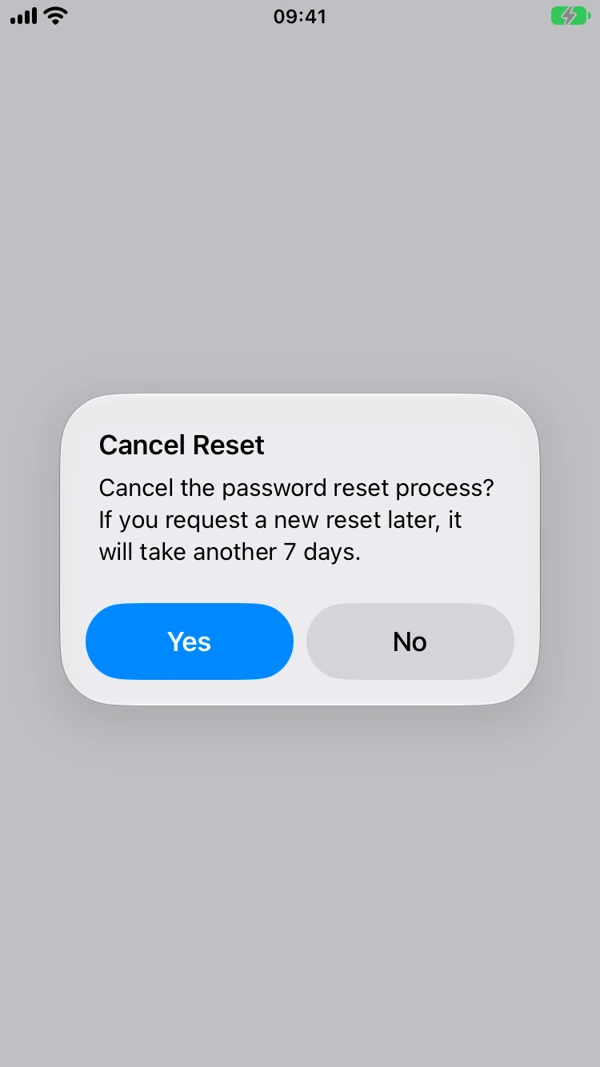
- If you can’t find the message, open Settings → Privacy and Security → Two-Step Verification. On Android and iPhone, the pending password screen offers Cancel reset or Cancel Reset. Choose it and confirm. [1]
- Reopen Two-Step Verification and check that the countdown or pending reset is gone. If you have more than one Telegram account in the app, check the account that received the notice.
Review the devices signed in to your account
Open Settings → Devices. Some clients put this under Privacy and Security → Active Sessions. Match the current session to the device in your hand. For each other session, check the app, device and recent activity. An unfamiliar city alone is weak evidence because location can reflect where the internet connection exits. [3]
End sessions you can’t account for. If you can’t tell which other session is yours, use Terminate All Other Sessions from a device you trust. If Telegram blocks this on a newly signed-in device, try an older trusted session you still control. Reopen the list to verify that the sessions are gone.
If you know your two-step verification password, change it to a unique one and make sure the recovery email is yours and secure. If a stranger offers to remove the timer or asks for a code, close the chat. The Telegram scams guide covers fake support and code requests.
Stop a pending account deletion
If the verified Telegram service notice says the account will be deleted, open its phone-number confirmation from inside Telegram. Enter the code only in the official app’s confirmation screen. Telegram says a successful confirmation cancels the deletion and signs out the session that requested it. Check Devices afterward for any other unfamiliar sessions. [2]
Act before the deletion deadline. Once the account is deleted, signing up again with the same number creates a new account. Your previous cloud chat history does not come back with it.
If you have no trusted signed-in device
- Check any phone, tablet or computer you still control for an existing Telegram session. If you find one, keep it signed in and use the cancellation path above.
- If you’ve lost control of the registered number, ask your carrier to restore that number to a SIM or eSIM you control. Sign in through the official Telegram app. If Telegram offers recovery by email after the login code, use the recovery address you previously configured. Once you regain access, check the pending request and your sessions. [1] [3]
- If you still can’t sign in, use the official support form at telegram.org/support. Mention the type of notice and its deadline if you know them. Keep passwords and verification codes out of the report. Leave Reset Account alone while you’re trying to preserve your existing account and chats.
FAQ
Does the password change as soon as the seven days end?
Telegram documents a final reset step after the waiting period. If the countdown has ended, check Two-Step Verification from a trusted device for the current state. If the password was already reset and you still have access, end unfamiliar sessions and set a new two-step verification password with a recovery email you control. [1]
References
- Telegram. Two-factor authentication. Telegram developer documentation, accessed November 24, 2026.
- Telegram. Account deletion. Telegram developer documentation, accessed November 24, 2026.
- Telegram. Telegram FAQ. Accessed November 24, 2026.
- Telegram. Cancel Reset confirmation on iOS. Telegram Translations, accessed November 24, 2026.