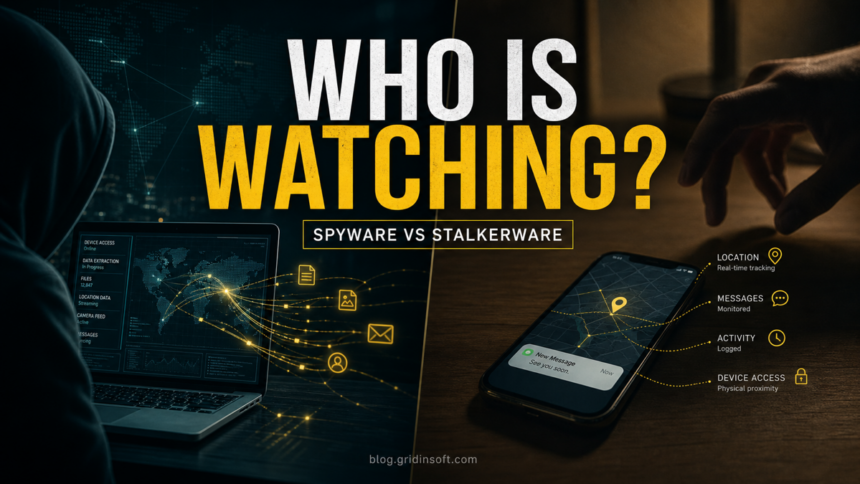
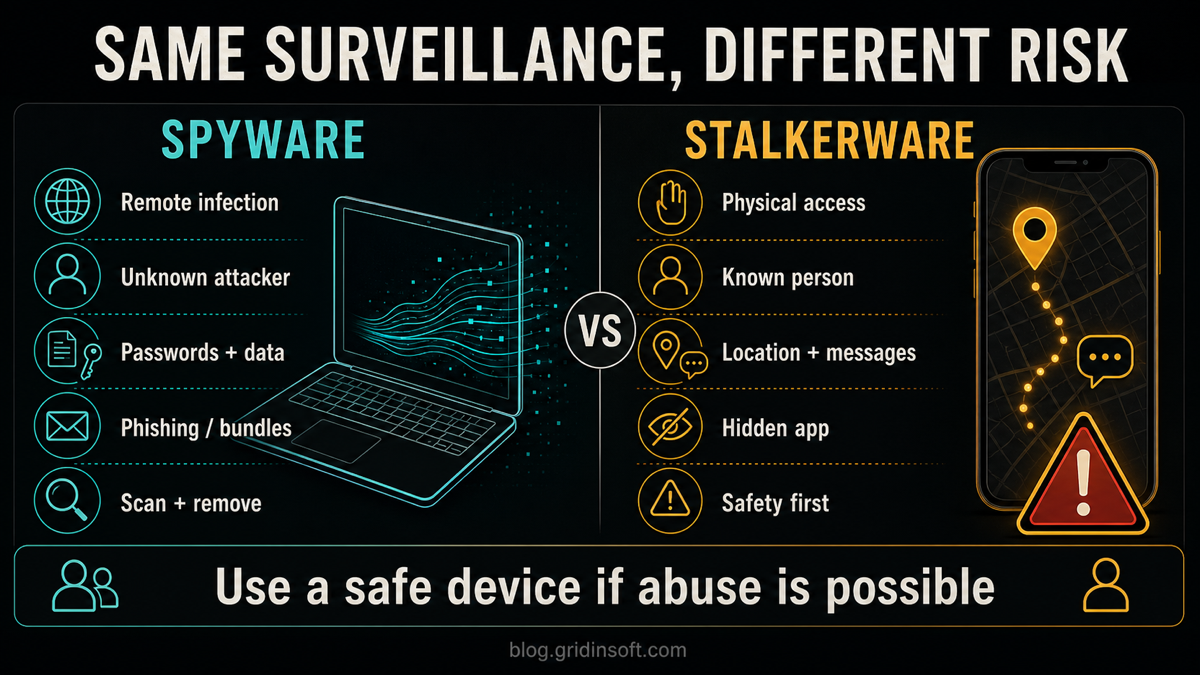
Spyware and stalkerware both monitor a device without healthy consent, but they are not the same problem. Spyware is usually installed through malicious links, fake downloads, bundled apps, or infected files by an unknown attacker who wants passwords, payment data, browser activity, or account access. Stalkerware is usually installed by someone with physical or account access to the phone and is used to monitor a known person’s location, messages, calls, photos, or activity.
The safest response depends on which risk fits your situation. If this looks like ordinary spyware on a PC or phone, scan the device, remove suspicious apps, and secure your accounts. If you think a partner, ex, family member, or someone close to you may be monitoring your phone, do not rush to delete apps from that phone first. Use a trusted device, plan for safety, and preserve evidence before making changes.
Spyware vs stalkerware: quick difference
| Difference | What it means |
|---|---|
| Main goal | Spyware: steal data, credentials, browser activity, files, screenshots, or financial details. Stalkerware: track a known person’s location, messages, calls, photos, app activity, or surroundings. |
| Typical installer | Spyware: an unknown attacker, malicious website, fake update, phishing email, cracked app, or bundled installer. Stalkerware: someone with physical access to the phone, account access, device password, or control over a shared device. |
| Common device | Spyware: Windows PCs, browsers, Android phones, and sometimes macOS devices. Stalkerware: mostly smartphones, but laptops and tablets can also be monitored. |
| Biggest clue | Spyware: security alerts, browser changes, unknown extensions, suspicious files, password theft, or unusual network activity. Stalkerware: someone knows private details they should not know, the phone had unexplained physical access, or settings changed without explanation. |
| First safe step | Spyware: disconnect from sensitive accounts, run a trusted malware scan, remove suspicious software, then change passwords from a clean device. Stalkerware: use a separate trusted phone or computer for help and planning before removing anything from the suspected device. |
What is spyware?
Spyware is malicious software or behavior that collects and sends out device or user data without proper notice and consent. On a computer, it may arrive through a phishing attachment, fake browser update, cracked software installer, malicious extension, or bundled program. On Android, spyware can also appear as a suspicious APK or app that asks for more permissions than its purpose requires.
Spyware often tries to be useful to the attacker rather than visible to the victim. It may capture passwords, cookies, browsing history, files, screenshots, microphone audio, webcam activity, form entries, or wallet data. Google Play Protect treats spyware and stalkerware as separate harmful-app categories, which is useful because the cleanup and safety decisions are different.
What is stalkerware?
Stalkerware is monitoring software used to secretly watch another person’s device activity. It can collect location, call logs, messages, photos, browser activity, social-app activity, microphone or camera access, screenshots, and other personal data. The personal risk is often higher than ordinary data theft because the watcher may know the victim offline.
The key difference is context. Stalkerware is usually connected to physical access, coercive control, account sharing, or an abusive relationship. That means the first question is not only “how do I remove this app?” but also “will removing it alert the person watching me?” This is why safety-first advice matters.
How they usually get installed
Spyware installation paths
- Phishing emails, fake invoices, malicious attachments, and fake document prompts.
- Fake browser, codec, security, or software update pages.
- Cracked software, keygens, game cheats, and bundled installers.
- Malicious browser extensions or notification abuse that pushes more downloads.
- Compromised accounts that sync malicious extensions or settings across devices.
Stalkerware installation paths
- Someone briefly handles the phone and installs a hidden monitoring app.
- The device is gifted, repaired, or “set up” by the person who later monitors it.
- The watcher knows the passcode, Apple ID, Google account, or cloud credentials.
- The phone is rooted or jailbroken, making deeper monitoring easier.
- A legitimate family, employee, or device-management tool is misused without real consent.
Warning signs to check
| What you notice | What it may mean |
|---|---|
| A browser homepage, search engine, extension, or notification setting changed. | More typical of spyware, adware, or a browser hijacker. |
| A security tool flags a suspicious file, script, extension, or app. | More typical of spyware or a bundled malware infection. |
| Someone knows exact locations, private conversations, calls, searches, or photos. | Possible stalkerware, shared-account monitoring, cloud access, or another privacy breach. |
| Battery drains faster, data use spikes, settings change, or the phone behaves oddly. | Possible stalkerware or another mobile malware issue, especially when paired with suspicious personal behavior. |
| You find unknown Device Admin, Accessibility, VPN, profile, screen-recording, or notification access. | High-risk mobile monitoring or abuse of powerful permissions. |
| Passwords, payment accounts, crypto wallets, or sessions are abused. | Likely spyware, stealer malware, phishing, or account compromise. |
What to do first
If it looks like spyware
- Stop using the suspicious device for banking, email recovery, password changes, and crypto wallets until it is checked.
- Uninstall suspicious browser extensions, unknown apps, fake security tools, cracked software, and recently installed bundles.
- Run a full malware scan. On Windows, Gridinsoft Anti-Malware can help check startup entries, suspicious files, browser components, and bundled threats.
- On Android, when it is safe for you to investigate and make changes, open Trojan Scanner for Android, update its threat database, and tap Start. Review the app name and reason for each finding before confirming removal of an unwanted app. Anti Spy can help review suspicious combinations of sensitive access; a risk warning alone does not establish that someone has been spying. If another person may be monitoring or controlling the phone, follow the safety-planning branch below before changing it.
- Change important passwords from a clean device, starting with email, banking, social accounts, cloud storage, and password-manager access.
- Revoke unknown sessions and connected apps. Check mailbox forwarding rules, browser sync, and recovery email or phone changes.
If someone may be monitoring you, make a safety plan from a trusted device before investigating or changing this Windows PC. When it is safe, scan after an unfamiliar app ran or spyware signs persist.
Scan this Windows PCIf stalkerware or abuse is possible
- Use a different trusted device to research help, make calls, or change sensitive passwords. Assume the suspected phone may be watched.
- Think about personal safety before removing apps, resetting the phone, or confronting anyone. Sudden changes can alert the person monitoring the device.
- Document what you notice: dates, settings changes, suspicious apps, account alerts, and behavior that shows the other person knows private information.
- Consider talking with a domestic violence advocate, trusted local support organization, or law enforcement contact if that is safe for you.
- When it is safe to do so, review Device Admin, Accessibility, VPN/profile settings, unknown apps, and cloud-account access. A factory reset or new phone may be safer than piecemeal removal in some cases.
When it may not be stalkerware
Not every privacy scare means a hidden monitoring app exists. Someone may know things because they have access to your email, cloud account, family-sharing settings, shared photos, browser sync, a smart-home account, a car location account, or a messaging app session on another device. This still deserves action, but the fix may be account security rather than malware removal.
For ordinary phone tracking questions, also check our guide on whether a phone can be tracked with location services off. For general mobile infection symptoms, use the phone virus signs and safe checks guide.
How to reduce the risk
- Keep your phone, browser, and operating system updated.
- Lock devices with a strong passcode and avoid sharing it.
- Do not install APKs, cracked software, fake updates, unknown “cleaners,” or tracking tools from random websites.
- Review high-risk mobile permissions: Accessibility, Device Admin, VPN, notification access, SMS, contacts, microphone, camera, location, and install-unknown-apps.
- Use multi-factor authentication on email, cloud, banking, social, and recovery accounts.
- Run periodic scans on computers and Android devices, especially after installing software outside official stores.
- Read our anti-spyware tips for prevention and our spyware symptoms guide if you need a broader warning-sign checklist.
FAQ
Is stalkerware a type of spyware?
Yes, stalkerware is often described as a form of spyware because it secretly monitors a device. The practical difference is that stalkerware usually involves a known person, physical access, and personal safety risk, while spyware is more often remote malware used for data theft.
Can stalkerware be installed without touching the phone?
Many stalkerware apps require physical access to install, but account access can create similar monitoring. Someone with your Apple ID, Google account, cloud backup, family-sharing, email, or messaging sessions may see private data even without a hidden app.
Should I delete a stalkerware app immediately?
Not always. If abuse or retaliation is possible, removing the app may alert the person monitoring you. Use a safe device, consider support and safety planning, and preserve evidence before changing the suspected phone.
Can antivirus remove spyware and stalkerware?
Security tools can detect many spyware and stalkerware apps, especially on Windows and Android. But stalkerware cases may also require account cleanup, device replacement, a factory reset, or help from a trained advocate because the risk is personal, not only technical.
What is the fastest difference to remember?
Spyware usually means unknown attacker plus data theft. Stalkerware usually means known person plus hidden monitoring. Both are serious, but stalkerware requires extra caution because the watcher may see your attempts to get help.
References
- Google for Developers. “Malware.” Google Play Protect Potentially Harmful Applications, last updated August 12, 2025, accessed June 11, 2026. https://developers.google.com/android/play-protect/phacategories
- Federal Trade Commission. “Stalkerware: What To Know.” Consumer Advice, accessed June 11, 2026. https://consumer.ftc.gov/articles/stalkerware-what-know
- Safety Net Project, National Network to End Domestic Violence. “Spyware and Stalkerware: Phone Surveillance.” TechSafety.org, accessed June 11, 2026. https://www.techsafety.org/spyware-and-stalkerware-phone-surveillance