RAV Endpoint Protection and its rsEngineSvc.exe service are tied to ReasonLabs security software. They are not Microsoft components and are not automatically malware, but if RAV appeared after another download, driver tool, cracked installer, or setup bundle, treat it as potentially unwanted software until you verify and remove the related components. Start by uninstalling RAV/ReasonLabs from Windows apps, then check for leftover services, startup entries, browser extensions, and other bundled PUAs.
Is RAV Endpoint Protection or rsEngineSvc.exe a virus?
RAV Endpoint Protection is a real ReasonLabs product, and rsEngineSvc.exe is normally the Reason Core Security Engine Service behind it. The problem is consent and cleanup: many users notice RAV only after installing unrelated freeware, game tools, driver updaters, or cracked software. In that situation, the safe assumption is not “this exact file is a trojan,” but “this PC may have a bundled PUA chain that needs to be removed.”
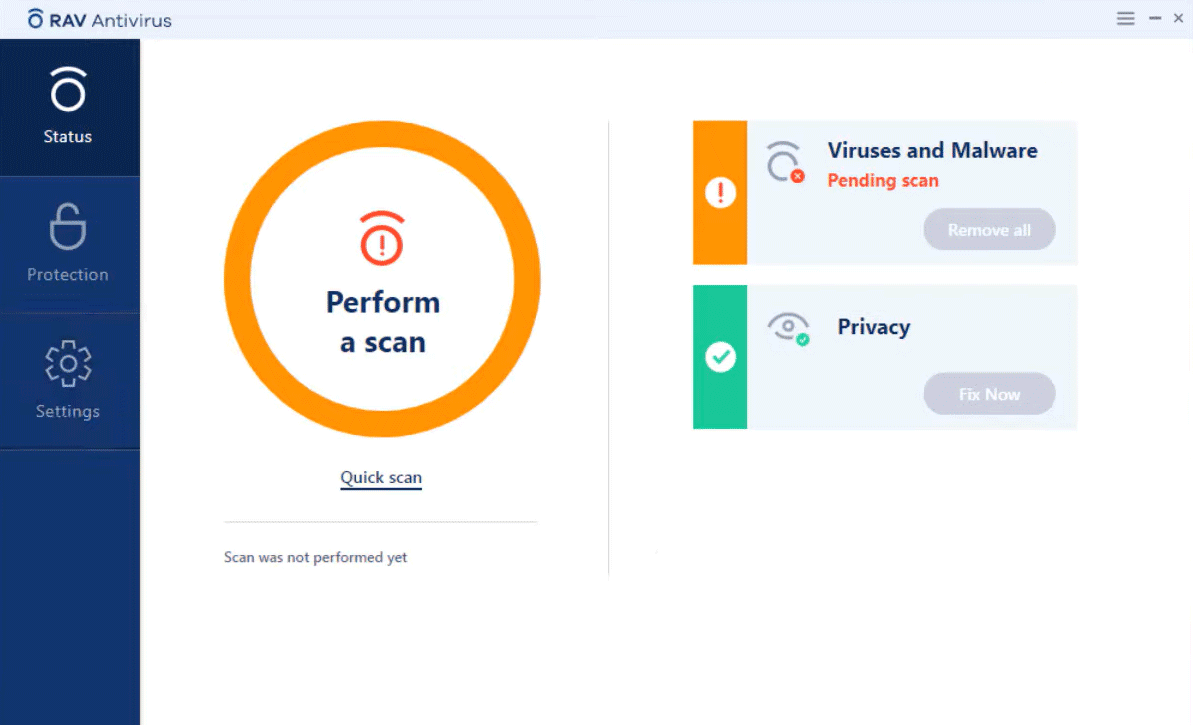
If you installed RAV intentionally from ReasonLabs, update or uninstall it like any other security product. If it appeared without clear consent, uninstall RAV Endpoint Protection, RAV Antivirus, ReasonLabs, RAV Online Security, Safer Web, VPN, or other related entries from Windows apps. Then scan for additional unwanted programs, because the same installer may have added browser extensions, notification permissions, startup tasks, or other bundled software.
RsEngineSvc.exe High CPU and Disk Usage Explained
CPU and disk activity can rise while security software scans files or updates. First open the installed RAV/ReasonLabs app and check whether a scan or update is running; note whether usage falls when it finishes. A short spike is different from sustained activity while the PC is otherwise idle.
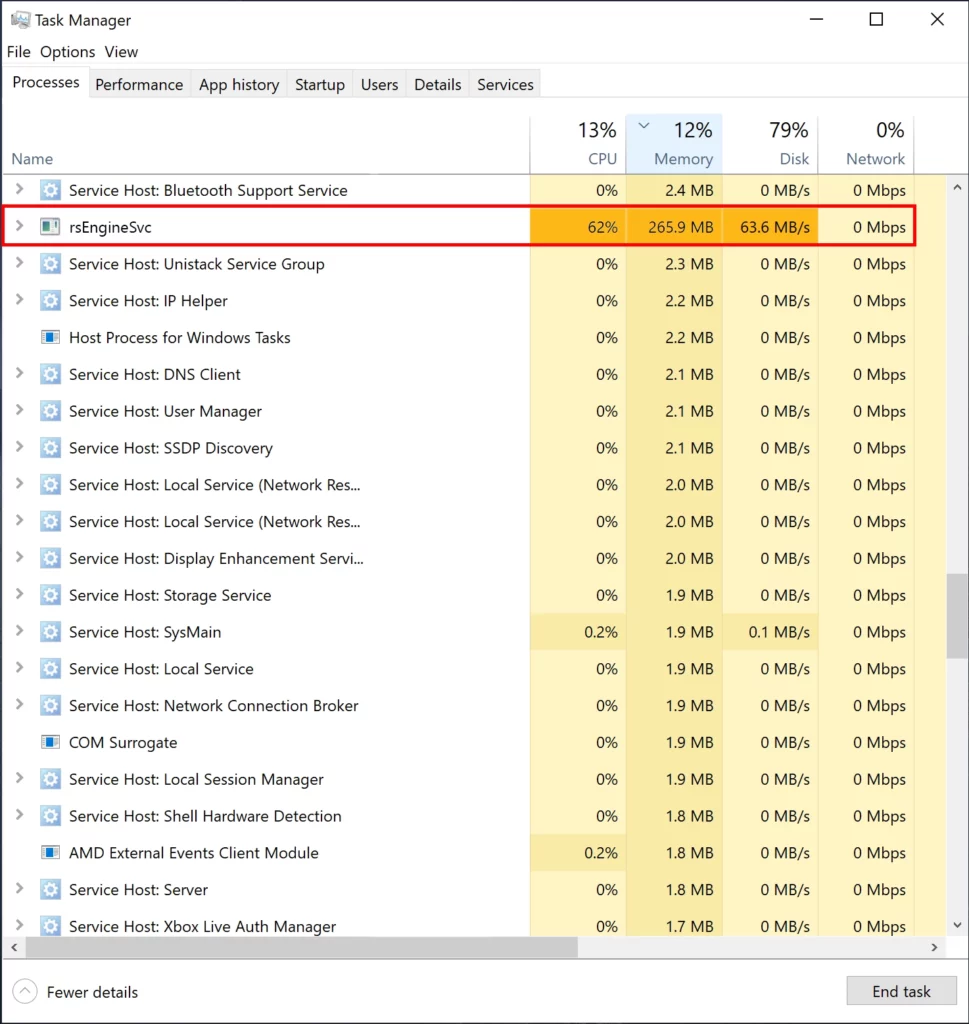
If heavy disk or CPU use continues after a completed scan and restart, record the file location, digital signature, and installed product before troubleshooting or uninstalling. An unsigned copy or a file outside the expected product directory needs a separate malware check. High resource use alone cannot identify the cause or establish cryptocurrency mining.
Do not assume that every file named rsEngineSvc.exe is safe. The legitimate ReasonLabs component and an unrelated file using the same name need different responses. If you choose to remove the registered security product, use its uninstall path rather than deleting or repeatedly killing its service.
How to uninstall RAV Endpoint Protection and rsEngineSvc.exe safely
Do not delete rsEngineSvc.exe first. Remove the parent product so Windows services, drivers, scheduled tasks, and security-center registration are cleaned up in the right order.
- Open Settings > Apps and search for RAV, ReasonLabs, Reason Security, Online Security, Safer Web, and related VPN or browser-security entries.
- Uninstall each related entry, restarting when the uninstaller asks.
- After restarting, open Windows Security > Settings > Manage providers. Check which antivirus and firewall Windows lists, open those providers, and confirm protection is active [4]. Resolve missing protection before resuming normal browsing. On a work or school PC, ask the administrator before changing security software.
- After reboot, check Task Manager > Startup apps, Services, and Task Scheduler for leftover ReasonLabs or RAV entries.
- Open every browser profile and remove unknown extensions, especially RAV Online Security or search/protection add-ons you did not choose.
- If RAV returns, notifications continue, or other suspicious apps are present, scan the system for bundled PUA installers and leftover persistence before signing back into sensitive accounts. If the process name is your only clue, check the file’s path, digital signature, and parent program before deciding whether an EXE file is safe.
Gridinsoft Anti-Malware is useful here because the original installer may have brought more than one unwanted component. Use it as a cleanup scan after the normal uninstall path, not as a replacement for removing the registered RAV/ReasonLabs product. Leftover startup tasks or another bundled module can recreate the symptoms.
After uninstalling the suspicious app or deleting the visible threat, use Gridinsoft Anti-Malware to check hidden files, startup entries, scheduled tasks, bundled apps, browser changes, and other persistence points that can restore malware.
Download Anti-MalwareHow do you prevent rsEngineSvc.exe or other PUPs from installing?
To prevent the installation of rsenginesvc.exe or other potentially unwanted programs (PUPs), you need to be careful when downloading and installing freeware from the Internet. Additionally, exercise caution when visiting suspicious websites and opening malicious emails.
Here are some tips to help you protect your computer from PUPs:
- Use a reliable antivirus software such as Gridinsoft Anti-Malware and update it regularly. This will help you detect and remove PUPs if they get on your system.
- Be careful when visiting unknown or suspicious websites and do not click on pop-ups, banners, or links that may lead to PUP download.
- Be careful when downloading and installing freeware from unreliable sources, and always choose custom or advanced installation mode to decline additional offers or PUPs. Some programs may install other programs along with themselves without your consent or knowledge, so it is important to read all terms and agreements before installing any software.
Why rsEngineSvc.exe appears on a PC
rsEngineSvc.exe is commonly associated with ReasonLabs or RAV security software. Many users notice it after installing another free application because security bundles are sometimes offered during setup. That does not automatically make the file malicious, but it can explain why the process appears unexpectedly.
Safe removal checklist
- Open installed apps and look for RAV, ReasonLabs, Safer Web, or related entries.
- Uninstall the related application from Windows settings first.
- Restart the computer and check whether the service returns.
- If it reappears without permission, scan the system for bundled software and persistence entries.
FAQ
Is rsEngineSvc.exe malware?
It is usually a component of security software, not a classic virus. The concern is often unwanted installation, high resource use, or persistence after uninstalling.
Why does it use CPU or disk?
Background scanning, updates, or a stuck service can cause resource spikes. If the product was not intentionally installed, remove the parent application rather than deleting the file only.
Why does RAV Endpoint Protection keep showing recurring notifications?
Recurring messages such as repeated removal notices can come from RAV background scans, leftover scheduled tasks, browser add-ons, or another bundled program that keeps restoring components. If the alerts continue after uninstalling RAV, check startup entries and run a PUA cleanup scan instead of dismissing every alert as fake.
Is RAV Endpoint Protection from Microsoft?
No. RAV Endpoint Protection is associated with ReasonLabs, not Microsoft. Windows may show it in security-center or app lists because it registers as a security product, but that does not mean it was installed by Windows Update.
If the process path is wrong, the name imitates a Windows component, or high CPU started after an unknown installer, scan for hidden miners, services, startup entries, and bundled components.
Scan suspicious process activityReferences
- ReasonLabs. “RAV Endpoint Protection.” ReasonLabs, accessed June 4, 2026. https://reasonlabs.com/platform/products/endpoint-protection
- ReasonLabs. “How To Remove Online Security.” ReasonLabs FAQ, accessed June 4, 2026. https://reasonlabs.com/faq/how-to-remove-online-security
- Microsoft Support. “Protect your PC from potentially unwanted applications.” Microsoft, accessed June 4, 2026. https://support.microsoft.com/en-us/windows/protect-your-pc-from-potentially-unwanted-applications-c7668a25-174e-3b78-0191-faf0607f7a6e
- Microsoft. “Windows Security App Settings.” Microsoft Support, accessed October 15, 2026. https://support.microsoft.com/en-us/windows/security/windows-security/windows-security-app-settings