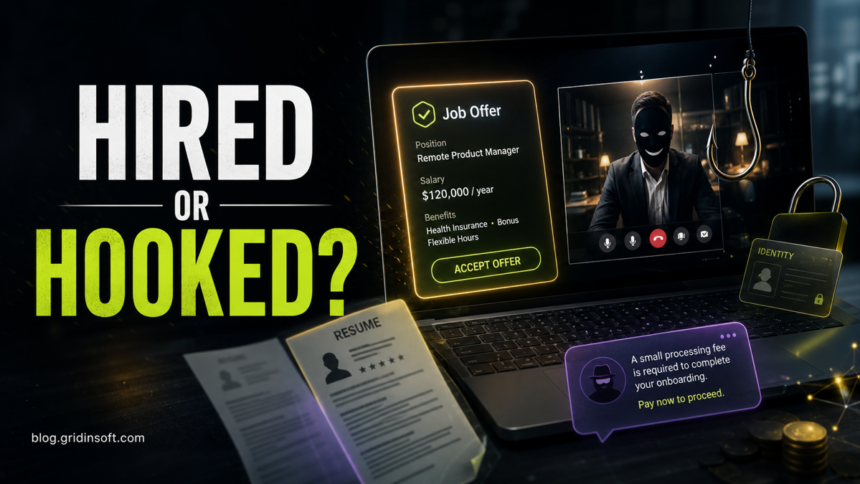
A hiring scam is a fake job offer, fake recruiter message, or fake interview process designed to steal money, identity documents, bank details, account logins, or access to your device. Real online recruitment is normal; the risk starts when the “employer” moves too fast, asks for sensitive information before a real interview, wants you to pay a fee, sends a check for equipment, or tells you to install an unknown interview app.
If you are already in a suspicious hiring process, pause before sending more data. Verify the job on the company’s official careers page, contact the company through a phone number or email listed on its real website, and do not pay for equipment, training, background checks, crypto deposits, or “activation” fees. If you downloaded software from a recruiter link, disconnect from accounts you care about and follow a malware cleanup path before logging back in.
Why This Page Was Updated
The old version of this article focused on resume privacy and a 2007 recruitment-site breach. That is still part of the story, but it no longer matches how most victims search for help. People now look for phrases such as hiring scam, job offer scam, fake recruiter, remote job scam, Facebook job scams, and fake interview malware. This update keeps the privacy angle but adds the current scam patterns job seekers are more likely to face in 2026.
Common Hiring Scam Red Flags
- The recruiter contacts you out of the blue. Unexpected texts, WhatsApp messages, Telegram chats, personal email accounts, or social media DMs should be treated carefully, especially when the role sounds unusually generous.
- The pay is too high for the work. “Remote assistant,” “product reviewer,” “data entry,” “app optimization,” or “task” jobs promising easy money often lead to fake fees, crypto deposits, or unpaid work.
- They ask for personal data too early. Do not send your Social Security number, passport, driver’s license, bank account, tax forms, or full date of birth before you have verified the employer and accepted a real offer through normal channels.
- You are hired without a real interview. A few chat questions followed by an instant offer letter is a warning sign, not a lucky break.
- You must pay to get paid. Application fees, training fees, equipment deposits, verification payments, crypto top-ups, and “processing fees” are classic scam pressure points.
- They send a check and tell you to buy equipment. A fake check can appear available at first, then bounce after you have already sent real money to the scammer’s vendor.
- The interview requires an unknown app or script. A recruiter link that asks you to install a video-call tool, browser extension, remote access app, command-line script, or “codec” can be malware.
- The job does not appear on the company’s official careers page. Job boards and social platforms can be copied, hijacked, or impersonated. The real company website is the safer source of truth.
How Hiring Scams Usually Work
Most recruitment scams do not begin with an obvious demand for money. They start with trust. The scammer copies a real company name, uses a polished job description, sends a convincing offer letter, and makes the victim feel chosen. Once the victim is emotionally invested, the request changes.
| Scam stage | What the scammer wants |
|---|---|
| Initial message | Your reply, phone number, email, resume, and confidence that the opportunity is real. |
| Fake interview | Personal details, ID documents, bank data, or a reason to move the conversation to a private app. |
| Fake offer letter | Pressure to sign quickly, complete direct-deposit forms, or stop checking the employer independently. |
| Equipment or task setup | Money through gift cards, bank transfer, payment apps, crypto, or a fake vendor website. |
| Technical interview link | Malware installation, browser-session theft, password theft, or remote access to your device. |
In late 2024, the FTC reported that job scam losses had grown sharply and that task scams alone generated about 20,000 reports in the first half of 2024. The same warning remains relevant for remote-work messages, app-optimization “jobs,” fake product-rating roles, and recruiter chats that ask for money before any real employment exists.
What Real Employers Do Differently
A legitimate hiring process can still be remote, but it usually leaves a verifiable trail. The job appears on the company website. Recruiters use a corporate domain, not a personal mailbox. Interviews involve identifiable people, calendar invites, and normal hiring steps. Sensitive payroll and tax forms come after a legitimate offer, not before the first real interview.
Real employers also do not require you to pay them to work. They do not ask you to deposit a check and send part of it elsewhere. They do not require a crypto deposit to unlock tasks. They do not push you to install a random interview tool from an unfamiliar domain when ordinary browser-based meeting tools would work.
How to Verify a Recruiter or Job Offer
- Find the job independently. Go to the company’s official website by typing the domain yourself. Do not rely on the link in the recruiter message.
- Check the sender domain. A real recruiter usually writes from a company-controlled domain. Watch for misspellings, extra words, free email providers, and lookalike domains.
- Search the company and recruiter name. Use combinations such as the company name plus “scam,” “complaint,” “fake recruiter,” and the exact phone number or email address.
- Call or email the company through official contacts. Ask whether the role, recruiter, and interview process are real.
- Inspect the meeting or application link. Check unfamiliar domains with the Gridinsoft URL Scanner before opening downloads or entering credentials.
- Refuse early money requests. If the next step requires payment, gift cards, crypto, a wire transfer, or a check deposit, treat the offer as unsafe.
What to Do If You Already Sent Information
The right response depends on what you shared. If you sent a resume only, reduce future exposure: remove unnecessary home address details, avoid listing references publicly, and use a job-search email address. If you sent government ID, tax forms, bank details, or a Social Security number, treat it as possible identity theft and contact the relevant bank, credit bureau, or government identity-theft resource.
- If you paid money: contact the payment provider or bank immediately, preserve messages and receipts, and report the scam to the appropriate platform and authorities.
- If you deposited a check: do not send money onward. Contact the bank’s fraud department and explain that the check may be part of a job scam.
- If you shared account passwords: change them from a clean device, enable two-factor authentication, and sign out of active sessions.
- If you installed software: disconnect from sensitive accounts, uninstall the tool only after saving evidence, and scan the device for malware and persistence.
For recruiter scams that involved a downloaded meeting app, technical test, GitHub project, browser extension, remote-access tool, or terminal command, use our fake job interview malware cleanup guide. That lane is more urgent than ordinary resume privacy because the attacker may already have browser cookies, saved passwords, crypto wallets, email sessions, or remote access.
Resume Privacy Still Matters
Recruitment scams work better when scammers can collect enough details to sound credible. A public resume can expose your phone number, email, employment history, location, education, and professional contacts. That information helps attackers personalize a fake job offer or impersonate a company you already know.
Keep public resumes lean. Use a dedicated job-search email address, avoid publishing your full home address, remove unnecessary personal identifiers, and do not include scans of certificates, IDs, or reference contacts in public profiles. Share sensitive documents only after you have verified the employer through an independent channel.
Facebook, LinkedIn, and Job Board Scams
Scammers follow job seekers wherever they gather. On Facebook, fake work-from-home posts often target groups and local communities. On job boards, criminals can copy real listings, impersonate recruiters, or redirect applicants to a private chat. On LinkedIn and other professional networks, a profile can look convincing even when the person behind it is not connected to the company.
If the suspicious offer began on Facebook, read the more specific Facebook job scams guide. If it began with a general job-board or recruiter message, use this page as the broader verification checklist.
FAQ
Is every online recruiter message a scam?
No. Many legitimate recruiters contact candidates online. The warning signs are pressure, personal email accounts, early requests for sensitive data, instant offers, unclear company details, payment requests, fake checks, or unfamiliar downloads.
Can a real company name appear in a hiring scam?
Yes. Scammers often impersonate real companies, copy job ads, and use lookalike domains or spoofed documents. Verify the role on the company’s official careers page and contact the company through a known channel.
Should I send my Social Security number before an interview?
No. Sensitive payroll or tax information should not be requested before a real interview and verified offer. If a recruiter wants bank details, SSN, or ID documents before explaining the job, stop and verify independently.
What if I installed a fake interview app?
Treat it as a possible malware incident. Do not log into email, banking, work, or crypto accounts from that device until you have checked for malware, browser-session theft, startup persistence, and remote-access tools.
References
- Federal Trade Commission. “Job scammers are looking to hire you.” FTC Consumer Advice, July 7, 2025, accessed June 7, 2026. https://consumer.ftc.gov/consumer-alerts/2025/07/job-scammers-are-looking-hire-you
- Federal Trade Commission. “Paying to get paid: gamified job scams drive record losses.” FTC Data Spotlight, December 12, 2024, accessed June 7, 2026. https://www.ftc.gov/news-events/data-visualizations/data-spotlight/2024/12/paying-get-paid-gamified-job-scams-drive-record-losses
- Better Business Bureau. “BBB Scam Alert: How to spot a job scam – no matter how sophisticated.” BBB, May 31, 2024, accessed June 7, 2026. https://www.bbb.org/article/scams/28372-bbb-scam-alert-how-to-spot-a-job-scam-no-matter-how-sophisticated