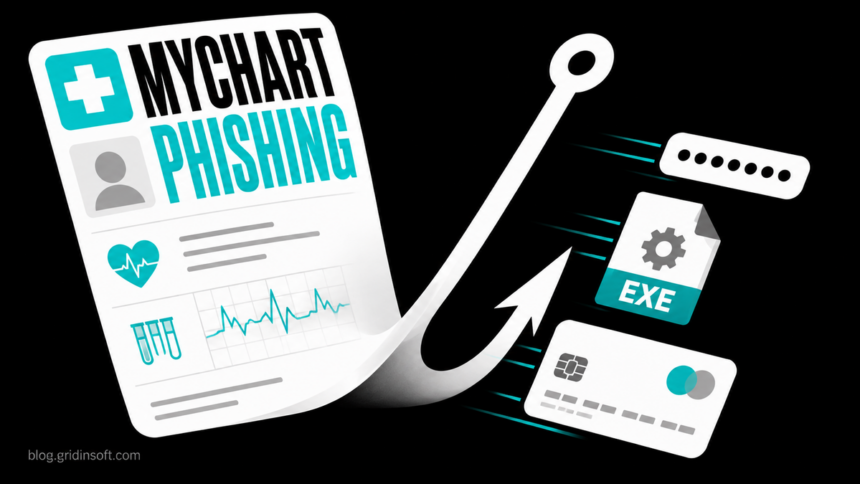
A current MyChart phishing scam uses two very different promises: a warning that new test results are ready, or an offer for a free “2026 Medicare Health Kit.” The fake-results branch can steal a MyChart password and then push a Windows user to run a command or an executable. The kit branch collects contact details and card information for a small shipping charge.
This is impersonation, not evidence that MyChart or Epic was breached. Do not verify the message through its button, phone number, or unsubscribe link. Open the MyChart app you already use or type your healthcare provider’s known address yourself. If no matching result, message, or offer appears there, contact the provider through a number on its official website.
Two MyChart phishing lures Epic documented
“Your recent results are ready”
Epic’s MyChart warning describes emails that claim recent test results are available. A button opens a copied sign-in page that can capture the username and password. The victim is then shown a fake critical lab result and told to complete a Windows keyboard sequence. That sequence pastes and runs a command; the page may pretend this is needed to download a report or “connect to MyChart.”
Epic also describes an August variant that downloads a file named Full_Analysis_Report.exe and tells the user to choose Run anyway if Windows warns about it. A real medical result is not delivered as a Windows executable, and MyChart does not need a Run dialog or pasted command to show records.
“Claim your free 2026 Medicare Health Kit”
The second branch promises a kit with health-related items and uses a short survey, fake endorsements, and a countdown timer. The form asks for a name, email, phone number, and mailing address before requesting card details for a $13.77 shipping fee. The small charge is not harmless: the page has already collected enough data for follow-up scams, and the card may need replacement even if the first transaction is tiny.
The two branches share the same trust trick. MyChart is a familiar route to sensitive health information, so an unexpected result or benefit can make urgency feel legitimate. The final action—not the logo or sender name—shows the danger: a copied login, a command, an EXE file, or a payment form outside the known portal.
What a fake MyChart email may look like
Illustrative message text
From: MyChart Team <notice [at] patient-updates [dot] example>
Subject: Your recent results are ready
Body: New test results are available. Sign in to review your results.
Button: View Results
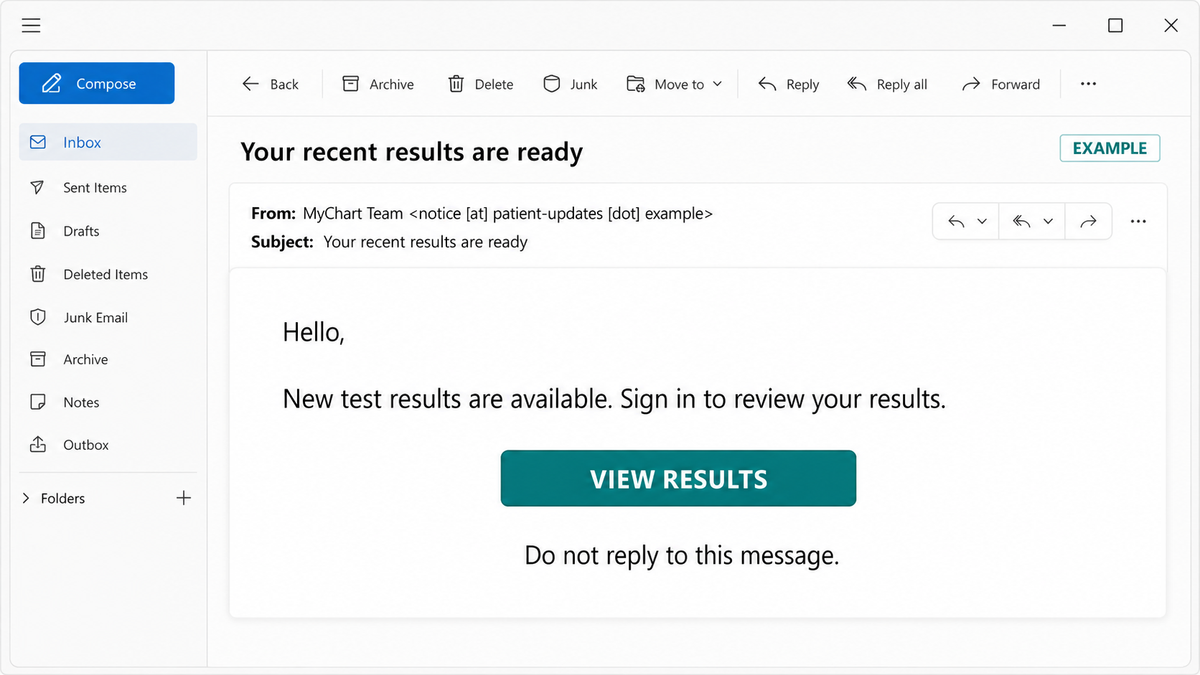
The address above uses the reserved .example domain and the pictured button is not active. A real attack may use another sender, subject, provider name, or landing page. Do not use one screenshot as a blocklist; verify the requested action inside your known app or provider site.
A message is not proof MyChart was hacked
Epic says these scams impersonate MyChart and are not a breach of MyChart or Epic. UC Davis Health makes the same boundary explicit: criminals are sending fake messages that look like MyChart, but the patient portal itself has not been compromised by this campaign.
That distinction changes the response. If you only received a lure, you do not need to replace every healthcare account. If you entered a password on a copied page, that specific account and any reused password are exposed. If you ran a command or file, the Windows device needs separate containment and cleanup. A real healthcare breach, such as the CareCloud patient-data incident, requires evidence from the affected organization rather than a frightening email alone.
What to do based on what happened
You only received or opened the message
Do not click, reply, call, or use “unsubscribe.” Report it as phishing in the mail app and delete it. Opening a normal message alone is not the interaction described in Epic’s attack chain; the danger starts with the link, copied login, command, download, or payment page. Check MyChart separately if the subject mentioned a real appointment or result.
You clicked but entered nothing and downloaded nothing
Close the page. Check the browser’s downloads list and cancel or remove any unexpected file without opening it. Do not revisit the page to investigate. Open the official app or provider address directly and watch for unexpected account notifications. A click alone does not prove that the password or device was compromised.
You entered a MyChart password or verification code
From a trusted device, open the real provider portal and change the exposed password. Replace it anywhere it was reused, especially on the connected email account. Review contact and recovery details, recent messages, and any session controls the provider offers. Then call the provider’s support number from its official site and say the credentials were entered on an impersonation page.
You pasted a command or ran Full_Analysis_Report.exe
Disconnect the Windows PC from Wi-Fi and wired networking, and do not run the command or file again. Preserve the email, landing-page address, filename, download time, and any Windows warning you saw. If this is a work device, contact IT before deleting evidence.
Because code was executed, changing passwords on the same PC is not enough. Run a full malware scan, remove detections, restart, and scan again. Review recent downloads, startup entries, browser extensions, remote-access tools, and unfamiliar accounts. Our Windows security audit after malware covers the manual checks and the point at which a clean reinstall is safer.
A scanner can find the downloaded payload and related persistence that a user may not notice. It cannot revoke a stolen MyChart login or reverse a card charge, so finish the account and payment steps separately.
You shared identity, Medicare, or insurance details
Save a copy of what was submitted and report the lure to the healthcare provider. Contact Medicare or the insurer through the number on the official card or website, not through the offer. Watch for bills, benefit statements, account changes, and follow-up callers who already know the submitted details. The personal-data protection checklist explains how to reduce reuse of exposed contact and identity information.
You entered card details or paid the shipping fee
Call the card issuer immediately using the number printed on the card. Explain that the details were entered on an impersonation page, ask whether the card should be replaced, and review pending transactions. Blocking only the $13.77 charge does not protect a card number that the page already captured.
How to verify a real MyChart message safely
- Start in the MyChart app you already use or a provider URL saved before the message arrived.
- Look for the claimed result, appointment, bill, or notice inside the portal.
- Use the provider’s official website to find support. Do not trust a number displayed by the message or landing page.
- Treat giveaways, surveys with countdowns, command prompts, and downloadable
.exereports as disqualifying signs. - Do not bypass Windows security warnings because a webpage tells you to choose “Run anyway.”
- Report the message to the provider and your email service so it can be investigated without spreading the live link.
FAQ
Is there a MyChart scam going around?
Yes. Epic documents fake MyChart result notifications and a separate fake Medicare Health Kit offer. Both use MyChart’s name, but they lead to different credential, malware, identity, or payment risks.
Was MyChart hacked?
Epic says the documented campaign is impersonation and not a breach of MyChart or Epic. A fake message can still compromise an individual account if credentials are entered on the copied page.
Does MyChart send email notifications?
A healthcare provider may send legitimate MyChart notifications. The safe test is whether the same item appears after you open the known app or provider site independently, not whether the email looks familiar.
Can opening the email infect my computer?
The documented chain requires further interaction: opening the link, entering credentials, pasting a command, or running a downloaded file. If you only viewed the message, report and delete it; if you executed anything, isolate and scan the device.
References
- Epic/MyChart. “Staying Safe from Scams and Fraud.” MyChart.org, accessed September 5, 2026. Primary warning and documented lure branches.
- Pennsylvania Office of Attorney General. “AG Sunday Warns Pennsylvanians of Phishing Scam Targeting MyChart Patient Portal Users.” August 28, 2026. Consumer warning and independent verification steps.
- UC Davis Health. “Warning for MyChart users: New scam impersonates the patient portal.” September 2, 2026. Health-system warning and no-breach boundary.