

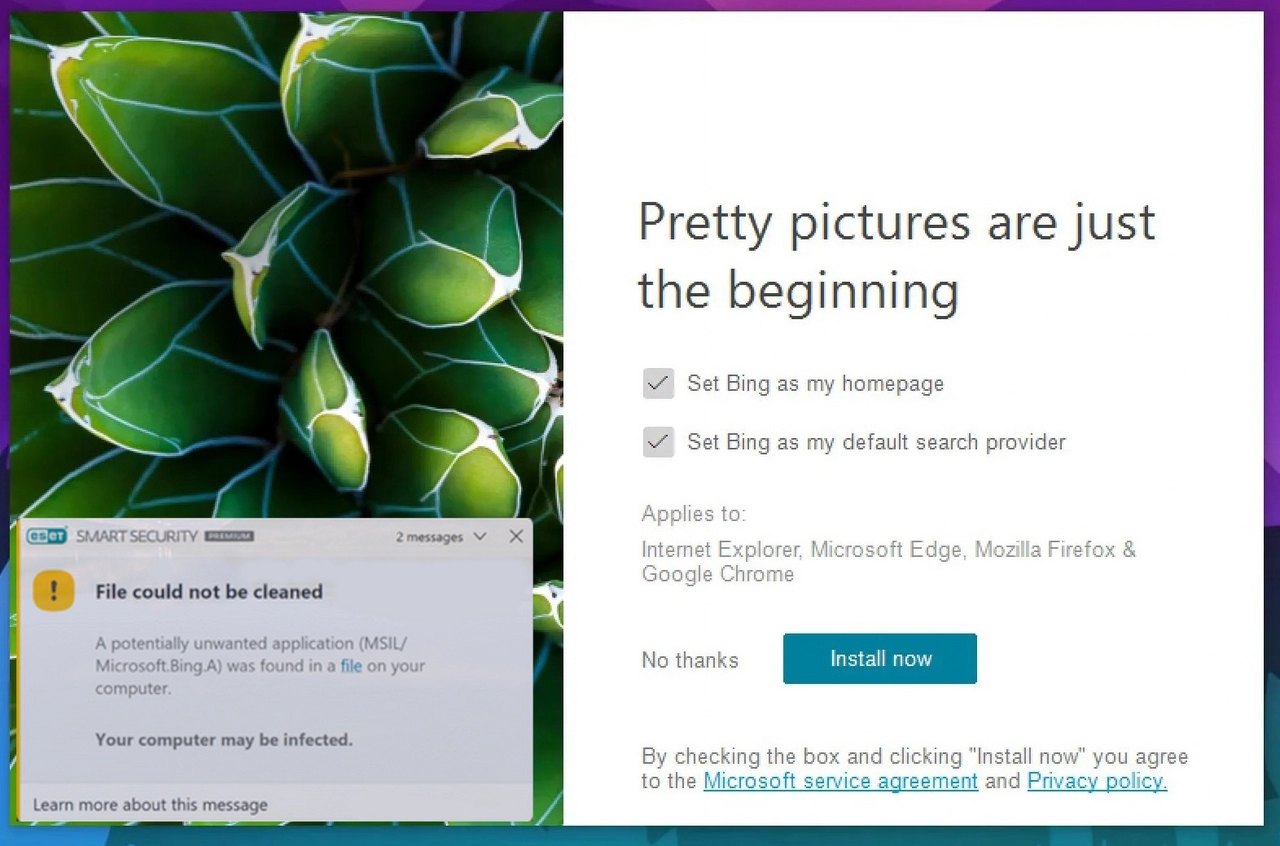
Is MSIL/Microsoft.Bing.A dangerous?
MSIL/Microsoft.Bing.A has often been associated with BingWallpaper.exe detections. If the file is signed by Microsoft and located in the expected application folder, it may be a false positive. If the file is unsigned, renamed, or stored in a suspicious folder, treat it as a real threat until verified.
- Check the file publisher and digital signature.
- Confirm the file path matches the installed Bing Wallpaper app.
- Update the antivirus database and rescan.
- Do not restore the file if it came from an unknown download.
A lot of users on different forums complain about MSIL/Microsoft.Bing.A detection in ESET antivirus. This detection points to BingWallpaper.exe file – the benevolent file that belongs to Windows and is issued by Microsoft. But how could that happen – a 100% legit element marked as malicious? Let’s have a look at that story.
What is MSIL/Microsoft.Bing.A detection?
Around the first week of November 2022, many ESET antivirus software users started seeing an unusual detection. Their program was stubbornly reporting a threat detected in an ordinary file – BingWallpaper.exe, which, as you can guess by its name, belongs to a Bing Wallpaper app. It is a genuine program, issued and signed by Microsoft, that offers dynamic wallpaper change for users’ desktops. VirusTotal shows that this file is clear and distributed by Microsoft.
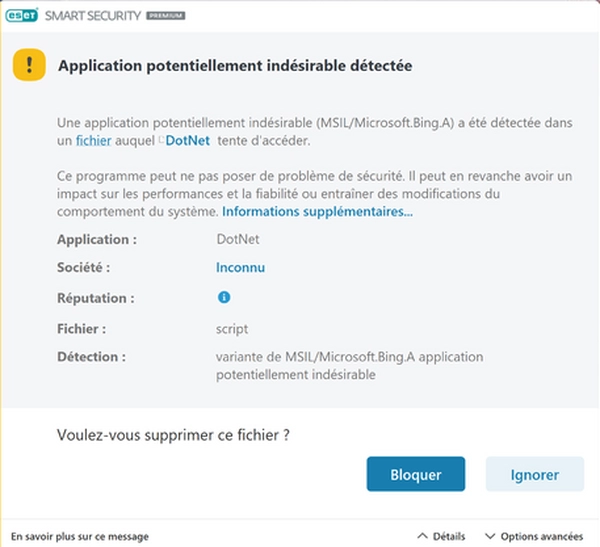
However, that did not stop ESET from showing that detection. Its appearance is not a false positive, as ESET forum administration assures. Hence, someone found its functions malicious and added it to a detection database. The same administrator also said that their team has already messaged Microsoft with their statements and requirements to remove the detection. The funny moment is that despite being detected, the file cannot be removed properly, as the directory it is located in is protected by Windows. Thus, you’d see the notifications like “File could not be cleaned”.
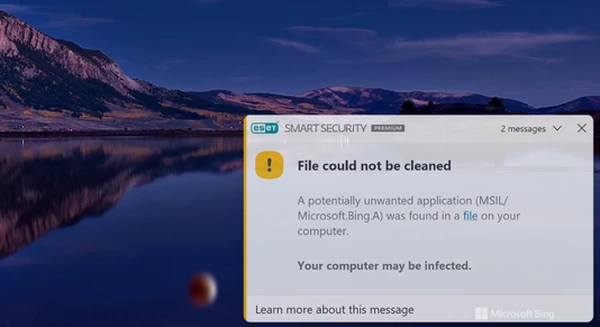
The peculiar thing is that the detected application is supplied along with the newest Windows 11 version – 22H2. Therefore, updating your PC to that version or installing a fresh Win11 distribution having ESET onboard will lead to constant detection pop-ups. Neither ESET nor Microsoft say a word about the real reasons for such a situation, despite the story being active for over a week. Some say that the reason for such a decision is the fact that the Wallpaper app offers to set Bing as the default search engine – but that offer is pretty clear and can be declined, contrary to what is usually counted as a reason to consider unwanted applications.
What can I do with BingWallpaper.exe detection?
Not much, but at least you can make them much less often. First and foremost, you can remove the program manually, through one of the regular ways. The Bing Wallpaper app is not concealed in any way, so you will find it in the list of apps on your computer. If you can’t find it for some reason, it will appear in the system apps list, available in the default Appwiz utility.
However, not all people acknowledge the Wallpaper app from the antivirus detection popup. For those who use the program, the way to get rid of the MSIL/Microsoft.Bing.A detection is to set it as a false positive in the antivirus settings. It is not clear how quickly ESET and Microsoft will reach a consensus, so it may be a convenient temporary solution. That way, the security solution will keep detecting the file but have to ignore it as you forced it to do so.
How to Check BingWallpaper.exe Safely
Start by checking the file location and publisher. A legitimate Bing Wallpaper file should be signed by Microsoft and located in a predictable application folder. A file with the same name in Temp, Downloads, AppData, or a random directory deserves more caution.
- Right-click the detected file and open Properties.
- Check the Digital Signatures tab for Microsoft Corporation.
- Compare the file path with the application you installed.
- Update the antivirus database and scan again.
- If the file is unsigned or in a suspicious folder, quarantine it.
False Positive or Real Threat?
This detection is often discussed as a false positive because it can involve a Microsoft-related file. Still, malware commonly reuses trusted names. The safest decision is based on signature, source, and location, not the file name alone.
FAQ
Can I delete BingWallpaper.exe?
If you do not use Bing Wallpaper, uninstall it from Windows Apps rather than deleting random files manually. If the detected file is unsigned or suspicious, quarantine it first.
Should I add it to exclusions?
Do not add an exclusion until you verify the digital signature and source. Exclusions can hide real malware if the file is not legitimate.



This still happens in 2024 with ESET Protect.
MSIL/Microsoft.Bing.A
Uniform Resource Identifier (URI)
file:///C:/Program Files/WindowsApps/Microsoft.MicrosoftPCManager_3.9.7.0_x64__8wekyb3d8bbwe/PCManager/BGADefMgr.exe