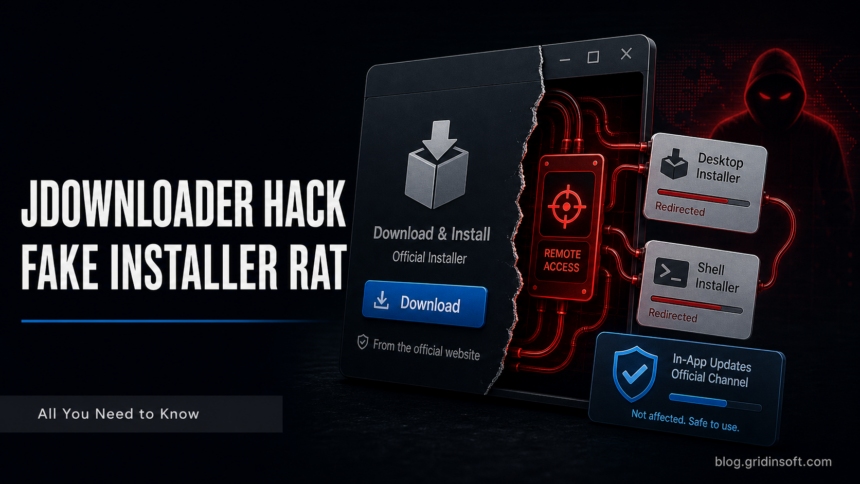
JDownloader itself is a legitimate download manager from AppWork, but its official website had an installer-link incident in May 2026. According to the JDownloader public incident notice, attackers changed certain website download links so they pointed to unrelated malicious third-party files. The genuine JDownloader installer packages were not modified.
Is JDownloader safe?
- JDownloader is legitimate software.
- The May 2026 risk was specific to manipulated website download links.
- The main risk window was May 6-7, 2026 UTC.
- Windows risk centered on “Download Alternative Installer”; Linux risk involved an affected shell installer link.
- Existing installations, in-app updates, and other download paths were not listed as affected by JDownloader.
What happened with the JDownloader installer links?
The incident notice says attackers altered CMS-managed website links, not the underlying server filesystem and not the official installer binaries. Once JDownloader confirmed the issue, the site was taken offline, malicious link targets were removed, legitimate installer links were restored, and the site returned with verified clean links after follow-up checks.
| Question | Answer |
| Is JDownloader malware? | No, the official app is legitimate. A malicious third-party file delivered through a manipulated link is a different risk. |
| Who was at risk? | Users who downloaded and ran affected website installers on May 6-7, 2026 UTC. |
| Were genuine installers modified? | JDownloader says the real installer packages were not modified. |
| What should I verify? | Download source, date, file hash, digital signature, and whether the publisher is AppWork GmbH. |
How to verify a JDownloader installer
JDownloader’s installer verification guide says official Windows installers should be digitally signed by AppWork GmbH. If the signer is missing, invalid, or different, do not run the file.
- Right-click the installer and open Properties.
- Open the Digital Signatures tab.
- Confirm the signer is AppWork GmbH and the signature status is valid.
- For Linux shell installers or
JDownloader.jar, verify the GPG signature against the official release signing key. - Compare known bad hashes from the incident notice if you still have the downloaded file.
- Delete old installers from the incident window if you cannot verify them.
What to do if you executed a suspicious installer
If you downloaded from the affected paths during the risk window and executed the file, do not assume deleting the installer is enough. A fake installer can drop additional malware and persistence.
- Disconnect the system if it behaves strangely or security tools alert.
- Run a full Microsoft Defender scan and a second-opinion scan.
- Check Startup Apps, Task Scheduler, services, browser extensions, and recently created files in
AppData,ProgramData, andTemp. - Change passwords from a clean device if a RAT, stealer, or unknown downloader is found.
- Consider a clean OS reinstall if you cannot rule out execution of a malicious installer.
After uninstalling the suspicious app or deleting the visible threat, use Gridinsoft Anti-Malware to check hidden files, startup entries, scheduled tasks, bundled apps, browser changes, and other persistence points that can restore malware.
Download Anti-MalwareFAQ
Is JDownloader safe to use now?
Use the official website and verify the installer signature. The incident notice says the site returned after malicious link targets were removed and clean links were verified.
Does JDownloader contain a virus?
The legitimate JDownloader app is not the same as a fake installer. A manipulated website link or repacked installer can be malicious even when the app name is familiar.
What does AppWork GmbH mean?
AppWork GmbH is the expected publisher for official JDownloader Windows installers.
Can Gridinsoft Anti-Malware clean the affected installer?
Yes. If you ran a suspicious installer, remove it, scan the PC with Gridinsoft Anti-Malware, reboot, and run a second scan. Then download JDownloader only from the restored official source.