

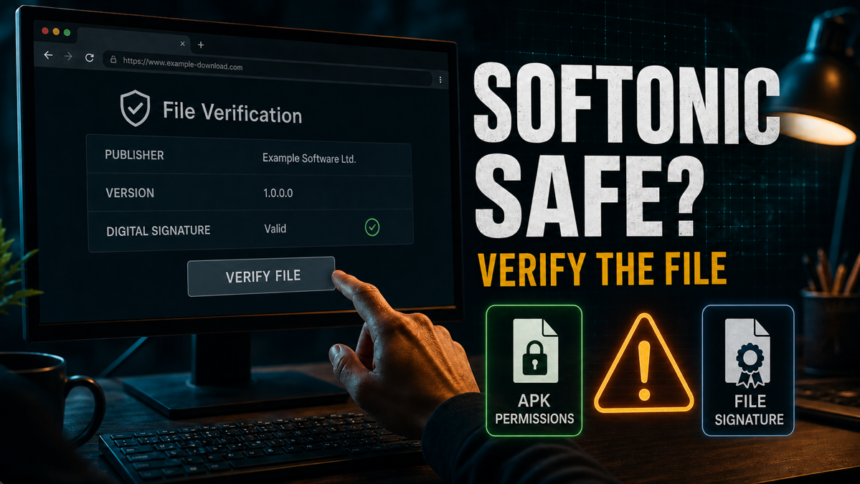
Softonic is generally safe to browse and is a legitimate software portal, but it is not the safest first place to download apps, installers, or APKs. Use the official developer site, Microsoft Store, Google Play, or Apple App Store first; use Softonic only when you can verify the exact file, publisher, version, permissions, and scan result.
That direct verdict matters because Softonic safe, Softonic legit, Softonic reviews, and Softonic APK safe are related but different searches. A user may be judging the Softonic brand, a specific Windows installer, an Android APK, a sponsored download button, or old review complaints. Treat the Softonic name as one trust signal, not as a guarantee for every file.
Reviews, Reddit complaints, and APK risk are different signals
- Softonic reviews mostly show reputation and support patterns; they do not prove that the exact file you want is safe.
- Reddit complaints may refer to the discontinued Softonic Downloader and recommended offers, or to a separate ad, app, APK, or download from a different year.
- APK risk is file-specific: permissions, source, signature, version, and scan results matter more than the Softonic brand alone.
Softonic safety verdict
- Is Softonic legit? Yes. Softonic is a real software portal, not automatically a virus or scam site.
- Is it safe to download from Softonic? Sometimes, but official developer and app-store downloads are safer for most users.
- Current risks are file-specific: confirm the publisher, version, digital signature, APK permissions, scan result, and whether an ad or redirect opened instead of the expected file.
- Use extra caution for: browsers, drivers, password managers, wallets, VPNs, security tools, system utilities, cracked games, and Android APKs.
- If antivirus flags a file: stop, delete the installer, and verify the file instead of forcing the install.
Is Softonic Safe and Legit in 2026?
Softonic is legit as a download portal, but “legit” is not the same as “safe for every download.” The right decision depends on the exact installer, APK, redirect, or mirror you receive, not only on the domain that hosted or linked it.
Question — Practical answer
- Is Softonic safe?
Usually safe to browse, but verify each installer, APK, and download path before running it.
- Is Softonic legit?
Yes. It is a long-running software portal, but legitimacy does not remove third-party download risk.
- Is Softonic APK safe?
Use extra caution. Prefer Google Play or the developer’s official Android channel, especially for banking, messaging, VPN, crypto, and security apps.
- Can Softonic downloads contain malware?
A current file may be clean, unwanted, outdated, repackaged, or flagged depending on the file and installer behavior. Scan before running it.
What Softonic Reviews and Reddit Complaints Mean
Softonic reviews and Reddit complaints are useful, but they should not be read as one single verdict. Older complaints may refer to Softonic’s former downloader and recommended offers; newer complaints may concern an ad, a particular app or APK, support, or a file that differs from the official developer release. A positive review may only mean the user browsed Softonic safely or downloaded a clean file once.
Historical clarification: Softonic previously used its own Softonic Downloader with recommended offers. In a September 2015 interview, then-CEO Scott Arpajian said the company shut down both the Softonic Downloader and recommended offers on February 28, 2015. That system was discontinued more than a decade ago and should not be described as Softonic’s current download flow. [4]
The safer reading is practical: use reviews to spot recurring patterns, then verify the exact download yourself. Check the publisher, version, file name, digital signature, requested Android permissions, and scan result before running anything from Softonic.
Why People Still Worry About Softonic
Current concerns should be separated from that history. On a third-party download portal, a user still needs to confirm that an ad or redirect did not replace the intended download, that the version is current, and that the file matches the official publisher. Those are page- and file-specific checks; they are not evidence that Softonic currently operates a bundled downloader.
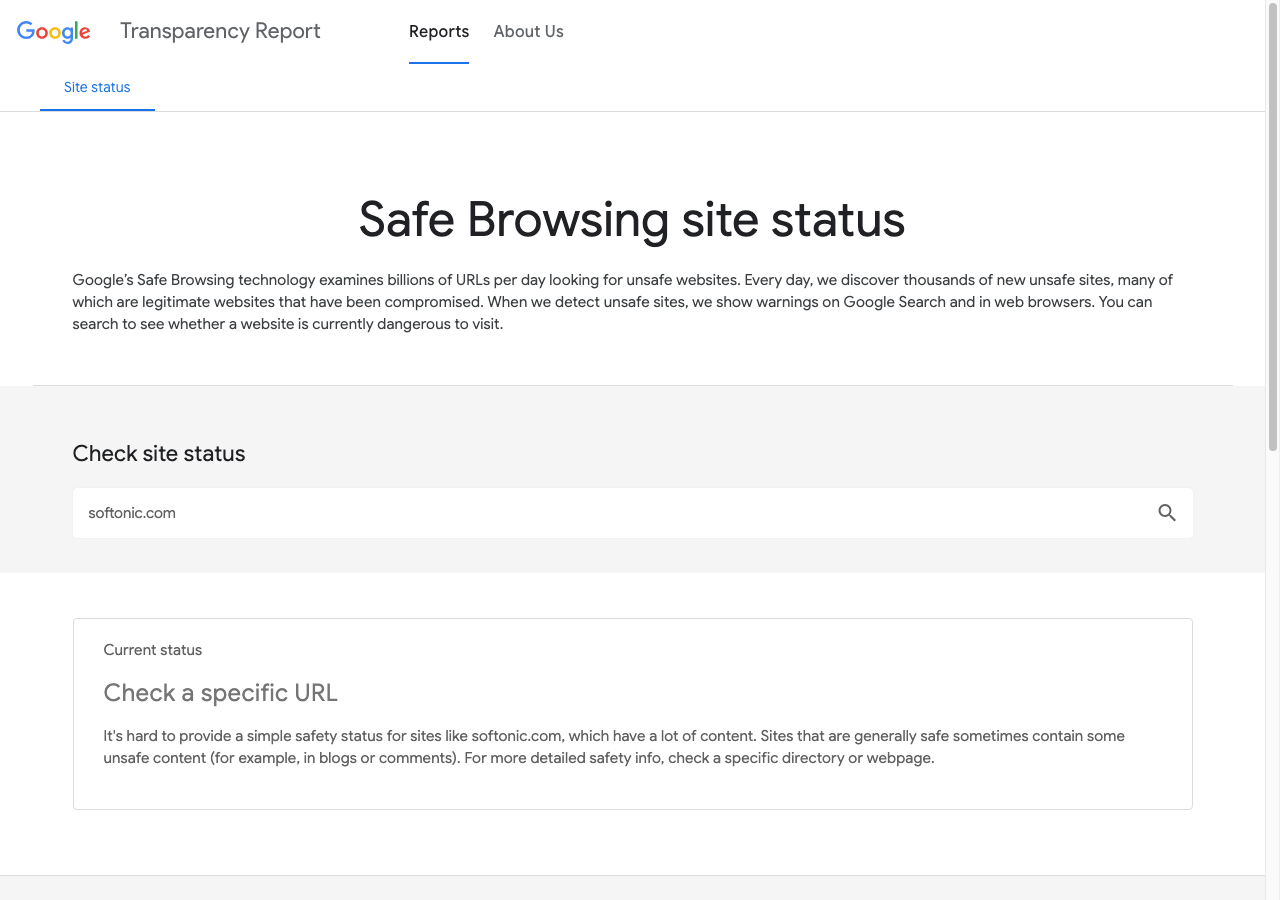
Softonic presents its download pages as scanned and security-checked, but that still does not mean you should skip your own checks. Google Safe Browsing frames broad site checks as URL-specific, which matters for large download portals where individual pages and files can vary. [1]
How to Read Softonic Security Reports
Checked September 12, 2026: Softonic’s Security and Trust Center describes antivirus, file-integrity and digital-signature checks, with files checked again after an update or publisher change. These are Softonic’s descriptions of its process, not an independent audit of the download on your device. [5]
Its Security Reports announcement names four useful fields: the file’s status, the most recent review date, the antivirus tools used, and additional external verification. Look for that report on the specific app page, then check whether it identifies the version you intend to download. A clean result dated before that version was released needs clarification; a warning needs investigation. If the report or a field is missing, treat it as unavailable rather than assuming a pass. [6]
Match the report to the download. A catalog entry and the file saved by your browser are separate checkpoints. An ad, redirect, different platform edition or later release can break the connection between them. Use the comparisons below before opening the file.
What to compare — What the result tells you
- File name and type
Compare the saved file with the app and platform you selected. An unexpected installer or extension is a reason to stop; a matching name alone is easy to imitate.
- Version and release
Match the version and platform with the developer’s release. A report for another version does not cover your copy.
- SHA-256 hash
If the report or developer publishes a hash for that exact release, compare it with your file’s SHA-256. A mismatch means different content; it does not identify the cause. A match establishes file identity, not that the program is harmless. Without a published hash, this comparison is unavailable.
- Publisher signature
For a signed Windows installer, check Properties → Digital Signatures and verify that the signer is the expected publisher and the signature is valid. A valid signature identifies a signer; it does not override suspicious behavior or a security alert.
- Download source
Check the browser’s download entry and the destination you clicked. If an unrelated page or file appeared, cancel and use the developer’s official channel.
For the Windows checks, follow the EXE file verification guide. If you only saved a file and did not run it, use the unopened suspicious download checklist to decide what to remove and what exposure actually occurred.
When Softonic Is Lower Risk
- The Softonic page points to the official developer file or clearly identifies the file and publisher.
- The file name, version, publisher, and digital signature match the developer’s official release.
- The click produces the expected file rather than an unrelated ad, redirect, or differently named installer.
- Your browser and security tool do not flag that exact file as malicious, potentially unwanted, suspicious, or uncommon.
- You are downloading a low-risk utility that is easy to replace, not a driver, wallet, password manager, browser, VPN, or security product.
When You Should Avoid Softonic Downloads
Red flag — What to do instead
- A click opens an unrelated ad or redirect, or the downloaded file name does not match the app you selected.
Stop and use the official developer download.
- The installer asks to change search, homepage, notifications, extensions, or default browser.
Cancel the installer and remove any partial changes.
- The file is a driver updater, optimizer, wallet, VPN, browser, password manager, security tool, or system cleaner.
Use the vendor’s official site, Microsoft Store, Google Play, or Apple App Store.
- Windows, Edge, Defender, or another antivirus flags the download as PUA or unwanted.
Do not force it. Delete the file and run a scan.
- An APK asks for Accessibility, SMS, notification access, overlay, device admin, or unknown-source permissions without a clear reason.
Do not install it. Use Google Play or the developer’s official APK channel.
How to Check a Softonic Download Before Running It
- Look for the official source first. If the developer has a direct download, Microsoft Store page, Google Play listing, GitHub release, or signed installer, use that instead.
- Check the file name and version. Compare the version number with the developer’s release page. Avoid files with extra words such as “setup manager,” “download assistant,” “crack,” “patch,” or “portable” unless the vendor uses that exact name.
- Check the publisher signature on Windows. Right-click the file, open Properties, and review Digital Signatures. No signature is not always malicious, but a mismatch on a popular app is a warning.
- Scan the file before launching it. You can upload a suspicious installer to Gridinsoft Online Virus Scanner or scan it locally before opening it.
- Review every installer screen. If the downloaded file itself unexpectedly proposes unrelated software or settings changes, cancel it and use the official source. This is a general file-safety check, not evidence that Softonic currently bundles offers.
- Stop if anything changes unexpectedly. Browser search changes, new extensions, startup entries, popups, or repeated alerts mean you should stop the installation and follow the cleanup steps below.
What About Softonic APK Downloads?
APK downloads deserve stricter rules because sideloading bypasses parts of the normal app-store review and update flow. Google Play Protect can check apps from outside Google Play, warn about harmful apps, and block some unverified apps that request sensitive permissions. That is helpful, but it is not a reason to install random APKs from mirrors.
For Android, avoid sideloaded APKs for banking, messaging, authentication, crypto wallets, VPNs, browsers, keyboard apps, cleaners, and security tools. If you must use an APK, compare the package name, developer, version, signature, permissions, and hash with the official source. Do not grant Accessibility, SMS, notification, overlay, device admin, or install-unknown-apps access unless the app clearly needs it and you trust the developer.
If an APK asks for more access after installation: compare each request with the feature you are using. A simple game asking to read SMS or control the device through Accessibility is a reason to deny access and remove it. Keep Play Protect enabled and scan installed apps; its checks include apps obtained outside Google Play. Review any access you already granted, and turn off the browser or file manager’s permission to install unknown apps when you no longer need it. [3]
If Antivirus Flags a Softonic Download
Do not assume every warning is a full malware infection, but do not ignore it either. Microsoft’s PUA guidance explains a general detection category; it does not establish that Softonic currently distributes a downloader or bundled offers. Google Safe Browsing and Play Protect likewise describe URL or app checks, not Softonic’s present distribution model. Judge the warning against the exact file, publisher, signature, and behavior. [2]
If you did not run the file: cancel the installation and delete the download, or leave it quarantined. Keep the warning in place while you verify the exact file; do not restore or allow it just to complete the installation.
If you ran it on Windows, or unwanted changes keep returning: use the following scan path. Removing the visible installer may leave a bundled app, startup entry or scheduled task behind, so a full scan can check for unwanted components that may restore the symptoms.
- Download and install Gridinsoft Anti-Malware using the button below, then update its detection database.
- Run a Full Scan. Review the detections and apply the recommended cleanup to confirmed unwanted components.
- Restart Windows and recheck the original symptom. If alerts or browser changes return, scan again and use the optional checks below for the remaining problem.
If you ran an unexpected installer or browser changes keep returning, use Gridinsoft Anti-Malware to check for unwanted files and persistence. Review detections, apply cleanup, then restart and recheck.
Download Anti-MalwareOptional manual troubleshooting if symptoms remain: check installed apps, browser extensions, Startup Apps and notification permissions for additions from the same time. Remove confirmed unwanted entries and reset affected search, homepage or extension settings when needed. These checks are a targeted fallback, not required before the scan. A scan cannot guarantee that no compromise occurred.
Download the same app again only from the official developer or store after resolving the warning. For an Android APK, follow the Android-specific checks above instead of the Windows procedure.
Bottom Line
Softonic is a legitimate portal, and its own Downloader with recommended offers was discontinued in 2015. For current downloads, trust the official developer source first, then verify any third-party installer or APK by file name, publisher, signature, version, permissions, and scan result. If the exact file behaves unexpectedly or triggers a security warning, stop and verify it rather than assuming either the whole site or every file is unsafe.
FAQ
Is Softonic a virus?
No. Softonic is not itself a virus. Its Downloader and recommended offers were discontinued in 2015, while the safety of a current app, APK, ad, redirect, or file still needs to be checked individually.
Is Softonic safe to download from?
It can be safe for some files, but official developer downloads are safer. If you use Softonic, verify the exact file and scan it before running it.
Is Softonic APK safe?
Be more careful with APKs. Prefer Google Play or the developer’s official Android channel, and avoid APKs that request powerful permissions without a clear reason.
Why does Softonic have so many safety questions in Google?
Users are not only asking whether the site exists or is legitimate. They want to know whether a specific installer, APK, ad, or download button can be trusted.
What should I do if I installed a suspicious Softonic download?
On Windows, download and install Gridinsoft Anti-Malware, update its database, run a Full Scan, review detections and apply cleanup, then restart and recheck. If symptoms remain, manual app, extension, browser-setting and Startup Apps checks are optional targeted troubleshooting. For an Android APK, use the Android-specific checks above. Obtain a replacement only from the official developer or store.
References
- Google. “Safe Browsing Site Status.” Google Transparency Report, accessed June 1, 2026. https://transparencyreport.google.com/safe-browsing/search?url=softonic.com
- Microsoft Support. “Protect Your PC from Potentially Unwanted Applications.” Microsoft, accessed June 1, 2026. https://support.microsoft.com/en-US/security/protect-your-pc-from-potentially-unwanted-applications
- Google for Developers. “On-device protections | Play Protect.” Android Developers, accessed June 11, 2026. https://developers.google.com/android/play-protect/client-protections
- Jaime Novoa. “Softonic CEO Scott Arpajian on the company’s problems and recent transformation.” Novobrief, September 9, 2015. https://www.novobrief.com/softonic-scott-arpajian-interview/3509/
- Softonic. “Is Softonic Safe? Our Commitment to Security and Trust.” Accessed September 12, 2026. Security and Trust Center
- Softonic. “Safer downloads: Softonic launches Security Reports across its software catalogue.” Announcement dated October 1, 2025; accessed September 12, 2026. Security Reports announcement


This artice explains the safety of using softonic and It can be helpful if you’re not sure about the safety of the site
Awesome post Stephanie Adlam, its true the digital world is worth being part of
Softonic is fabulous site use it every time when i need some software. It is safe and easy to use and we can download any software for free and paid. THANK YOU SOFTONIC