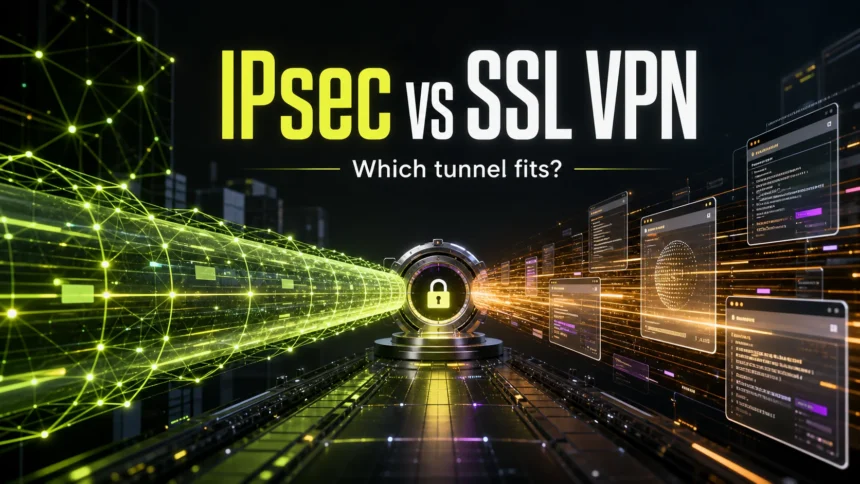
IPsec and SSL/TLS are both used to protect network traffic, but they solve different access problems. IPsec usually builds a network-layer tunnel for site-to-site VPNs or managed devices that need broad private-network access. SSL/TLS protects application sessions, web traffic, APIs, and many “SSL VPN” portals where users sign in through a browser or lightweight client.
IPsec vs SSL/TLS in one minute
- Choose IPsec when you need a durable network tunnel between offices, firewalls, routers, or managed corporate laptops.
- Choose SSL/TLS when access should stay closer to specific web apps, portals, APIs, or browser-based remote work.
- IPsec protects IP packets at the network layer; SSL/TLS protects sessions above the transport layer and is what modern HTTPS uses.
- Neither option is automatically safer. MFA, certificates, patching, cipher choices, access scope, logging, and least-privilege policy decide the real security level.
IPsec vs SSL/TLS: main difference
| Feature | IPsec | SSL/TLS or SSL VPN |
| Layer | Network layer; protects IP packets | Transport/application session protection; modern use is TLS |
| Common use | Site-to-site VPN, full-tunnel device VPN, branch connectivity | HTTPS, APIs, web apps, portals, app-specific remote access |
| Access scope | Can expose broad network routes if policy is loose | Can be limited to selected apps or resources |
| Client requirement | Often needs VPN profile, client, certificates, or device management | Often works through a browser or lightweight client |
| Firewall traversal | Commonly uses IKE/IPsec ports such as UDP 500 and 4500; may need network allowance | Often uses TCP 443, which is easier to pass through restrictive networks |
| Best fit | Network connectivity and always-on managed access | Application access, remote portals, and web encryption |
What IPsec does well
IPsec is a framework for securing IP traffic. In practical VPN deployments, it can authenticate endpoints, negotiate keys, and encrypt packets before they cross an untrusted network. That makes it a strong fit when the goal is to make two networks behave as if they are connected through a private link.
Use IPsec when you need:
- site-to-site VPN between offices, data centers, routers, or firewalls;
- managed laptops that should reach internal DNS, file shares, admin tools, or non-web applications;
- full-tunnel or split-tunnel routing controlled by IT policy;
- stable machine authentication with certificates, IKEv2, and device management;
- network-level logging and firewall rules around subnets, routes, and gateways.
The tradeoff is complexity. IPsec normally requires more planning around clients, certificates, NAT traversal, firewall rules, routes, and split tunneling. It is powerful, but a poorly scoped IPsec VPN can also give a compromised endpoint too much network reach.
What SSL/TLS and SSL VPN do well
SSL is the older name people still use, but modern secure web connections use TLS. In normal browsing, TLS is the technology behind HTTPS. In remote-access products, the term “SSL VPN” usually means a VPN portal or tunnel that relies on TLS-style encrypted sessions.
Use SSL/TLS or an SSL VPN when you need:
- browser-based access to internal web apps or dashboards;
- remote access with fewer client-installation steps;
- MFA and identity checks at the application portal;
- access rules that expose only specific applications instead of a whole subnet;
- connectivity from networks that block many VPN protocols but allow HTTPS traffic.
The tradeoff is scope and implementation quality. Some SSL VPNs are excellent for app-specific access, but a full network tunnel over an SSL VPN client can still behave like a broad VPN. Treat the product configuration, not the label, as the security boundary.
Which is more secure?
Neither IPsec nor SSL/TLS is automatically more secure. A well-patched SSL VPN with MFA, narrow app access, strong TLS settings, and good logging can be safer than an IPsec VPN that exposes a full network to every remote laptop. A well-designed IPsec deployment with certificates, hardened gateways, limited routes, and monitored access can be safer than an outdated SSL VPN appliance.
For security decisions, compare these factors instead of asking which protocol name sounds stronger:
- Access scope: does the user need one app, a few apps, or an entire private network?
- Authentication: is MFA required, and are certificates or device checks used?
- Patch exposure: is the VPN gateway internet-facing and kept current?
- Least privilege: can users reach only what they need?
- Monitoring: are failed logins, new devices, impossible travel, and unusual data transfers logged?
- Endpoint trust: what happens if the remote device is infected before it connects?
If you are comparing VPNs because of privacy concerns rather than corporate remote access, also read our guide to VPNs, proxies, Tor, and the limits of hiding an IP address. If you are investigating a suspicious VPN installer or unexpected ProtonVPN-related file, see our nethost.dll ProtonVPN cleanup guide.

For remote workers: full network or app-only access?
The practical decision is usually about how much access the user should receive after login. If a remote worker needs internal file shares, legacy desktop apps, admin tools, and several private subnets, IPsec is often the cleaner network design. If the worker only needs a CRM, email portal, dashboard, code repository, or helpdesk system, SSL/TLS app access or zero-trust access can reduce exposure.
For mixed environments, many organizations use both: IPsec for site-to-site or managed-device access, and TLS-based app access for contractors, personal devices, or users who only need a narrow set of resources.
Common security mistakes to avoid
- Calling an old SSL VPN “safe” only because it uses port 443. Internet-facing VPN appliances still need urgent patching and monitoring.
- Giving every VPN user full network access when only one application is needed.
- Using split tunneling without deciding which traffic is allowed outside the tunnel.
- Skipping MFA because the VPN already has a password.
- Trusting any VPN installer found through ads, cracked software pages, fake updates, or unofficial mirrors.
- Ignoring unusual VPN-related processes, new network adapters, proxy settings, or browser extensions after installing a “free VPN”.
VPN-related compromise often starts with phishing, stolen credentials, exposed gateways, or a malicious installer rather than the protocol alone. If a VPN client appeared after a bundle install, or if network settings changed without consent, disconnect from sensitive accounts and scan the device before reusing saved passwords or browser sessions.
Quick decision guide
| Situation | Better starting point |
| Branch office to headquarters | IPsec site-to-site VPN |
| Managed laptop needs broad internal access | IPsec remote access or another managed-device VPN |
| Contractor needs one internal web app | SSL/TLS app portal or zero-trust access |
| User is on restrictive hotel or public Wi-Fi | TLS-based access may traverse firewalls more easily |
| Security team wants least-privilege app access | SSL/TLS app access or zero-trust design |
| Network team needs subnet routing between gateways | IPsec |
FAQ
Is SSL the same as TLS?
No. SSL is the older term; modern secure web connections use TLS. People still say “SSL VPN” because the product category kept the older name.
Is IPsec only for VPNs?
No. IPsec is a general architecture for securing IP traffic, but most users encounter it through VPNs, especially site-to-site and managed-device remote access.
Which is better for remote workers?
For broad network access on managed devices, IPsec can fit well. For app-specific access, browser portals, contractors, and tighter least-privilege control, SSL/TLS app access or zero-trust access is often easier to manage.
Does an SSL VPN protect all internet traffic?
Not always. A portal-style SSL VPN may protect only the apps opened through that portal. A full-tunnel SSL VPN client can route more traffic, but that depends on the product and policy.
Can a VPN make malicious downloads safe?
No. A VPN can encrypt traffic and hide some network details, but it cannot make a fake installer, cracked app, phishing page, or malicious browser extension safe.
References
- IETF. “Security Architecture for the Internet Protocol.” RFC 4301, December 2005, accessed June 6, 2026. https://www.rfc-editor.org/rfc/rfc4301
- IETF. “The Transport Layer Security (TLS) Protocol Version 1.3.” RFC 8446, August 2018, accessed June 6, 2026. https://www.rfc-editor.org/rfc/rfc8446
- NIST. “Guide to SSL VPNs.” NIST SP 800-113, July 2008, accessed June 6, 2026. https://csrc.nist.gov/pubs/sp/800/113/final