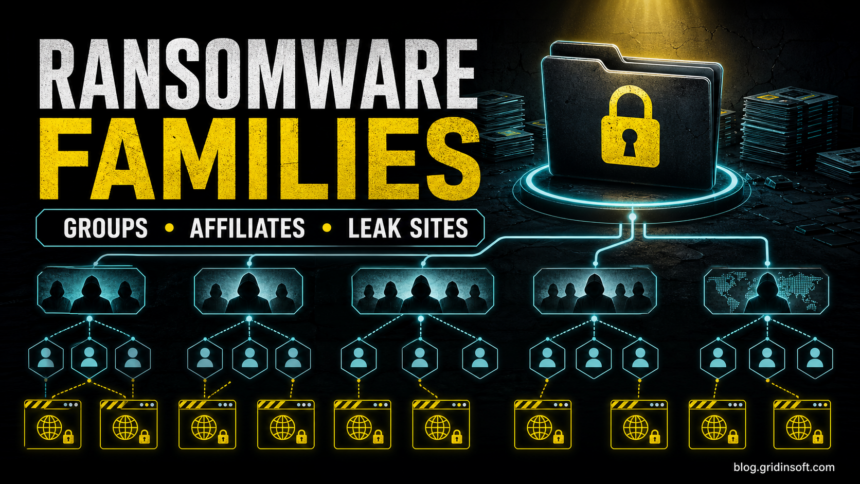
This modern ransomware families list focuses on groups, affiliates, leak sites, and Ransomware-as-a-Service operations. If Part 1 is the historical attack timeline, this page explains the modern ecosystem: families are not always single gangs, gangs are not always the malware authors, and affiliates often perform the intrusion.
For a broader history of famous ransomware attacks, start with the ransomware attack timeline.
Family, group, affiliate, and leak site
| Term | Meaning |
|---|---|
| Ransomware family | The malware codebase or strain used to encrypt files, steal data, or manage victim pressure. |
| Threat group | The criminal organization or brand operating the campaign, infrastructure, negotiations, or leak site. |
| Affiliate | A partner who gains access, deploys malware, or negotiates under a RaaS program. |
| Leak site | A pressure site where stolen data may be listed or published to force payment. |
Modern ransomware families and groups
| Name | Why defenders track it |
|---|---|
| REvil / Sodinokibi | Known for large extortion campaigns and the RaaS model. |
| LockBit | One of the best-known modern ransomware operations, associated with affiliates and leak-site pressure. |
| Conti | Represented organized ransomware operations with enterprise-style internal structure. |
| Hive | Known for healthcare and business targeting before major law-enforcement disruption. |
| BlackCat / ALPHV | Associated with modern double-extortion pressure and advanced operational branding. |
| Royal / BlackSuit | Tracked in modern ransomware advisories and linked to enterprise-impact incidents. |
| Cl0p | Known for data-theft extortion tied to vulnerable file-transfer software. |
| STOP/Djvu | Common among home users, often linked to cracked software and fake downloads. |
Why RaaS changed ransomware
Ransomware-as-a-Service lets different actors specialize. One team may develop malware, another may sell access, another may phish employees, and another may negotiate payment. This is why modern ransomware defense cannot focus only on the final encryption event.
- Initial access may come from phishing, stolen passwords, exposed remote access, or vulnerable software.
- Attackers may spend time stealing data before encryption.
- Security tools may be disabled before the final payload runs.
- Leak-site threats can continue even if backups restore files.
Home-user ransomware families
Not every ransomware case is a large enterprise intrusion. Home users still encounter ransomware through cracked software, fake installers, malicious ads, game cheats, archives, and bundled download sites. STOP/Djvu-style infections are a common example of why “free” software can become an account, file, and privacy problem.
If you ran a suspicious installer before files were encrypted, scan the system before restoring backups. A visible ransomware note may be only the final stage; loaders, password stealers, scheduled tasks, or cracked-software leftovers can remain.
How to use a ransomware families list
A family name is useful only when it leads to a safer decision. It can help responders search for decryptors, identify known ransom-note patterns, understand whether data theft is common, and decide which logs or systems to preserve. It should not be used to guess, rename encrypted files, or try random decryptors.
Signals that help identify a family
| Signal | Why it matters |
|---|---|
| Ransom note name and wording | Families often reuse note formats, contact methods, and pressure language. |
| Encrypted file extension | Useful but not definitive; extensions can overlap or change. |
| Leak-site mention | Suggests double extortion and data-theft pressure. |
| Initial infection path | Cracked software, RDP, phishing, or exploited software can point to different response priorities. |
| Security-tool tampering | Shows the attacker may have had hands-on access before encryption. |
Modern response priorities
- Isolate affected systems before investigating.
- Preserve ransom notes, extensions, timestamps, suspicious files, and logs.
- Do not trust the first family guess from a filename alone.
- Search for initial access: stolen credentials, remote access, exposed services, phishing attachments, or cracked software.
- Clean and rebuild before restoring backups when persistence is possible.
Common initial access paths
| Access path | What defenders should review |
|---|---|
| Stolen VPN or RDP credentials | Login logs, MFA gaps, password reuse, and exposed remote services. |
| Phishing attachment or link | Mailbox rules, downloaded files, scripts, and lateral movement from the first host. |
| Vulnerable file-transfer or edge device | Patch history, web logs, newly created accounts, and data-staging locations. |
| Cracked software or fake installer | Loaders, stealers, scheduled tasks, browser credentials, and other home-user risks. |
| Compromised supplier or managed service | Remote-management tools, admin accounts, and shared credentials. |
Why family names change
Ransomware brands disappear, rebrand, split, or get disrupted. A name can refer to a malware strain, a leak-site brand, a group, an affiliate program, or a cluster of related activity. That is why responders should preserve evidence and verify the family through multiple signals instead of relying on a single extension or ransom note.
Home-user warning signs before encryption
- A crack, keygen, or fake installer asks to disable protection.
- Security tools stop opening or exclusions appear unexpectedly.
- Unknown scripts, scheduled tasks, or startup entries appear after a download.
- Browser passwords or game/Discord/Steam accounts are stolen shortly before file damage.
FAQ
Are ransomware families and ransomware groups the same thing?
Not always. A family can describe malware code, while a group describes the people or operation using it. In RaaS cases, affiliates may deploy a family without being the core developers.
Why do ransomware groups use leak sites?
Leak sites add pressure when victims can restore from backups. Attackers threaten to publish stolen data even if encryption damage is recoverable.
Can antivirus decrypt ransomware files?
No ordinary antivirus can promise decryption. Security tools can remove active malware and leftovers, but file recovery depends on backups, shadow copies, or a legitimate decryptor for the exact family.
References
- Cybersecurity and Infrastructure Security Agency. “StopRansomware.” CISA, accessed June 13, 2026. https://www.cisa.gov/stopransomware
- CISA. “Understanding Ransomware Threat Actors: LockBit.” CISA, June 2023, accessed June 13, 2026. https://www.cisa.gov/news-events/cybersecurity-advisories/aa23-165a
- CISA. “#StopRansomware: BlackSuit (Royal) Ransomware.” CISA, March 2023, accessed June 13, 2026. https://www.cisa.gov/news-events/cybersecurity-advisories/aa23-061a