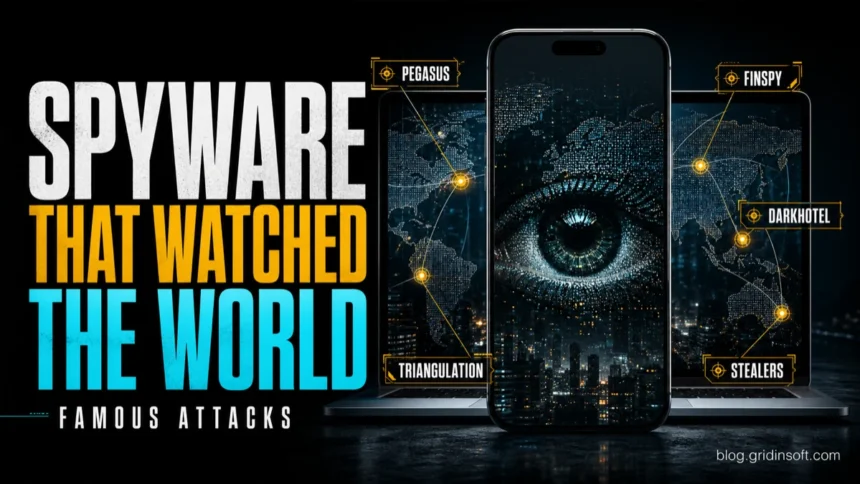
Famous spyware attacks are useful because they show the main spyware patterns: targeted phone surveillance, hotel-network espionage, commercial surveillance tools, and mass-market password stealers. Pegasus, Operation Triangulation, DarkHotel, FinSpy, Agent Tesla, and FormBook are not the same threat. The practical lesson is to ask what the spyware tried to collect, how it got in, and whether you are dealing with a high-risk targeted case or a more common Windows/browser infection.
If you landed here after reading about Pegasus, a suspicious phone warning, a strange browser extension, or a password-stealer alert, use the examples below as a map. This page is about real spyware cases and lessons. For symptom checking, use our spyware symptoms guide. For prevention habits, use the anti-spyware tips checklist.
What Are Famous Spyware Examples?
- Pegasus: high-end mobile spyware linked to zero-click iMessage exploitation and surveillance of high-risk people.
- Operation Triangulation: an advanced iOS spyware campaign reported by Kaspersky, with a memory-resident implant and complex exploit chain.
- DarkHotel: hotel-network espionage against selected executives and business travelers.
- FinFisher / FinSpy: commercial surveillance tooling reported in investigations involving activists, journalists, and civil-society targets.
- Agent Tesla and FormBook: commodity stealers used in phishing and malware campaigns to collect passwords, browser data, and keystrokes.
The search intent behind “famous spyware attacks” is mixed. Some readers want a list of famous malware names; others are trying to understand whether spyware can affect them. That is why the best answer needs both the case names and the practical lesson behind each case.
What Counts as Spyware?
Spyware is malware or intrusive software that collects information from a device without clear, informed permission. Depending on the family, it can steal passwords, cookies, screenshots, messages, documents, location, microphone data, browser history, or system details. Some spyware is expensive and targeted. Other spyware is sold or rented to ordinary criminals and spreads through phishing, fake updates, cracked software, and bundled installers.
- Mobile surveillance spyware: messages, location, microphone, photos, app data, and account context.
- Password stealer: browser passwords, cookies, wallets, tokens, screenshots, and keystrokes.
- Stalkerware: location, messages, calls, and personal activity, often after physical access.
- Corporate espionage spyware: documents, credentials, VPN access, source material, and business communications.
Famous Spyware Attacks and What They Teach
Pegasus
Pegasus is the best-known example of modern mercenary mobile spyware. Citizen Lab documented the FORCEDENTRY exploit while analyzing a phone infected with Pegasus spyware, showing how high-end surveillance can use zero-click delivery against valuable targets. The lesson is not that every phone glitch is Pegasus; it is that journalists, activists, officials, lawyers, executives, and other high-risk people should take Apple or Google threat notifications seriously.
Operation Triangulation
Operation Triangulation showed how advanced iOS spyware can be delivered through complex exploit chains and leave subtle traces. Kaspersky described the TriangleDB implant as spyware deployed in device memory after exploitation. The lesson for ordinary users is to keep mobile devices updated; the lesson for organizations is that mobile telemetry and network anomalies matter when employees are high-value targets.
DarkHotel
DarkHotel became known for targeted spying against selected travelers, especially senior business users connecting through hotel networks. The lesson is simple: travel networks are not a trusted workspace. Avoid surprise update prompts on public Wi-Fi, use a trusted VPN when appropriate, and postpone sensitive logins or file access until you are on a safer network.
FinFisher / FinSpy
FinFisher, also called FinSpy, shows the commercial-surveillance side of spyware. Amnesty International reported FinSpy samples and infrastructure in investigations involving civil-society targets. The lesson is that spyware is not limited to underground malware families; polished surveillance products can also be abused against people who are politically, legally, or socially sensitive targets.
Agent Tesla and FormBook
Agent Tesla and FormBook represent the everyday side of spyware: password theft and data stealing through phishing attachments, fake invoices, cracked software, loaders, and malicious documents. These cases matter to normal Windows users because they target saved browser data, email accounts, business logins, and cryptocurrency wallets rather than only high-profile phones.
What Victims Usually Search For
People rarely search like analysts. They search after something feels wrong. The common queries behind spyware content are closer to “can spyware steal passwords,” “how do I know if my computer has spyware,” “is Pegasus real,” “can an iPhone get spyware,” “remove spyware from computer,” and “spyware examples.” A stronger spyware article must answer the fear behind those searches: what is realistic, what is rare, and what action is safe right now.
- You received an Apple, Google, or platform threat notification: treat it as serious, avoid using that device for sensitive accounts, and follow the vendor’s official steps.
- You opened a suspicious attachment or installed cracked software: disconnect from sensitive accounts, scan the computer, and change passwords from a clean device.
- Your browser changed, redirects appear, or unknown extensions return: remove suspicious extensions, reset browser settings if needed, and scan for bundled malware.
- You fear stalkerware or physical-access monitoring: prioritize personal safety, use a trusted device for help, and avoid alerting the suspected abuser before planning.
- You only read about Pegasus and see no concrete warning: do not panic. Update your phone, review account sessions, and focus on normal phishing and account-security defenses.
How Spyware Usually Gets Installed
- Phishing attachments, fake invoices, and malicious document macros.
- Links in email, SMS, messenger apps, or compromised websites.
- Fake browser, codec, Flash, VPN, game, or security updates.
- Cracked software, cheats, keygens, and bundled installers.
- Physical access to a phone or computer in stalkerware cases.
- Advanced exploit chains against high-risk targets.
What to Do if You Suspect Spyware
- Separate the device from sensitive work. Do not use a suspected device for banking, email recovery, password resets, or admin accounts.
- Scan computers for malware and unwanted apps. On Windows, run a full scan and review startup items, scheduled tasks, browser extensions, and recently installed apps.
- Change passwords from a clean device. Start with email, financial accounts, password managers, social accounts, and work logins.
- Revoke unknown sessions and connected apps. Look for unfamiliar devices, OAuth apps, browser sessions, and API tokens.
- Escalate high-risk mobile cases. If you are a journalist, activist, public official, lawyer, executive, or received a vendor threat alert, seek specialist help instead of relying only on ordinary cleanup steps.
For Windows spyware, password stealers, malicious browser extensions, and bundled installers, a full security scan is a practical next step after you remove the obvious suspicious app. Gridinsoft Anti-Malware can check hidden startup entries, bundled files, browser leftovers, and other malware that may have arrived with the spyware.
After uninstalling the suspicious app or deleting the visible threat, use Gridinsoft Anti-Malware to check hidden files, startup entries, scheduled tasks, bundled apps, browser changes, and other persistence points that can restore malware.
Download Anti-MalwareFAQ
What is the most famous spyware?
Pegasus is probably the most famous modern spyware name because of high-profile mobile surveillance investigations and zero-click exploit reporting. For everyday Windows users, commodity stealers such as Agent Tesla and FormBook are often more practically relevant.
Are famous spyware attacks only a risk for politicians and journalists?
No. Expensive mobile spyware is usually aimed at high-risk people, but password stealers, stalkerware, malicious extensions, and bundled spyware can affect ordinary home and business users.
Can spyware steal passwords?
Yes. Many spyware and stealer families collect browser passwords, cookies, tokens, autofill data, screenshots, and keystrokes. Change passwords from a clean device after cleanup.
Can an iPhone get spyware?
Yes, especially in targeted cases. Keeping iOS updated reduces risk, but high-risk users should treat vendor threat notifications seriously and may need forensic help.
Should I reinstall Windows after spyware?
Not always. First remove the malware, scan the whole system, rotate passwords, and monitor accounts. Reinstall if persistence remains, security tools are disabled again, or you cannot trust the cleanup.
References
- Google Threat Analysis Group. “Buying Spying: Insights into Commercial Surveillance Vendors.” Google, updated April 18, 2024, accessed June 8, 2026. https://blog.google/threat-analysis-group/commercial-surveillance-vendors-google-tag-report/
- The Citizen Lab. “FORCEDENTRY: NSO Group iMessage Zero-Click Exploit Captured in the Wild.” Citizen Lab Research Report No. 146, September 13, 2021, accessed June 8, 2026. https://citizenlab.ca/research/forcedentry-nso-group-imessage-zero-click-exploit-captured-in-the-wild/
- Kaspersky. “TriangleDB, spyware implant of Operation Triangulation.” Kaspersky official blog, June 21, 2023, accessed June 8, 2026. https://www.kaspersky.com/blog/triangledb-mobile-apt/48471/
- Kaspersky. “Darkhotel malware virus threat definition.” Kaspersky Resource Center, accessed June 8, 2026. https://www.kaspersky.de/resource-center/threats/darkhotel-malware-virus-threat-definition
- Amnesty International Security Lab. “German-made FinSpy spyware found in Egypt, and Mac and Linux versions revealed.” Amnesty International, September 25, 2020, accessed June 8, 2026. https://www.amnesty.org/en/latest/research/2020/09/german-made-finspy-spyware-found-in-egypt-and-mac-and-linux-versions-revealed/