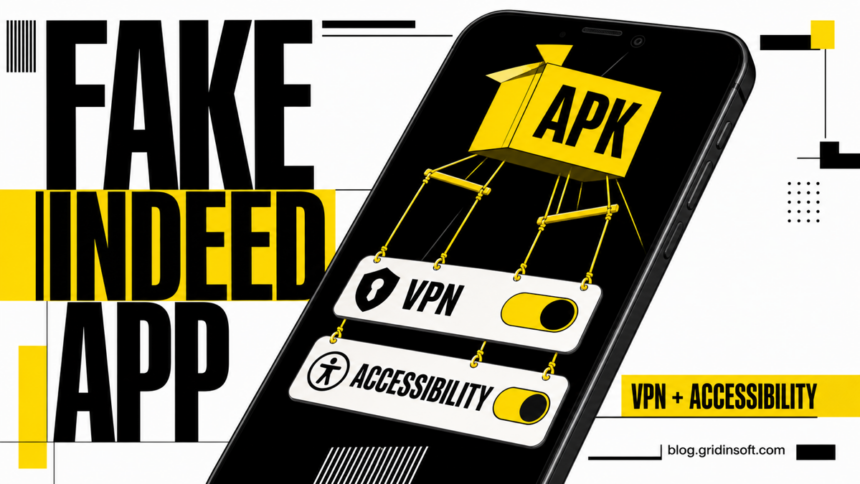
Fake Android interview apps are being offered to job seekers through conversations that begin on Indeed. Malwarebytes analyzed apps presented as an “Interview App” or “MyInterview” and found Android droppers that imitate Indeed, create a VPN connection after an email address is entered, and can install an additional spyware payload [1]. Indeed says its interviews run in a browser and never require a special app or an APK sent by a recruiter [2].
This is not a zero-click attack. Receiving a message or opening a job listing does not infect a phone. The serious risk starts when a person installs the APK and grants powerful access such as VPN or Android Accessibility. If the same lure targeted a Windows or macOS computer, use the separate fake job interview malware cleanup guide.
Who needs to act
What happened — Risk and next step
- You only received the link: Do not open it again or install the APK. Report the recruiter or listing to Indeed.
- You downloaded the APK but did not open it: The risk is lower. Delete the file, scan the phone with Google Play Protect, and check that installing unknown apps is disabled for the browser or messaging app used.
- You installed the app but denied VPN and Accessibility access: Remove the app and run the checks below. Installation still placed untrusted code on the phone, but the most powerful observed permissions were not granted.
- You enabled VPN or Accessibility, entered information, or the app resists removal: Treat the phone as potentially compromised. Disconnect it, secure accounts from another device, remove the malicious access, and consider a factory reset if control cannot be restored.
How the fake Indeed interview app works
- A supposed employer moves the interview into an unfamiliar app. The applicant receives a link during a hiring conversation and is told to install an Android package outside Google Play.
- The app imitates Indeed. The analyzed samples displayed an Indeed-style login page. After an email address was entered, they created a VPN connection.
- The dropper asks for powerful access. Malwarebytes found the app listed under downloaded Accessibility services. Accessibility can let an app read screen content and perform actions on the user’s behalf.
- A second payload can be installed. Static analysis classified the apps as Trojan droppers. The final payload observed by the researchers was spyware, although a dropper can deliver different payloads over time.
- Removal may be blocked. Once Accessibility is active, the malware can force the screen away from Android’s uninstall page, making a normal removal attempt appear to fail.
A VPN connection by itself does not prove that traffic was intercepted, and the report does not establish how many phones were infected. The risk assessment comes from the full chain: Indeed impersonation, sideloading, dropper behavior, a spyware payload, and an attempt to obtain Accessibility control.
Indicators from the analyzed samples
Indicator — Observed value
- Campaign domain:
startcareer[.]org - Dropper package:
com.rodugasewubawo.rzfwhQfswMDX - Dropper MD5:
D6B7F7C2514AC5AC93C5EB93E80EF317 - Dropper package:
com.pogupijabedoku.VXCBLuvjmRcZzL - Dropper MD5:
7796C6ADC5D9EC00EA41B80648329B37 - Observed spyware package:
com.dupahu.nTTpEllELgMgD - Observed spyware MD5:
8EA8F77C03AC58ACC19C25DDC6D1CD48
These indicators are useful for confirming one observed branch, not for declaring every other file safe. Attackers can change domains, package names, and hashes while keeping the same interview lure and permission pattern.
What to do after installing the APK
- Stop the interview and disconnect the phone. Turn on airplane mode, then make sure Wi-Fi and Bluetooth are off. Do not follow more instructions from the recruiter.
- Preserve the evidence. From another device, save the job-listing URL, recruiter profile, messages, download domain, APK name, and the time the app was installed. Do not upload the APK to random services or run it again.
- Remove its powerful permissions first. Check Settings for downloaded Accessibility services and disable the unknown interview app. Remove an unfamiliar VPN profile. Also review device administrator apps and the “Install unknown apps” permission for the browser or messenger that downloaded the APK. Menu names vary by phone maker.
- Check installed apps and remove unwanted findings. Open Trojan Scanner for Android, update its threat database, and tap Start. Review the apps and the reasons for the warnings, choose removal for unwanted items, and confirm Android’s uninstall prompt. The dropper may have installed a second app, so review the findings beyond the visible interview-app icon. Restart normally and scan again after removal. Keep Google Play Protect enabled and run its check too; Google recommends improved harmful-app detection for apps obtained outside Google Play [3].
- If the app blocks removal, use safe mode. Safe mode temporarily disables downloaded apps on many Android devices. Follow the phone manufacturer’s instructions, remove the suspicious app, and restart normally.
- Secure accounts from a clean device. Change the password for the email address entered into the fake app, review Google and Indeed sessions, remove unknown devices, and replace any reused password. If banking, wallet, identity, or card information was entered or displayed after Accessibility was enabled, contact the bank and secure those accounts immediately.
- Reset the phone when control is uncertain. A factory reset is the safer choice if the app still redirects Settings, new apps appear, the phone closes screens by itself, or you cannot verify that the spyware and its permissions are gone. Back up photos and documents, but do not restore APK files or an untrusted full-device backup.
For a broader post-cleanup check, compare the phone with the signs in the Android malware removal guide. Removing the visible app does not reverse password theft, session theft, or fraudulent transactions, so device cleanup and account recovery must be treated as separate tasks.
How to verify a real Indeed app
- Indeed lists only its official job-search and Indeed Flex apps; neither is called “Indeed Interview.”
- Install Indeed apps only from Google Play or Apple’s App Store and check the publisher shown by the store.
- An interview on Indeed does not require an APK, a separate “recruitment portal,” a VPN connection, or Accessibility access.
- Verify the employer through the company’s official website or phone number, not through contact details supplied only in the job-platform message.
Another fake-app warning: the same permission-first response applies to fake streaming APKs that use Meta ads to install PanDa RAT. If you approved Accessibility, isolate the phone before using banking or other sensitive apps.
References
- Pieter Arntz. “Beware of fake Indeed interview apps used to install spyware.” Malwarebytes, August 26, 2026. https://www.malwarebytes.com/blog/scams/2026/08/beware-of-fake-indeed-interview-apps-used-to-install-spyware
- Indeed. “About Indeed’s Mobile App.” Indeed Support, accessed August 26, 2026. https://www.indeed.com/help/job-seekers/articles/45426036541837-about-indeed-s-mobile-app?hl=en&co=CA
- Google. “Remove malware or unsafe software — Android.” Google Account Help, accessed August 26, 2026. https://support.google.com/accounts/answer/9924802?co=GENIE.Platform%3DAndroid&hl=en