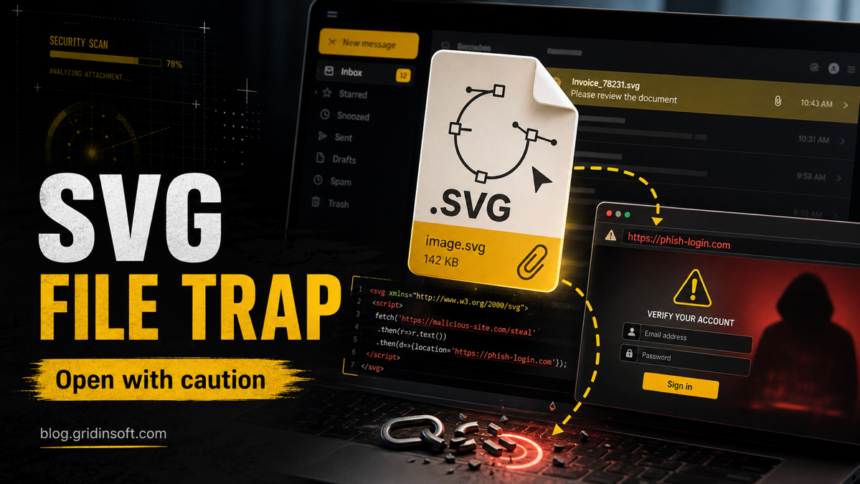
An SVG virus is usually not a classic image infection. It is a malicious or weaponized .svg file that uses the SVG format’s web features to send you to a phishing page, run script in a browser context, or push a payload download. If an unexpected SVG arrived as an invoice, voicemail, document review, logo proof, or shared file, treat it like an active attachment: do not sign in through it, do not approve downloads, and choose the response below based on what actually opened or ran. Merely receiving the email is not proof of infection.
The reason SVG attacks work is simple: SVG is not the same kind of image as JPG or PNG. It is an XML-based format that browsers can render, and attackers abuse that flexibility to hide links, scripts, redirects, fake forms, or encoded download logic inside something that still looks like a harmless picture.
What Is an SVG Virus?
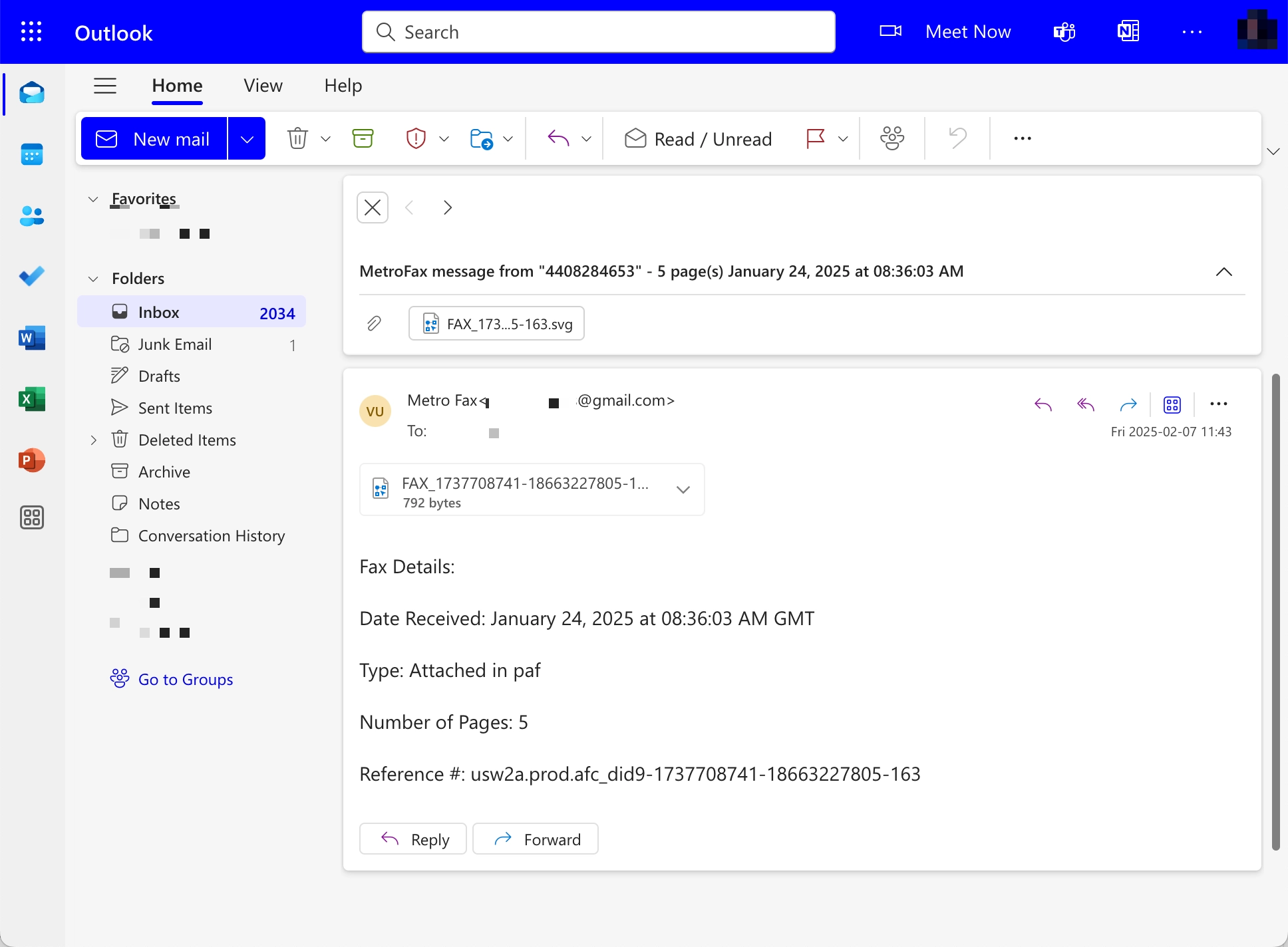
“SVG virus” is a user-friendly name for a malicious SVG file used in phishing, credential theft, or malware delivery. The file may display a simple image, a document preview, or a fake business screen, but the real purpose is to move you from the attachment into an attacker-controlled page or payload chain.
Security reports in 2025 showed attackers using SVG attachments for several patterns: redirecting victims to fake login portals, embedding phishing pages inside the SVG itself, and smuggling payloads through encoded content. That makes SVG more dangerous than a normal static image when the file comes from an unknown sender.
Why SVG Files Are Different From JPG or PNG Images
| JPG, PNG, WebP | Mostly static image formats. They can still be abused in rare exploit or steganography cases, but they do not normally contain clickable web logic or JavaScript that runs as page content. |
|---|---|
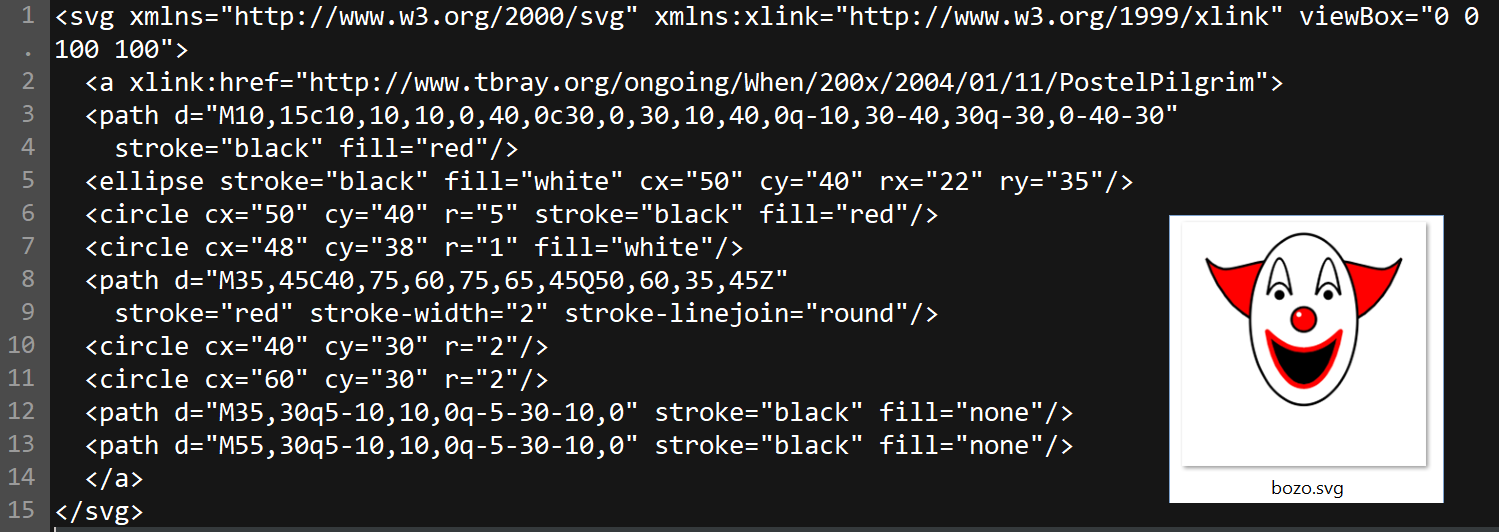
| SVG | Text-based XML that can include links, external references, embedded objects, and scriptable behavior. When opened in a browser, it can behave more like a small web page than a normal image. |
This is why a suspicious SVG belongs closer to the “HTML attachment” risk category than to a vacation photo. It may look like an image icon in email, but opening it can launch browser behavior that static images do not have.
Fake Voicemail SVG Phishing: The 2026 Campaign
INKY’s August 27, 2026 report counted 26,589 detected emails targeting 5,527 organizations between June 1 and August 4. These are message and targeting counts, not confirmed account compromises. The activity was ongoing at the report’s cutoff. [4]
Subjects used the recipient’s email name in 99.5% of messages; 95% spoofed an internal sender. Three-quarters received Microsoft spam confidence levels (SCL) of 0 or 1. A low spam score was therefore not a safety verdict. [4]
| Voicemail lure | An unexpected missed-call notice, a familiar-looking sender, and an attachment posing as a recording. |
|---|---|
| Misleading file label | SVG/XML declared as text/plain, with names resembling .svg...txt. Neither the label nor the suffix proves the content is harmless. |
| Observed behavior | Obfuscated JavaScript assembled and contacted a remote endpoint. The report discusses credential theft and adversary-in-the-middle (AiTM) phishing as possible later stages; it does not prove one identical outcome for every message. |
Example
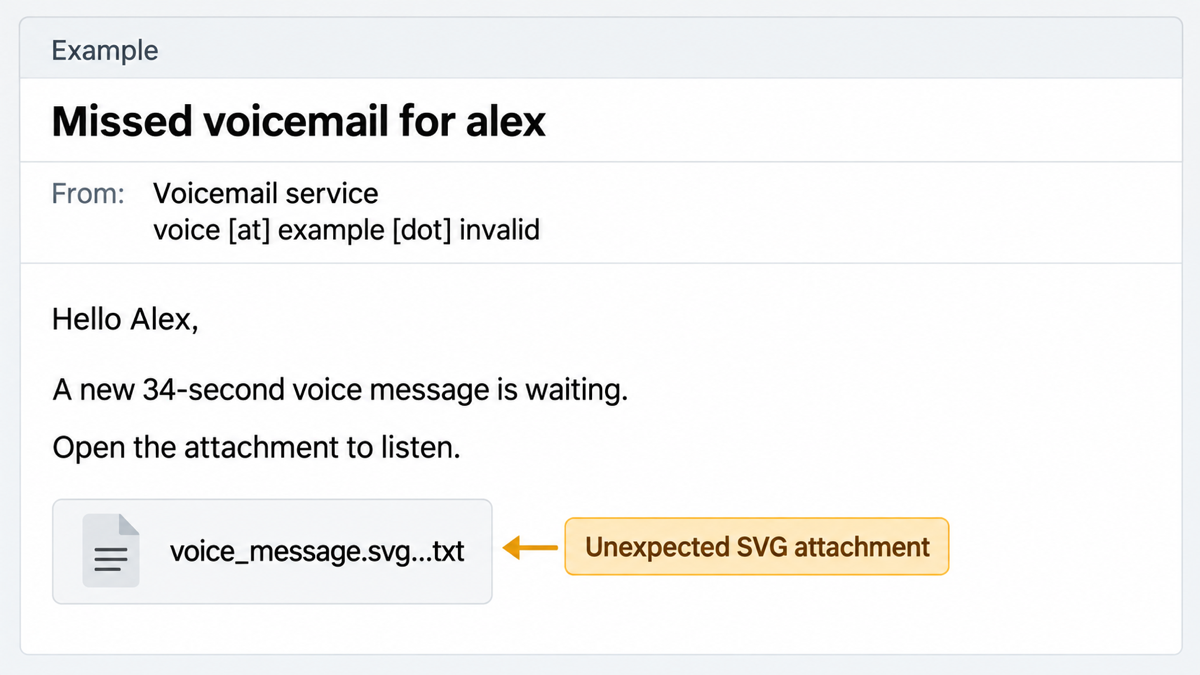
From: Voicemail service — voice [at] example [dot] invalid
Subject: Missed voicemail for alex
Hello Alex,
A new 34-second voice message is waiting.
Open the attachment to listen.
Attachment: voice_message.svg…txt
Check an unexpected notification through the voicemail service you already use, using its saved app or address. A familiar display name and a personalized subject are not authentication. For other envelope clues, see how to spot a phishing email. Legitimate SVG design files and genuine voicemail notifications also exist; judge the source, expected workflow, and actual file behavior together.
How Malicious SVG Attacks Work
Most SVG phishing attacks start with an email attachment. The message usually pretends to be a contract, invoice, scanned document, voicemail, file share, shipping notice, or account verification request. When the SVG opens in a browser, the victim may see a “View document” button, a fake preview, a CAPTCHA gate, or a login form that imitates Microsoft, Google, DocuSign, SharePoint, Dropbox, or another familiar service.
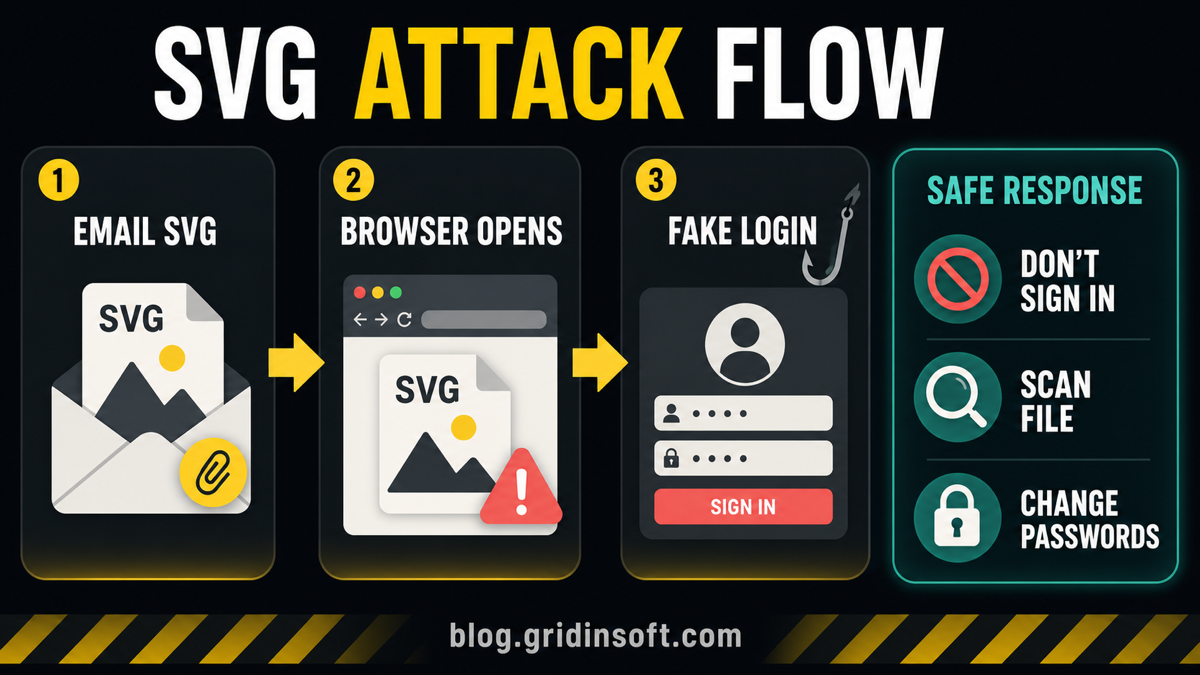
From there, the attack usually follows one of these paths:
- Redirector SVG: the file contains a link or script that sends the browser to a phishing domain.
- Fake login page: the SVG renders or loads a page that asks for email, Microsoft, Google, or document-service credentials.
- Payload download: the page pushes a ZIP, script, executable, or side-loaded component after the user clicks through.
- Obfuscation layer: the SVG hides suspicious code with base64, junk text, redirects, or remote resources to avoid basic scanning.
What To Do If You Opened a Suspicious SVG File
When the security alert names fraudulent HTML instead of SVG specifically, compare the affected path and email context with the HTML/Fraud Trojan cleanup checklist before restoring the attachment or signing in through it.
Separate the attachment from anything it opened or downloaded. Use the branch that matches your interaction; seeing your email address pre-filled on a page is not, by itself, evidence that your password or session was stolen.
- Received or deleted the message only: report it as phishing and remove it. Receipt alone does not show code execution, and does not by itself call for a password reset or PC isolation.
- Saved the attachment without opening it: do not double-click it. Let your security team or security software inspect it, then quarantine or delete it. Keep evidence only as directed by your organization.
- Opened the SVG in a browser: close it and do not reopen it to experiment. Script may already have run in the browser context. Record the time, check Downloads and security alerts, and scan the attachment and any newly created files. Browser activity alone does not establish a persistent Windows infection; isolate the device if security tools report malicious code running, unexplained outbound activity, or another payload executing.
- Clicked or reached a redirected page: stop there; do not sign in, allow notifications, install an extension, or accept downloads. Check for those changes and report the destination to IT without revisiting it. A download saved but never run should be quarantined or deleted, not opened for testing.
- Entered credentials or approved a phishing-related MFA request: use a clean device and the service’s genuine address to change the exposed password, revoke sessions, review recent sign-ins, mailbox forwarding and inbox rules, and remove unfamiliar OAuth grants or newly registered authentication methods/passkeys. Contact your administrator for a work account. Follow the account recovery checklist. In AiTM attacks, a captured session can survive a password reset unless sessions/tokens are revoked; this broader risk is documented by Microsoft and is not a confirmed outcome for every INKY message. [5]
- Executed a downloaded file, script, installer, or extension: disconnect the affected device from the network and contact IT if managed. Scan and remove detections before reconnecting; perform account recovery from a separate clean device if credentials or sessions may also be exposed.
When a downloaded payload ran or browser/security symptoms keep returning, deleting the SVG may leave a loader, scheduled task, startup entry, bundled app, or browser change behind. Run a full scan with Gridinsoft Anti-Malware to check for these files and persistence points. An endpoint scan does not revoke stolen account sessions; complete the account steps separately when applicable.
If the page or email made you download an invoice, coupon, tracking app, browser extension, or support tool, scan the PC before opening it again or logging into sensitive accounts.
Scan for hidden payloadsHow To Inspect an SVG Safely
Do not open an unknown SVG by double-clicking it. If you need to inspect it, use a plain text editor first. SVG files are text, so a text view can show suspicious indicators without rendering the file as active browser content.
Red flags include:
<script>,onload=,eval,fetch,atob, or long base64 strings;- links to unfamiliar domains, URL shorteners, or newly registered sites;
- fake document buttons, login wording, CAPTCHA prompts, or “verify account” language;
- download instructions for ZIP, HTML, JS, VBS, EXE, MSI, ISO, or password-protected archives;
- sender mismatch: a supplier, courier, or service you do not normally receive SVG files from.
For normal users, the safest decision is simpler: if you were not expecting an SVG from a trusted sender, do not open it. Ask the sender through a separate channel or request the file in a safer format such as PDF or PNG when appropriate.
How To Reduce SVG Phishing Risk
- Change the default app for SVG files. On Windows, associate
.svgwith Notepad or another text editor instead of a browser if you rarely need to view SVGs. - Be suspicious of SVG attachments in business email. SVG is common in design workflows, but it is unusual for invoices, voicemail notices, payroll files, and legal document reviews.
- Use password managers. They usually will not autofill credentials on a fake domain, which can stop a phishing page from succeeding.
- Keep browser and email protections enabled. Safe browsing, attachment scanning, and URL reputation checks help, but they are not a reason to trust a surprise SVG.
- Use Gridinsoft after risky interaction. If a payload ran or alerts recur, run a full scan and remove detections. A saved, unopened download should be checked without executing it; account exposure requires separate recovery.
FAQ
Can an SVG file really contain a virus?
An SVG file can contain active web content, links, scripts, external references, or encoded payload logic. The file may not be a traditional executable virus by itself, but it can be used to steal credentials or start a malware download chain.
Is it safe to open an SVG file in a browser?
It is safe only when the SVG comes from a trusted source and you expected it. Unknown SVG email attachments should not be opened in a browser because the browser can render the file as web content.
What should I do if I entered my password after opening an SVG?
Change that password from a clean device, revoke suspicious sessions, review MFA prompts, and check mailbox rules or forwarding settings. Check the original computer for downloads and security alerts; scan for payloads and persistence if a file ran or suspicious activity continues.
Is SVG malware the same as steganography malware?
No. Steganography hides data inside media, while malicious SVG abuse relies on the format’s XML and web behavior. They are related only because both can make an image-like file look safer than it is.
References
- Sophos X-Ops, Andrew Brandt. “Scalable Vector Graphics files pose a novel phishing threat.” Sophos, February 5, 2025, accessed June 20, 2026. https://www.sophos.com/en-us/blog/svg-phishing
- Cloudflare Cloudforce One. “SVGs: the hacker’s canvas.” Cloudflare, 2025, accessed June 20, 2026. https://www.cloudflare.com/cloudforce-one/research/svgs-the-hackers-canvas/
- MITRE ATT&CK. “Obfuscated Files or Information: SVG Smuggling (T1027.017).” MITRE, accessed June 20, 2026. https://attack.mitre.org/techniques/T1027/017/
- INKY. “Fake voicemails, real malware: Inside a 26,000-email SVG smuggling campaign.” Kaseya, August 27, 2026. Campaign analysis
- Microsoft Threat Intelligence and Microsoft Defender Security Research Team. “Inside Tycoon2FA: How a leading AiTM phishing kit operated at scale.” Microsoft, March 4, 2026. AiTM session-theft analysis